
KB:配置属性面板以在“参数”选项卡下始终显示“显示更多”
Updated: 一月 23, 2025
 Altium Designer
要始终在查看组件参数时“显示更多”,请取消选中高级偏好设置 Schematic.UI.ShowMoreOrLessParameters 的值复选框
Solution Details
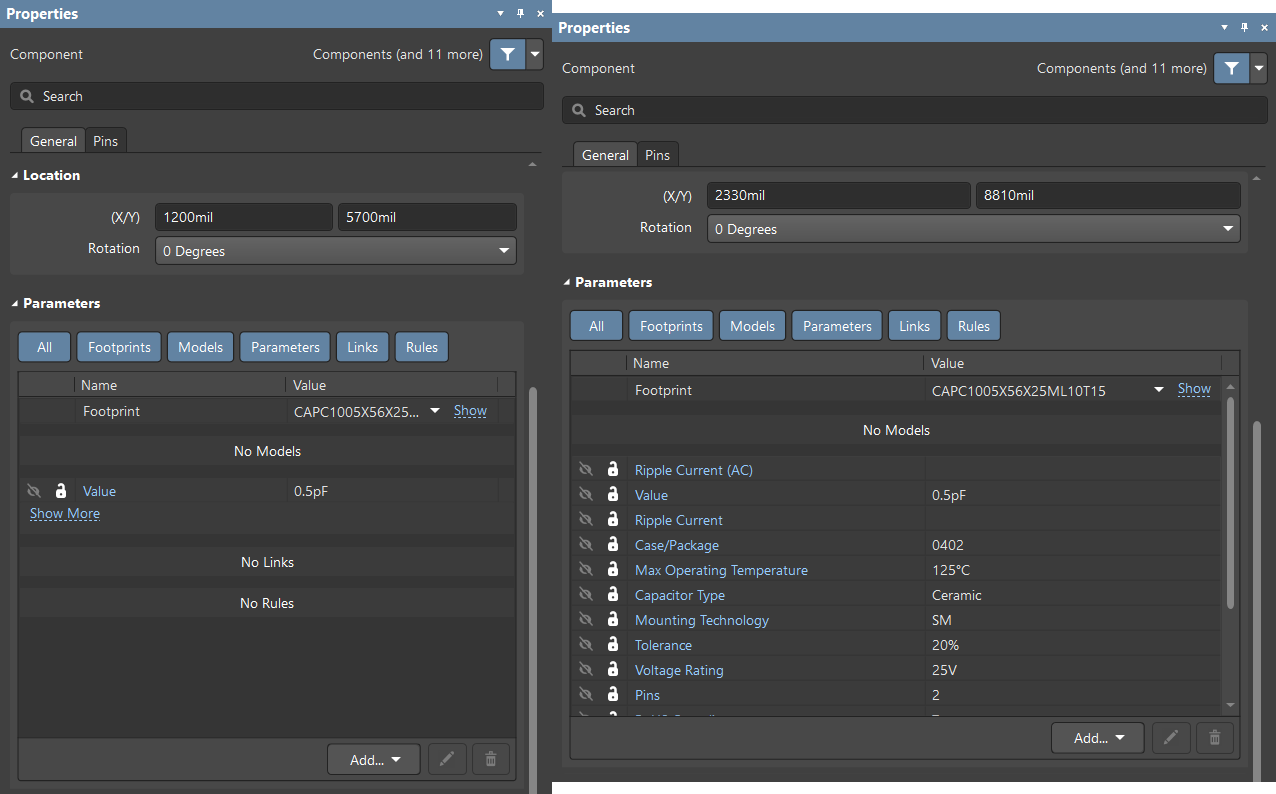
By Default, while viewing a component's parameters in the schematic, Altium will hide parameters and display a "Show More" button.
Disabling the "Show more" functionality will cause parameters to always show the full list instead of prompting the user to show more.
To disable the show more functionality navigate to your Preferences >> General >> Advanced >> Search for "Schematic.UI.ShowMoreOrLessParameters."
You would need to disable the "Value" checkbox for the parameter Schematic.UI.ShowMoreOrLessParameters.
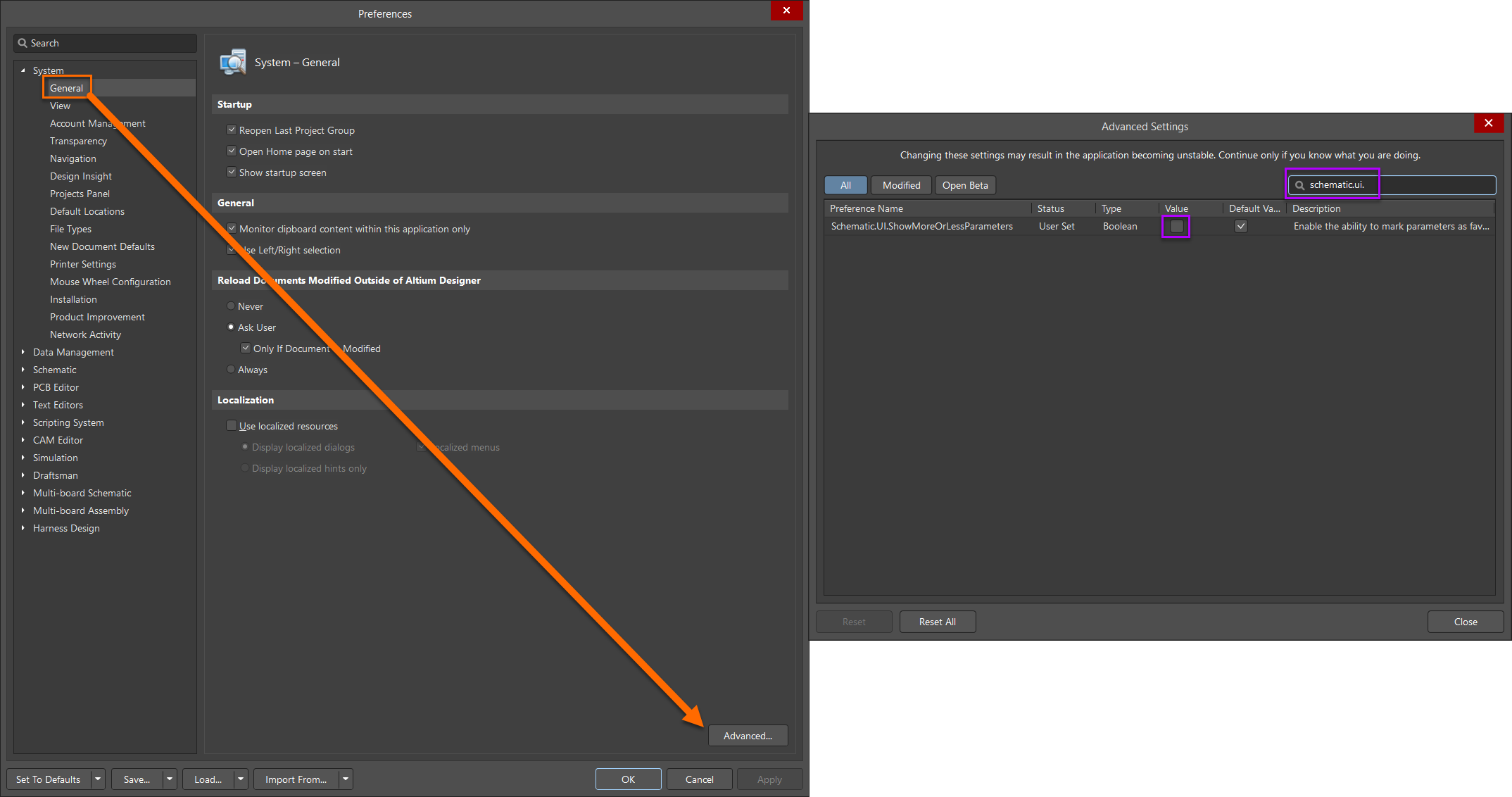
Once you remove disable the "Value" checkbox, you will need to restart Altium to apply the changes.
Additional Control