
Migration to Requirements & Systems Portal on Altium 365 - What You Need to Know
As we migrate to the new Requirements & Systems Portal application on Altium A365 from the old Valispace deployment, this guide will help you understand what changes to expect, how they may impact your workflow, and the new features you can access.
URL Change
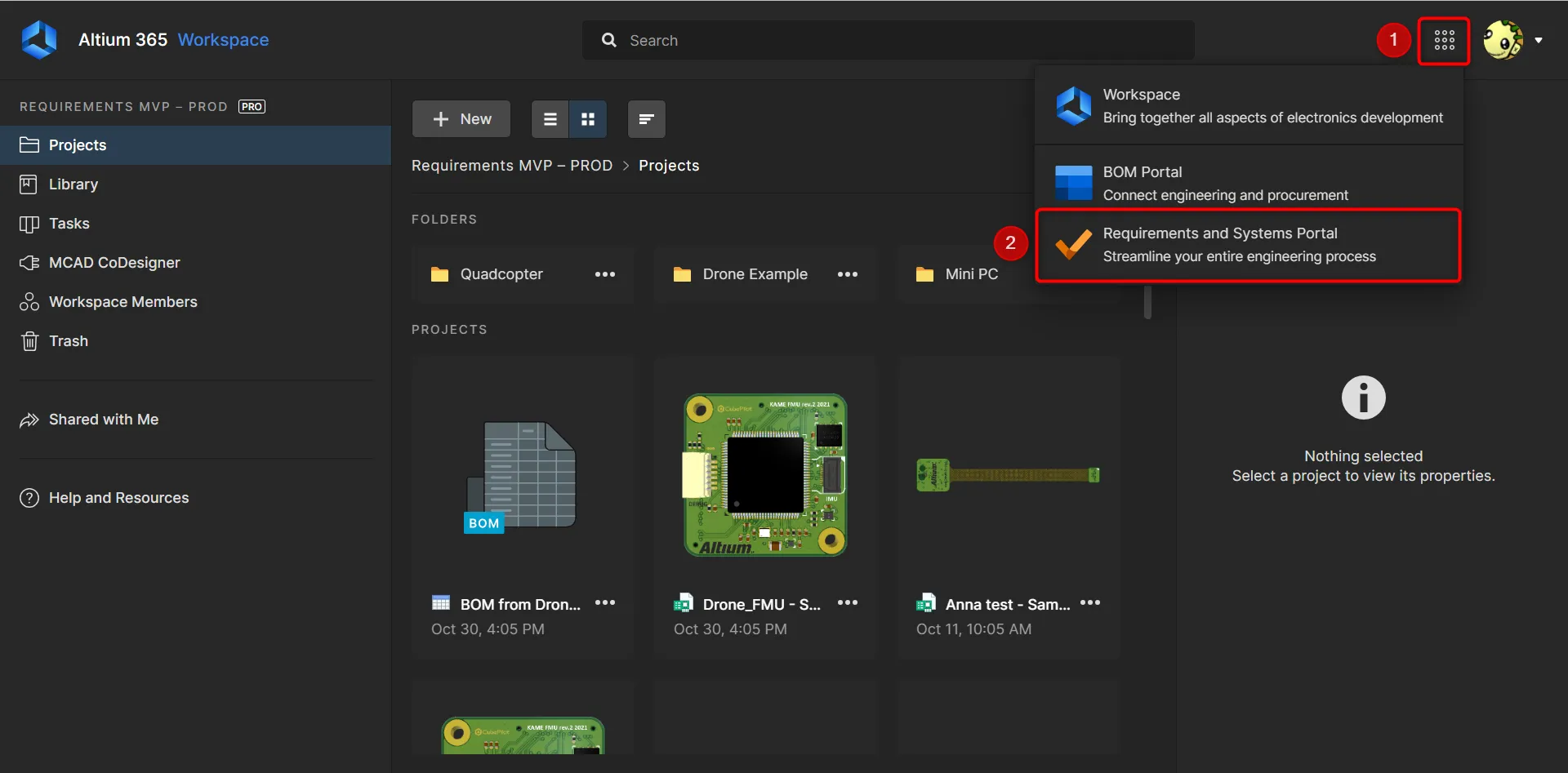
The URL to access has changed. Suppose you accessed the deployment using customer_name.valispace.com; this is no longer valid after the migrations. Once the data is migrated, users must access Requirements & Systems Portal(2) from the nine-dot menu(1) within the Altium A365 workspace.
User Management
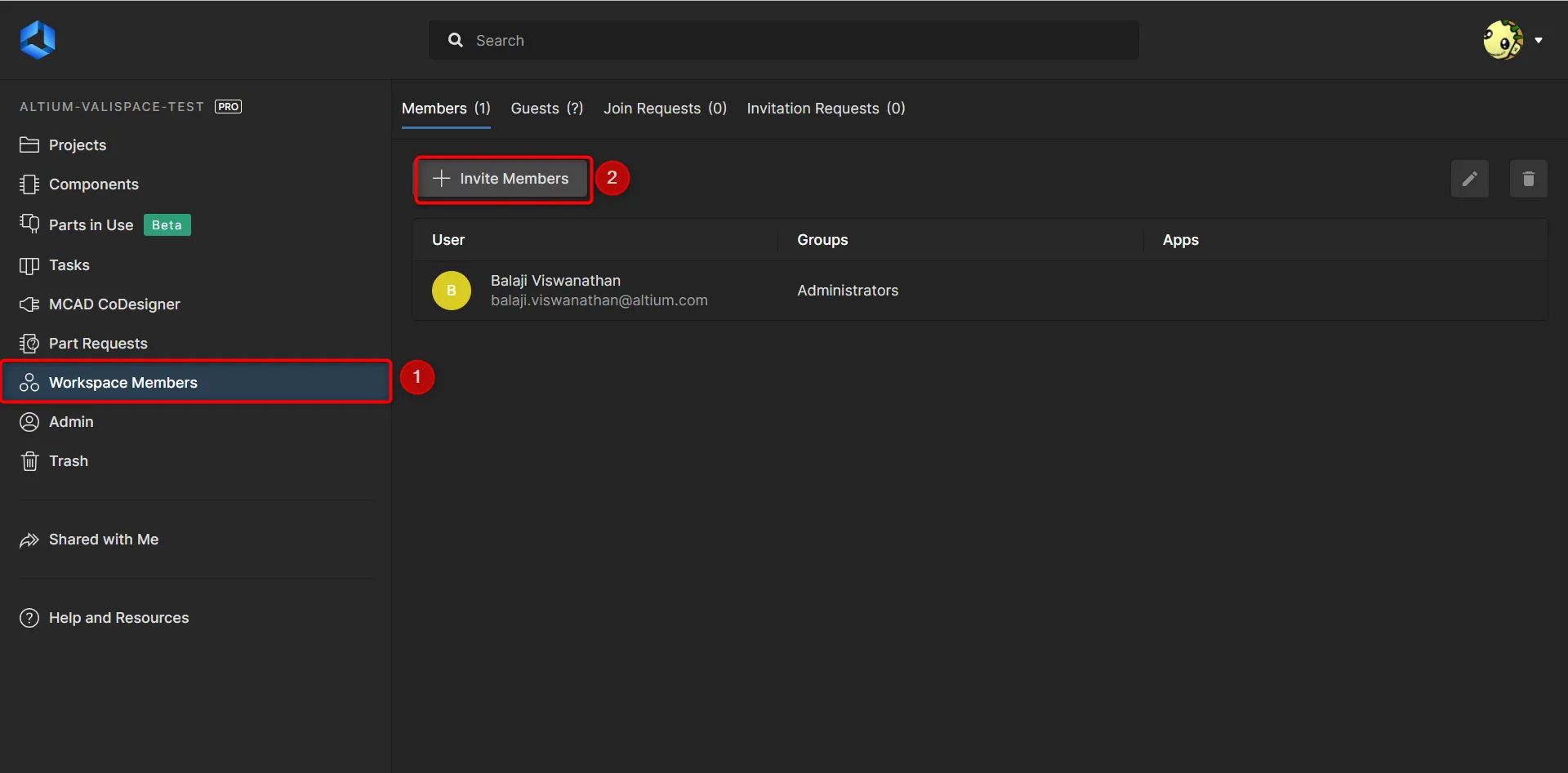
Users are now created in the A365 Workspace under the options “Workspace Members”(1) and “Invite members” (2). This option is only shown to workspace owners/admins. Once users log in for the first time, their accounts are automatically transformed into App(RSP) users.
-
Groups & External Users: Group creation and adding external users are no longer possible within the app. Instead, if needed, Altium personnel can configure them for you.
-
Activation/Deactivation of Users: Only Altium personnel can activate or deactivate users.
Admin Permissions
Access to the admin panel is now restricted in the RSP app. All functions, such as user token generation and custom unit creation, are brought into the setting panels.
API Access
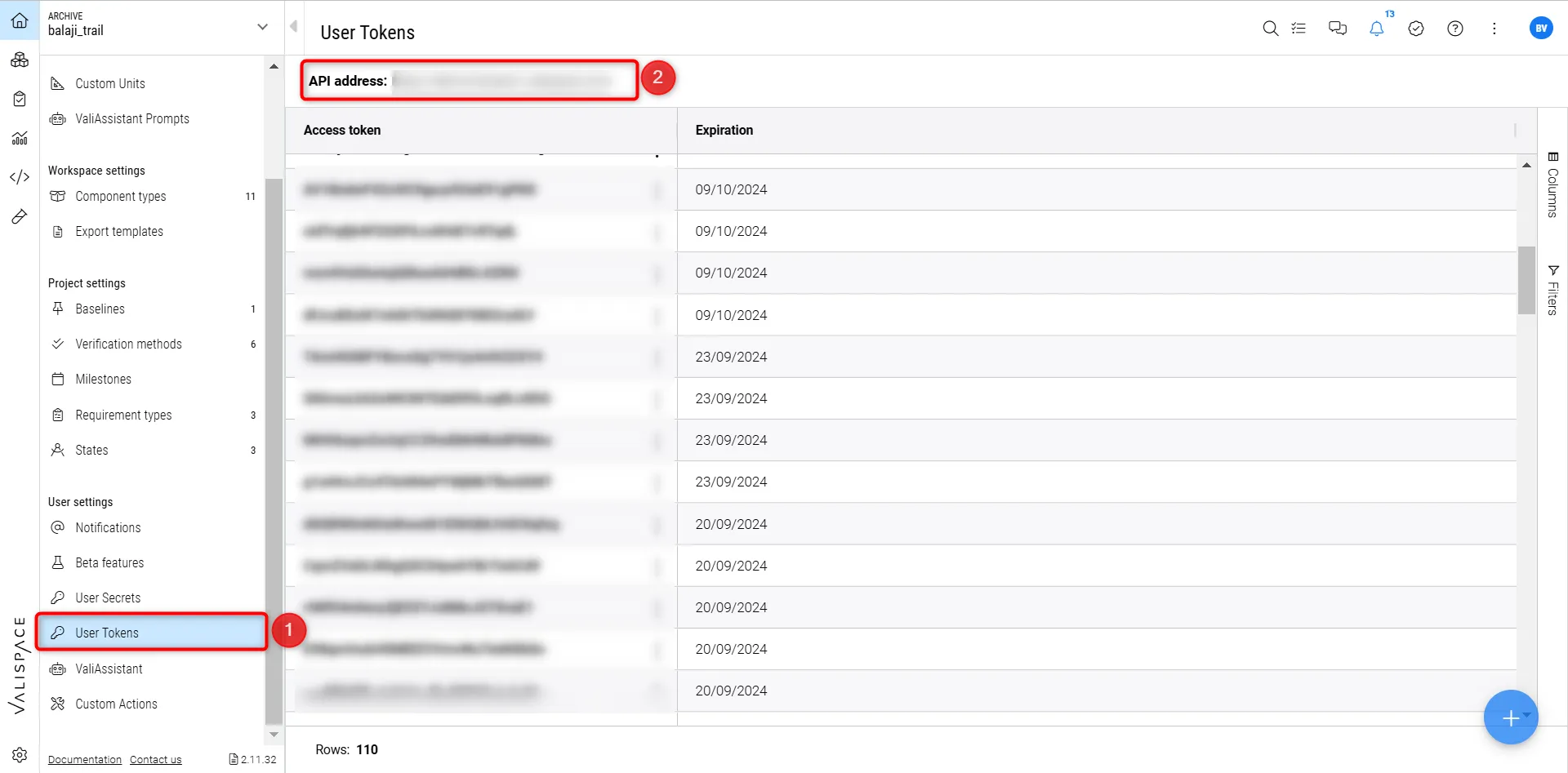
The RSP app users can generate tokens to access the API. If you have been using Python scripts (outside scripting module) or inbuilt integrations, the URL and tokens must be replaced with the new user tokens. The users can generate the user tokens(1) within the RSP's settings page. You can refer to the documentation here.
Integrations
Currently, integrations like the Word, Excel, and SolidWorks plugins and the Matlab plugin, Epsilon3, and Satsearch, are not yet configured to log in using user tokens within the RSP app. These capabilities are scheduled for implementation in the coming months.
Workspaces
By default, in Valispace, the deployment comes with two workspaces, “Training Workspace” and “Default Workspace”. However, currently, it is not possible to have multiple workspaces in the RSP app.
Block/Component Type - Electronics
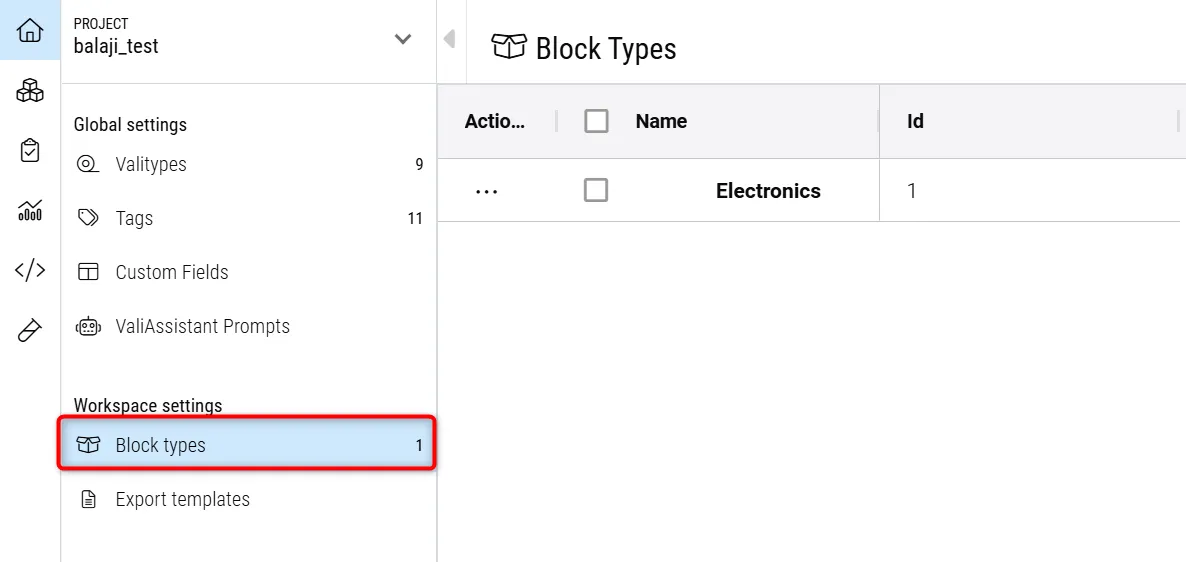
A new component type specifically for electronics has been added, which is crucial for integration with A365. This new component type helps you manage electronics-focused projects more efficiently between the A365 PCBs and schematics and blocks in the system design module in the RSP app.
Share links in Analysis and Dashboards
We have disabled the possibility of generating and share the links in the Analysis module and also in the dashboards.
Data Retention Policy
The Data retention Policy changes slightly from Valispace’s to Altium’s. But rest assured, your data is safer than ever. Altium backups your data every 24 h and on a weekly basis.