V&V Module Migration Cases and Fields Mapping
As part of the transition to the new V&V module, we are preparing to migrate your existing verification data—this includes verification methods, component verification methods, and test procedures—to the updated V&V module workflow.
In previous versions, we introduced fields in the V&V module that align with those in the old verification methodology. Leveraging customer data analytics, we identified common use cases and developed a structured strategy to migrate your existing data to the new module.
Our migration plan covers seven distinct scenarios.
We look forward to your feedback to ensure the migration meets your specific requirements.
Case 1: Component Verification method to “Applicable block” Field
In the old verification workflow, components were linked to requirements through the verification methods associated with each requirement.
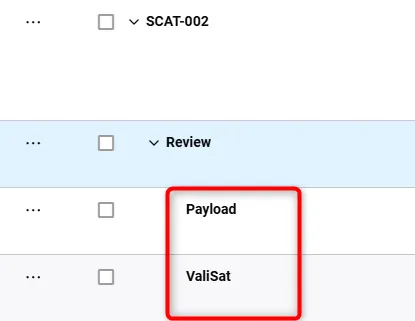
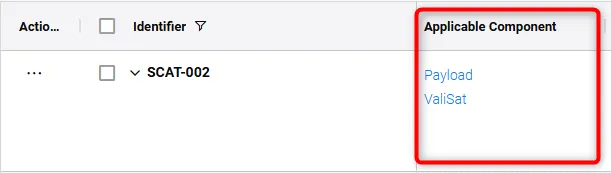
In the new V&V module, this process has been streamlined. Users can now directly add components/Blocks to requirements using the “Applicable Blocks” attribute. During the migration, any components linked to verification methods in the old workflow will be automatically transferred to the “Applicable Blocks” attribute of the corresponding requirements.
Case 2: Requirement Verifcation Methods(RVM’s) to “Methods” Field
Some customers have used Requirement Verification Methods (RVMs) to label the type of verification intended for a requirement in the future, with/without adding a Component Verification Method (CVM) or additional data.
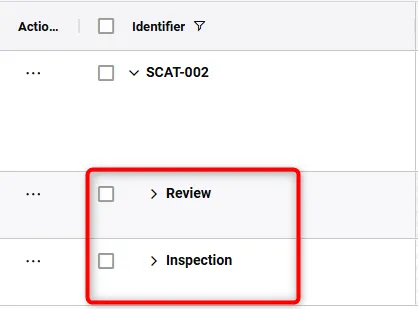
For this case, the migration process will copy the RVM names and transfer them to the new “Methods” field in the requirements table.
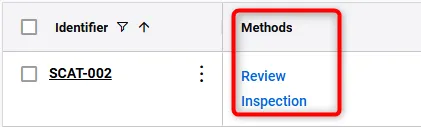
Case 3: Default Verification methods to VV Methods
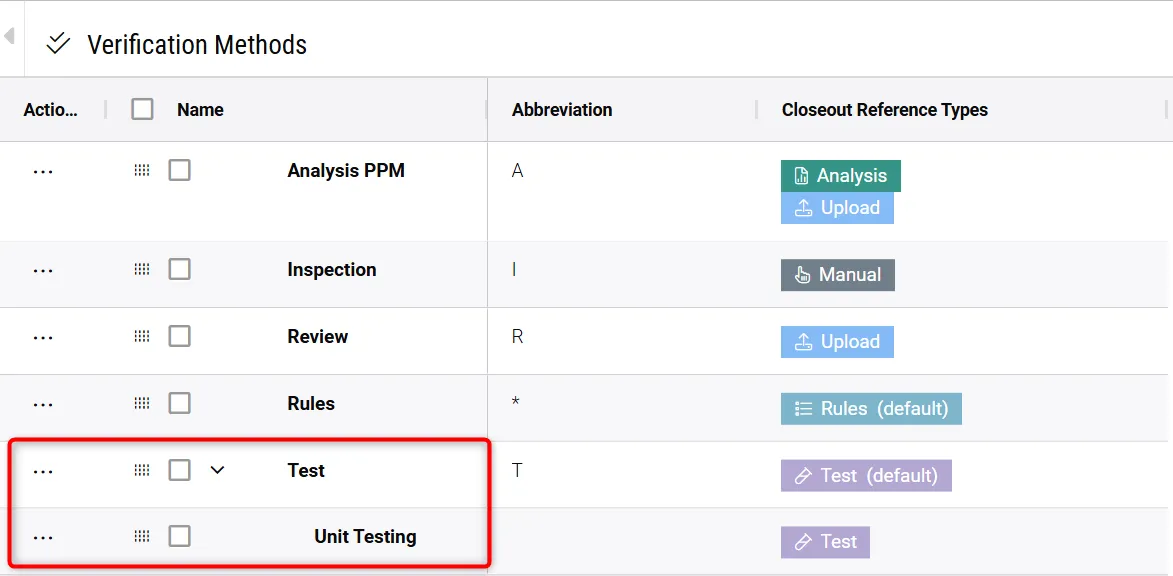
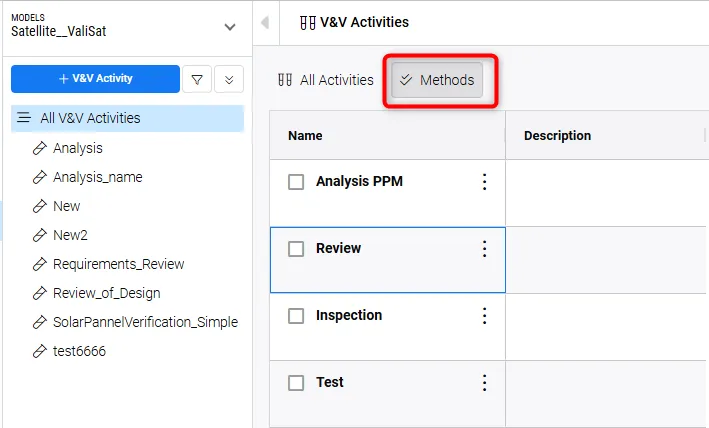
In the old verification system, there are five default verification methods: Analysis, Review, Rules, Inspection, and Tests. Additionally, users had the flexibility to add custom verification methods through the Verification Methods Settings.
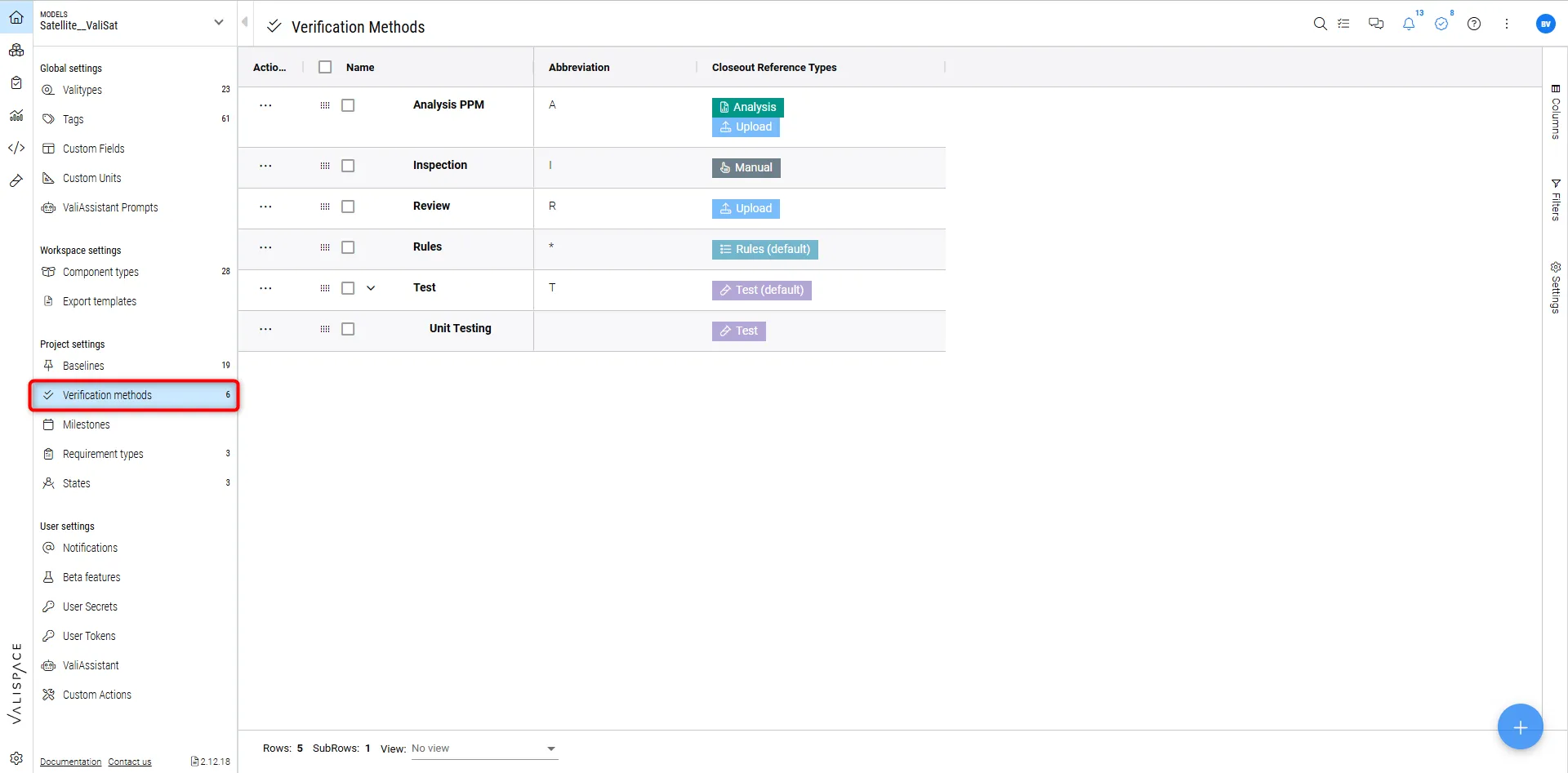
These verification methods will be migrated to the Methods field within the Verifications and Validations (V&V) module.
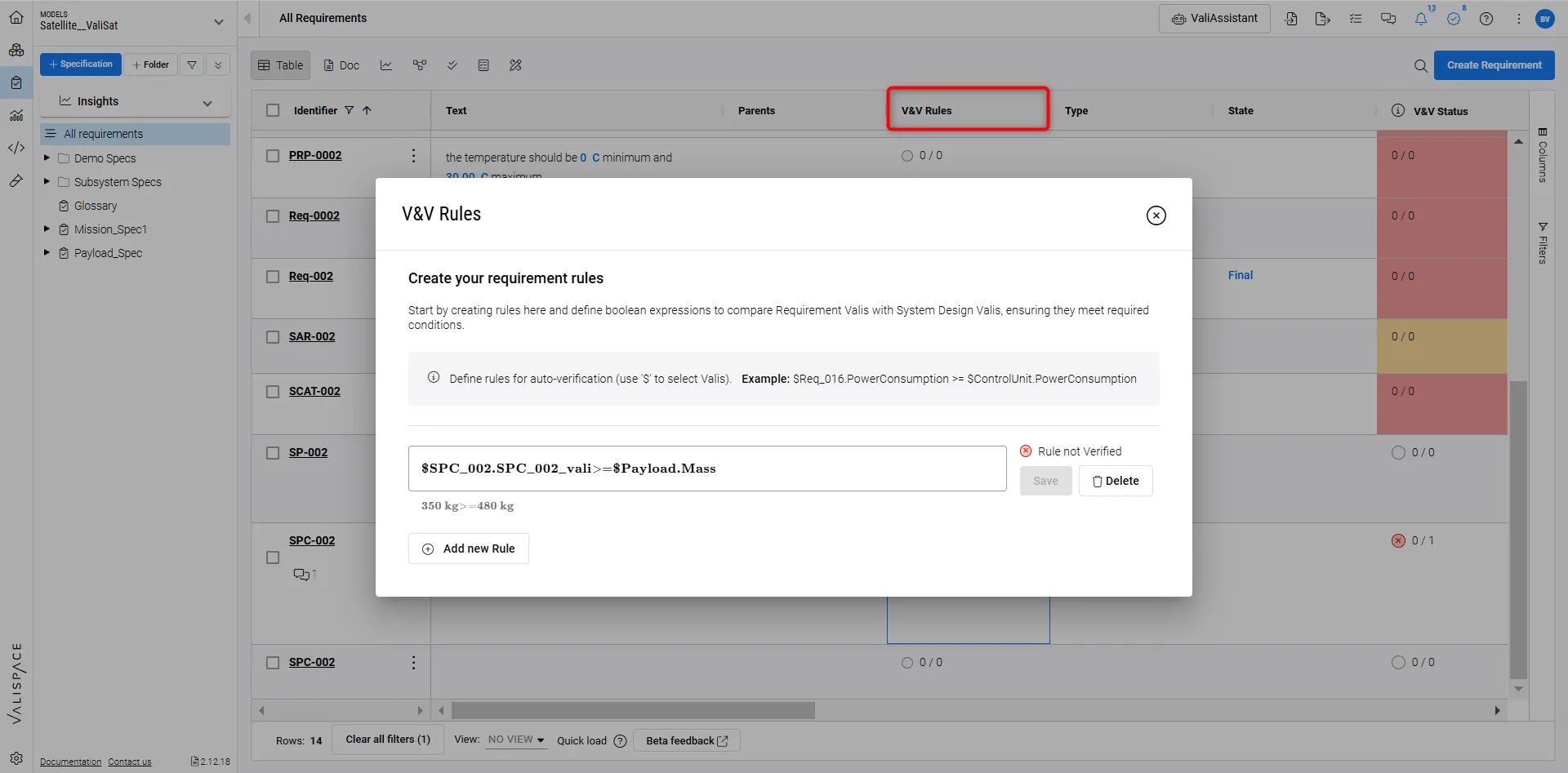
Case 4: Rules Verification Method to VV Rules
In the old verification methods, users could apply the Rules verification method to a requirement and define a Boolean formula in the Close-Out Reference type. This formula was used to compare the requirement values against the system design values.
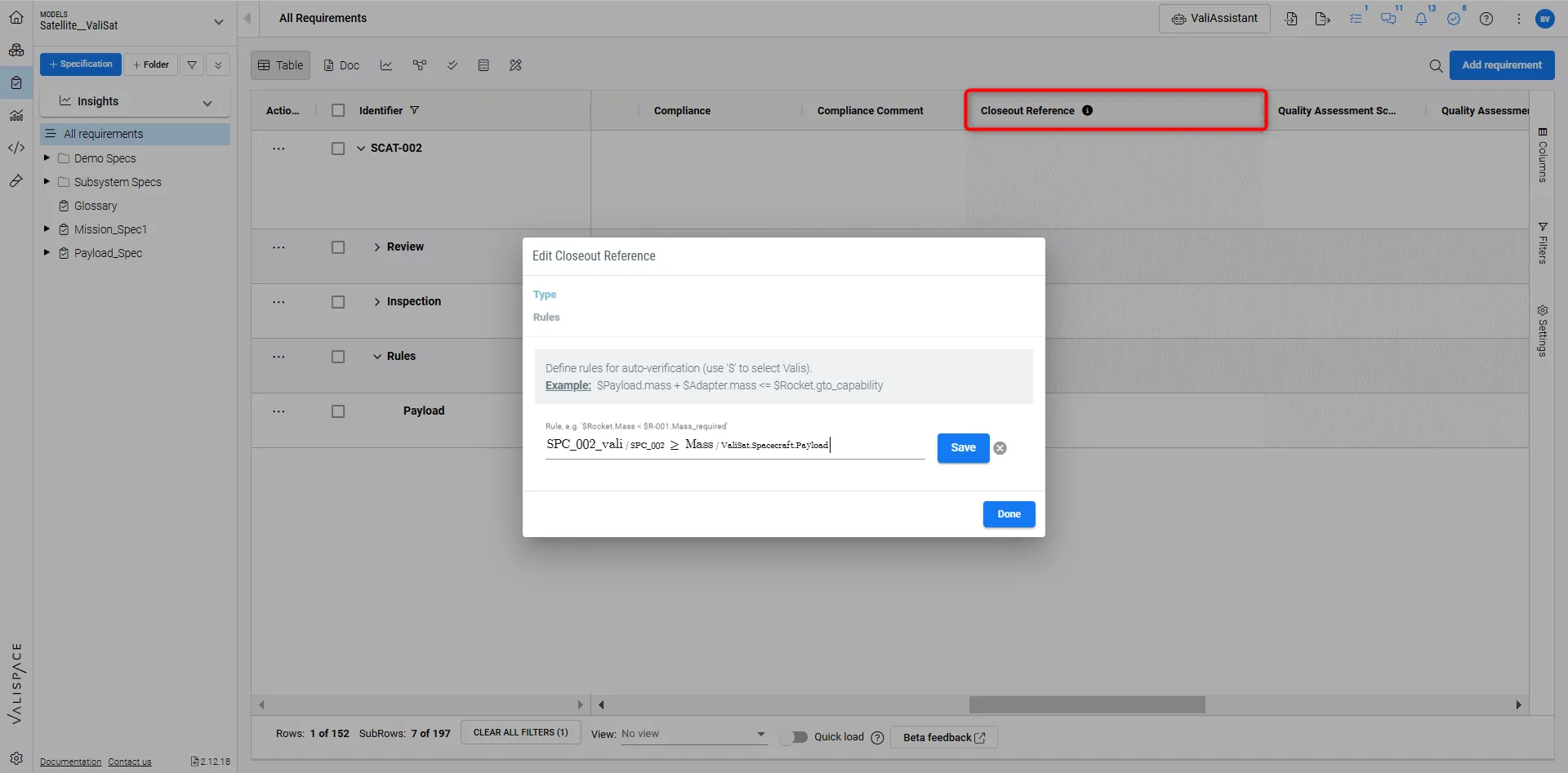
In the new V&V module, this data will be migrated directly to the V&V Rules attribute within the requirements module.
Case 5: Each Test Procedure is migrated as a new V&V activity
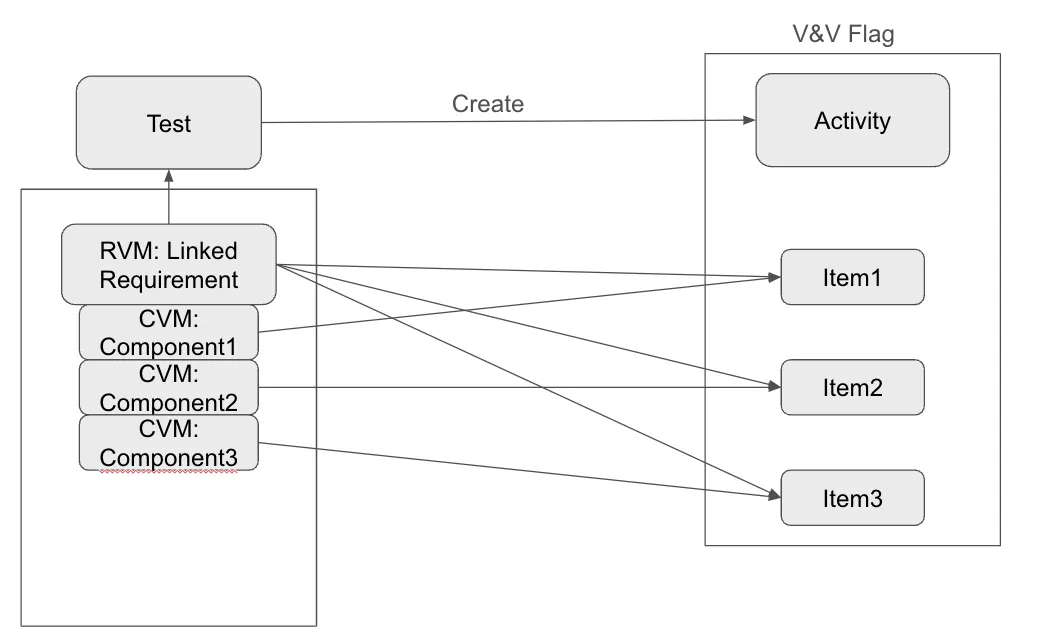
For users who have been using the test procedure and test runs, each test procedure will be migrated as a new V&V activity with all the procedures, runs and links to requirements and components/blocks.
OLD Verifications |
V&V module |
Additional comment |
|---|---|---|
Tests |
V&V activity |
|
Test procedure steps |
VV steps |
|
CVM’s with closeout reference connected to the test |
Items |
|
Test runs |
VVstep runs |
the status and approver are copied automatically |
An illustration is shown in the image below
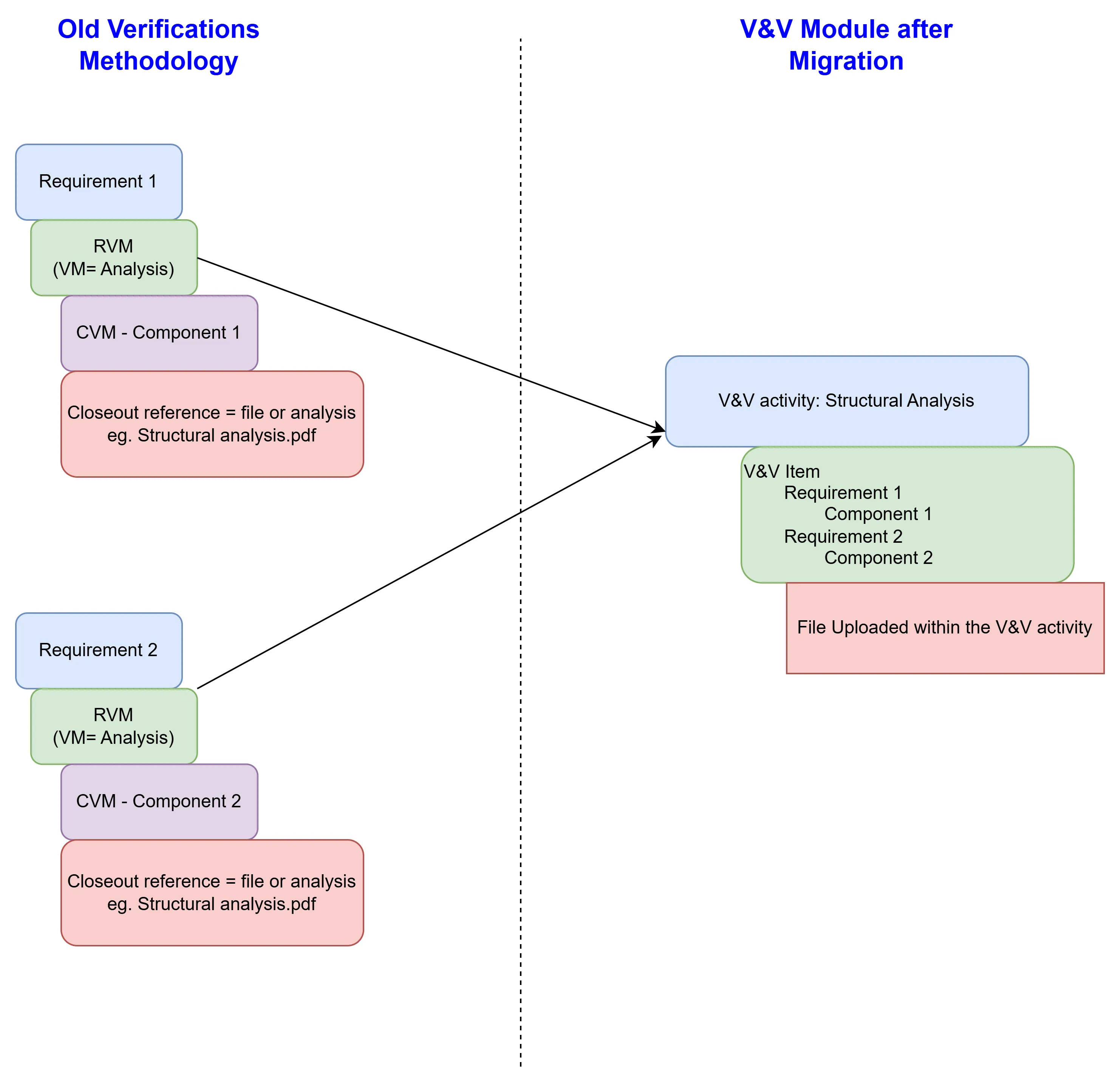
Case 6: RVM’s with CVMs that have the same file or Analysis as closeout reference is compiled and migrated as a new V&V activity
When managing multiple RVMs linked to the same variation activity, customers currently need to create separate RVMs for each related requirement, often requiring them to repeatedly attach the same file and enter the same associated data across those RVMs.
To streamline this, the migration process will identify files or analyses that have been attached as closeout references across multiple requirements in the CVM’s closeout references. These will be grouped into a single V&V activity. All related requirements and components/blocks will be added as Verification & Validation (V&V) items, and the files will be uploaded directly within the consolidated V&V activity. This ensures a more efficient and centralized way to manage related data and files.
Case 7: Grouping Remaining RVM/CVM Pairs into Activities
The final step consolidates all remaining RVM/CVM pairs into activities, with activity names derived from the associated verification methods. The grouping process works as follows:
-
Manual Verification Method
-
For VMs with a closeout reference of Manual, an activity is created using the same name (Manual).
-
All RVMs and CVMs sharing the Manual verification method are represented as items within this activity.
-
-
File or Analysis Verification Method
-
For VMs with a closeout reference of File or Analysis that include RVMs and CVMs but lack a file or analysis attachment:
-
An activity is created with the name File or Analysis.
-
All such RVMs and CVMs are included as items in the corresponding activity.
-
-
-
Test Verification Method
-
For VMs with a closeout reference of Test where RVMs and CVMs exist but no test is linked:
-
An activity is created with the name Test.
-
All such RVMs and CVMs are added as items within this activity.
-
-
-
RVMs Without CVMs
-
RVMs that do not have associated CVMs are represented in the new workflow as items within their respective activities, but without a linked component/block.
-
This structured approach ensures all RVMs and CVMs are accounted for and organized in a clear and manageable way, aligned with their verification methods.
Migrations: Field Mapping
Each object, such as test procedures, RVMs, or CVMs, includes additional fields that may contain critical information. During the migration, these fields will be preserved and mapped to their corresponding fields in the new V&V module. Below is an overview of how your existing fields will be migrated:
Object in Old Verifications |
Target Object in New V&V Module |
Original Field |
Target Field |
|---|---|---|---|
Test |
V&V Activity |
|
|
|
|
name |
name |
|
|
description |
description |
|
|
expected results |
expected results |
|
|
tag |
tag |
|
|
owner |
owner |
|
|
creator |
creator |
|
|
folder |
folder |
|
|
units under test |
- |
|
V&V Step Definition |
attachments |
Add a new step with the attachment |
|
|
Discussion |
- |
|
|
Tasks |
- |
|
|
Subscribe |
- |
|
|
Permissions |
- |
|
V&V Activity |
Verification Method |
Method |
Step Execution |
V&V Step Definition |
|
|
|
|
title |
name |
|
|
description |
description |
|
|
expected results |
expected results |
|
|
attachments |
attachments |
|
|
tag |
tag |
|
|
step number (substep as well) |
step number |
|
|
criticality |
Tag called “critical step” |
|
|
discussions |
|
|
|
task |
- |
|
|
Subscribe |
- |
|
|
Requirements |
Requirement |
Test Run |
V&V Activity Run |
|
|
|
|
Name |
Name |
|
V&V Item Run |
Serial number |
|
|
|
Tester |
Run Executor |
|
|
Approver |
Approver |
|
|
Approved |
Approved |
|
|
Start date |
Start date |
|
|
Finish date |
- |
|
|
Status |
State |
|
|
Attachments |
Evidence |
|
|
Tags |
Tags |
Run steps |
Step run |
Step number |
- |
|
|
Title |
- |
|
|
description |
- |
|
|
expected result |
- |
|
|
requirement |
- |
|
|
Status |
Status |
|
|
Comment |
Comment |
|
|
Attachments |
Attachments |
|
|
Step attachments |
- |
|
Step run |
Tags |
Tag |
|
|
Discussion |
- |
RVM |
V&V Item |
Identifier |
- |
|
|
Text |
Description |
|
|
Rationale |
Description |
|
|
Verification Status |
- |
|
|
Verification Methods |
- |
|
|
V&V Blocks |
- |
|
|
Position |
- |
|
|
Created |
- |
|
|
Updated |
- |
|
|
Task |
- |
|
|
Discussion |
- |
|
|
Subscribe |
- |
CVM |
V&V Item |
Identifier |
- |
|
V&V Item |
Rationale |
Description |
|
V&V Item |
Verification Status |
Item Status |
|
|
Verification Methods |
- |
|
|
V&V Blocks |
Components/Block |
|
V&V Item |
Compliance |
Compliance |
|
V&V Item |
Compliance comment |
Compliance comment |
|
|
Closeout Reference (file or analysis) |
Evidence |
|
|
Attachments |
- |
|
|
Verified on |
- |
|
|
Verified By |
- |
|
|
Tag |
- |
|
|
Position |
- |
|
|
Created |
- |
|
|
Updated |
- |
|
|
Tasks |
- |
|
|
Discussion |
- |
|
|
Subscribe |
- |
Verification Method |
Methods |
Name |
Name |
Edge Case:
Tasks, Discussions, and Subscriptions on the CVMs, RVMs, Test steps, test runs, and test procedures will not be migrated to the new V&V module.
Parents and children relationships in the verification methods Tree are not exported as well.