
KB:Altium 365で管理されたオブジェクトのライフサイクル遷移における権限制御
 A365
A365
Solution Details
⚠️ Legacy Documentation
This article applies to our previous subscription model (Standard, Professional, and Enterprise). The information and references may be outdated. For the most accurate and up‑to‑date guidance on Altium solutions — Altium Develop, Altium Agile, or Altium Designer (on active term) — please refer to the latest platform documentation.
Controlled Lifecycle Transitions are available at the Pro level subscription. Lifecycle Transitions with Approvals are supported in Altium 365 on the Enterprise level only. Here are instructions to set the lifecycle transition through approval request:
Also, you need to be an administrator in the Altium 365 workspace to be allowed to modify lifecycle definitions.
1 How to Configure Lifecycles for Altium 365 in Altium Designer
2 In Preferences. go to Data Management » Servers.
3 Locate the Active Server and ensure that it is the Altium 365 workspace
4 Click Properties » Lifecycles.
5 Right-click on a Transition » select Edit.
6 In the Permissions section, there is a section for State Transition Permissions. For Altium 365 Pro level, set the drop-down selection to Controlled. For Altium 365 Enterprise, you can set the drop-down selection to Using Approvals if you want to use Approvals. 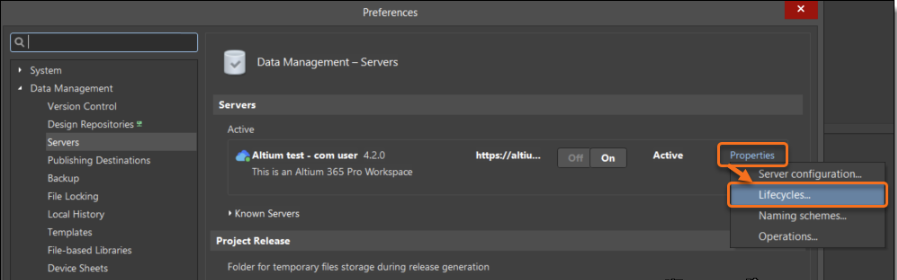
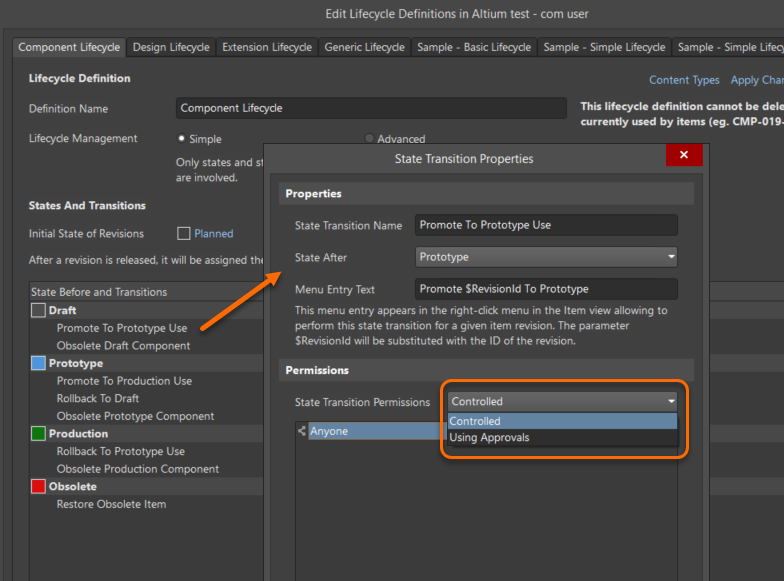
At this point, you can make user and role allocations to grant permissions for transitioning the lifecycles.
How to Configure Lifecycles for Altium 365 in a Supported Web Browser
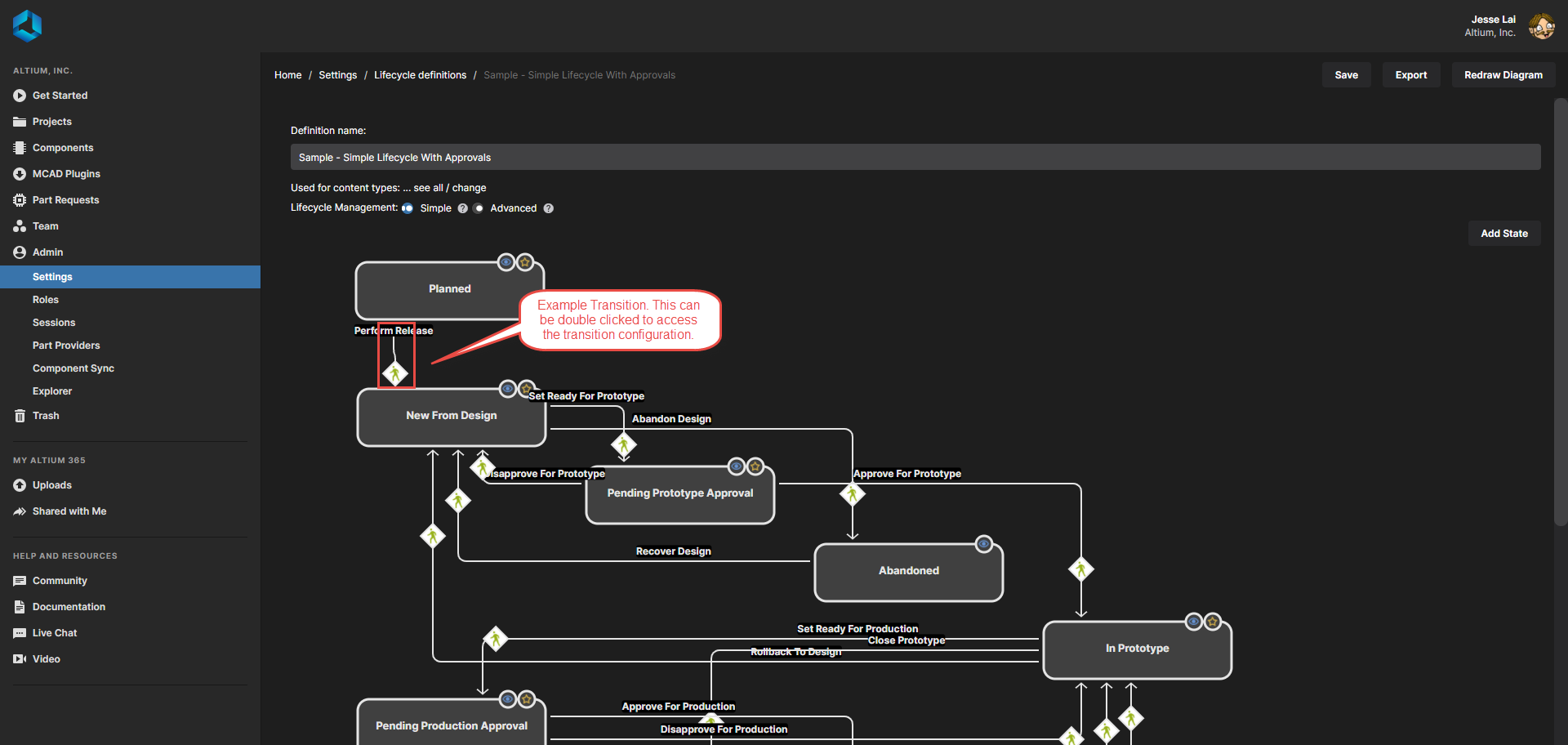
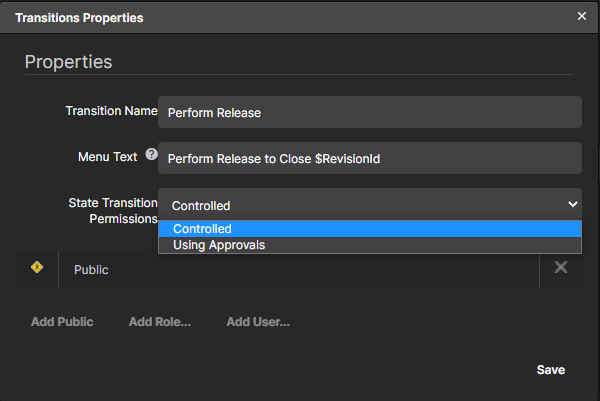
In the web browser, when viewing the Altium 365 workspace, go to the Admin tab, followed by Settings. Select Lifecycle Definition towards the middle of the web page, and you will be able to edit existing lifecycles or create new ones. By double clicking on a transition indicated by an arrow between the states, you will be able to control the lifecycle controlled and approval groups.
For more detailed information related to Lifecycle States in Altium Designer, please visit the following online reference link:
Local State Transition Permissions