
KB: Altium Designerを起動する際に「Vault Explorerを開始できませんでした......」という警告メッセージが表示されます
 Altium Designer
Solution Details
The user sees the popup called “Warning: Could not start Vault Explorer. Please make sure that Vault Explorer extension is installed properly” upon starting Altium designer.
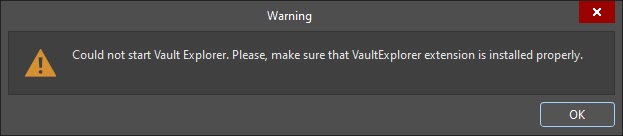
This warning appears because of the missing Explorer Extension in Altium Designer.
Please install the Explorer extension by following steps:
1 Sign in to the profile by clicking  at the top right corner on Altium Designer.
2 Access the Extensions and Updates view by clicking the  control at the top-right of the workspace the choosing the
  command from the menu.
3 Navigate to the Purchased tab.
4 Search for the Software Extension: Explorer and select it.

5 Select the Install button.
6 After successful installation of Explorer extension, restart the Altium designer. The user will notice that the Altium Designer will start without the warning message.