
KB: タイトルバー右上の最小化/最大化/閉じるウィンドウボタンを、テキスト文字ではなくアイコンとして表示する
Updated: 3月 28, 2026
 Altium Designer
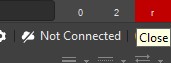
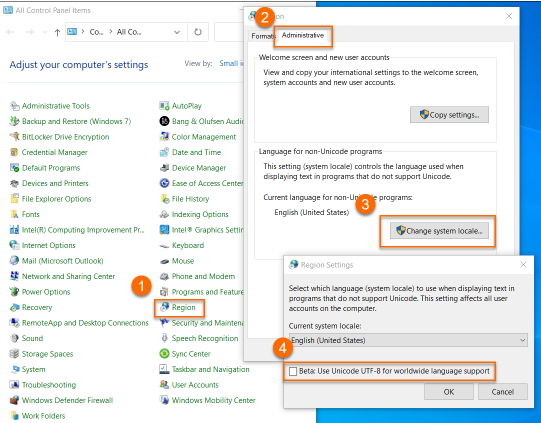
最小化、最大化、閉じるの各ウィンドウボタンが、それぞれ文字「0」「2」「r」として表示されることがあります。このようにタイトルバーのボタンがテキスト文字として表示される現象は、Windows の環境オプション「Beta: Use Unicode UTF-8 for worldwide language support」に起因します。
ソリューションの詳細
Windows を開き、[
 AI で翻訳