
KB:マルチチャネルでシートに番号を付ける
Updated: 3月 28, 2026
 Altium Designer
Starting in version: 18
Up to Current
Altium Designer プロジェクト全体でシート番号を修正または更新するには、すべてのシートに正しい Sheet Number 値が設定されていることを確認してください。この記事では、シートパラメーターを確認し、アノテーションコマンドを使用して回路図シートの番号を正しく振り直す方法を説明します。
解決策の詳細
まず、プロジェクト内のすべてのシートに正しいSheet NumberおよびSheet Totalの値が設定されていることを確認してください。
これらのパラメータに関する情報、および設定・確認方法については、以下のドキュメントを参照してください。
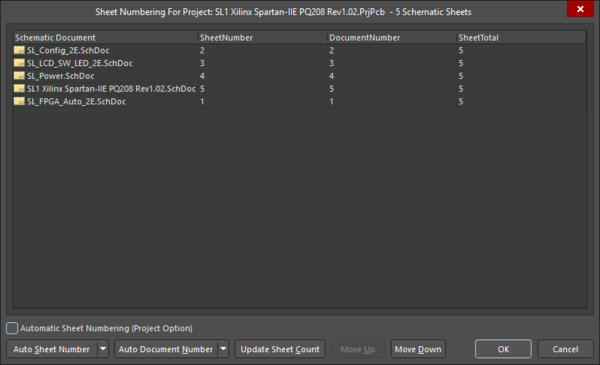
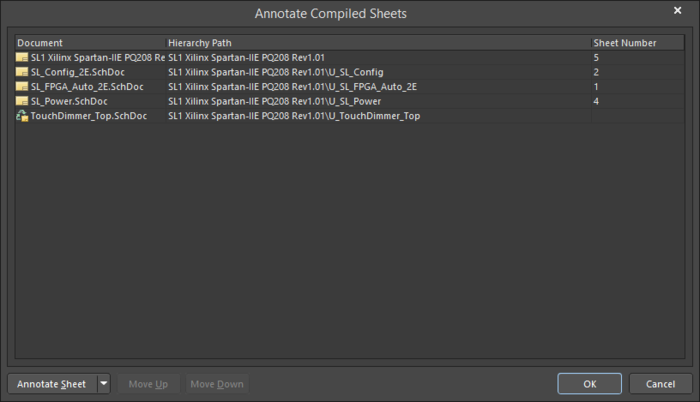
これらの値が正しいことを確認したら、次にコンパイル済みシートの番号を振り直す必要があります。これを行うには、Tools » Annotation » Annotate Compiled Sheets コマンドを使用します。
このツールの詳細については、以下のドキュメントを参照してください。
 AI で翻訳