
KB: LDAP同期のトラブルシューティング
Updated: 2月 22, 2026
 Altium On-Prem Enterprise Server
Altium Server で LDAP の同期に問題が発生しています。以前は動作していましたが、現在は次のエラーが表示されます。
「http://localhost:9791/LdapSyncStatus でメッセージを受け付けるエンドポイントがリッスンしていませんでした。これは多くの場合、アドレスまたは SOAP アクションが正しくないことが原因です。詳細については、InnerException(存在する場合)を参照してください。」
解決策の詳細
サーバーを再起動してみてください。 すぐに再起動できない場合は、まず次を試してください。Net.Pipe Listener Adapter の Windows サービスが起動していることを確認します。
Windows ロゴ キー + R>、[Run | Open:] に「services.msc」と入力し、OK をクリックします。 Servicesパネルで Net.Pipe Listener Adapter サービスを見つけ、状態が Running になっていること、またスタートアップの種類が Automatic になっていることを確認してください。
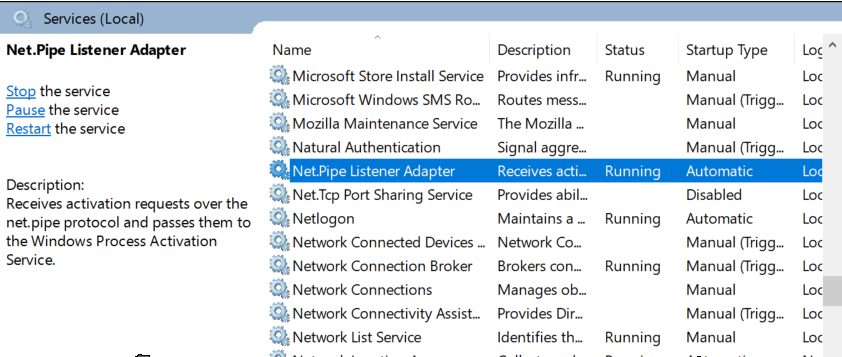
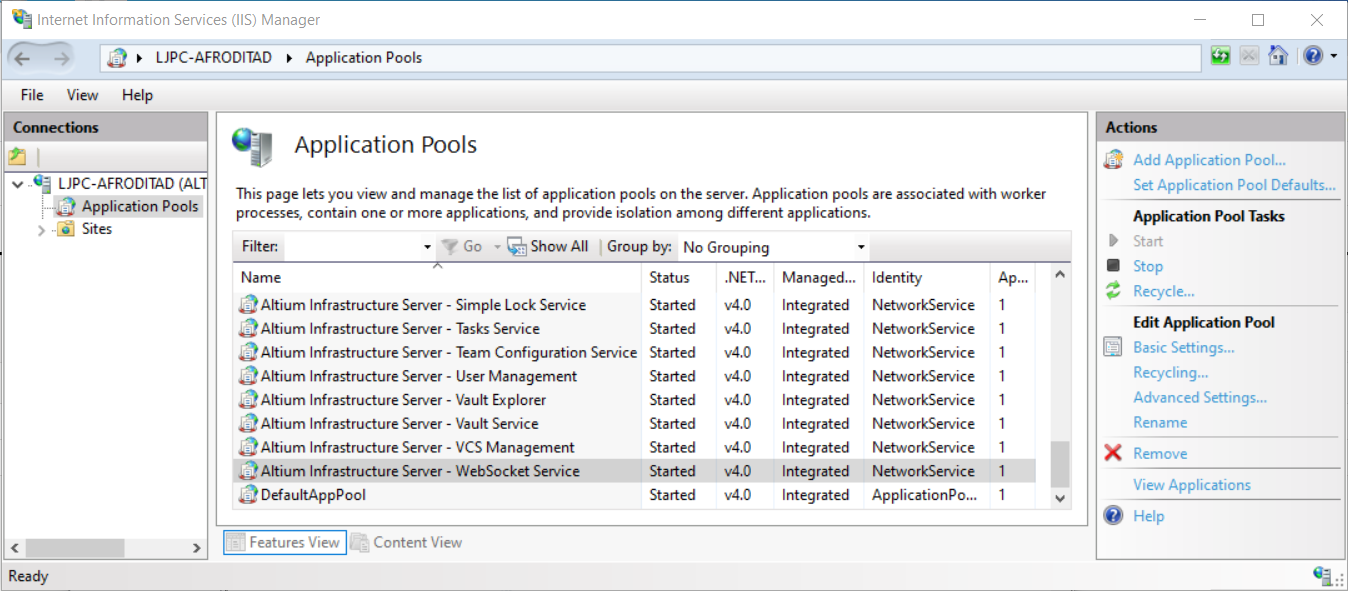
また、サーバーの IIS マネージャーを開きます。 [Application Pools] の下で一番下までスクロールし、Altium Infrastructure Server - WebSocket Service を見つけて、started になっていることを確認してください。
 AI で翻訳