
KB: Altium 365 데이터 정리
 A365
A365
Solution Details
Owners and administrators of their Altium 365 workspaces are able to remove multiple classes of server items from an Altium 365 workspace by using the Data Cleanup feature. There are some scenarios where this can be useful, such as when a company or organization has finished evaluating the workspace with sample data, and there is no intention of retaining any of it.
The Data Cleanup feature is located in the Altium 365 Workspace via a supported web browser as an administrator privilege under Admin section, then Settings.
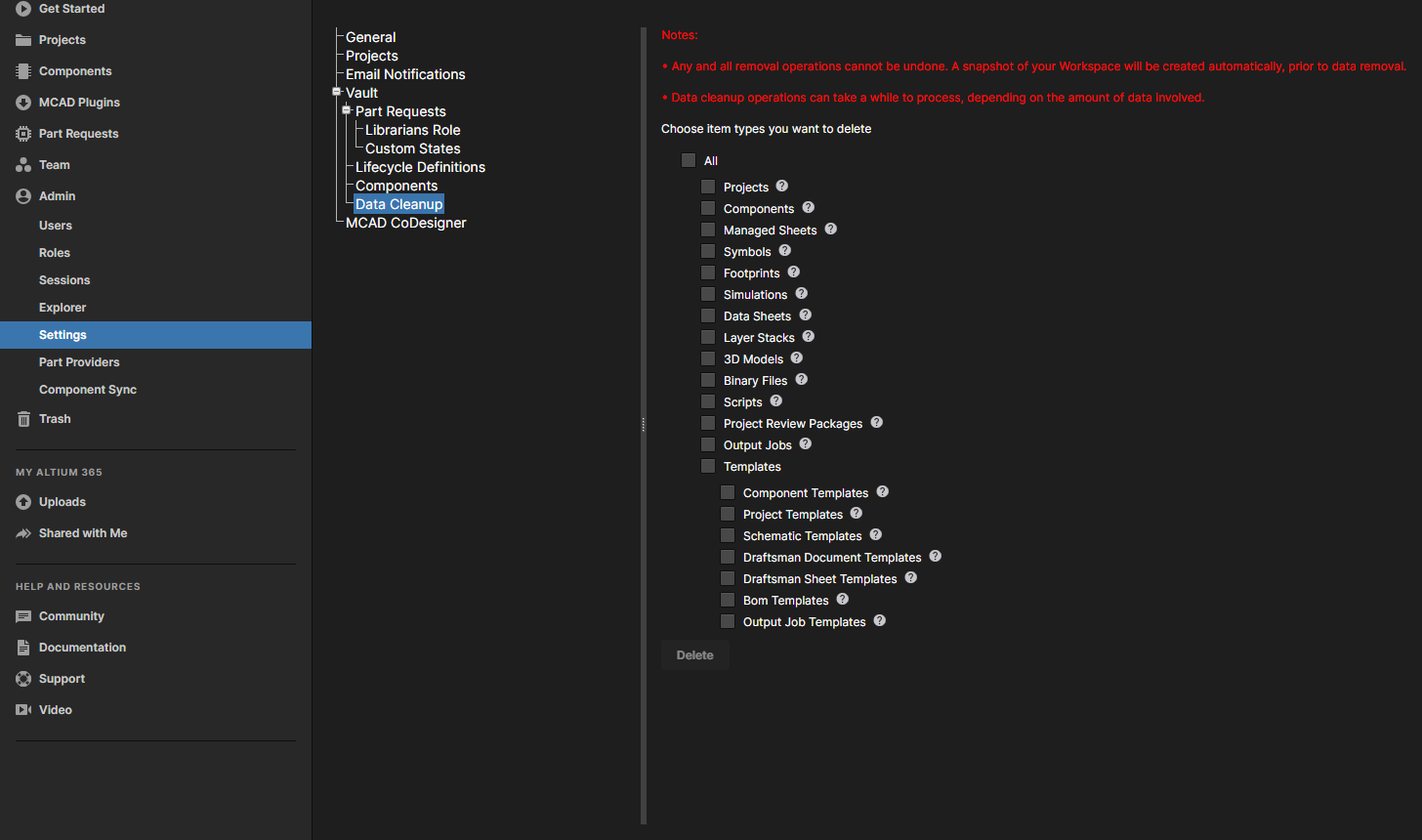
DISCLAIMER: Please decide amongst your team whether or not you wish to proceed with the Data Cleanup as this action cannot be undone. It can take a while to process, depending on the amount of data existing in the workspace.
Here's a video that covers Admin - Data Cleanup:
https://resources.altium.com/p/admin-data-cleanup