
KB: Fail to Download Files for Revision - 403 Forbidden
Updated: October 29, 2025
 A365
A365
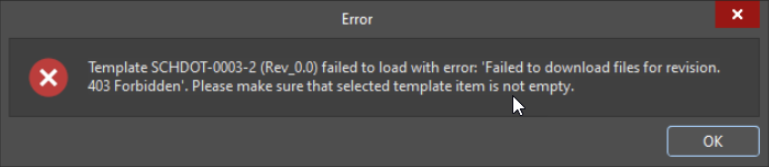
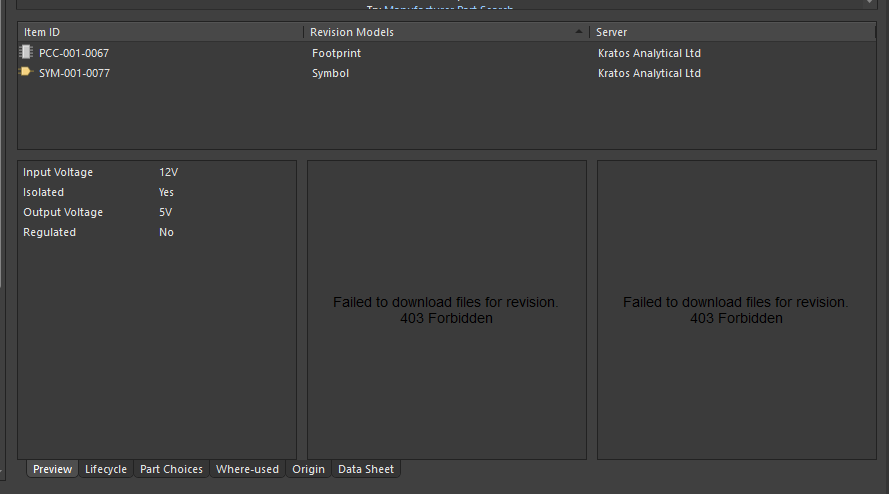
Users may encounter the error message “Failed to download files for revision. 403 forbidden” when updating Draftsman templates or previewing models in the Explorer. This issue is typically caused by network restrictions such as firewalls or proxy settings that block required URLs or ports used by Altium Designer. To resolve the issue, users should consult with their IT team to ensure that all necessary URLs and ports are whitelisted according to Altium’s connectivity requirements.
Solution Details
403 Forbidden Error When Downloading Files for Revision
Error During Draftsman Update or Explorer Preview
Users may receive the error message "Failed to download files for revision. 403 forbidden" when attempting to update Draftsman templates or preview component models in the Explorer. This issue affects specific templates and components and prevents successful file retrieval.
Why This Happens
The error is typically caused by network-level restrictions. Firewalls, proxies, or other security applications may block the URLs or ports required by Altium Designer to access cloud-based resources. When these connections are blocked, Altium cannot retrieve the necessary files, resulting in a 403 forbidden error.
What to Do
To resolve the issue:
- Verify whether any required URLs or ports are being blocked by your firewall or proxy.
- Consult with your IT team to review network security settings.
- Whitelist the URLs and ports specified by Altium Designer.
How to Do It
Share the following Altium knowledge article with your IT team: