
KB: Adding a Title Block in a PCB Document
Updated: October 27, 2025
 Altium Designer
In Altium Designer, title blocks are not automatically included in PCB documents. Unlike schematic sheets, PCB layouts vary between designs, requiring title blocks to be both board-specific and layer-specific. This article outlines three effective methods for adding title blocks to PCB documents: using Draftsman templates, placing as a mechanical component, or importing from sample PCB files. Each method offers flexibility depending on your documentation and reuse needs.
Solution Details
Understanding Title Blocks in PCB Design
Why Title Blocks May Be Missing
Title blocks are not standard objects in PCB layouts and are not tied to a specific layer by default. This can make them difficult to find or add, especially for users accustomed to schematic sheets where title blocks are automatically included.
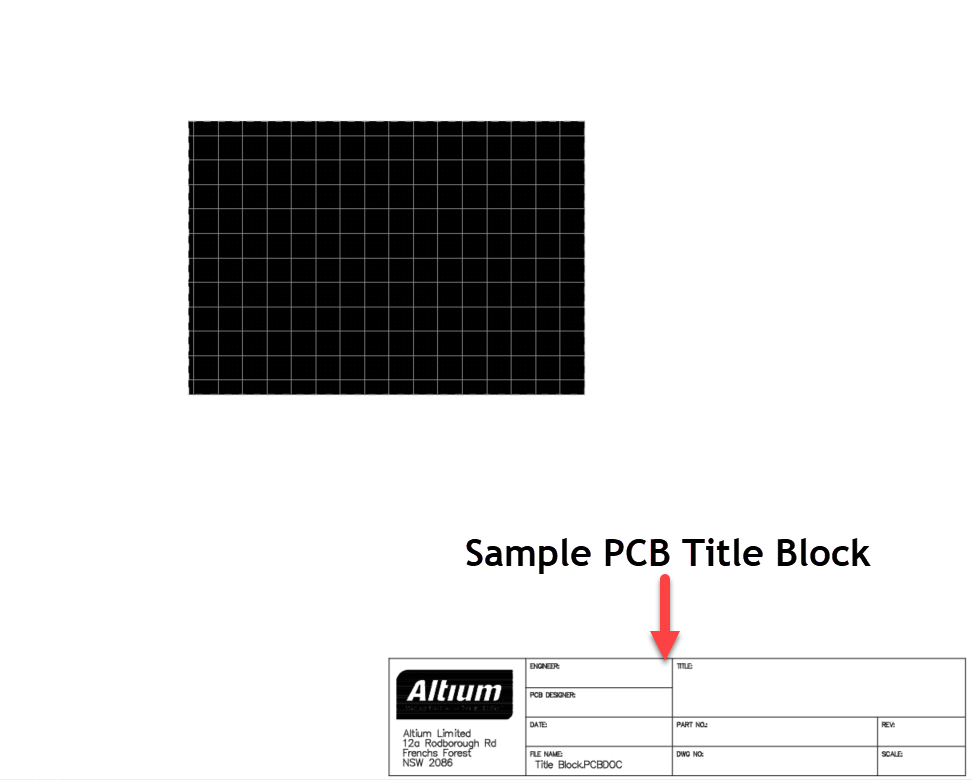
Why This Happens
PCB designs are highly customizable, and unlike schematic sheets, they do not follow a fixed format. As a result, title blocks must be manually created and placed on appropriate mechanical layers. Altium Designer does not generate title blocks automatically in PCB documents.
Available Methods for Adding Title Blocks
You can add a title block to a PCB document using one of the following methods or use a draftsman for documenting that includes the title block.
- Use a Mechanical Component
- Import from a Sample PCB Document
Step-by-Step Instructions
1. Use a Draftsman Document (Recommended)
Draftsman documents allow for standardized, reusable title blocks across multiple projects.
- Create a Draftsman template that includes your title block.
- Save the template for reuse.
- When creating a new Draftsman document, apply the saved template.
References:
- Creating a Draftsman Template
- https://www.altium.com/documentation/altium-designer/draftsman/setting-up?srsltid=AfmBOopqL-6XPz9c6buPDIx84mC9WMfZ3kUx4Oys-RcR-NhP7JJS8Mmi
2. Mechanical components can be used to manually place title blocks in the PCB layout.
Characteristics:
- No electrical properties
- Not synchronized between schematic and PCB
References:
3. Import from a Sample PCB Document
You can reuse title blocks from a sample PCB by exporting and importing them.
- Create a sample PCB with title blocks placed on different mechanical layers.
- Export the desired title block as a DXF or DWG file.
- In the target PCB document, import the file and place it on the appropriate mechanical layer.
Additional Notes
- Title blocks should be placed on mechanical layers to avoid interference with electrical design.
- Draftsman templates provide the most scalable and professional approach for documentation.
- Mechanical components used as title blocks must be manually managed across schematic and PCB.