
KB: Edit Bending or Split lines or select board region
Updated: January 23, 2025
 Altium Designer
How do I add and modify a bending line to my Rigid Flex design?
Solution Details
How to add Bending lines and move Split Lines in a Rigid Flex Design
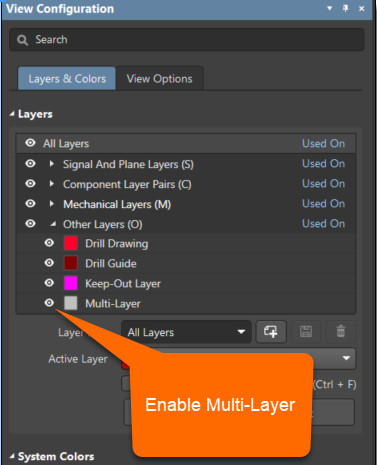
As these actions affect all layers, make sure, that the Multi-Layer is enabled in the Other Layers section of the Layers area of the View Configuration panel (Press the L key to access this panel from the PCB Editor):
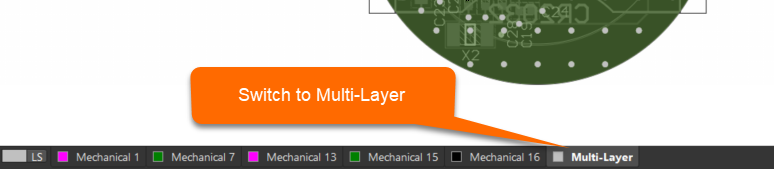
...and the multilayer is active by clicking on it in the respective layer Tab:
For more detailed information about working with Board regions and bending lines please review the following documentation:
Defining Board Regions & Bending Lines
and
Split Line