KB: Preserving Lifecycle State during Component Synchronization
 Altium On-Prem Enterprise Server
Solution Details
This article applies to Altium On-Prem Enterprise Server and Altium 365 Workspace (Enterprise Level). For more information, refer to the relevant documentation:
- Altium On-Prem Enterprise Server: Component Parameter Mapping
- Altium 365 Workspace (Enterprise Level): Component Parameter Mapping
Component Parameter Mapping and Lifecycle State
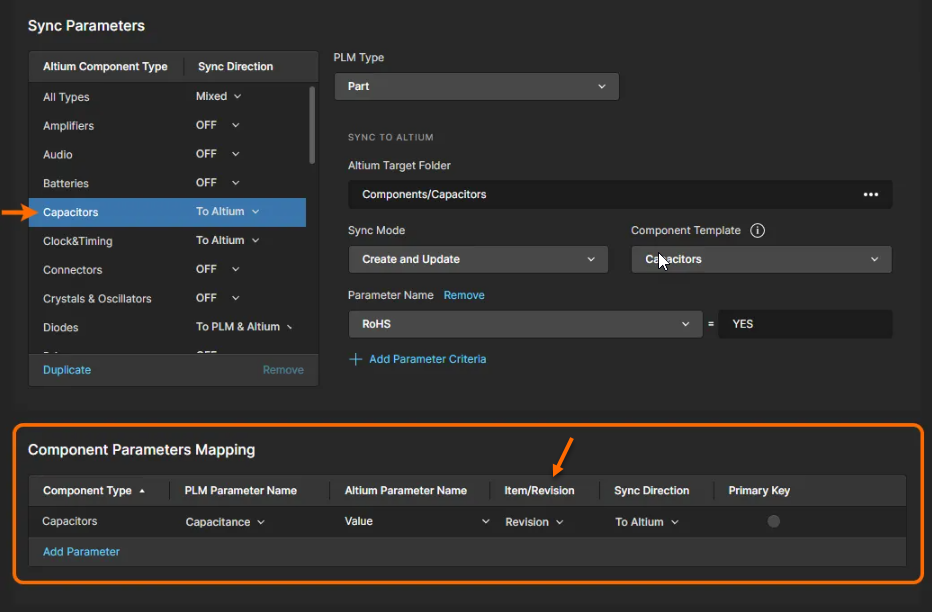
When configuring component synchronization, you can choose between "Revision" and "Item" in the Item/Revision column for component parameter mapping. Selecting "Revision" can cause lifecycle states to revert to "Draft" after synchronization, as it creates a new component revision when parameters change.
To preserve the lifecycle state during synchronization:
- Change the setting to "Item": Configure your parameters to use the "Item" setting in the Item/Revision column. This ensures that only the component parameter is updated during synchronization, without creating a new revision and changing the lifecycle state.
As stated in the documentation: "A Revision setting in the Item/Revision column causes a new component revision to be created when the parameter has changed, whereas with the Item setting, only the component parameter will be updated during synchronization."
Making Parameter Changes without Synchronization
To make small parameter value changes without Workspace/PLM synchronization:
- Use the Batch Editor: Batch Component Editing
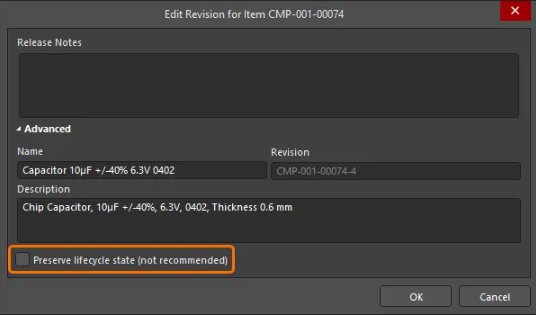
- Enable the "Preserve lifecycle state" option during batch editor release. This feature was introduced in Altium Designer 24.6: Added Ability to Preserve Lifecycle State when Releasing