
KB: Fixing Simulation Validation Errors Caused by Invalid PWL Source Files
 Altium Designer
Solution Details
Model Validation Error Prevents Simulation Start
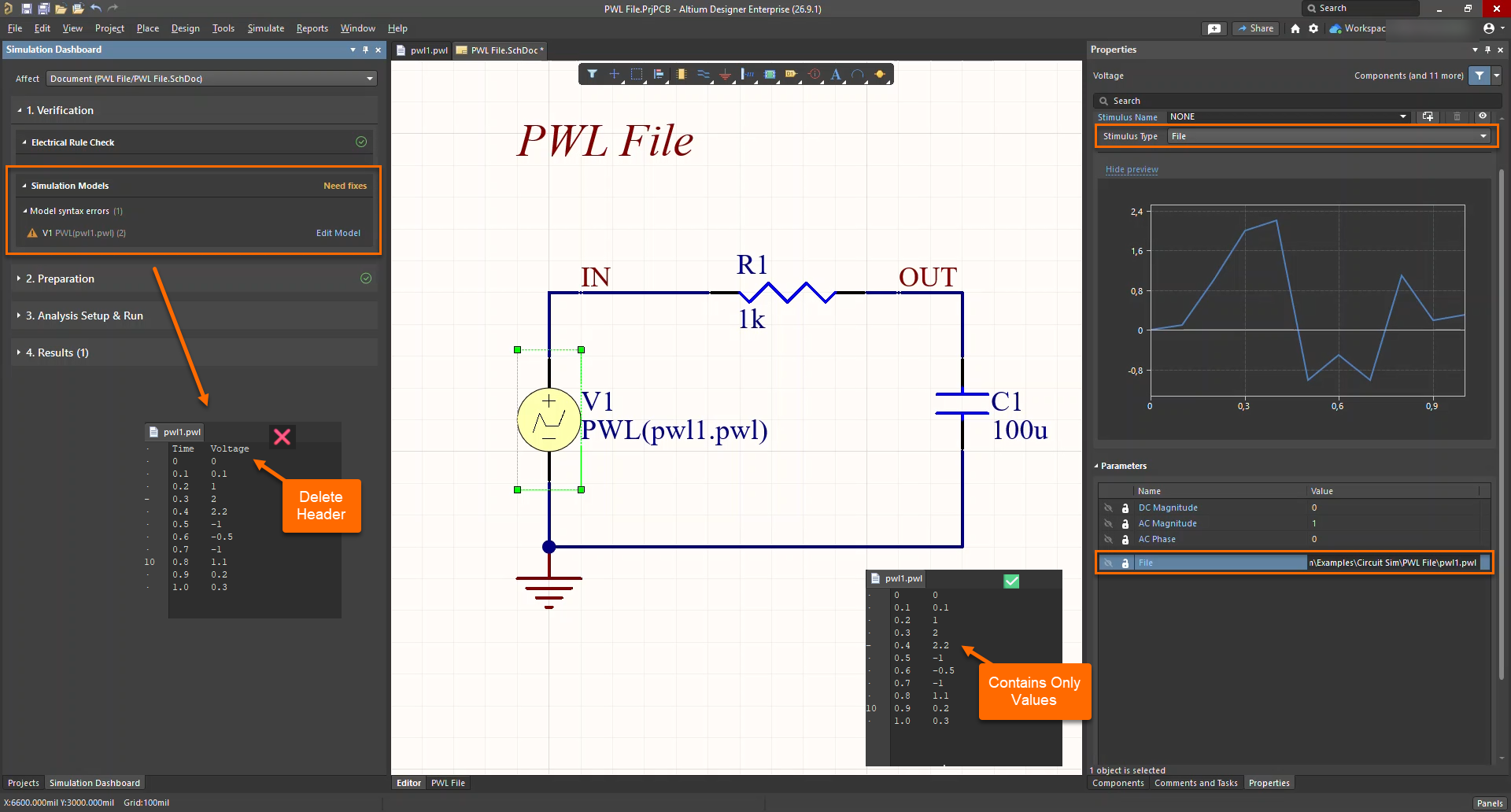
When a file-based voltage source is assigned, the waveform may display correctly in the voltage source properties, but the Simulation Dashboard reports that the simulation models need fixes and prevents the simulation from running.
Invalid File Content Blocks Parsing
The file-based voltage source uses a PWL file format that accepts only numeric datapoints. If the file contains header lines, column names, comments, or other non-numeric text, the simulator cannot parse the data correctly and flags the model as invalid. The waveform preview does not guarantee that the source file has been successfully validated for simulation.
Use a Clean and Supported Source File
- Ensure the PWL file contains only time and voltage values.
- Remove any header lines, comments, or text labels.
- Verify that no non-numeric content is present in the file.
- Ensure the file is saved using a supported text encoding format.
- Confirm that the Simulation Dashboard no longer reports model validation issues.
Remove Invalid Entries and Revalidate
- Open the
PWLfile used by the voltage source. - Delete any header text, such as column names.
- Verify that each line contains only a time value and a voltage value.
- Save the file using a supported text encoding format.
- Rerun the simulation.
- Verify that the Simulation Dashboard no longer reports model validation errors.
Additional Notes
A user reported a second possible cause of the same error: the CSV file was saved using UTF-8 BOM encoding instead of UTF-8 encoding. After removing the file header and saving the file in UTF-8 format, the simulation ran successfully.