
KB: Troubleshoot "The Internal ID Does Not Match" issue with SOLIDWORKS MCAD
Updated: ноября 20, 2024
 Altium Designer
Starting in version: 20.1
Up to Current
This happens when several boards with the same set of components are used in a device assembly AND IF there is no common component folder set up in CoDesigner’s settings.
Solution Details
The problem is described here: https://blog.trimech.com/non-matching-internal-ids-solidworks
The solution is to choose “Accept this file anyway” option on opening of a device’s assembly:
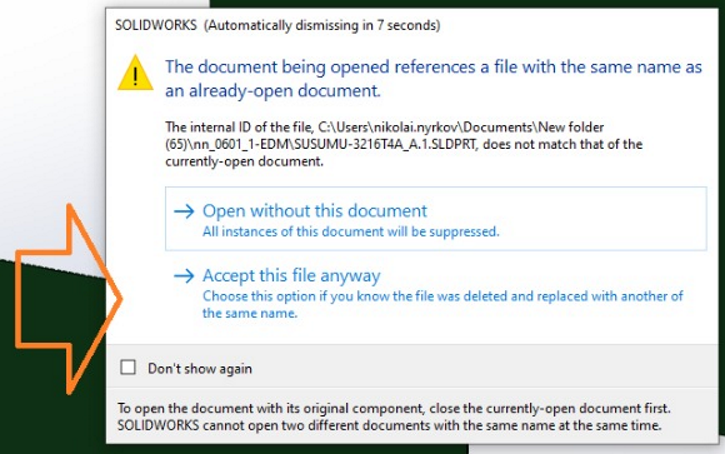
... or, to set the Common Comp Folder in CoDesigner's settings.
Note: showing that dialog can be restored here:
