
KB: Backup when FIPS is enabled
Updated: февраля 25, 2025
 Altium On-Prem Enterprise Server
We're trying to migrate our Concord Pro server installation to a new server, and that new server has a FIPS mode requirement. I cannot perform nightly backups or do any restores on this server with FIPS mode enabled, and I can't disable it. Running the backup results in "This implementation is not part of the Windows Platform FIPS validated cryptographic algorithms."
Solution Details
This is a bug that should be resolved in a later version. For the time being, you can Backup and Restore by:
Edit "avbackup.exe.config" file with notepad, which located in C:\Program Files (x86)\Altium\Altium Concord Pro\Tools\BackupTool of the Altium Concord Pro server by adding the following line:
<runtime>
<enforceFIPSPolicy enabled="false"/>
</runtime>
In the between the <configuration> </configuration> tags.
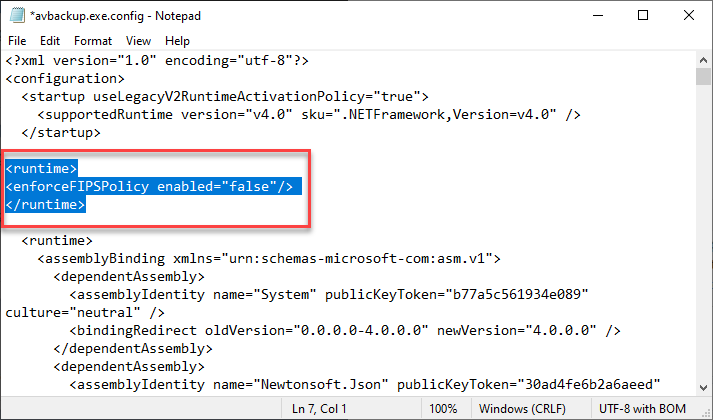
Once this line is added to the config file the backup should work.