
KB:由于eDuplicateRecordName崩溃,无法导出DXF
Created: 十一月 11, 2024 | Updated: 七月 04, 2025
 Altium Designer
在生成DXF输出时,如果有多个层具有相同的名称,可能会出现带有"eDuplicateRecordName"弹出错误对话框的崩溃。
Solution Details
A crash with a popup error dialog of "eDuplicateRecordName" can occur when generating DXF output with more than one layer with the same name.
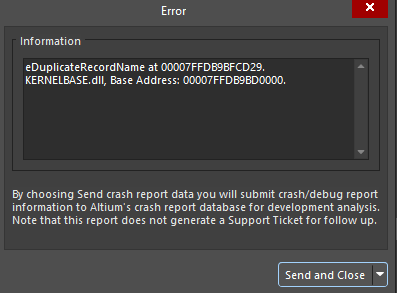
To resolve the error, layers with the same name need to be renamed in *.pcbdoc:
- Signal/Plane layers: Design » Layer Stack Manager..., and locate the duplicate layer along Name column, and double-click on the corresponding cell to rename
- Mechanical layers: View » Panels » View Configuration to open the panel, locate the layers with the same name, right-click and select Edit Layer to rename