KB: Display silkscreen in SOLIDWORKS
Updated: 一月 23, 2025
 Altium Designer
Starting in version: 20.1
Up to Current
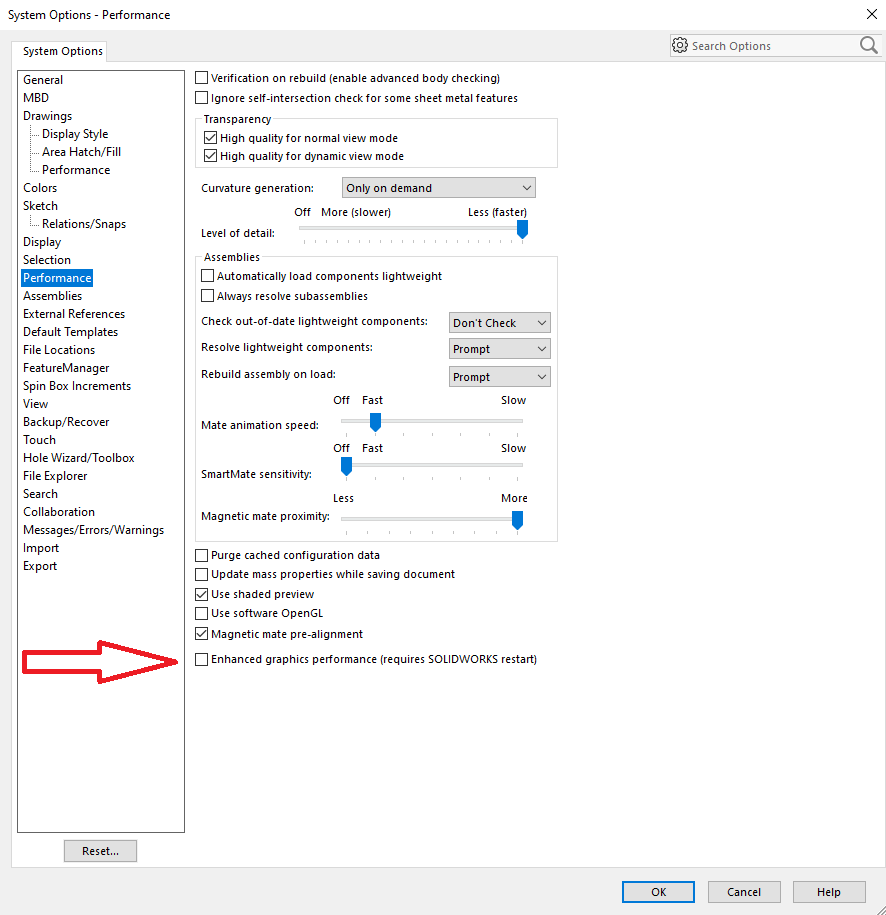
ECAD / MCAD CoDesigner传输后未在SOLIDWORKS端显示丝印。有时,由于某些显卡存在渲染问题,因此在SW 2019+中无法显示铜皮和丝印以及阻焊层。为解决此问题,请在SOLIDWORKS优选设置中更改该设置。
Solution Details
In SOLIDWORKS, click the Gear icon to access the preferences.
Click Performance and enable the option: “Performance » Enhanced graphics performance”