
KB: Draftsman Drill Table Plated Column is in Russian
Updated: 十一月 20, 2024
 Altium Designer
发生Draftsman中钻孔表Plated列的数据以俄语显示——我无法找到用于修改此列内信息显示语言的设置。
Solution Details
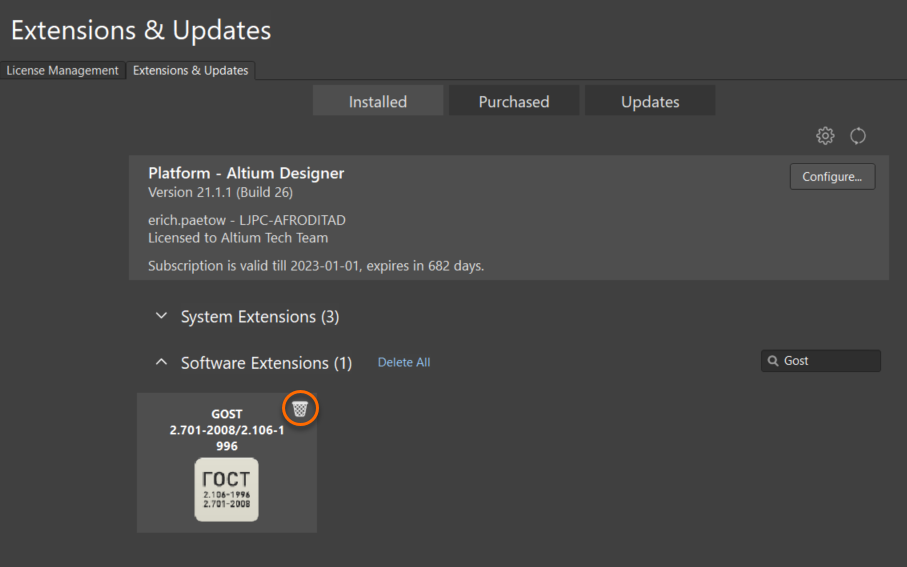
If you are seeing the Plating column data in Russian, try uninstalling the GOST extension from the Extensions and updates page.
Extensions and Updates » Installed tab » Uninstall the extension GOST by clicking on the small trash can that will appear when you hover your cursor over it. You will need to restart Altium Designer for the removal to take affect.
Here's more information on working with Extensions and Updates;
Extending Your Installation