Custom Prompts
The ValiAssistant's Custom Prompts feature allows administrators to create and manage alternative prompts for default actions within Requirements Portal. This feature enhances ValiAssistant's flexibility by providing an ability to override default prompts with custom ones tailored to their specific needs.
Managing Alternative Prompts
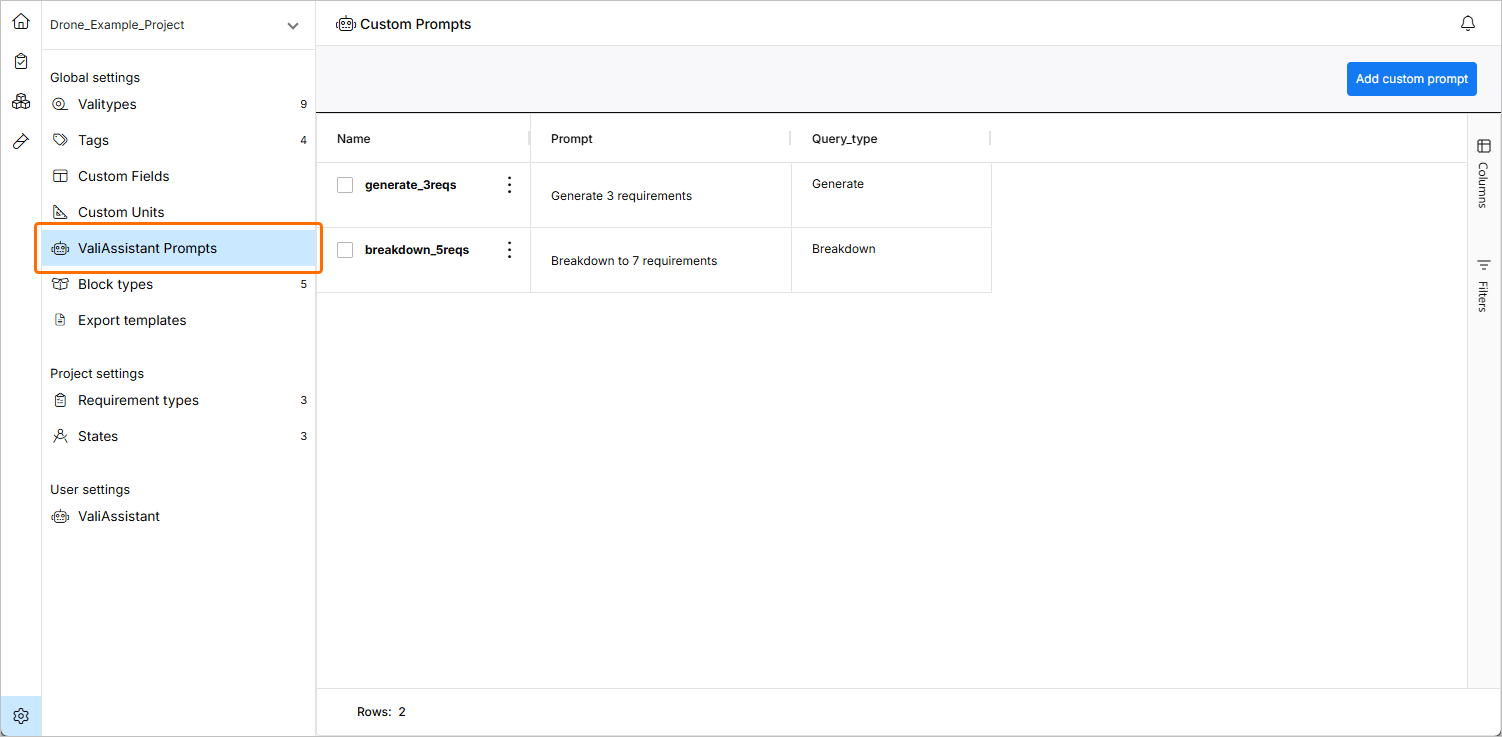
Administrators can create custom prompts on the Settings – ValiAssistant Prompts page (accessed by clicking the  icon at the bottom left, selecting Settings from the menu that appears, and then selecting ValiAssistant Prompts from list in the left-hand pane).
The page displays a list of all created alternative prompts. Each entry in the list shows the prompt name, the prompt content, and the associated query type.
To create a new custom prompt, click the  button at the top right of the page. In the Custom Prompt window that appears, define details of the new prompt:
-
Name – enter a unique name for the custom prompt.
-
Query Type – select the query type that this prompt will override. Note that custom prompts can be created for all default actions except for Valify.
-
Prompt Content – write the custom prompt text. Ensure the prompt is clear and well-constructed for optimal results.
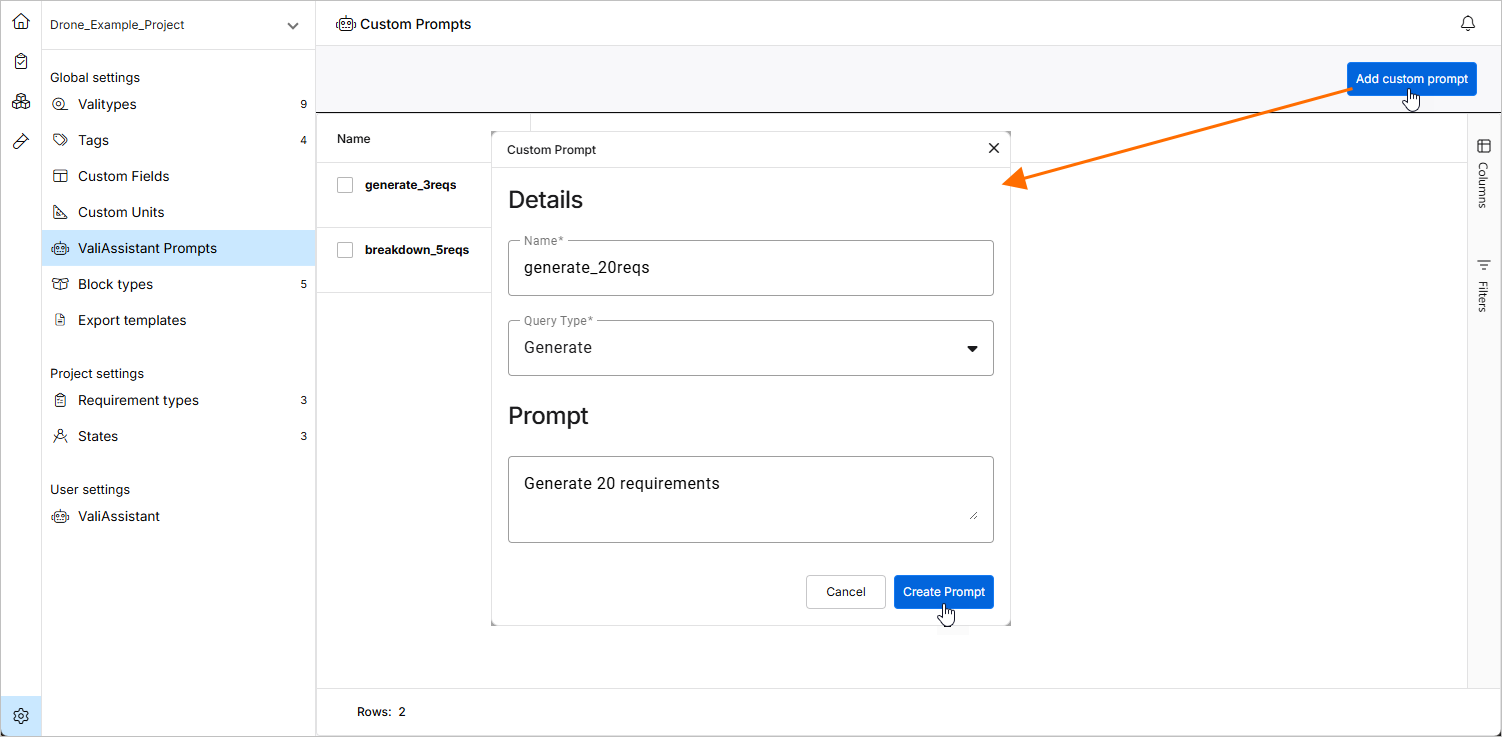
After entering the details, click  to add the custom prompt to the list.
Using the Custom Prompts
Create custom prompt can be used in the following ValiAssistant operations:
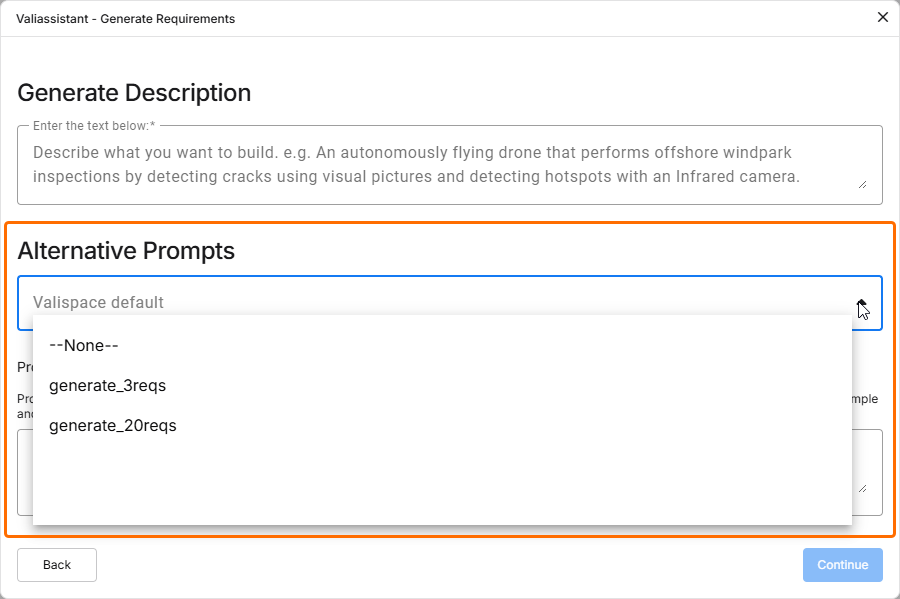
When a ValiAssistant operation process is accessed, use a drop-down to select from available prompts.
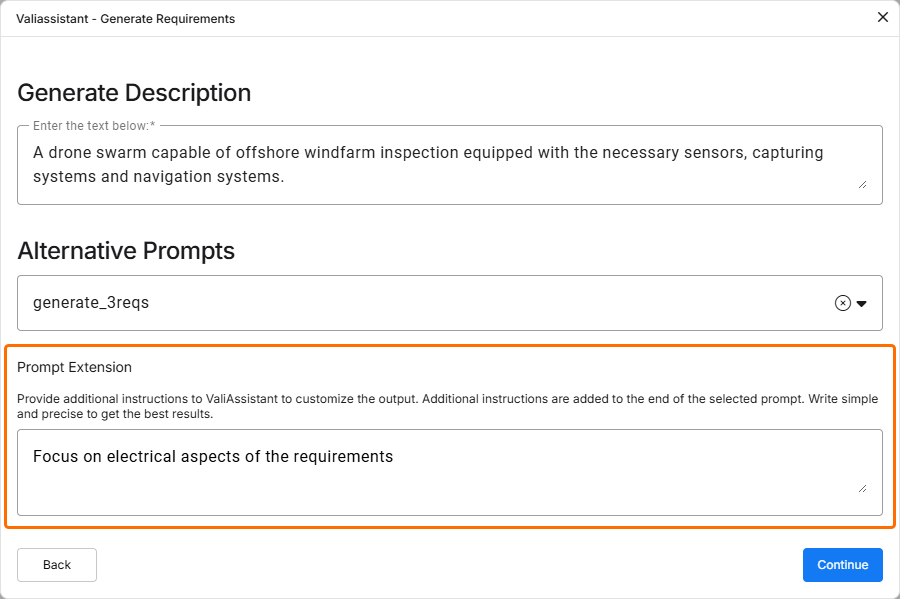
Customizing the ValiAssistant Output
To complement the selected alternative prompt, you can also add an additional custom prompt using the Prompt Extension field available in ValiAssistant operations. This prompt will not override the selected alternative prompt but will be an additional input.