
Valis and Calculations
Valis are design parameters of Blocks, Requirements, or Analyses that can be used in calculations and documentation. A Vali has a numerical value and also contains additional information such as type, unit, formula, description, and min/max requirements.
Creating a Vali
When viewing properties of a Block, you can create Valis in this Block by clicking the  button at the top right of the page. In the Create Property window that opens, select the type of property you would like to create. For a Vali, enter the Name of the Vali (which can be any name or a Valitype name), define the Formula and unit (mandatory), and Display Unit (optional). Additionally, using the Add to Block field, you can define to which Blocks you want to add this Vali.
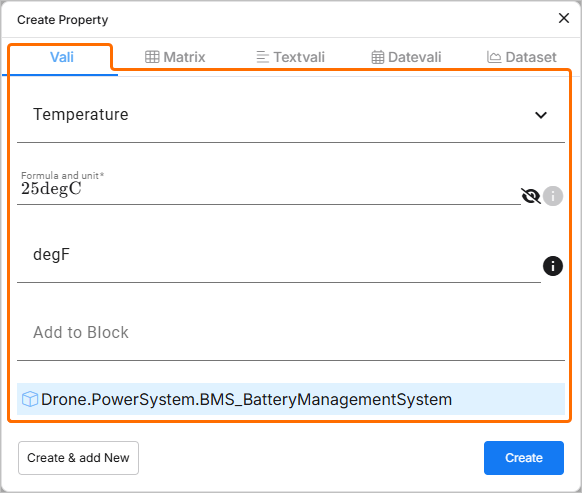
Note that while creating a property, you can create Valis of different types: normal Vali, Matrix, Textvali, Datevali, or Dataset.
| Type | Description |
|---|---|
| Vali | Property of the Block which has only one single value, e.g., mass, cost, density, etc. |
| Matrix | A matrix is a group of individual Valis ordered in rows and columns. A matrix Vali is commonly used when the property of the Blocks has different modes, e.g. power consumption during different modes, inertia values on a different axis. |
| Textvali | A Vali which stores strings/text. |
| Datevali | A Vali which stores the date information. |
| Dataset | Here, you can import or add the dataset values, create a graph, and use their values in the calculation of other values. |




Adding Formulas
A Vali can be calculated with a formula using common mathematical expressions or by adding constants or functions. A formula can also contain other Valis.
Within the Formula and unit field, you can reference Valis that are available either within the current project or other projects. To do so, type $ within the field. In the pop-up that appears, find and select the required Vali.
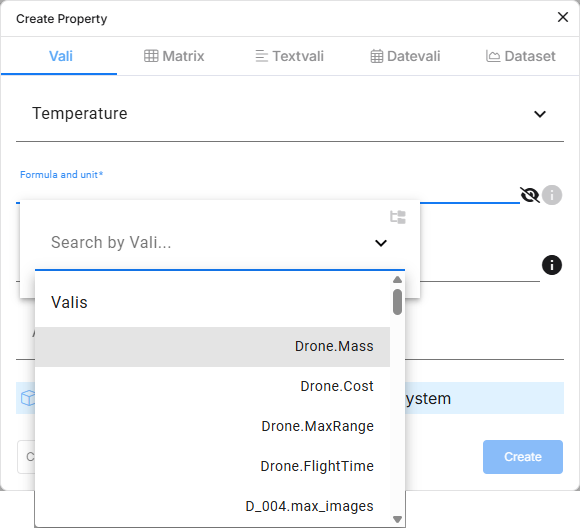
Calling Valis – anywhere in Requirements Portal, you can use the dollar symbol $ to open a drop-down that shows you any referenceable object (e.g., Valis, Requirements, etc.).
In case you want to use Valis from a different project, you can scroll down to the end of the pop-up to select the show other projects option.
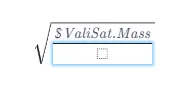
Common Formula Types
You can:
-
use a fixed value, such as
42.7kg, or -
use a formula, such as
5/(3+17.3*9), or -
use other Valis, using the
$sign:$car.speed+5.
Math operations available in formulas are:
-
+,-,*,/ -
%(modulo operation) -
^ -
sqrt() -
exp() -
log10(),ln(),log() -
sin(),cos(),tan() -
asin(),acos(),atan() -
sinh(),cosh(),tanh() -
fabs(): returns the absolute value -
soc()= "Sum of children": sum of all Valis of the same type in sub Blocks -
poc()= "Product of children": product of all Valis of the same type in sub Blocks
You can also use the following logical functions in formulas:
-
if(condition, formula_if_true, formula_if_false) -
max(formula1, formula2) -
min(formula1, formula2)
Requirements Portal Inbuilt Functions
-
soc(): stands for "sum of children", sums up all the Valis of the same type in the Blocks one level below -
rssoc(): stands for “root sum squared of children” sqrt(x1^2+x2^2+⋯+xn^2). For example, if you have three masses 2kg, 5kg, and 6kg, the rssoc function gives you the result of 8.062257 -
aoc(): stands for "average of children", calculates the average value of the Valis of the same type in the Blocks one level below -
poc(): stands for "product of children", multiples all the Valis of the same type in the Blocks one level below -
average_of_datasets()oraod(): the result of the Vali is the average for each point of the datasets belonging to that Vali. If there is only one dataset, that dataset is the result and is used in further calculations -
sum_of_datasets()orsod(): the result of the Vali is the sum for each point of the datasets belonging to that Vali. If there is only one dataset, that dataset is the result and is used in further calculations -
property($vali, property_name): get a property of a Vali. Possibilities forproperty_nameare:-
minandmax(to get the min and max requirements, respectively) -
wc_minusandwc_plus(to get the minus and plus worst cases, respectively)
-
-
minoc(): minimum of children. Returns the minimum value of all Valis with the same type in the sub Blocks -
maxoc(): maximum of children. Returns the maximum value of all Valis with the same type in the sub Blocks -
round(): the function follows the specifications of Python's round function in which the values are rounded to the closest multiple of 10 to the power minus ndigits
Example of formulas:
-
$SolarPanel.width * $SolarPanel.length -
max(soc(), $SolarPanel.lowest_mass) -
if($SolarPanel.width*2 > $SolarPanel.length, 10, 5)
Vali Information
You can see more information about the Vali by clicking on its name. This will open a details view of the Vali, with information presented on the Info tab.
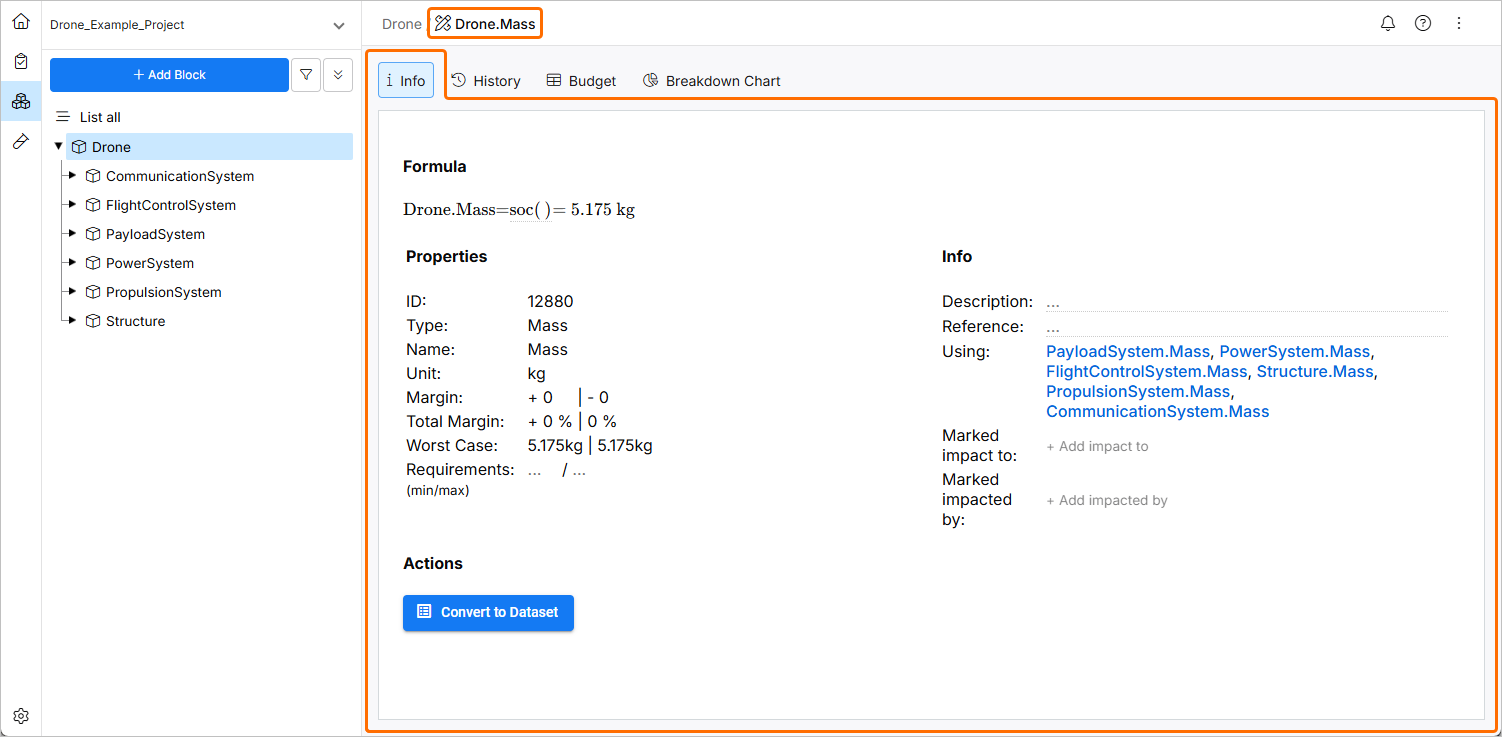
Vali Information – by clicking on a Vali, a view with additional information will open. Here you can define more properties, add description, and define impacts.
The basic info on a Vali presented in the view is:
-
ID – the ID is a number that is random and automatically added by the Valiengine which is used in the Backend.
-
Name – here you can enter and edit the name of the Vali.
-
Description – in the description field you can enter a description of the Vali. You can also format and edit tasks as shown below.
You can also add/change the margins/units and add the requirements (min/max). The requirements (min/max) are the limits that you have for the particular property.
Other information that can be added/viewed here include References, Using and Used by and also Impacts of this Vali.
History of Valis
When a Vali is changed directly or indirectly, the changes are automatically saved in Requirements Portal’s database. The History tab of the Vali shows the value before, the value after, and who changed the values. Requirements Portal captures the changes even if the changed Vali is not directly referenced to the Vali.
To see the history of a Vali’s changes, click on the name of the Vali and select the History tab. On this tab, a graph showing the changes concerning time can be found. Below the graph, a Recent Changes table filled with the Time, Value Before, Value After and Reason data is present.
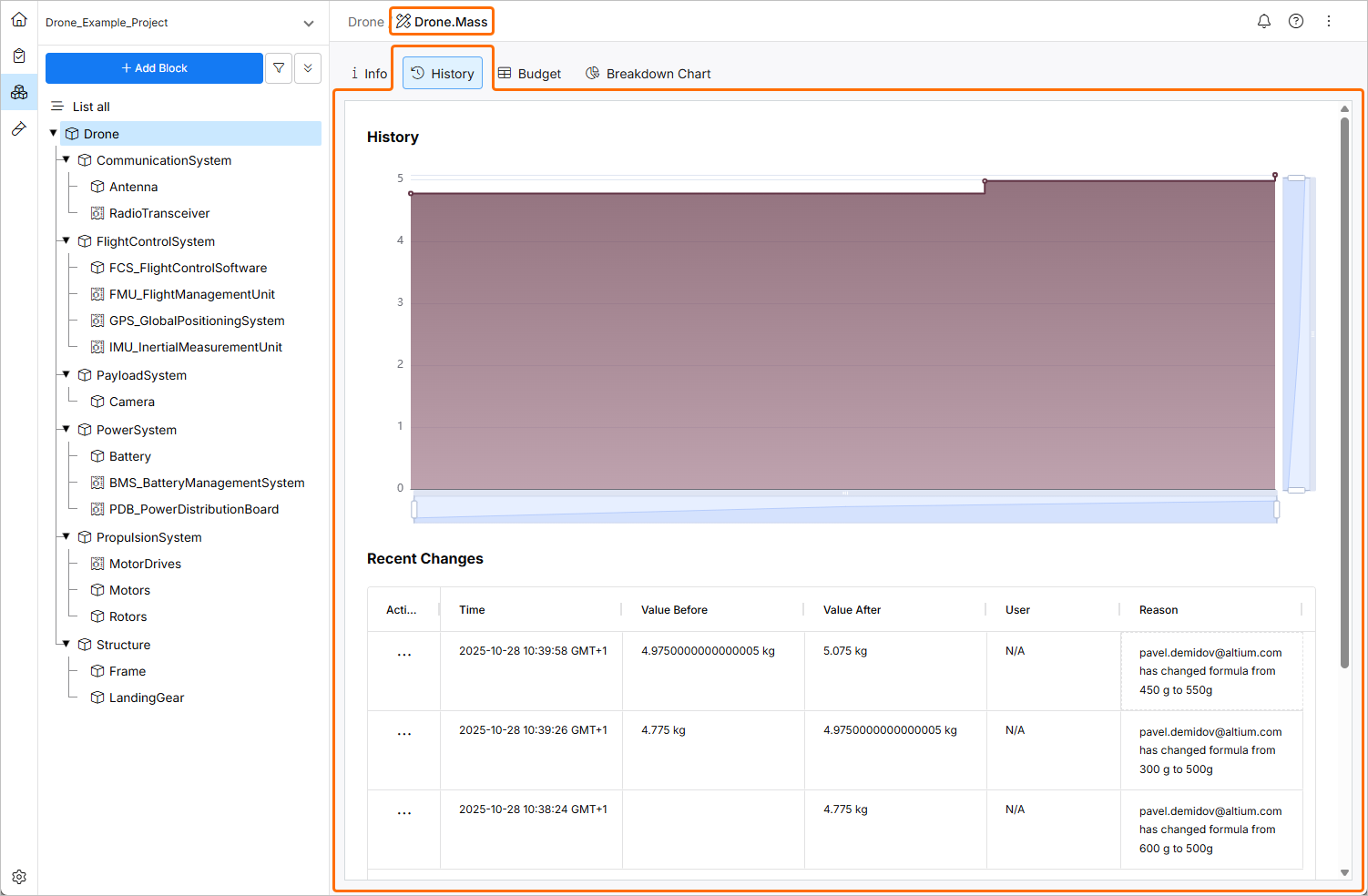
Vali History – on the History tab, a graphical and tabular representation for the change of a Vali over time is shown.
Notifications on Changes
To get a notification when a certain Vali changes, you can subscribe to it by clicking the three-dot button in the Actions column and selecting the Add » Subscribe command from the menu that opens.
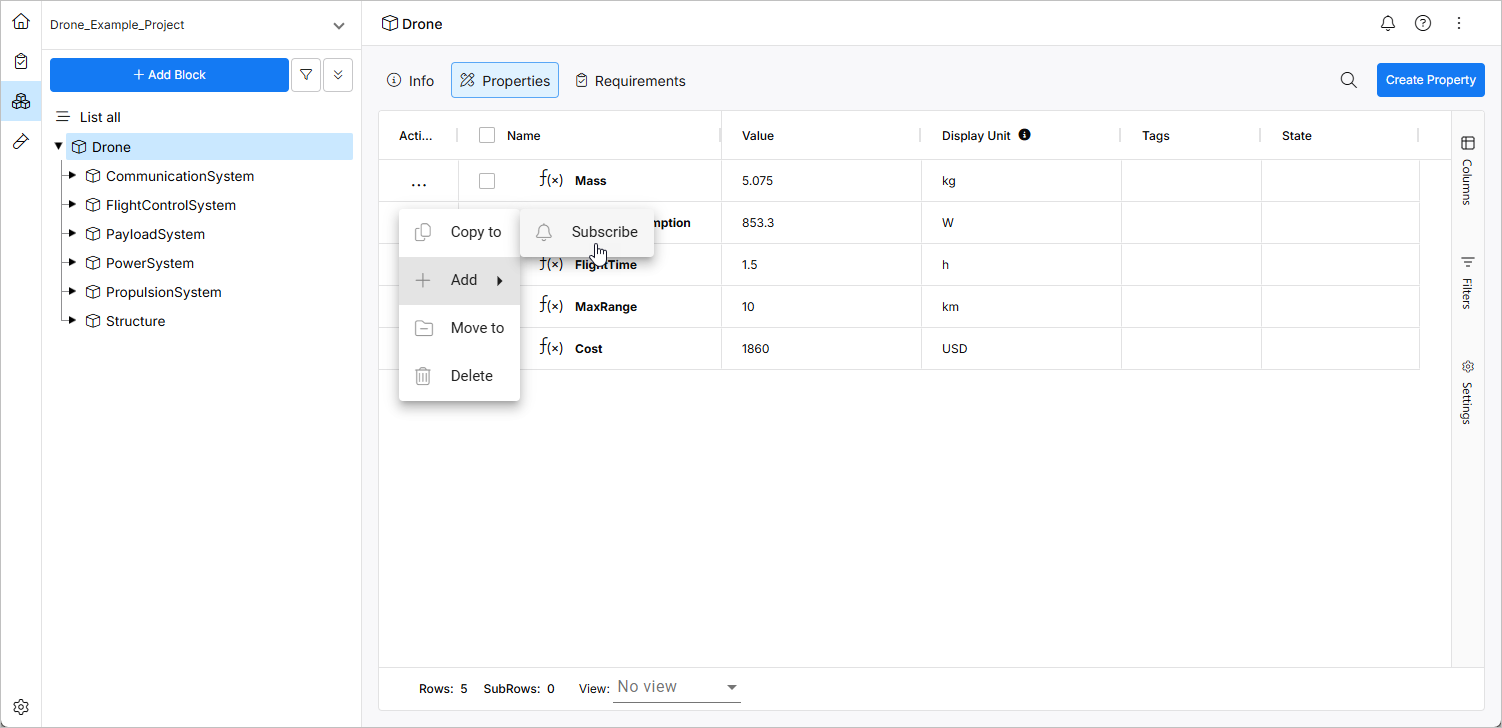
For more information about notifications, refer to the Notifications page.