
Requirements Portal
Altium’s requirements management and Verifications & Validations capabilities are purpose-built for electronics teams. Available in an Altium 365 Workspace created as part of either the Altium Develop or Altium Agile solution, they replace scattered spreadsheets with a collaborative, versioned and traceable environment that integrates directly with your design and verification workflows.
Altium organizes requirements capabilities into two main modules: Requirements and Verifications & Validations (V&V). Requirements are also natively supported in design projects in Altium Designer and the Web Viewer.
Core requirements management features include:
-
Requirements Traceability to PCB Designs – give engineers constant access to clear requirements in the right context. Status changes automatically sync across your project.
-
Requirements Importer – import unstructured requirements into your Altium project from XLS, PDF or DOC files. Easily convert them into structured data with an AI assistant.
-
Templated Document Export – use customizable templates to automatically generate compliance documents, such as traceability matrices, from live requirements and verification and validation data.
-
AI Requirements Assistant – create clearer, smarter requirements in less time. Parse incoming system requirements into clear electrical specifications with an AI assistant.
-
Comments and Notifications – engage your peer-to-peer expert network in requirement reviews and implementation processes.
-
Live Insights and Analytics – quickly identify and resolve noncompliant design issues by monitoring project progress and requirement verification.
-
Versioning and Change History – capture every requirement change for full version histories. Keep teams aligned to ensure traceability and compliance.
-
Parametric Requirements – turn numerical values in requirements into parameters that can be reused across your project.
-
Continuous Verifications – create verification rules that automatically compare system performance to the functional targets that the team specifies in requirements.
Linking Requirements to Design Projects
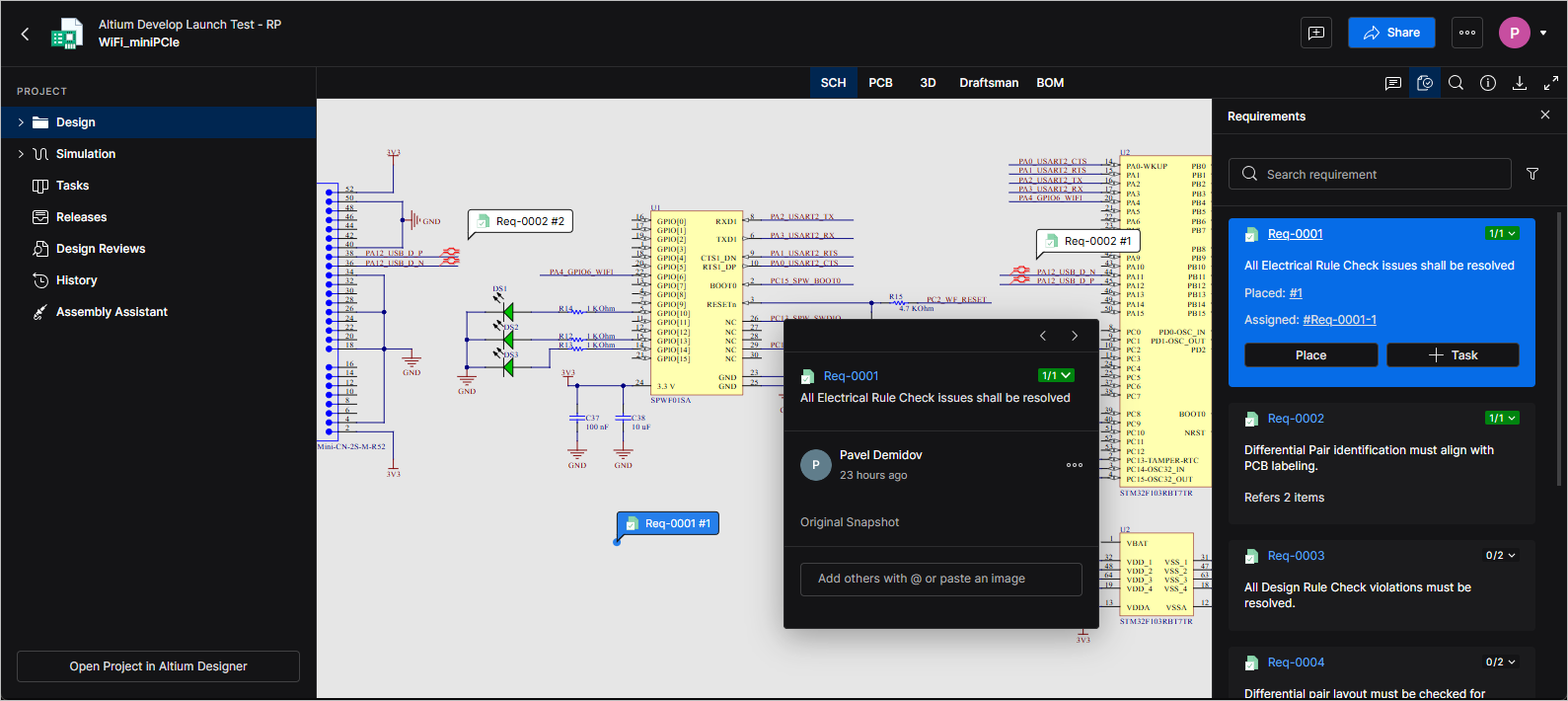
To provide the necessary context for your design decisions, you can bring details about requirements defined in Requirements Portal directly into your Workspace design projects.
Design projects can be linked to a suitable block in Requirements Portal. Blocks represent parts of your overall system, such as a PCB or functional unit. Individual requirements (or specifications they are organized in) are defined in Requirements Portal and can be linked to a block. Once a block is linked to a design project, the requirements become available in the corresponding design project.
For more information, refer to the Working with Requirements page.