
KB: Content Cart Transfer Failure Caused by Dictionary Parameter Values
Updated: September 30, 2026
 A365
A365
Content Cart may fail to transfer components between workspaces when they contain populated dictionary parameter values, displaying the error "ReleaseALU_ItemRevisionsFailed revision parameters validation". As a temporary workaround, clear the affected values in the Batch Editor, transfer the components, and then reapply the values as needed. The workaround described in this article is intended for temporary use until a permanent fix becomes available.
Solution Details
Transfer Fails for Affected Components
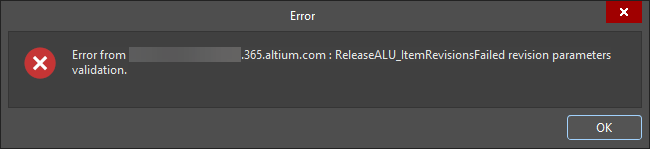
When transferring components between workspaces using Content Cart, the following error may be displayed:
ReleaseALU_ItemRevisionsFailed revision parameters validation
This issue affects components containing populated dictionary parameter values. Components without populated dictionary parameter values typically transfer successfully.
Populated Values Cause Transfer Validation Failure
The error occurs when Content Cart attempts to transfer a component containing a populated dictionary parameter value. Although the component, parameter definition, and selected value are valid, transfer validation fails and the component is not migrated.
Temporarily Clear the Affected Values
- Clear populated dictionary parameter values from the affected components before retrying the transfer.
- After the transfer succeeds, reapply the required dictionary parameter values as needed.
Clear Values Using the Batch Editor
- Open the affected components in the Batch Editor.
- Select the affected components.
- Locate the dictionary parameter value column.
- Copy and paste an empty column into the dictionary parameter value field to clear the values.
- Save the changes to the server.
- Retry the Content Cart transfer.
- After the transfer succeeds, reapply the required dictionary parameter values if necessary.
Additional Notes
- The dictionary parameter definition does not need to be removed. Only its populated value must be cleared before transfer.
- This is a temporary workaround for a known issue affecting Content Cart transfers of components with populated dictionary parameter values.
- The workaround described in this article is only required until a permanent fix becomes available.