KB: Renaming a Valispace Project in the Requirements and Systems Portal
Updated: May 19, 2026
 A365
A365
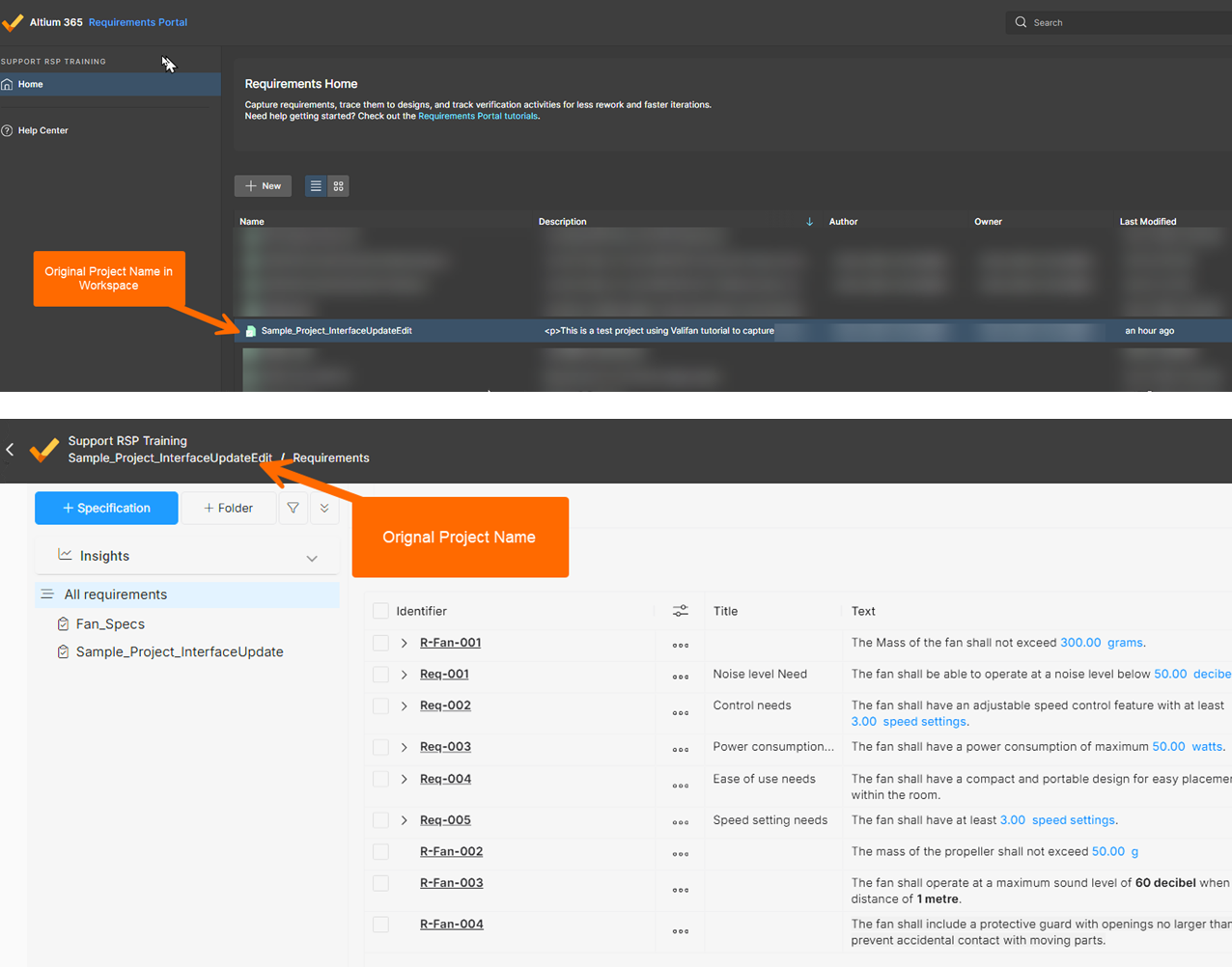
This article explains how to rename an existing Valispace (Legacy) project in the Altium 365 Requirements & Systems Portal (RSP). When a project name needs to be corrected or updated, users with the appropriate permissions can modify it directly from the Valispace Project Module. The project name is stored as editable metadata, so updating it changes how the project is displayed across RSP without affecting any underlying project data. This process applies only to Valispace projects in the Default Workspace and is separate from the workflow used to rename managed PCB projects in the Altium 365 Projects area.
Solution Details
Project name needs correction in RSP
An existing Valispace (Legacy) project in the Default Workspace has a name that no longer reflects its intended usage or needs to be corrected so it displays properly within the Requirements & Systems Portal.
Project name stored as editable metadata
In Valispace RSP, the project name is stored as editable project metadata. Users with sufficient permissions, such as a Project Owner, Workspace Administrator, or any user with project-level edit rights, are allowed to modify this value. This behavior is specific to Valispace and differs from how project renaming is handled in other areas of Altium 365.
Rename applies only to Valispace projects
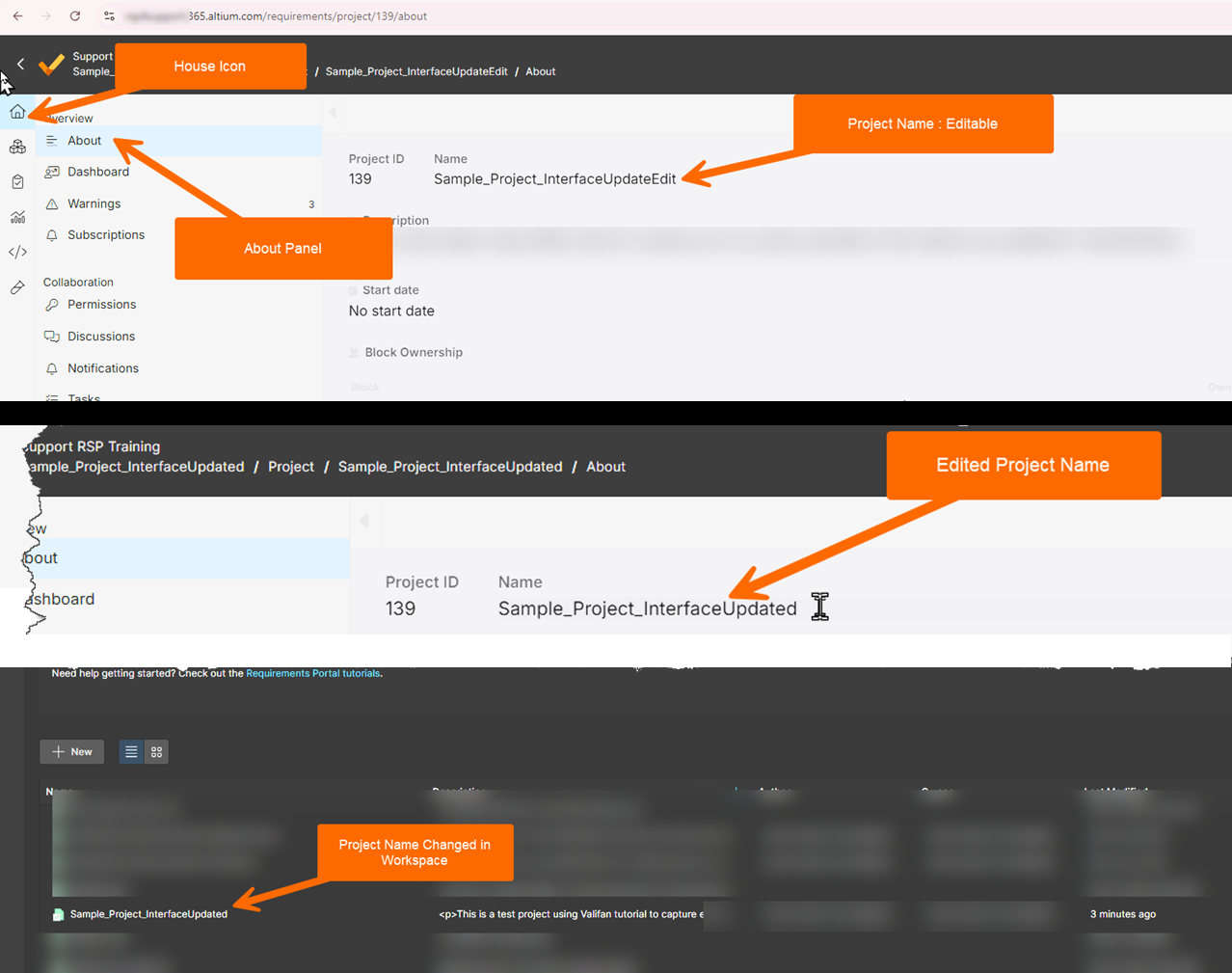
- Edit the project name directly in the Valispace Project Module using the About panel.
- Renaming a Valispace project updates its display name across the Requirements & Systems Portal but does not affect the project’s underlying data.
- Renaming a Valispace project does not rename any linked or related managed PCB projects in the Altium 365 Projects area. A separate workflow is required for managed project renaming.
- If the project name is referenced by releases, exports, or downstream artifacts, review those items to ensure naming consistency.
Steps to rename from the Project Module
- Log in to the target workspace with project-level edit permissions.
- Open the Default Workspace and select the Valispace project to be renamed.
- Select the House icon to open the Project Module.
- In the side menu, select About.
- Edit the project name field.
- Save or confirm the change.