KB: Board outline on Embedded Board Array Print
Updated: November 04, 2026
 Altium Designer
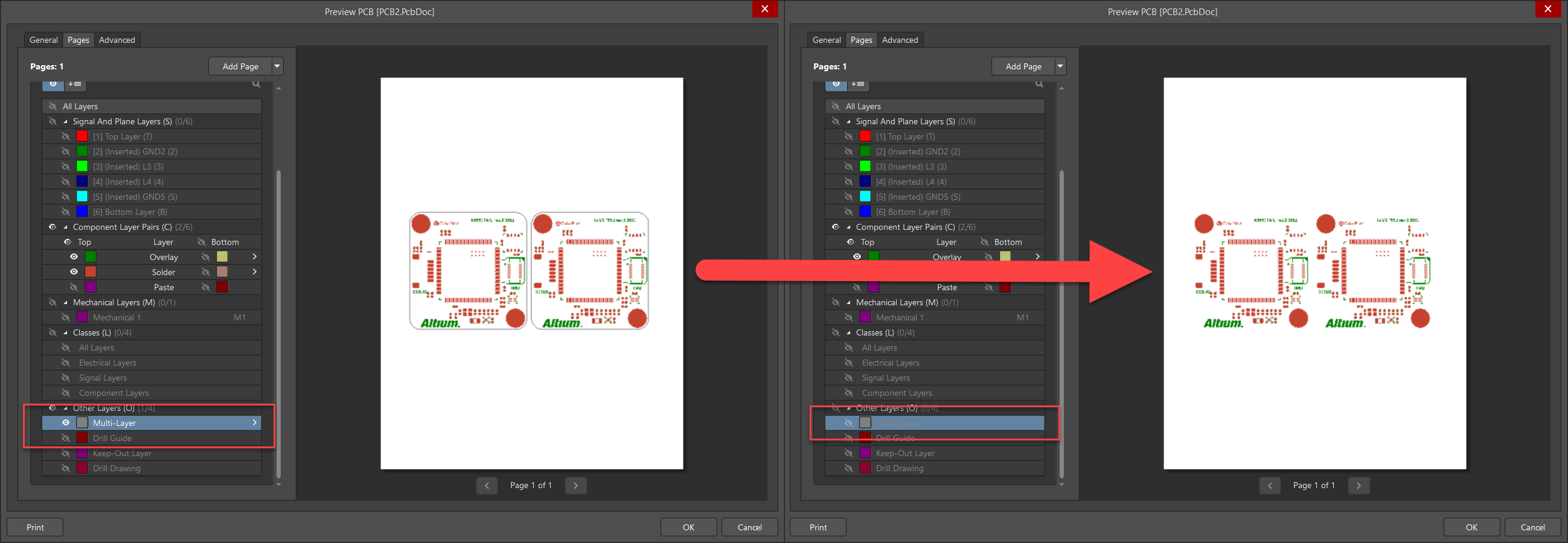
To turn off the Board Outline of a printed Embedded Board Array, turn off the Multi-layer visibility in the output settings.
Solution Details
When printing an Embedded Board Array, a board outline is added on the layer "Multi-Layer." If you want to hide the board outline, you would need to turn off the multi-layer in the printout options of the Embedded Board Array. Doing this however, will cause other Multi-Layer objects to not be visible either.