
KB: Generating an IPC-D-356A File gives No SIGNAL Layer Exists Error
Updated: November 11, 2025
 Altium Designer
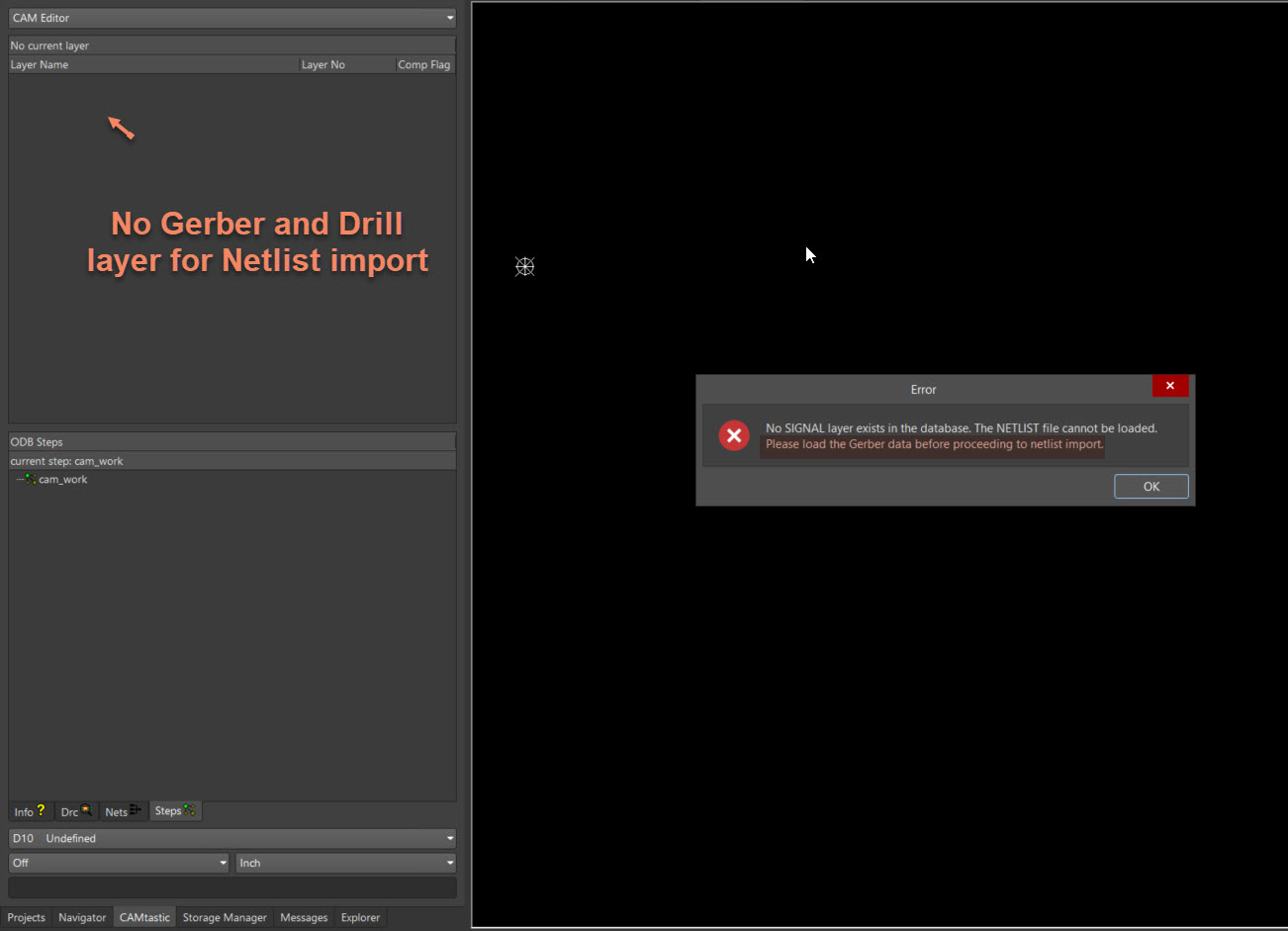
When generating an IPC-D-356A netlist file in Altium Designer, users may encounter the error message: “No SIGNAL layer exists in the database. The NETLIST file cannot be loaded. Please load the Gerber data before proceeding to netlist import.” This error appears in the CAM document viewer and is caused by attempting to import the IPC netlist without first loading the associated Gerber or Drill files. Although the IPC-D-356A file is successfully generated, it cannot be imported or viewed until the required signal layer data is present.
Solution Details
Error When Importing IPC-D-356A Netlist File
Problem Description
After generating an IPC-D-356A netlist file, users may attempt to open it in the CAM document and receive the following error message:
"No SIGNAL layer exists in the database. The NETLIST file cannot be loaded. Please load the Gerber data before proceeding to netlist import."
This error prevents the netlist file from being loaded into the CAM viewer.
Why This Happens
The IPC-D-356A file is a netlist format intended for use in CAM validation. It requires signal layer data to be present in the CAM document. If the Gerber or Drill files are not loaded beforehand, the CAM environment lacks the necessary context to interpret the netlist, resulting in the error.
What to Do
To resolve this issue:
- Ensure that Gerber and Drill files are loaded into the CAM document before importing the IPC-D-356 netlist.
- Alternatively, import an ODB++ dataset which includes signal layer information.
How to Do It
- Open the CAM document in Altium Designer.
- Import the Gerber and Drill files using File » Import » Gerber... .
- Once the signal layers are loaded, proceed to import the IPC-D-356A netlist file.
- Use File » Import » Netlist... to load the netlist.
- Verify that the netlist loads without error and is correctly mapped to the signal layers.
Additional Notes
- The IPC-D-356A file is successfully generated even if the error appears during import.
- This process is required only for viewing or validating the netlist within the CAM document.