
KB: SolidWorks MCAD CoDesigner - PCB Decals Missing
 Altium Designer
Solution Details
Default Behavior Change in CoDesigner 3.8
Starting with CoDesigner version 3.8, the tool automatically deletes original decal image files by default after import.
For reference, see: New in CoDesigner 3.8.0
Steps to Retain Decal Files
To prevent CoDesigner from deleting the original decal files after import, you can configure a registry setting:
1. Open the Registry Editor (regedit.exe).
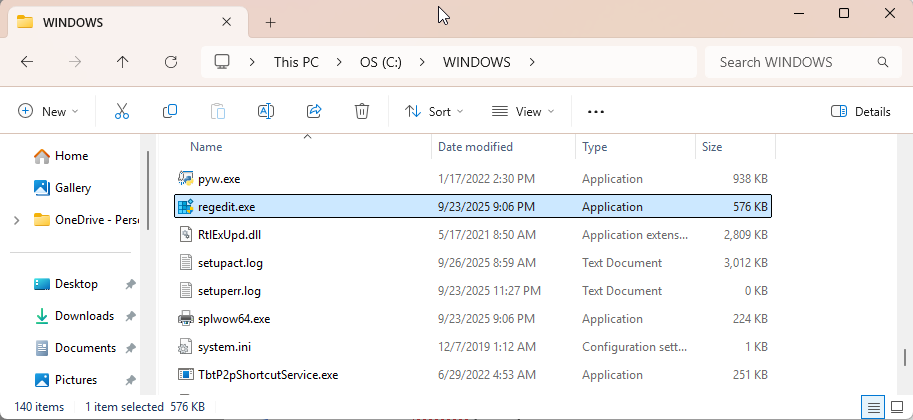
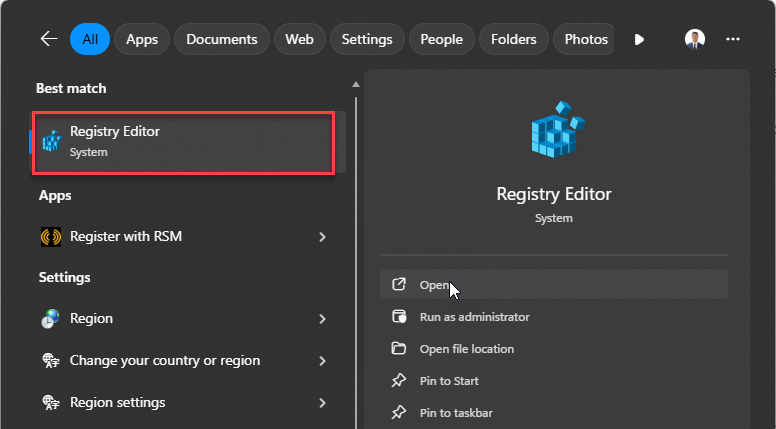
2. Navigate to the following path:
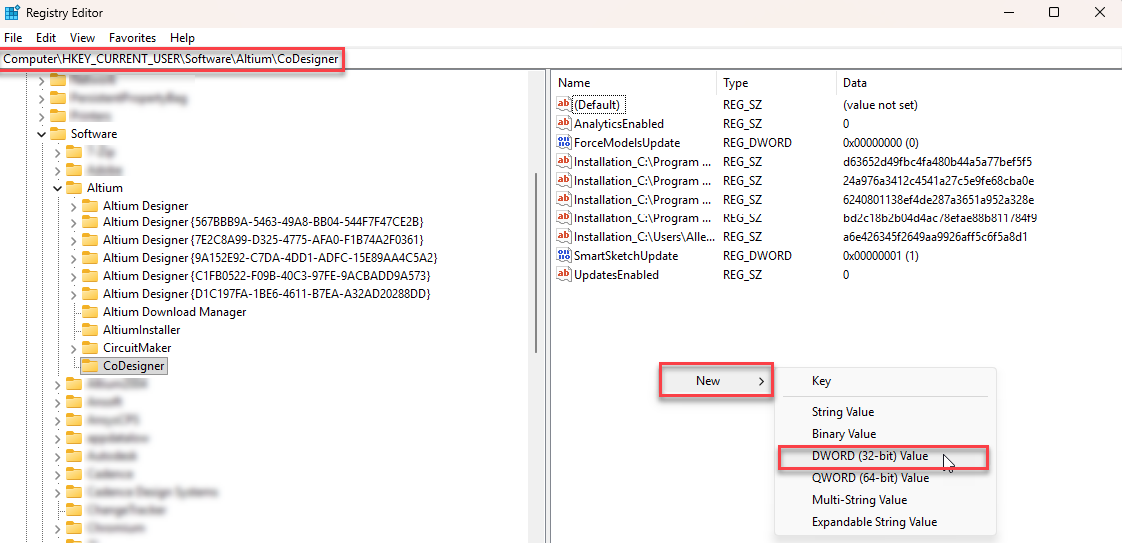
HKEY_CURRENT_USER\SOFTWARE\Altium\CoDesigner
3. Create a new DWORD (32-bit) Value:
a. Name: DoNotDeleteOrigFilesb. Value: 1
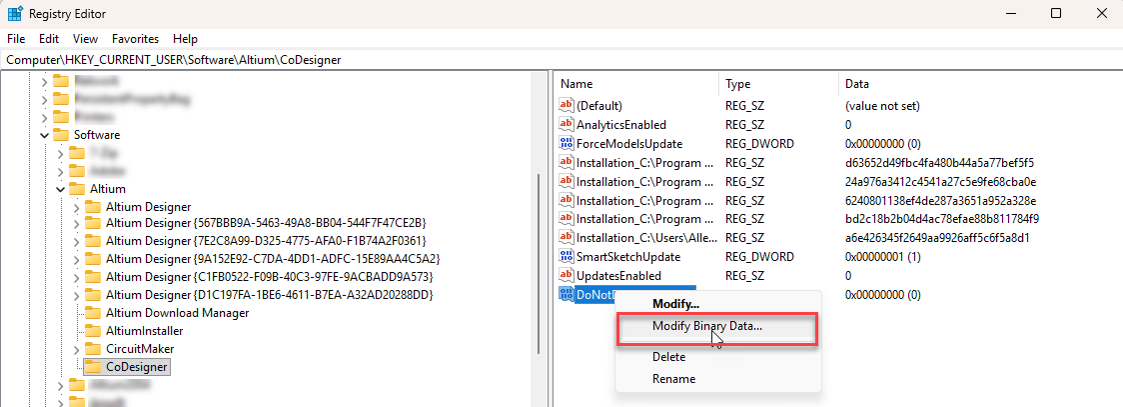
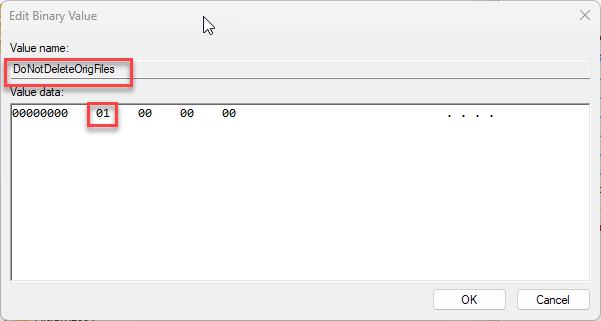
c. The same DWORD Value can be added as well to the path below as well after locating the Altium MCAD CoDesigner addin for Solidworks
HKEY_LOCAL_MACHINE\SOFTWARE\AddIns\ 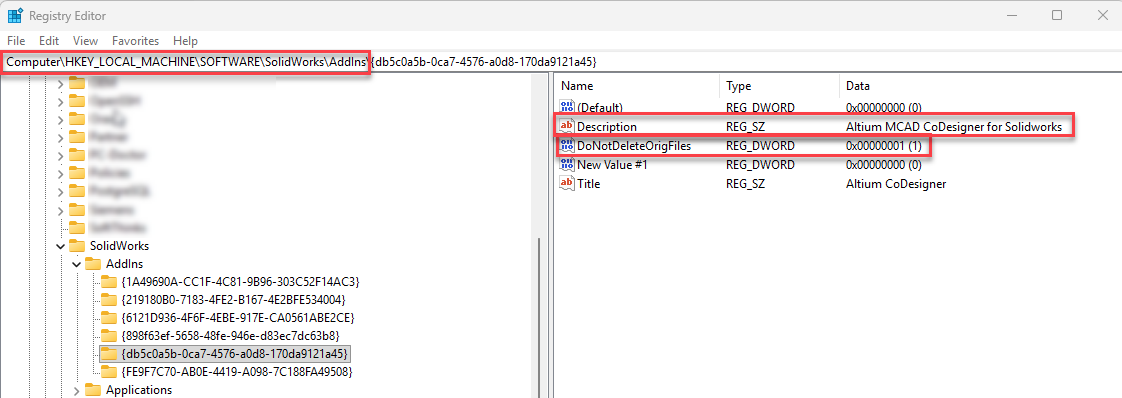
4. Close the Registry Editor.
5. Re-import the PCB assembly using CoDesigner. The decal .png files should now be retained in the folder.
⚠️ Note: Modifying the Windows registry can affect system behavior. Always back up the registry before making changes.
Additional Notes
- If the decals were already deleted, you may need to regenerate them from the ECAD side or re-import the PCB after applying the registry fix.
- This change only affects versions 3.8 and later of CoDesigner.