
Nouveau dans Requirements Portal
Requirements Portal est en développement continu. Cette page présente les nouvelles fonctionnalités et améliorations apportées à Requirements Portal dans les mises à jour clés.
Mise à jour - 6 août 2026
Consolidated UI of the Importer
Dans cette version, le Import Wizard utilisé pour importer des exigences dans vos projets a été mis à jour afin d’unifier l’interface utilisateur de l’importateur IA et de l’importateur classique (anciennement legacy).
Lorsque vous accédez au Import Wizard, il vous sera désormais proposé de téléverser un fichier d’un type pris en charge (*.pdf, *.docx, *.xlsx ou *.csv).
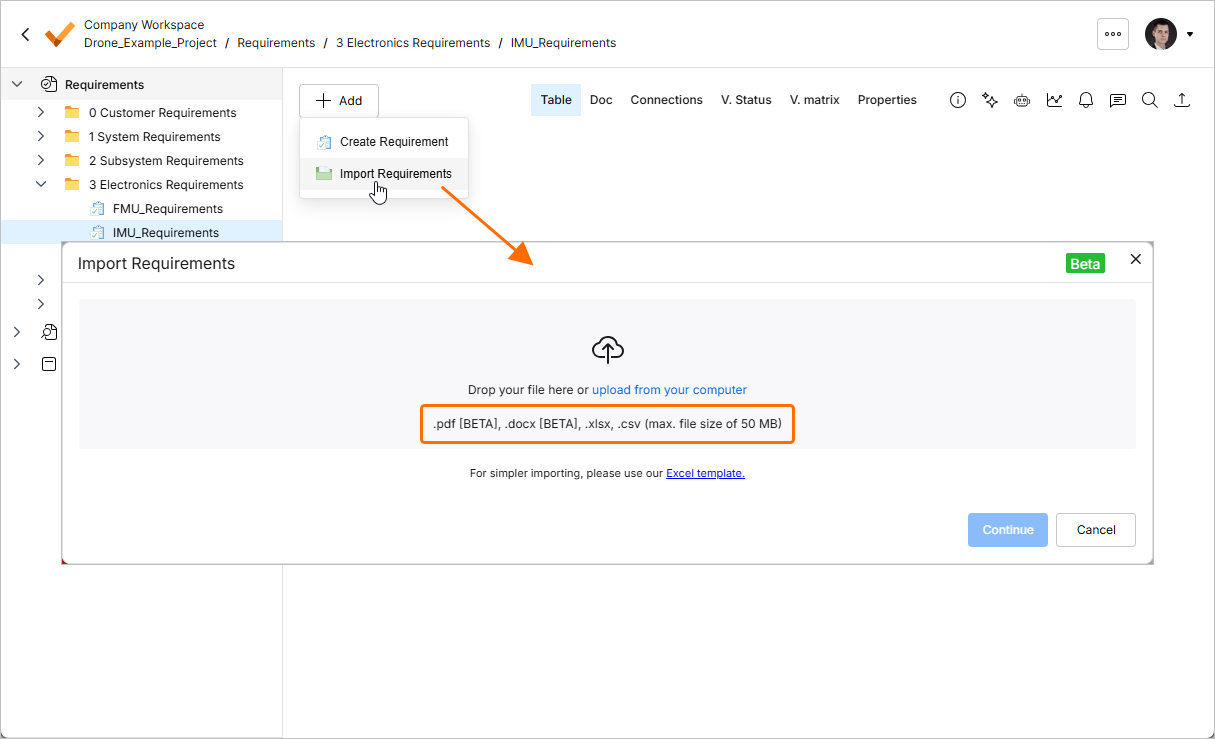
Les fichiers aux formats *.pdf et *.docx ne peuvent être importés qu’avec l’importateur IA. Si vous téléversez un fichier *.xlsx ou *.csv, vous pouvez choisir d’utiliser l’importateur classique en activant l’option Classic Import (Non-AI).
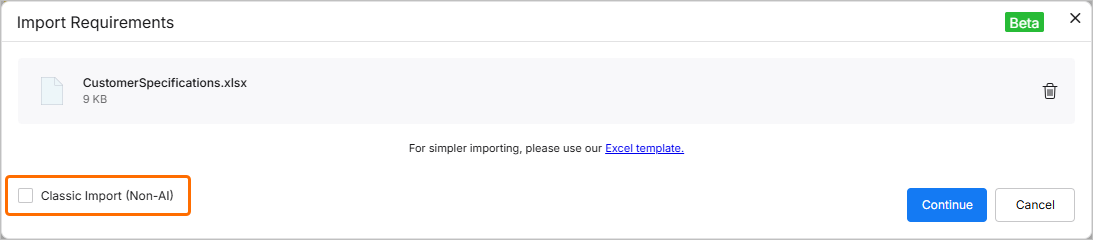
L’interface utilisateur des importateurs IA et classique comporte des commandes similaires.
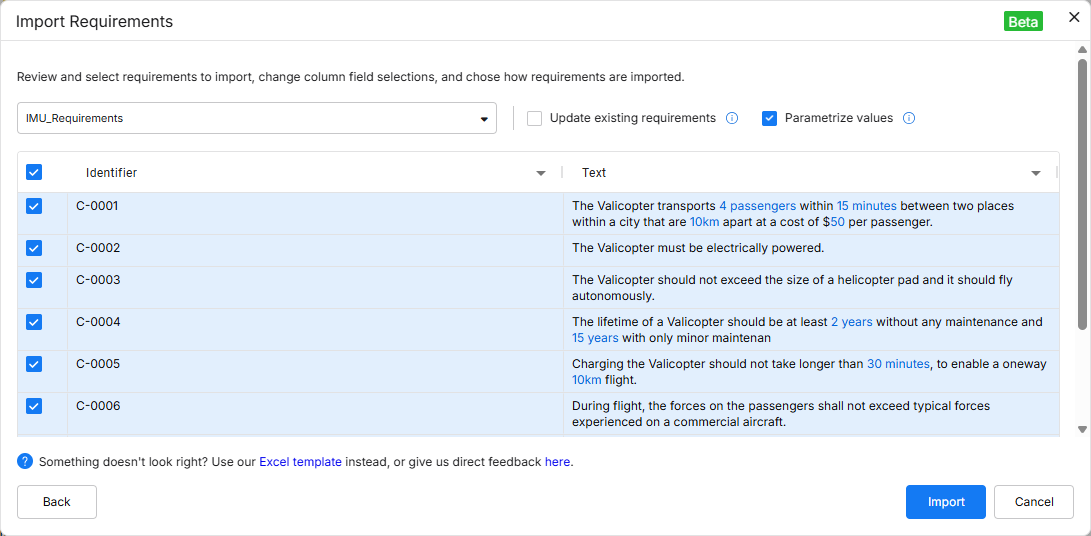
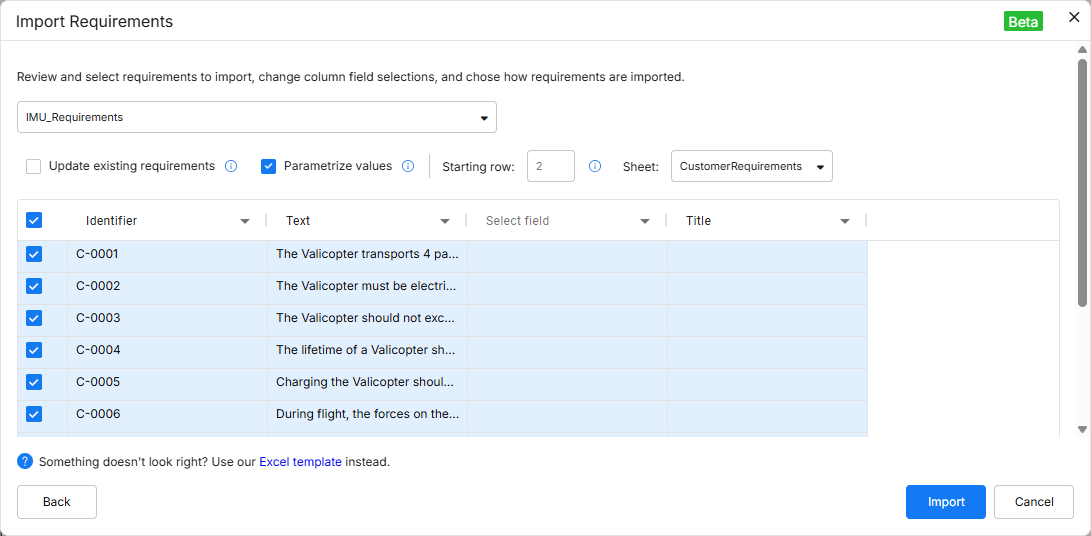
Un certain nombre d’améliorations ont été ajoutées à l’importateur IA :
-
Colonnes personnalisées (y compris la création de colonnes personnalisées directement sur la page de révision).
-
La possibilité de remapper les champs.
-
La possibilité de mettre à jour des exigences existantes avec les données importées.
Pour plus d’informations, consultez la page Import Requirements.
Engineering Assistant Improvements
Les améliorations suivantes ont été apportées à la fonctionnalité Engineering Assistant dans cette version :
-
Vous pouvez désormais copier votre requête précédemment envoyée ou une réponse de l’Engineering Assistant. Cliquez sur le bouton
 sous une requête ou une réponse pour copier son contenu dans le presse-papiers.
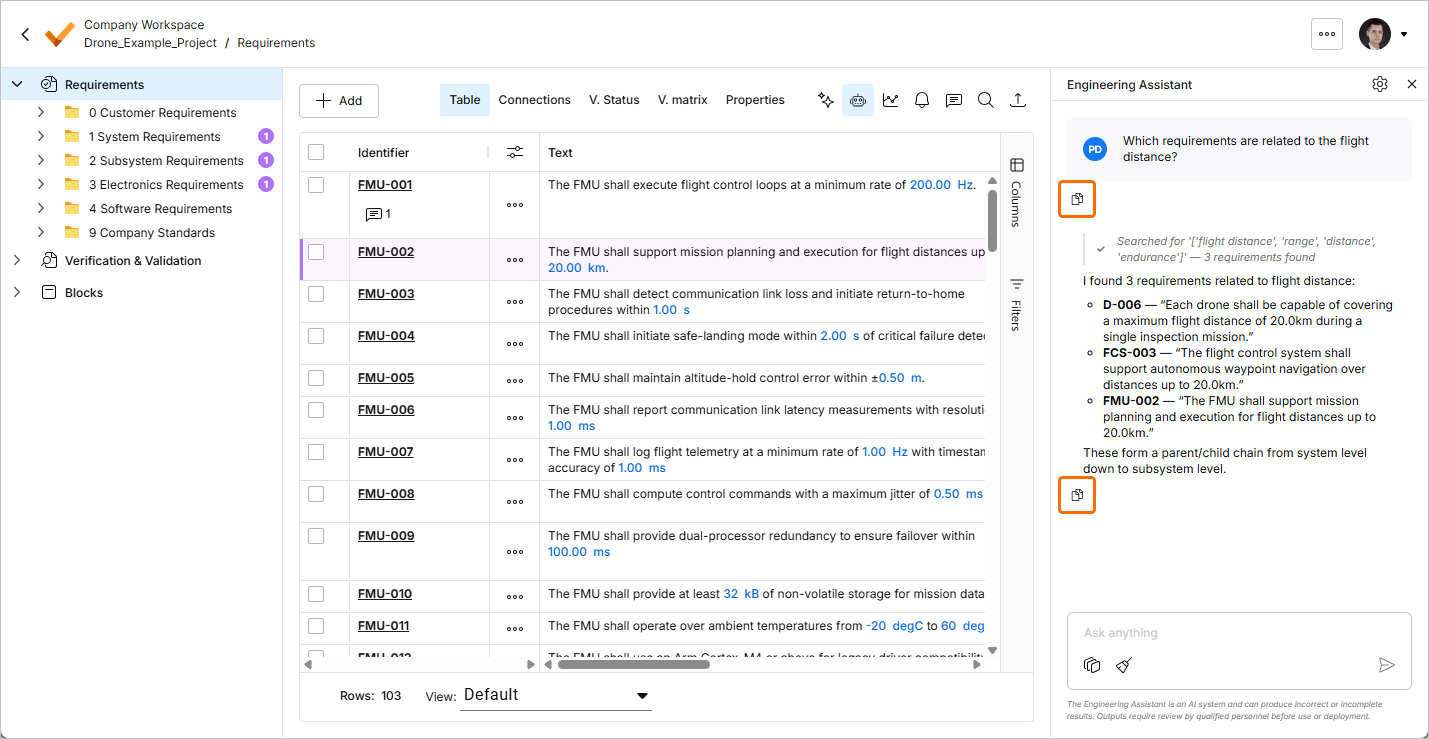
-
Vous pouvez désormais faire défiler les invites précédemment envoyées à l’aide des touches
Arrow UpetArrow Downlorsque le curseur se trouve dans le champ de texte du volet Engineering Assistant.
Pour plus d’informations, consultez la page Agentic Requirements Engineering.
Support for the REST API
Dans cette version, la prise en charge de l’API REST a été ajoutée à Requirements Portal. À l’aide de l’API REST, vous pouvez obtenir et modifier des données de Requirements Portal, ou même réécrire des données dans Requirements Portal et ainsi mettre à jour les informations. En outre, cela vous offre la possibilité de vous connecter à d’autres applications ou de les intégrer.
Pour plus d’informations, consultez la page Rest API and Python API Documentation.
Mise à jour - 27 juillet 2026
Key Highlights
-
La fonctionnalité Engineering Assistant a été mise à jour avec la possibilité d’utiliser Skills. Une skill est un ensemble d’instructions réutilisable que l’Engineering Assistant peut exécuter afin d’accomplir une tâche spécifique de manière plus cohérente. Une skill regroupe la manière dont une tâche d’ingénierie spécifique doit être effectuée – l’intention, les limites, les entrées nécessaires, les étapes à suivre – afin que le même résultat soit produit de façon cohérente, quelle que soit la personne qui l’exécute ou le moment où elle l’exécute, sans que chaque utilisateur ait à répéter les mêmes instructions à chaque fois.
Une skill peut être considérée comme :
-
Un workflow d’ingénierie reproductible
-
Une norme organisationnelle rendue exécutable
-
Un moyen de regrouper l’expertise et de la rendre réutilisable
Un ensemble de skills disponibles est géré à l’aide de la fenêtre AI Skills, accessible en cliquant sur le bouton
 en haut à droite du volet Engineering Assistant. Depuis cette fenêtre, vous pouvez ajouter de nouvelles skills, ainsi que modifier et supprimer les skills existantes.

Les skills sont invoquées automatiquement par l’IA, qui les sélectionne et les applique automatiquement en fonction de votre intention. Vous n’avez pas besoin de mémoriser des commandes ni de sélectionner manuellement des skills. Par exemple, lorsque vous envoyez
Rewrite these requirements using our company writing standard, l’Engineering Assistant détecte l’intention (normalisation des exigences), identifie la skill dont la brève description correspond le mieux à cette demande, exécute les instructions définies dans cette skill et renvoie les exigences améliorées.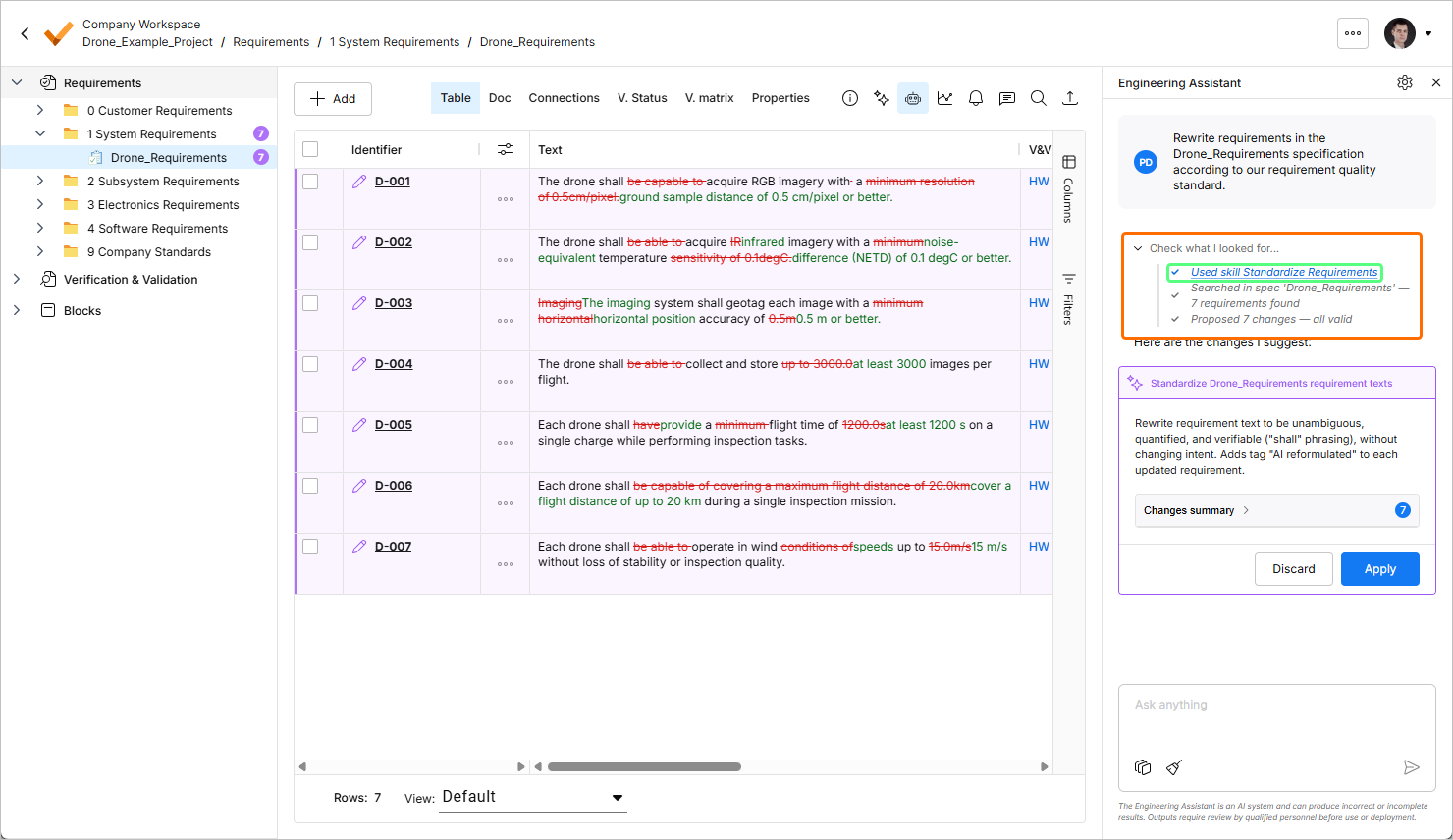
Pour plus d’informations sur la fonctionnalité Engineering Assistant, consultez la page Agentic Requirements Engineering.
-
-
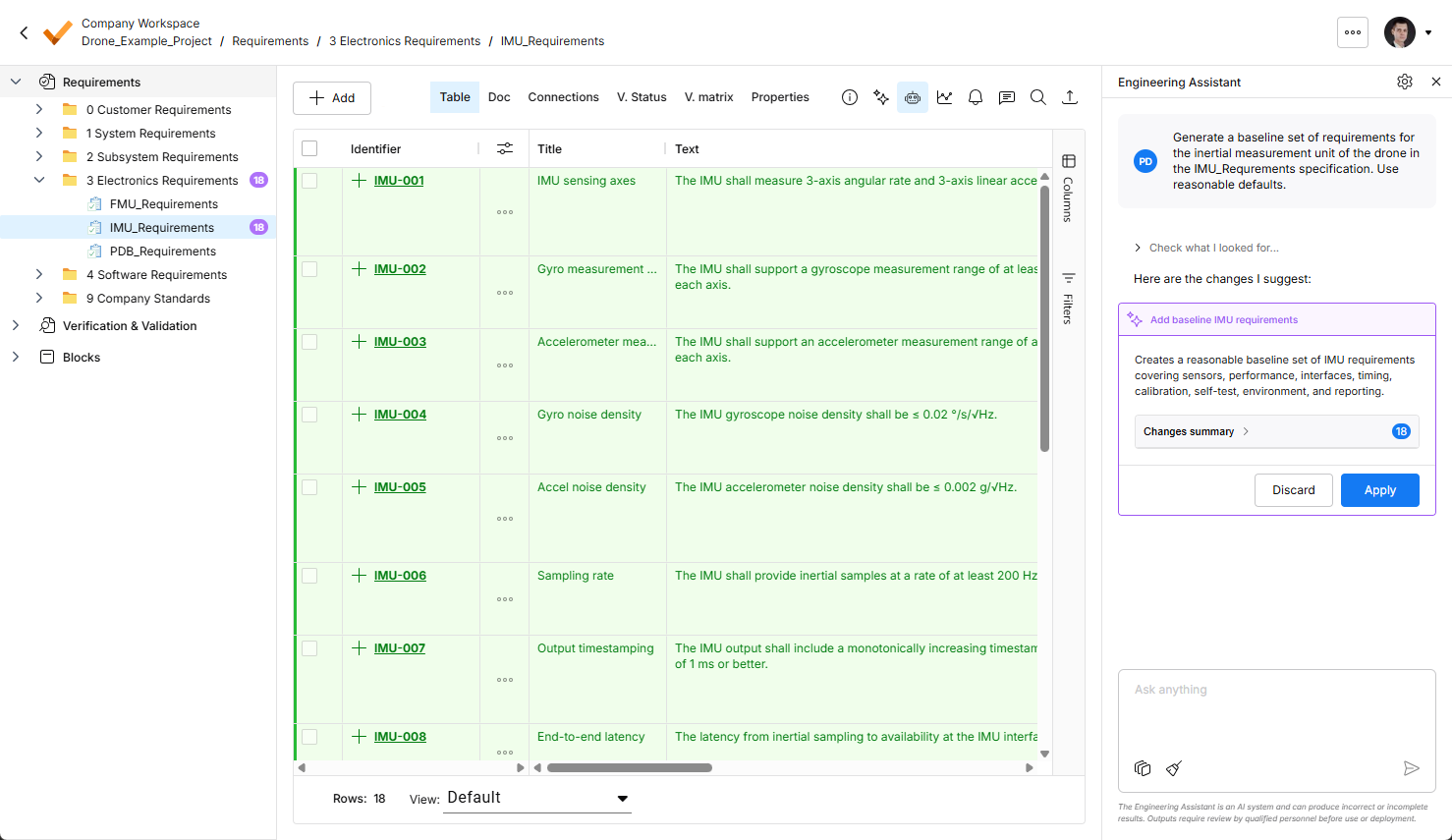
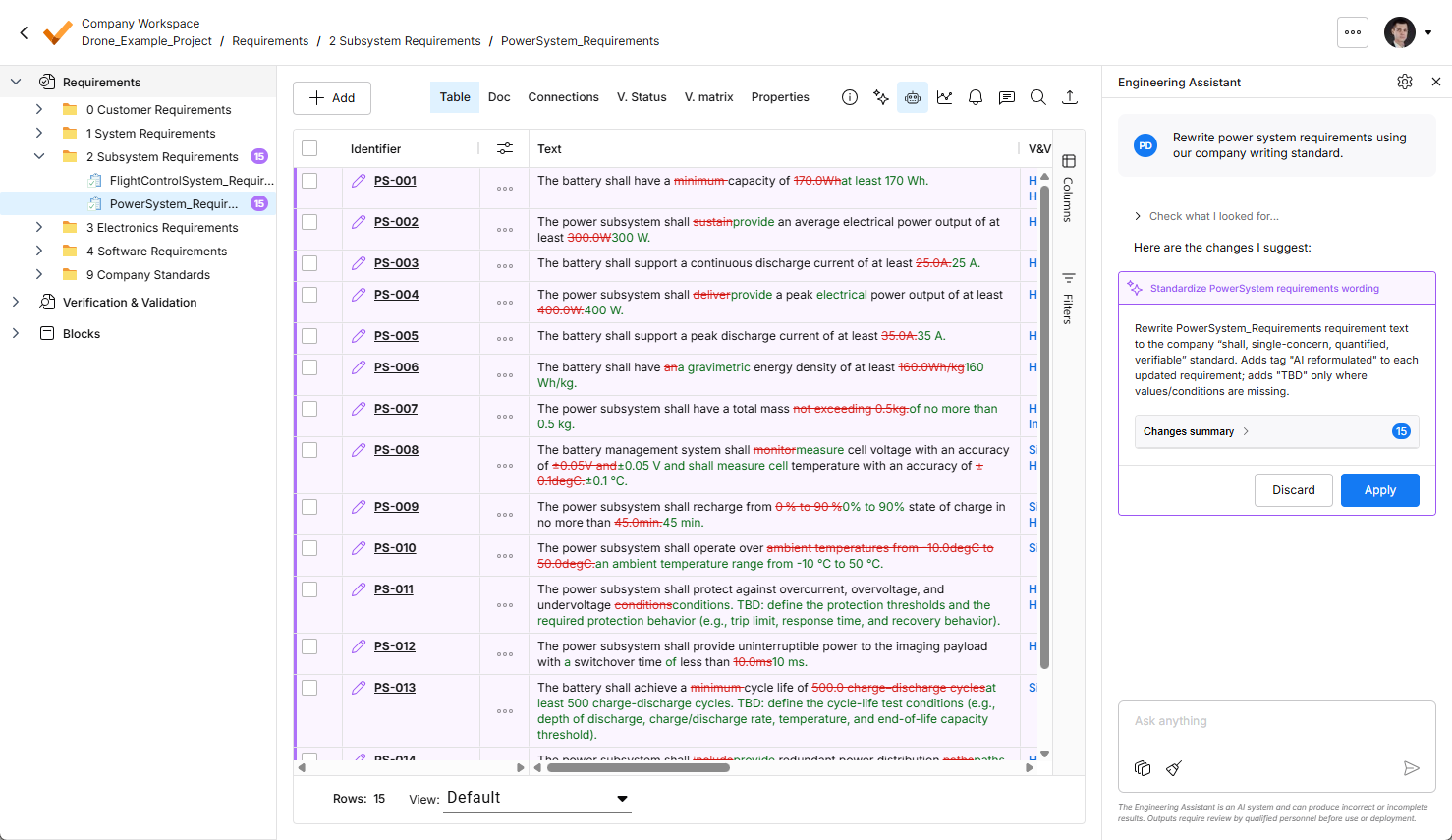
La mise en évidence des modifications suggérées par l’Engineering Assistant a été améliorée dans cette version. Désormais, toutes les modifications suggérées sont visibles dans le tableau des exigences.
-
Les nouvelles exigences sont mises en évidence en vert, avec l’icône dans l’icône
 de la colonne Identifier.
-
Les exigences modifiées sont mises en évidence en violet, avec l’icône
 dans la colonne Identifier. Les modifications elles-mêmes sont également mises en évidence dans le tableau.
-
Les exigences proposées à la suppression sont mises en évidence en rouge, avec l’icône
 dans la colonne Identifier.
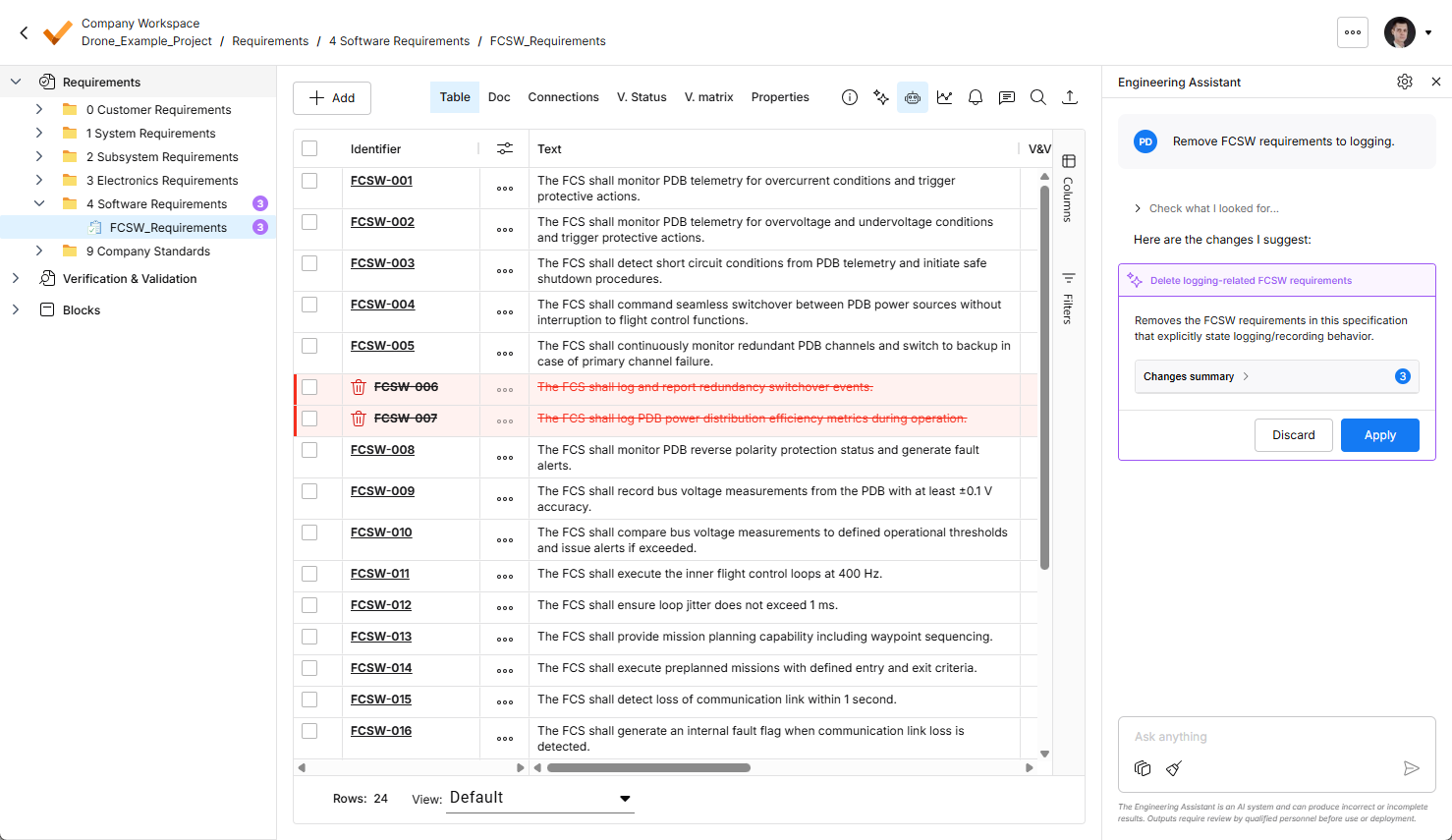
Pour plus d’informations sur la fonctionnalité Engineering Assistant, consultez la page Agentic Requirements Engineering.
-


Mise à jour - 9 juillet 2026
Key Highlights
-
La fonctionnalité Engineering Assistant a été mise à jour avec la possibilité d’afficher le contexte actuel du chat. Cliquez sur le bouton
 en bas du volet Engineering Assistant pour afficher la fenêtre contextuelle Chat Context présentant les informations suivantes :
-
Project – affiche le nom du projet actuel et le nom du dossier, de la spécification ou de la section actuellement sélectionné(e).
-
Filters – affiche le nombre de filtres actuellement appliqués au tableau ainsi que la liste des colonnes auxquelles ces filtres sont appliqués.
-
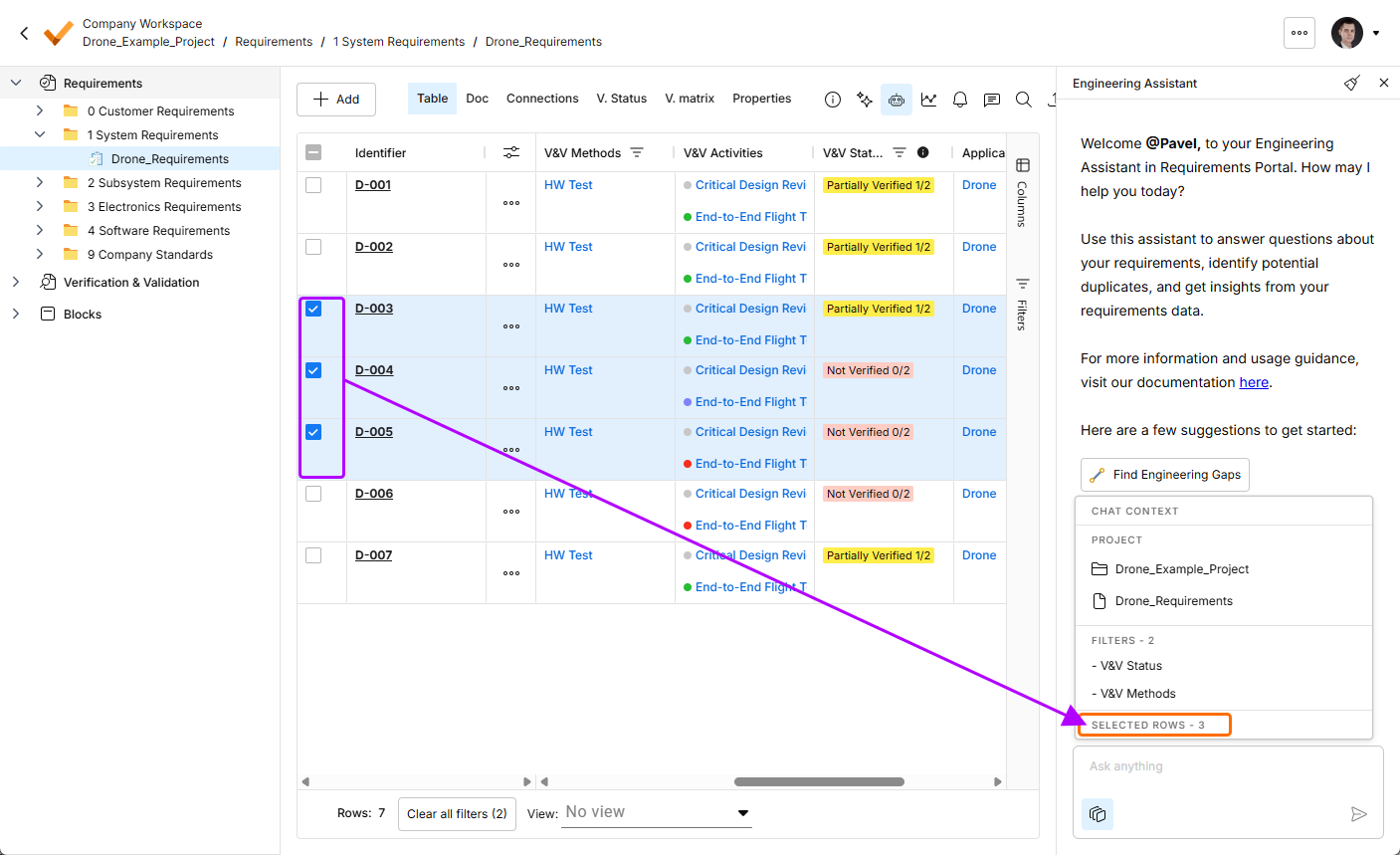
Rows selected – affiche le nombre de lignes d’exigences actuellement sélectionnées.
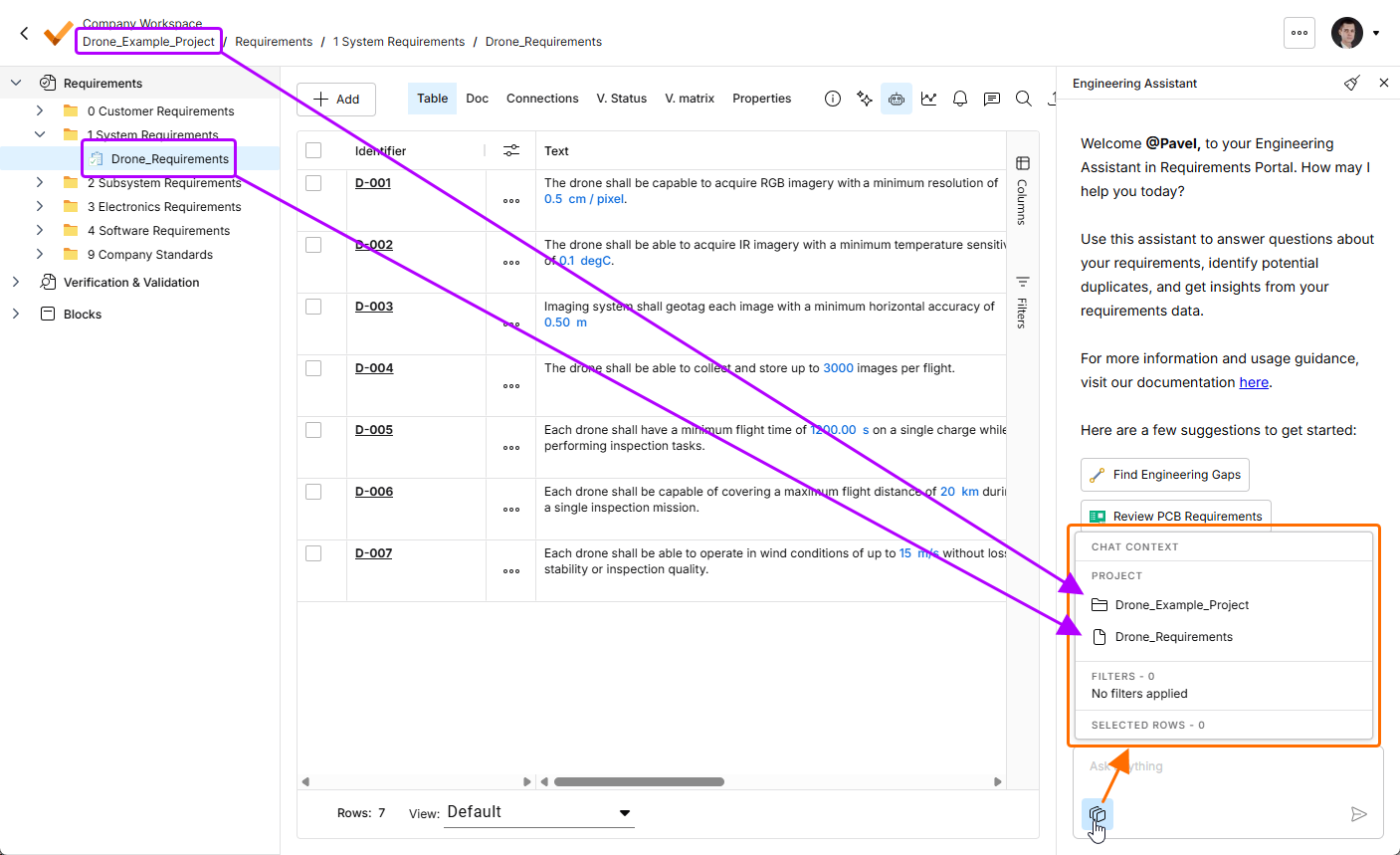
Cliquez sur le bouton
pour ouvrir la fenêtre contextuelle Chat Context. Dans cet exemple, la zone Project affiche le nom du projet actuel (Drone_Example_Project) et le nom de la spécification actuellement sélectionnée (Drone_Requirements).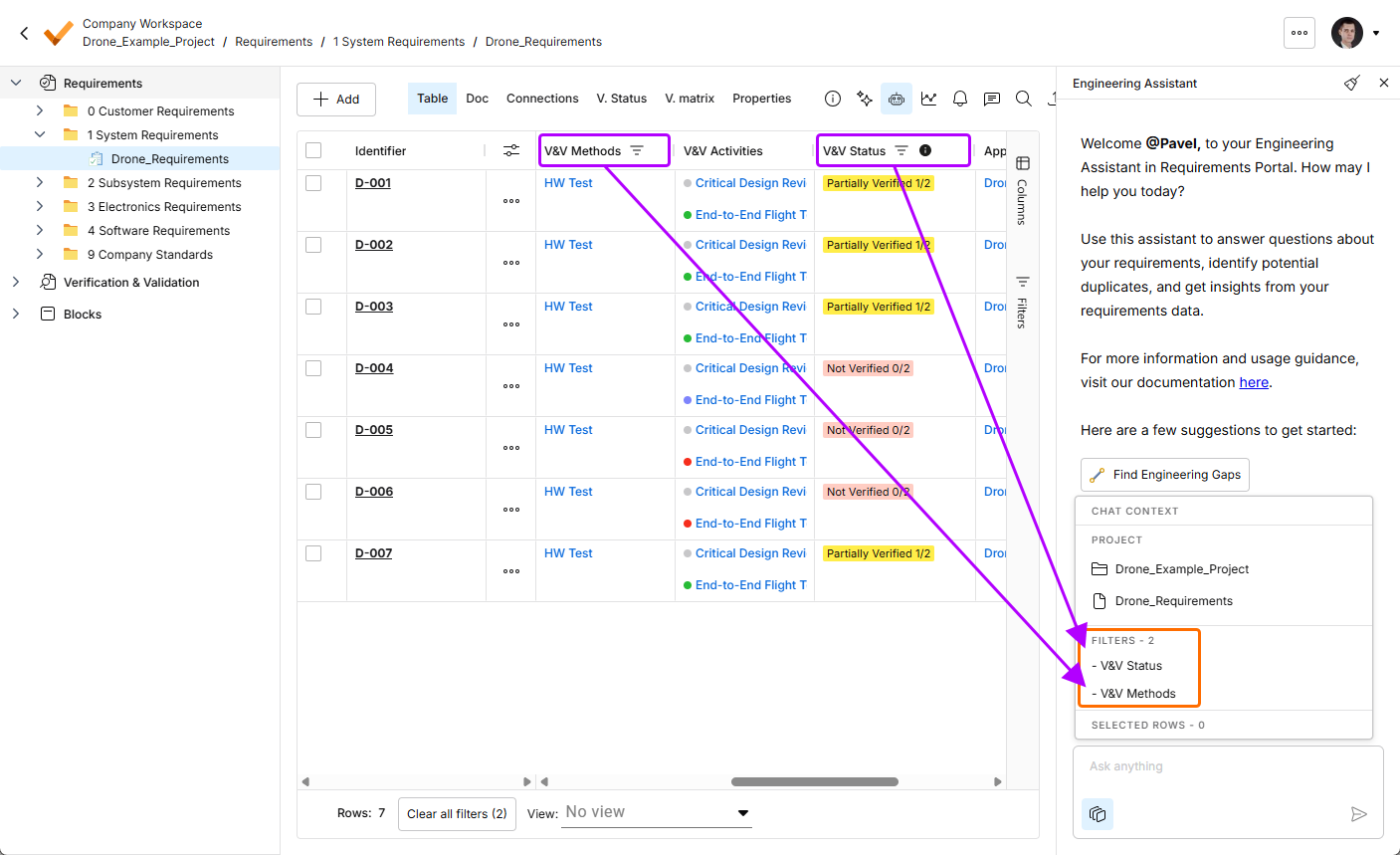
-
-
La fonctionnalité Engineering Assistant a été mise à jour avec la possibilité d’effectuer une recherche dans un dossier spécifique.
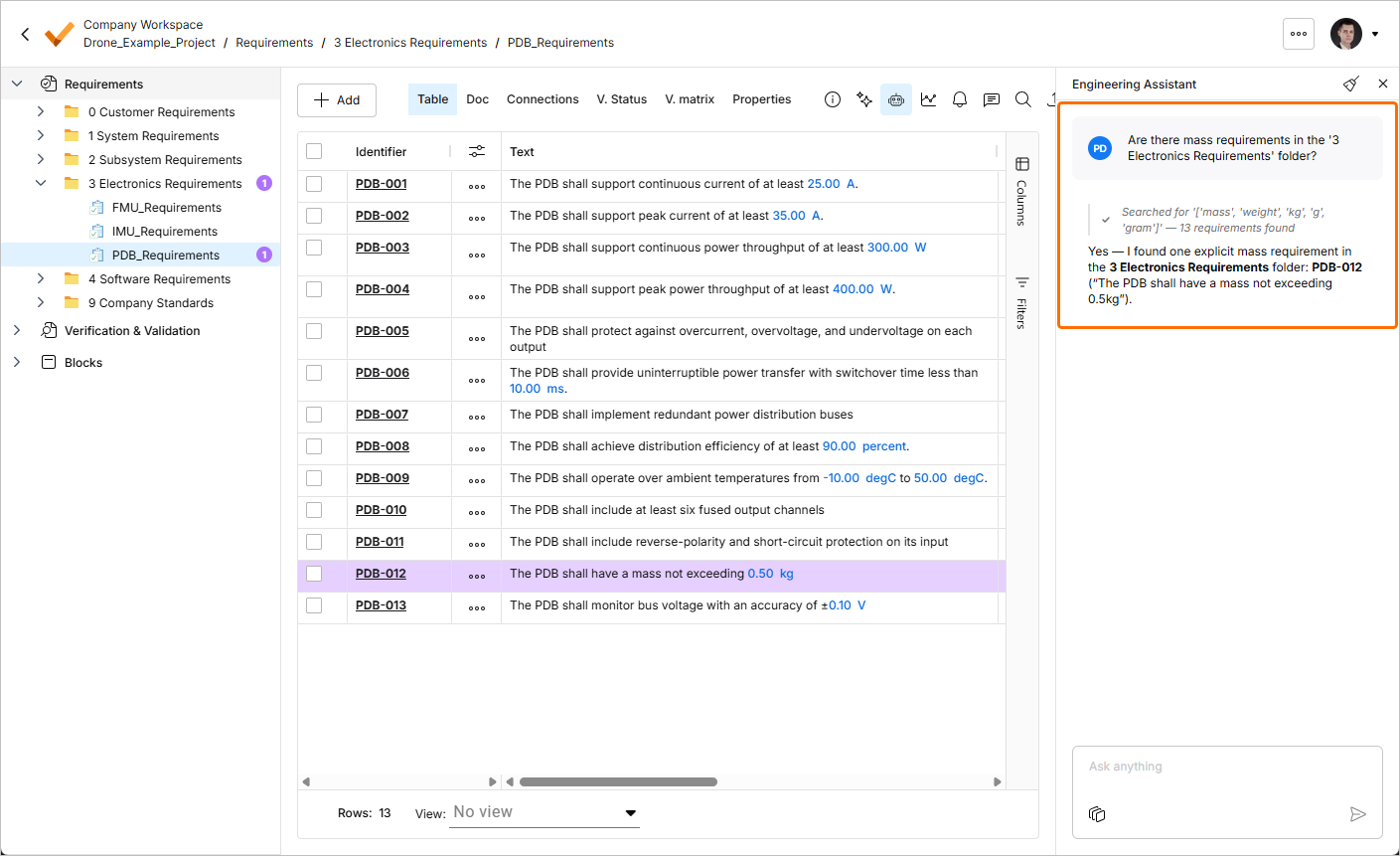
Pour plus d’informations sur la fonctionnalité Engineering Assistant, consultez la page Agentic Requirements Engineering.
Mise à jour - 6 juillet 2026
Key Highlights
Cette version comprend des corrections de bugs visant à améliorer la fonctionnalité globale et l’expérience utilisateur.
Mise à jour - 23 juin 2026
Key Highlights
-
La fonctionnalité Engineering Assistant a été étendue avec la possibilité de modifier, créer ou supprimer des exigences. Vous pouvez désormais soumettre des demandes telles que :
-
Generate requirements for a lightweight drone power supply that takes a 6S LiPo input, provides regulated 5 V / 5 A and 12 V / 3 A outputs, and weighs under 150 g. It should handle vibration and -10°C to +50°C operation, with protection for short circuit, reverse polarity, overtemperature, and low battery.
-
Change the required maximum operating temperature for all parts to 60°C.
-
Can you identify all requirements that affect the sizing of the power system and ensure they are verifiable?
-
In the new design, I've replaced the camera with an IR sensor. Remove all requirements that were related to the camera.
Lorsque vous soumettez une demande à l’Engineering Assistant pour créer une nouvelle exigence ou modifier ou supprimer une exigence existante, les modifications suggérées s’affichent dans une vignette dédiée du volet Engineering Assistant, où vous pouvez les examiner (en développant la section repliable Changes summary) puis soit appliquer, soit ignorer les modifications.
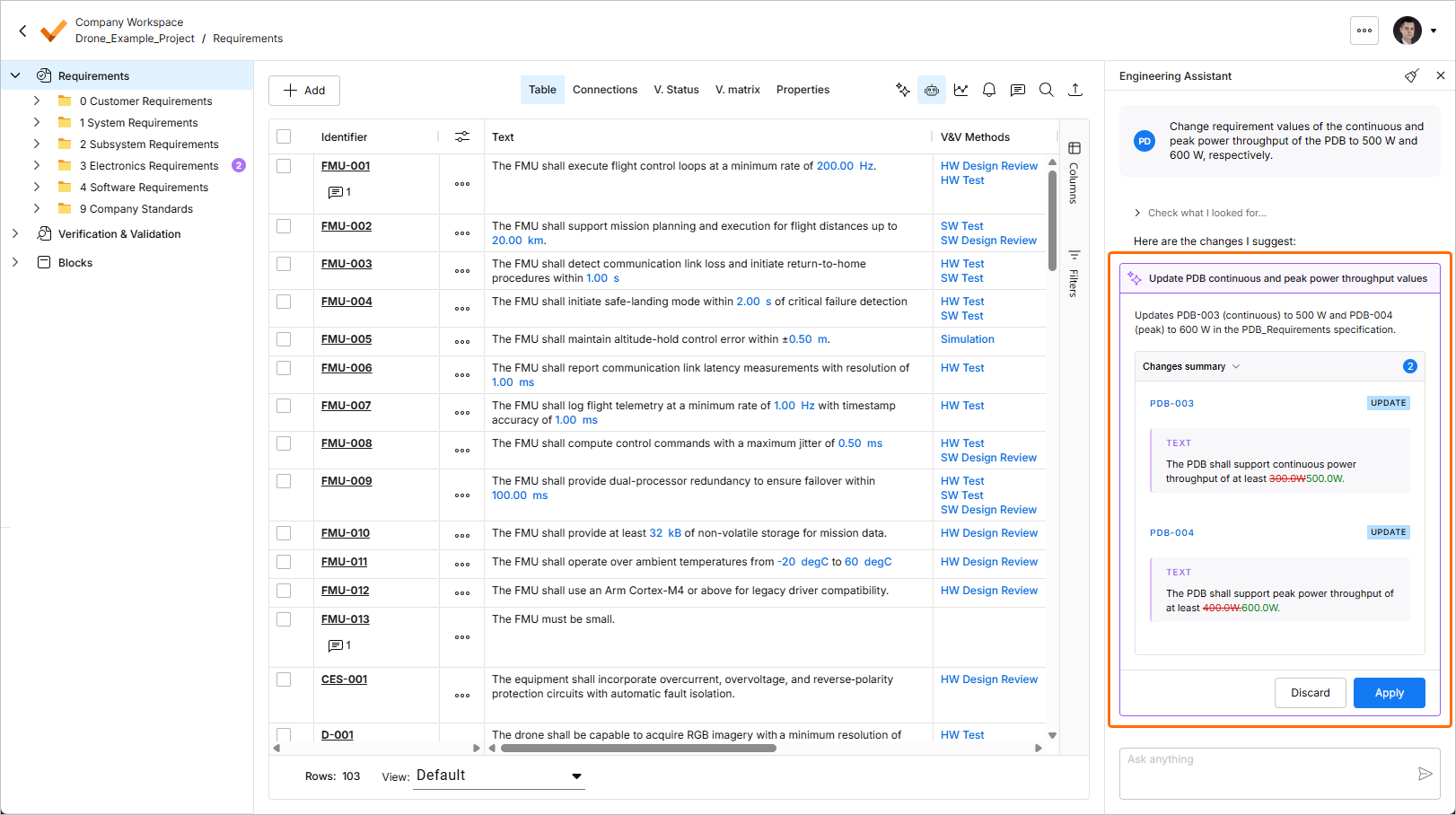
En outre, la ou les exigences liées à la requête la plus récente sont désormais mises en évidence dans le tableau des exigences, et le nombre d’exigences associées est affiché dans l’arborescence du projet à côté des spécifications, sections et dossiers correspondants.
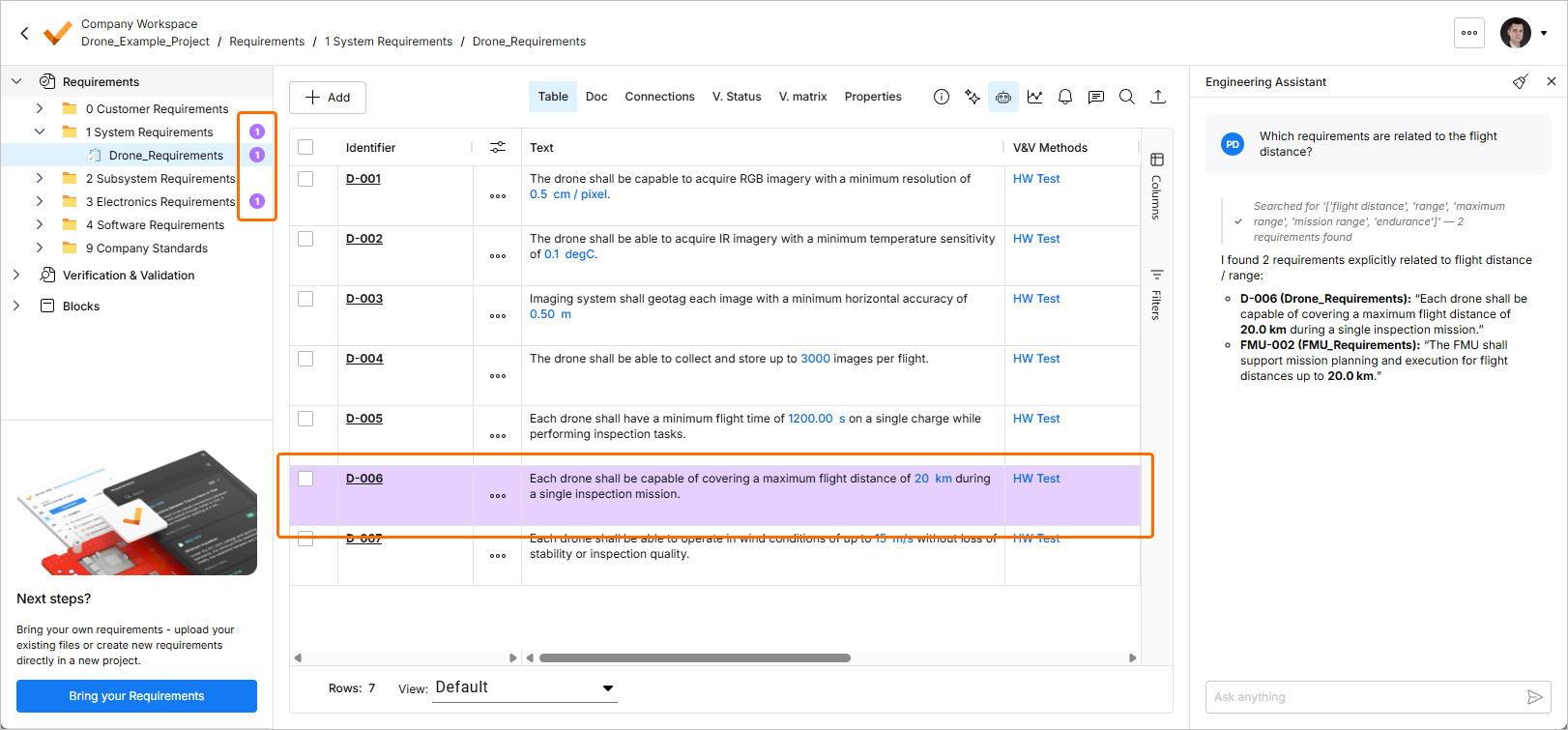
Pour plus d’informations sur la fonctionnalité Engineering Assistant, consultez la page Agentic Requirements Engineering.
-
-
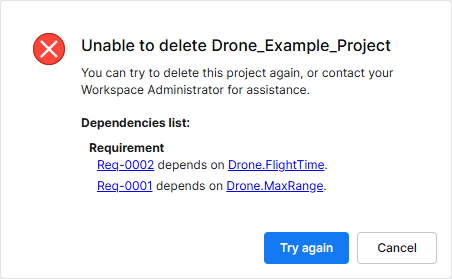
La possibilité de supprimer un projet d’exigences a été ajoutée. Sur la page Home de Requirements Portal, cliquez sur le contrôle
 d’un projet et sélectionnez la commande Remove dans le menu qui apparaît pour supprimer ce projet. Avant que la suppression ne soit finalisée, il vous sera demandé de confirmer.
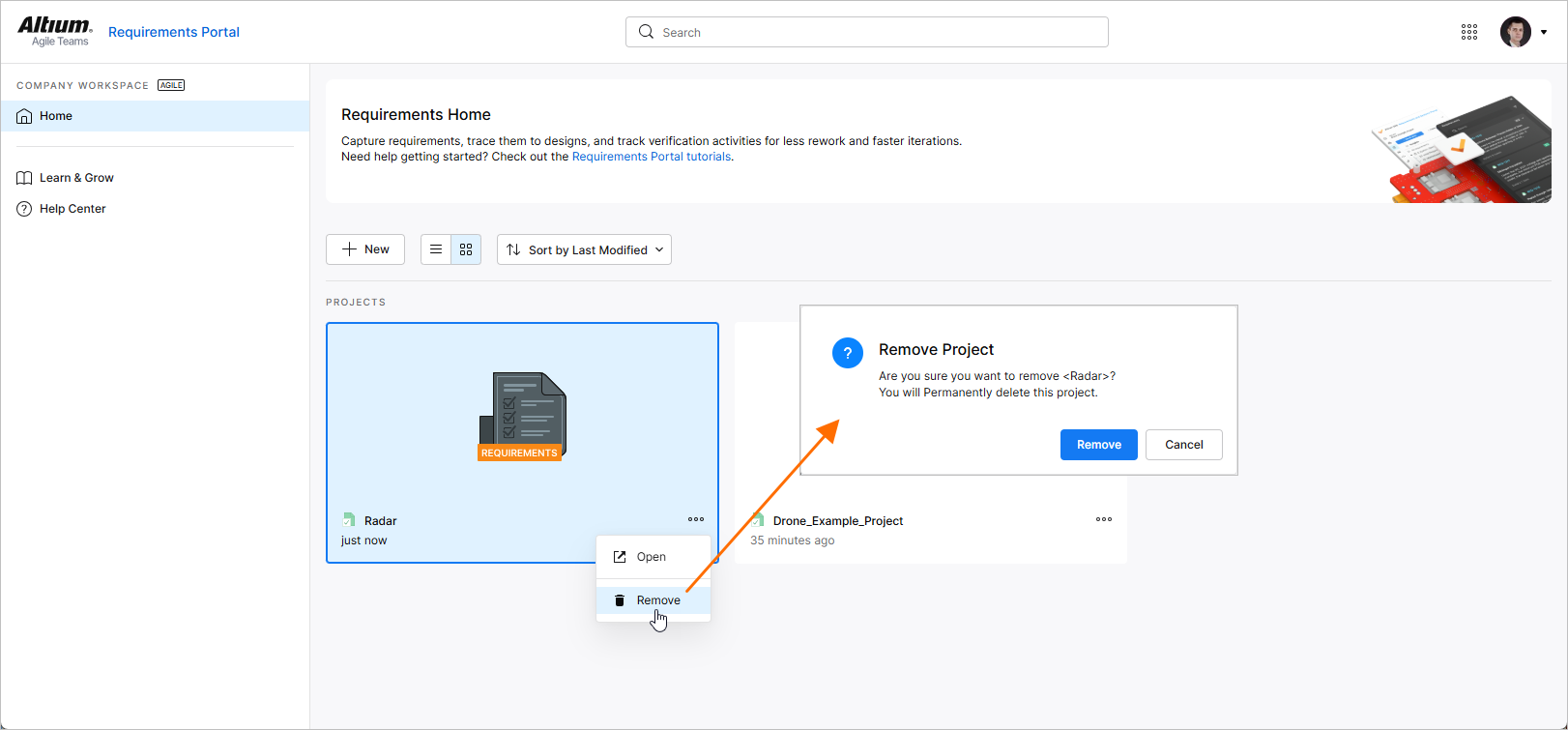
Pour plus d’informations sur l’utilisation des projets, consultez la page Project Module.
 ).
).Mise à jour - 10 juin 2026
Key Highlights
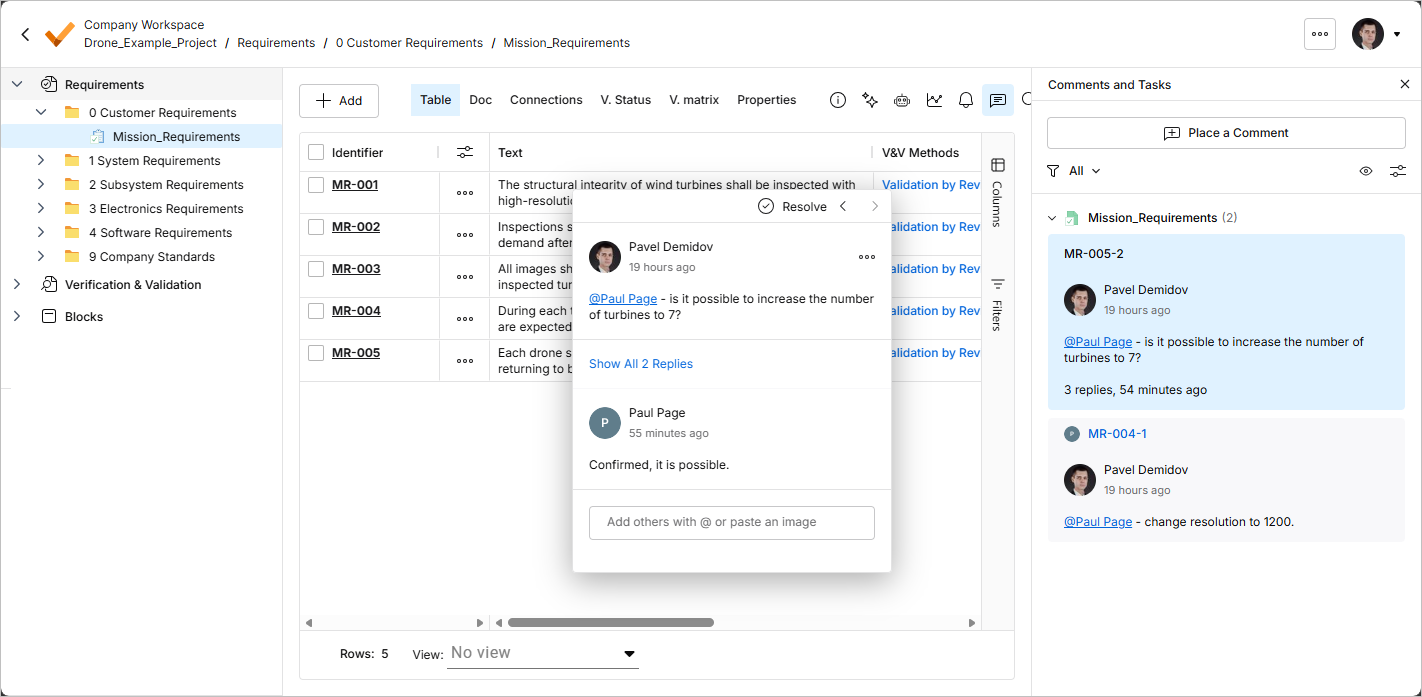
Dans cette version, la prise en charge des commentaires dans vos projets d’exigences a été ajoutée à Requirements Portal. Un commentaire est une note ajoutée par l’utilisateur qui est attribuée à une exigence spécifique et à laquelle d’autres utilisateurs peuvent répondre. Les commentaires favorisent la collaboration entre utilisateurs sans modifier les données partagées elles-mêmes, car ils sont stockés par le Workspace indépendamment de ces données. Vous pouvez mentionner une ou plusieurs personnes ou groupes dans le commentaire. Un commentaire peut également être attribué à un membre du Workspace.
Les commentaires sont publiés, les réponses sont ajoutées et leur gestion s’effectue directement dans le tableau des exigences à l’aide d’une fenêtre contextuelle de commentaires. Les commentaires sont également présentés dans le volet Comments and Tasks, affiché sur le côté droit et offrant davantage une vue d’ensemble/un outil de navigation qu’une interface opérationnelle. Utilisez le contrôle  en haut à droite pour activer ou désactiver l’affichage du volet Comments and Tasks.
Pour plus d’informations, consultez la page Commenting.
Mise à jour - 29 mai 2026
Key Highlights
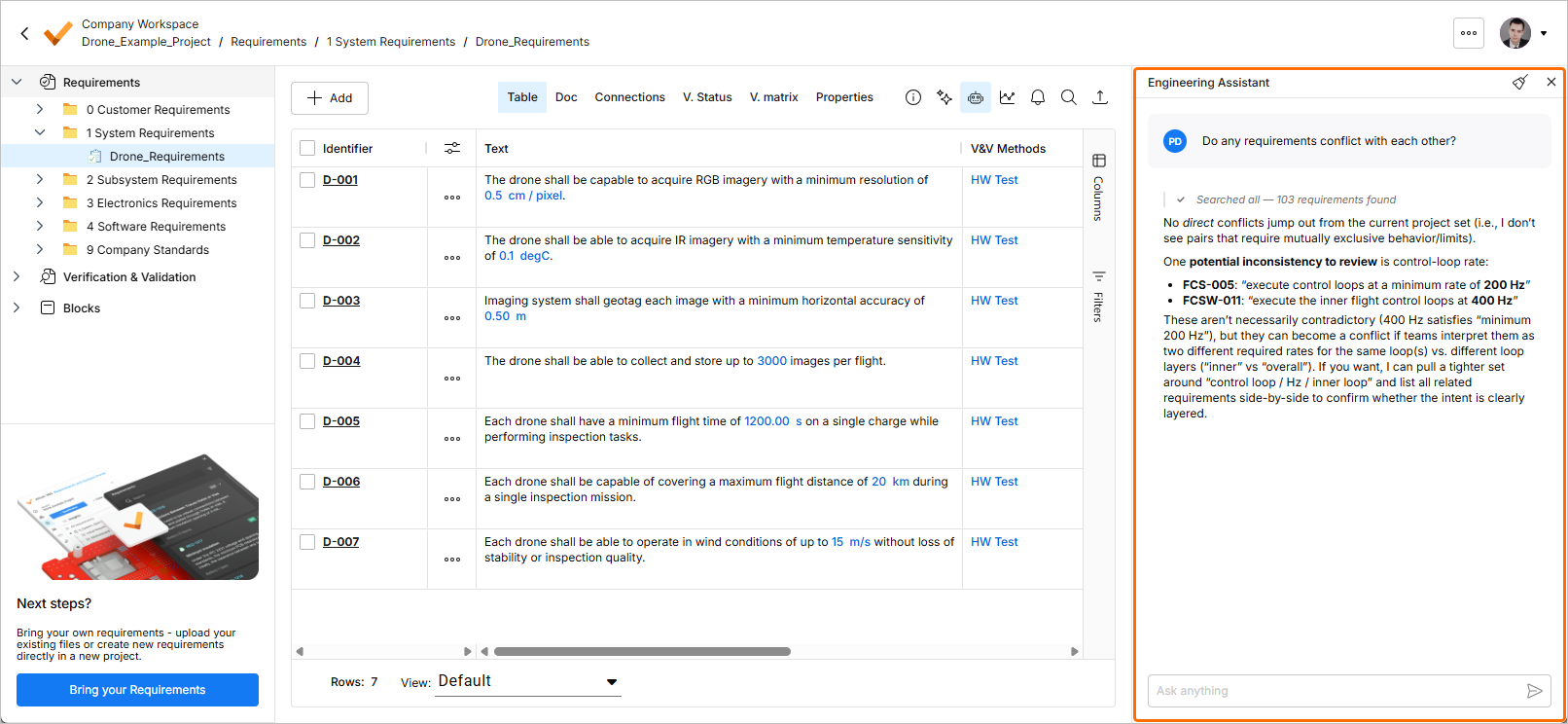
Les agents IA offrent des avantages considérables pour les tâches d’ingénierie telles que la capture des exigences, en améliorant fortement l’efficacité et en automatisant des workflows complexes et répétitifs. Dans Requirements Portal, la fonctionnalité Engineering Assistant est désormais disponible. Elle s’appuie sur des technologies d’IA pour vous fournir un outil de révision rapide et automatisé de vos exigences, qui vous permet de poser des questions sur les exigences de votre projet actuel en langage naturel libre et d’obtenir rapidement des réponses sans avoir à filtrer manuellement ni à parcourir les exigences, par exemple :
-
How many requirements are not verified?
-
Are there any engineering gaps in these requirements?
-
Show me all requirements about the power supply.
-
Which requirements need to be taken into account for PCB design?
-
Do any requirements conflict with each other?
-
Give me an overview of all battery-related requirements.
Pour plus d’informations, consultez la page Agentic Requirements Engineering.
Mise à jour - 13 mai 2026
Key Highlights
Cette version comprend des corrections de bugs visant à améliorer la fonctionnalité globale et l’expérience utilisateur.
Mise à jour - 27 avril 2026
Key Highlights
Cette version comprend des corrections de bugs visant à améliorer la fonctionnalité globale et l’expérience utilisateur.
Mise à jour - 14 avril 2026
Key Highlights
Requirements Verification Improvements
-
Pour les exigences auxquelles aucune activité de V&V n’est attribuée, vous pouvez désormais définir manuellement leur statut V&V. Double-cliquez sur la cellule V&V Status de l’exigence et sélectionnez soit Verified, soit Not Verified dans le menu qui apparaît.
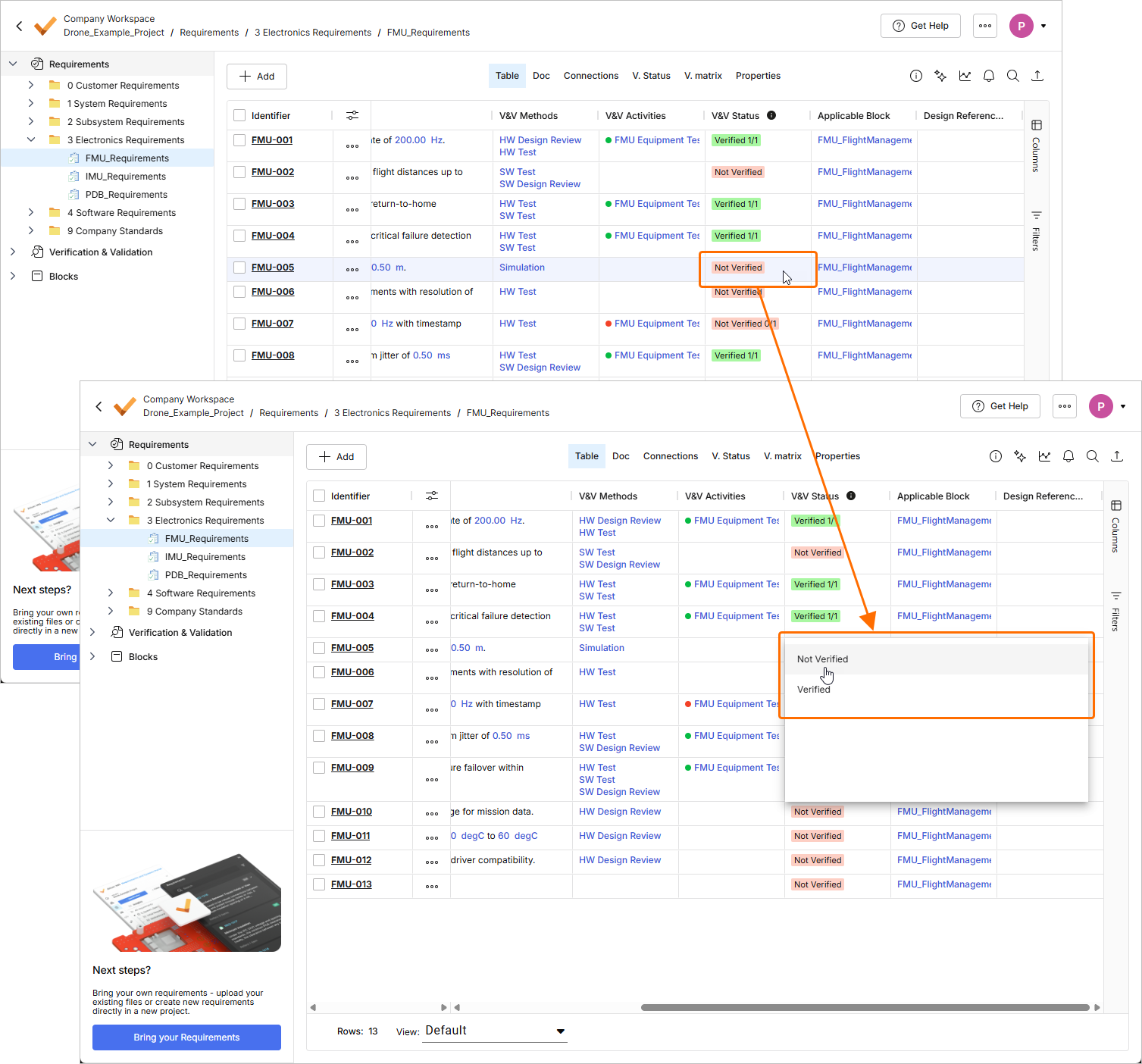
Le statut V&V des exigences qui ont des activités de V&V liées est défini en fonction du statut de ces activités.
En outre, les règles V&V n’affectent plus le statut V&V des exigences.
Pour plus d’informations sur la vérification des exigences, consultez la page Flow 4: Manual and Rules Verification Flow.
-
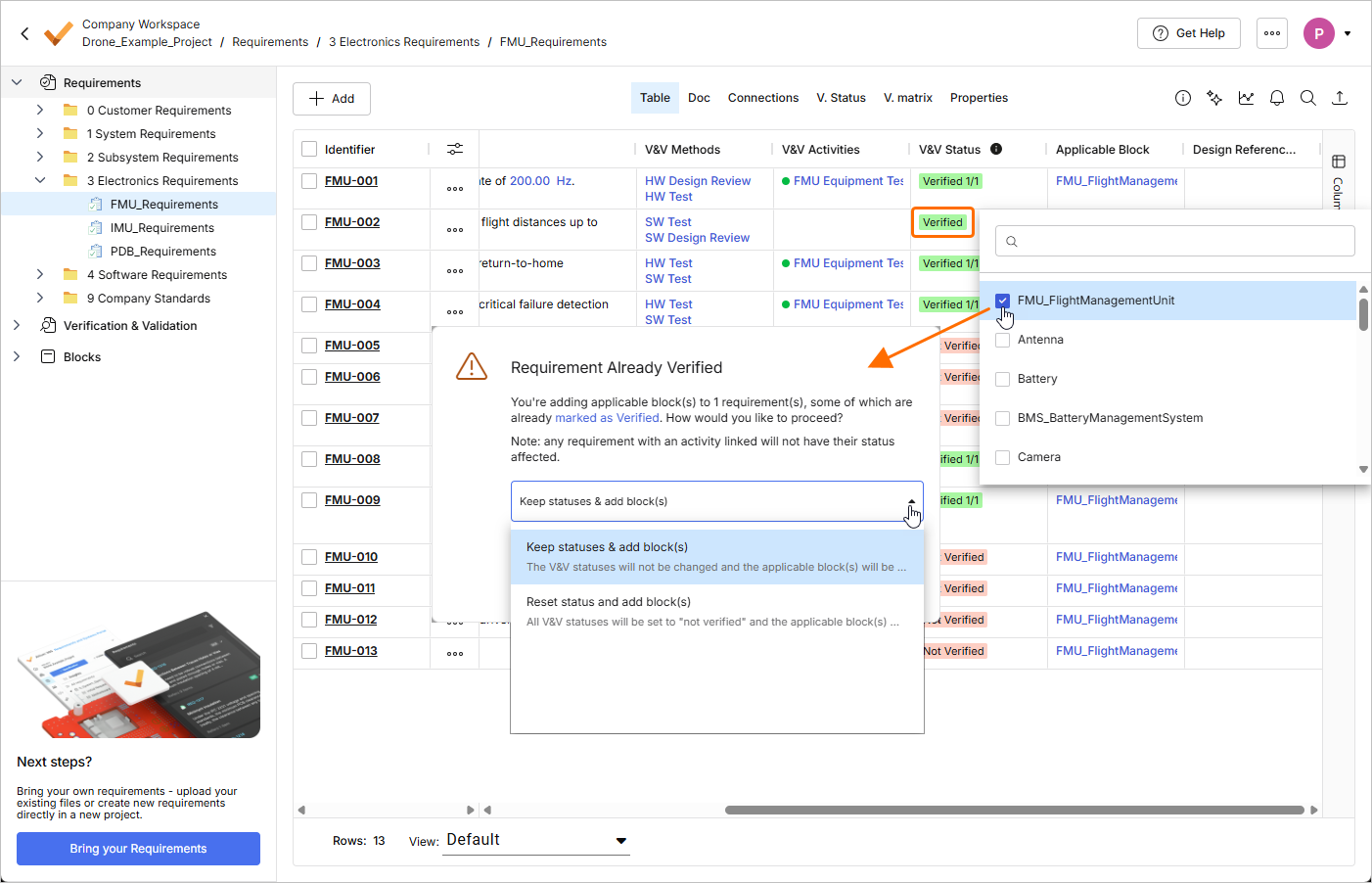
Lorsque vous ajoutez un bloc applicable à une exigence dont le V&V Status a été défini manuellement sur Verified, vous recevez désormais un avertissement indiquant que l’exigence a déjà été vérifiée. Utilisez la fenêtre d’avertissement pour choisir soit de conserver le statut V&V de l’exigence, soit de réinitialiser le statut (le définir sur Not Verified) tout en ajoutant le bloc.
Pour plus d’informations sur les champs d’exigence disponibles, consultez la page Requirement Fields.
-
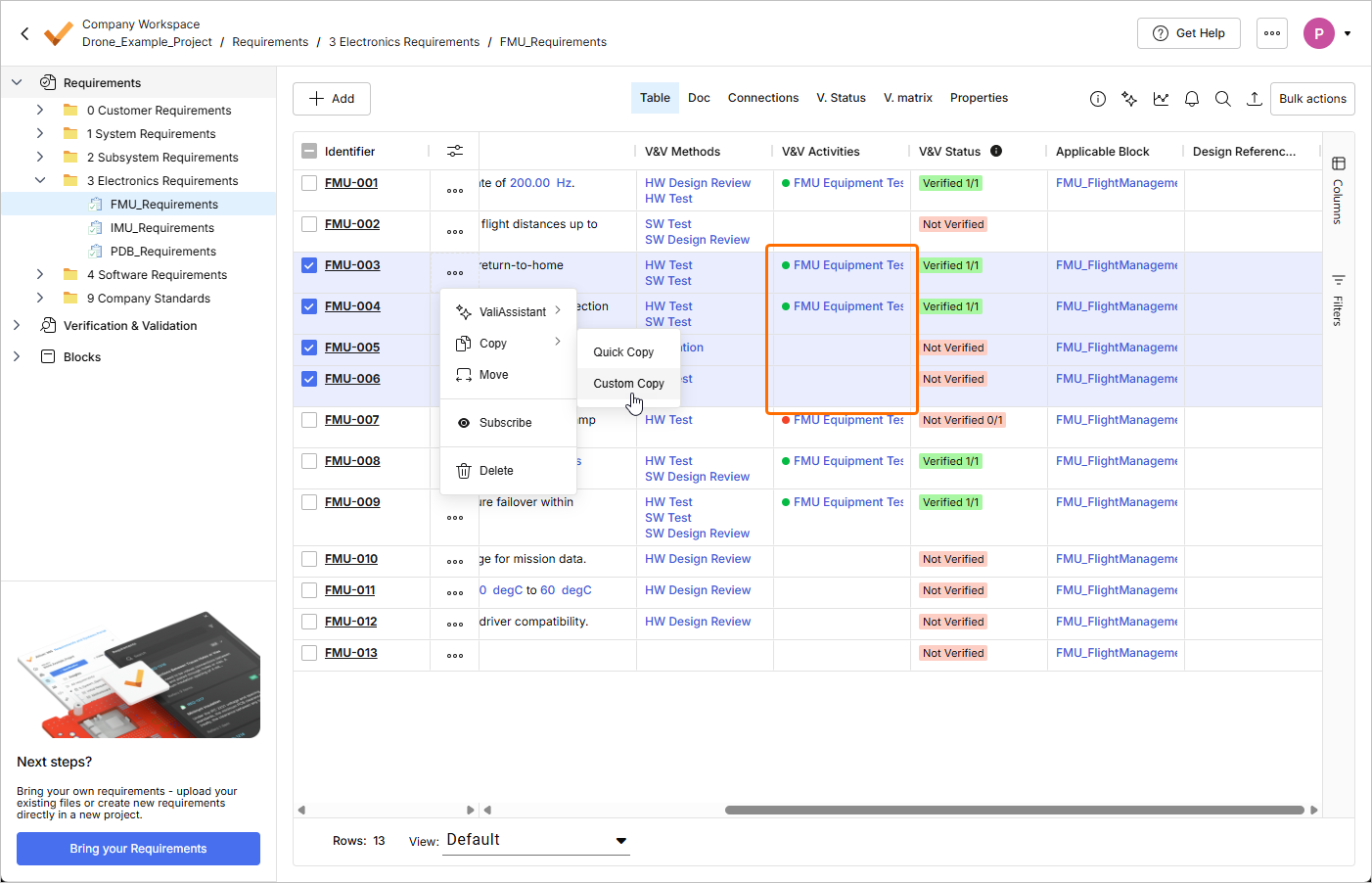
Lorsque vous copiez des exigences à l’aide de la méthode Custom Copy et que certaines des exigences copiées ont des activités de V&V attribuées, un avertissement s’affiche désormais à côté du champ V&V Status de la fenêtre Reuse Requirements à l’étape Select Fields to Copy & Synchronize.
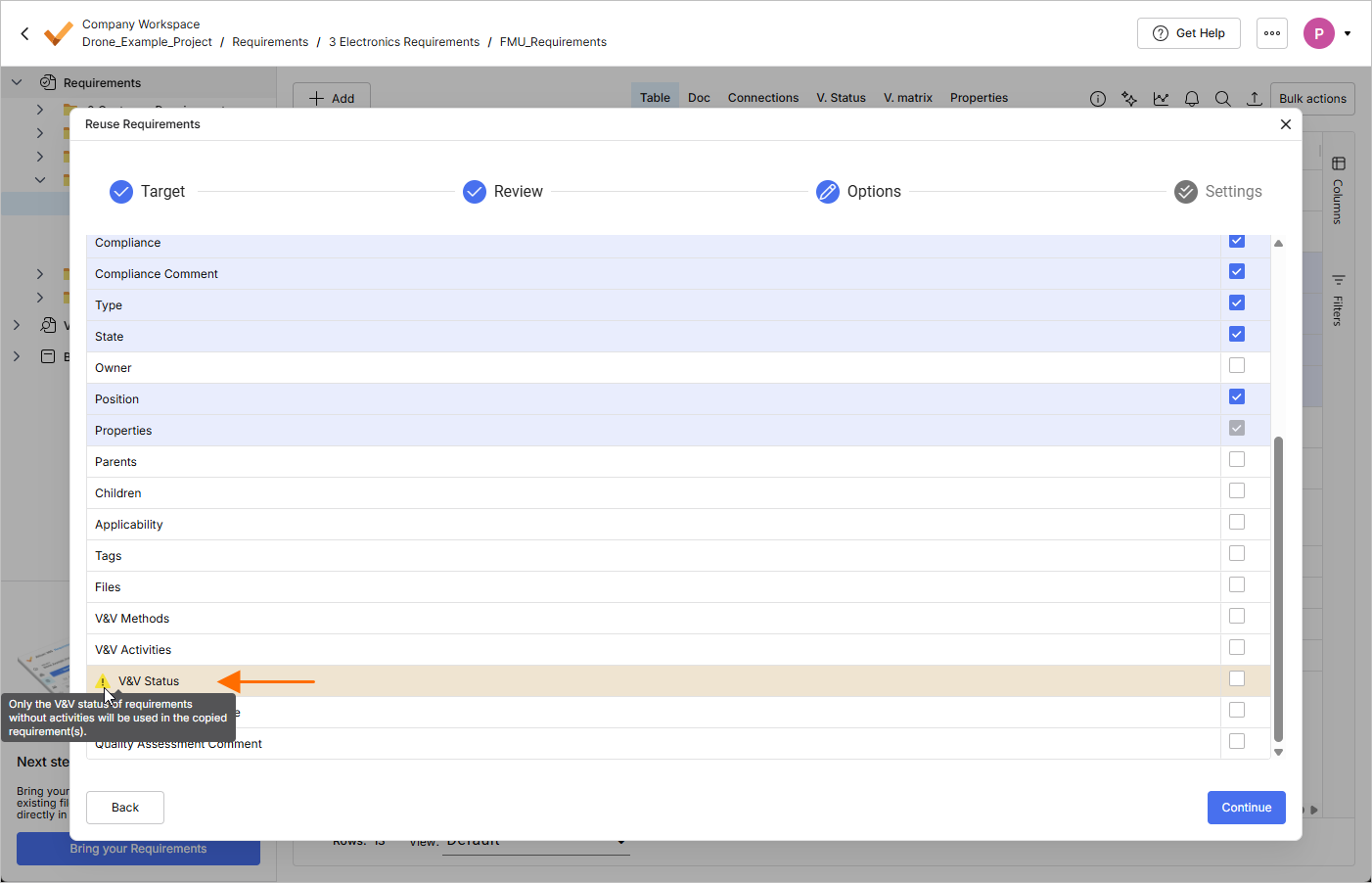
Si toutes les exigences copiées ont des activités de V&V attribuées, il ne sera pas possible de sélectionner le champ V&V Status comme champ à copier.
Pour plus d’informations sur la fonctionnalité Custom Copy, consultez la page Reuse Requirements.
Requirements Creation Improvements
-
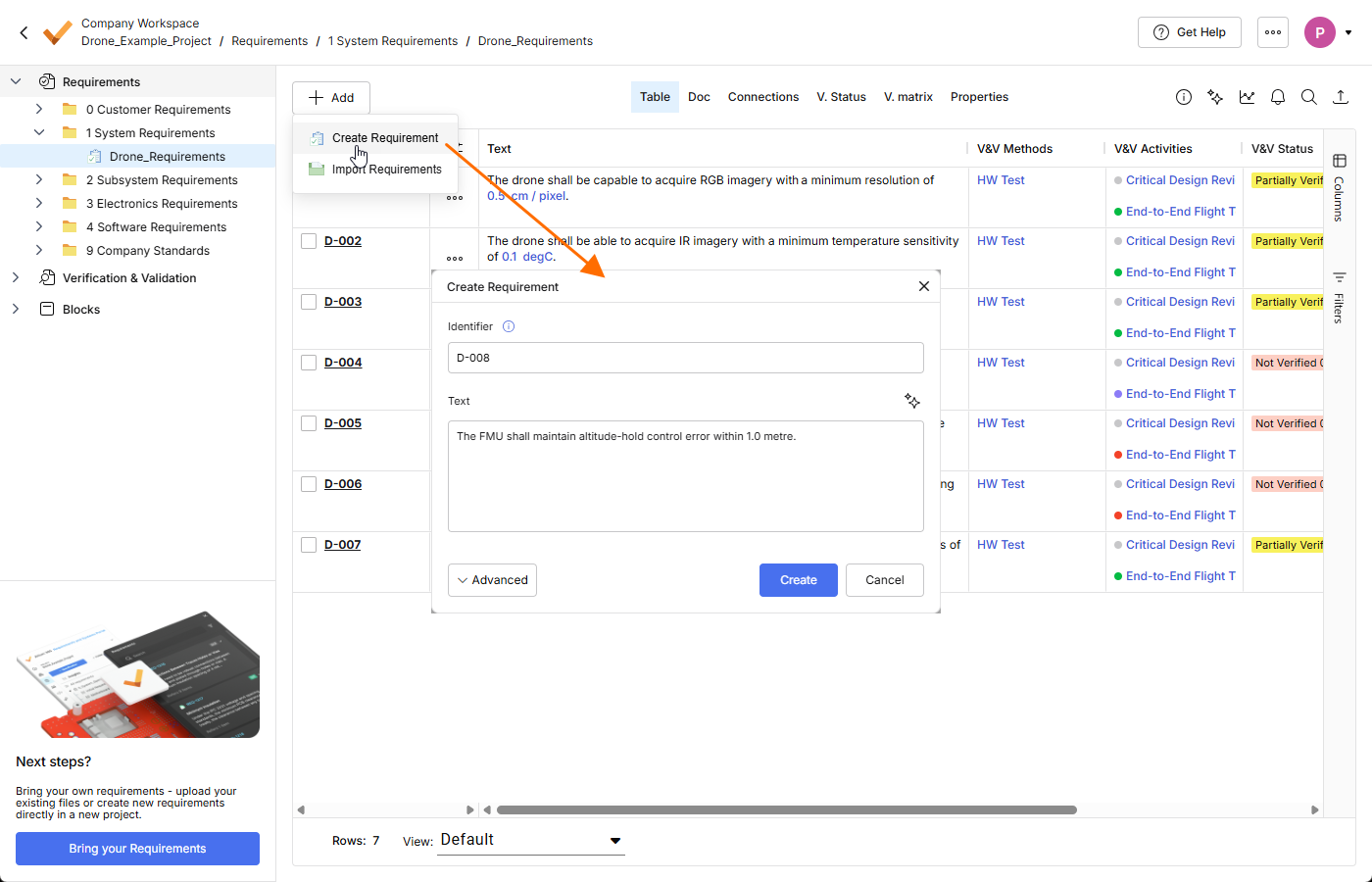
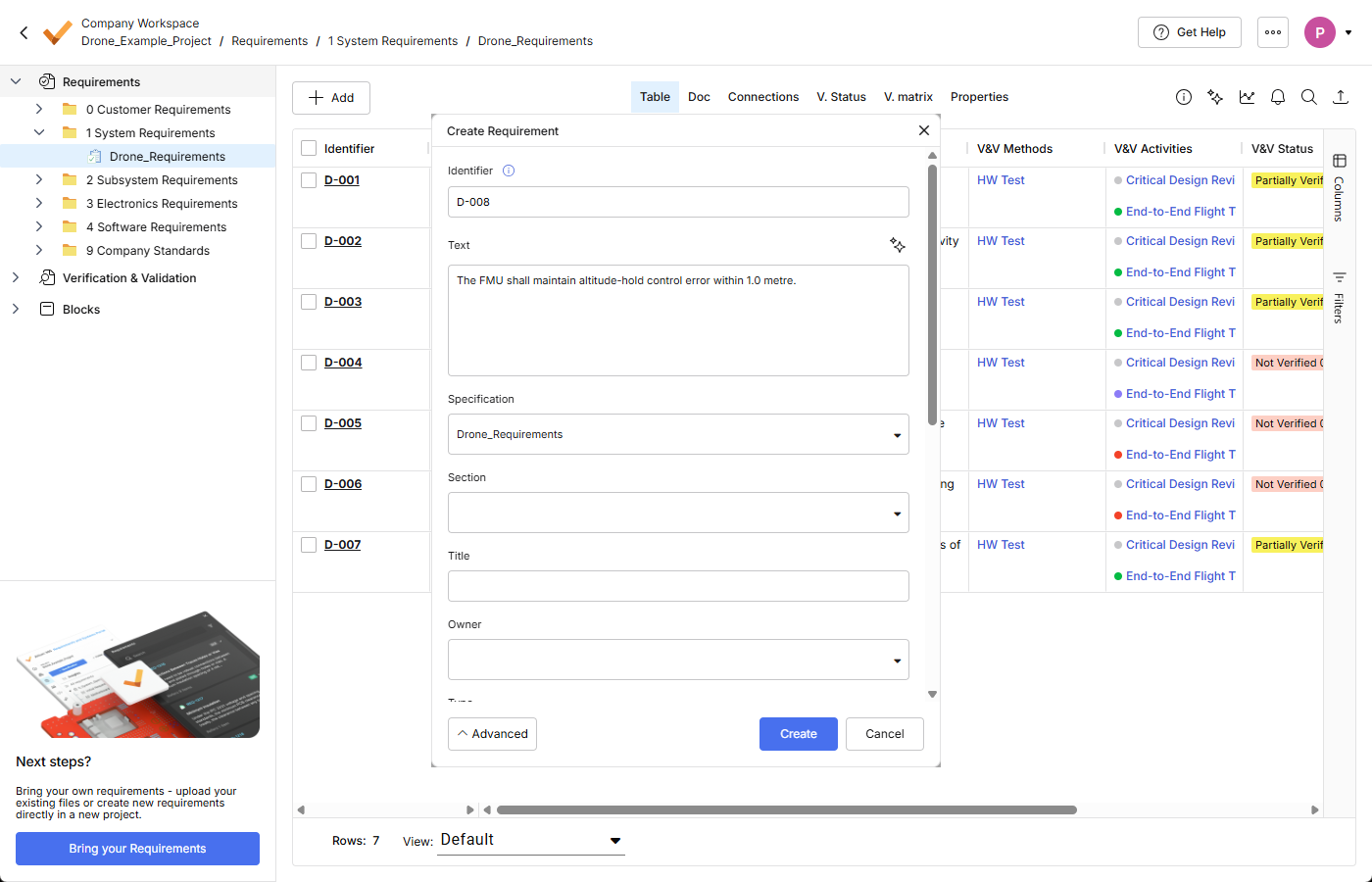
La fenêtre Create Requirement a été améliorée afin d’offrir un processus de création d’exigence plus simple et plus direct. Lorsqu’on y accède initialement, elle se présente sous une forme simple, avec uniquement les champs Identifier et Text. Cliquez sur le bouton
 au bas de la fenêtre pour accéder à d’autres champs, tels que Specification, Section, etc.
-
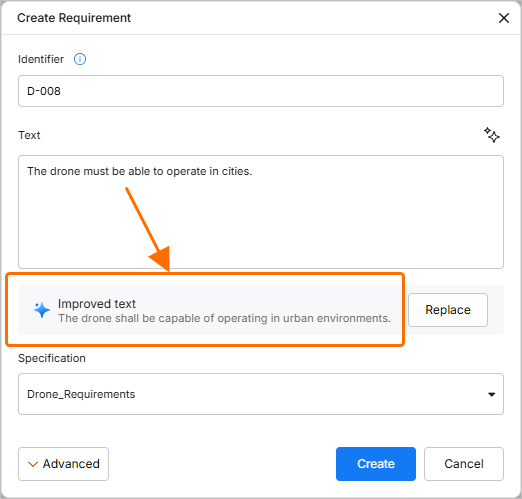
ValiAssistant suggère désormais des améliorations au texte de l’exigence saisi dans le champ Text de la fenêtre Create Requirement pendant que vous tapez le texte (le processus démarre lorsque vous arrêtez de taper pendant trois secondes). Vous pouvez également cliquer sur le bouton
 en haut à droite du champ pour démarrer le processus manuellement.
-
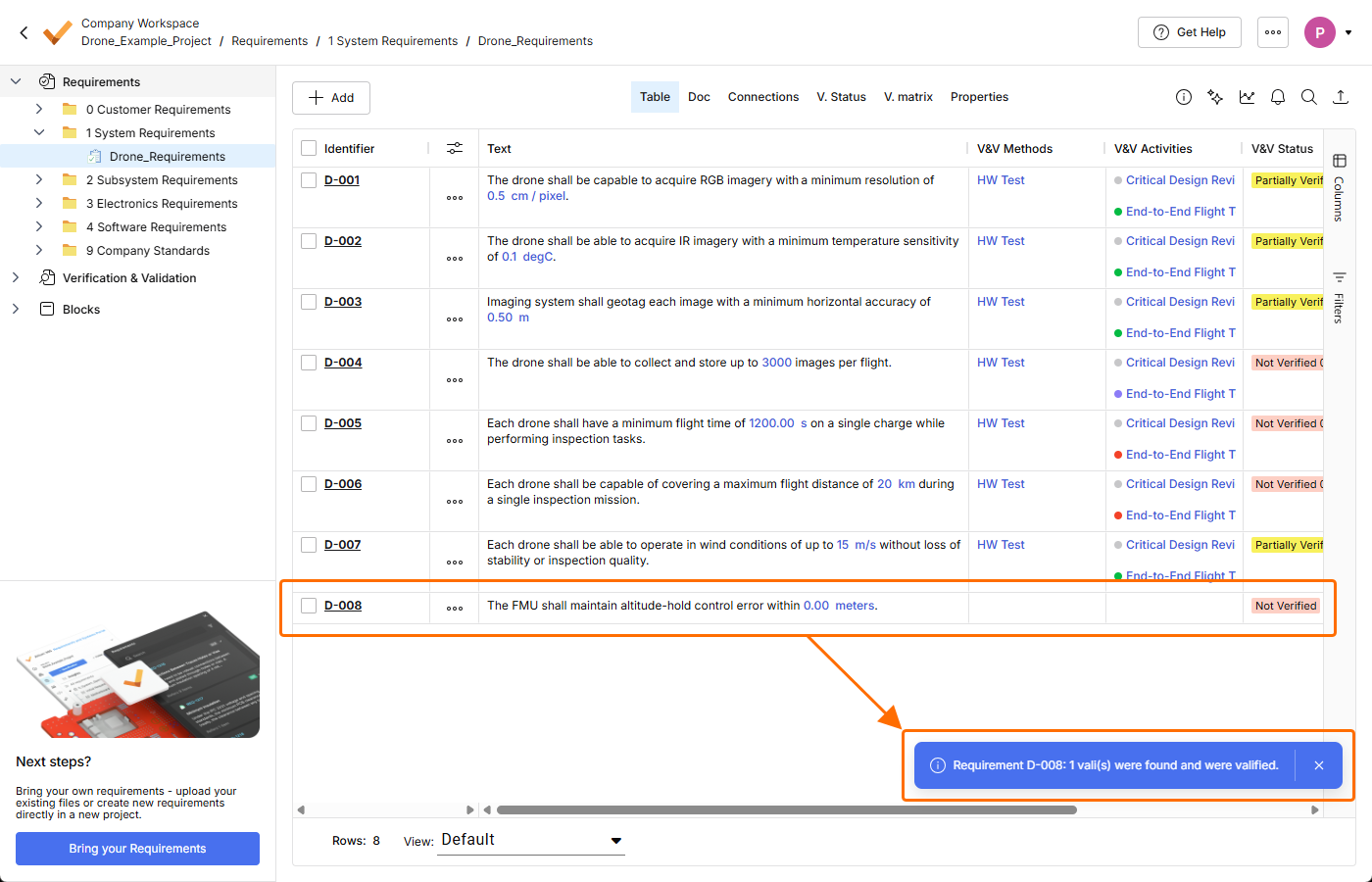
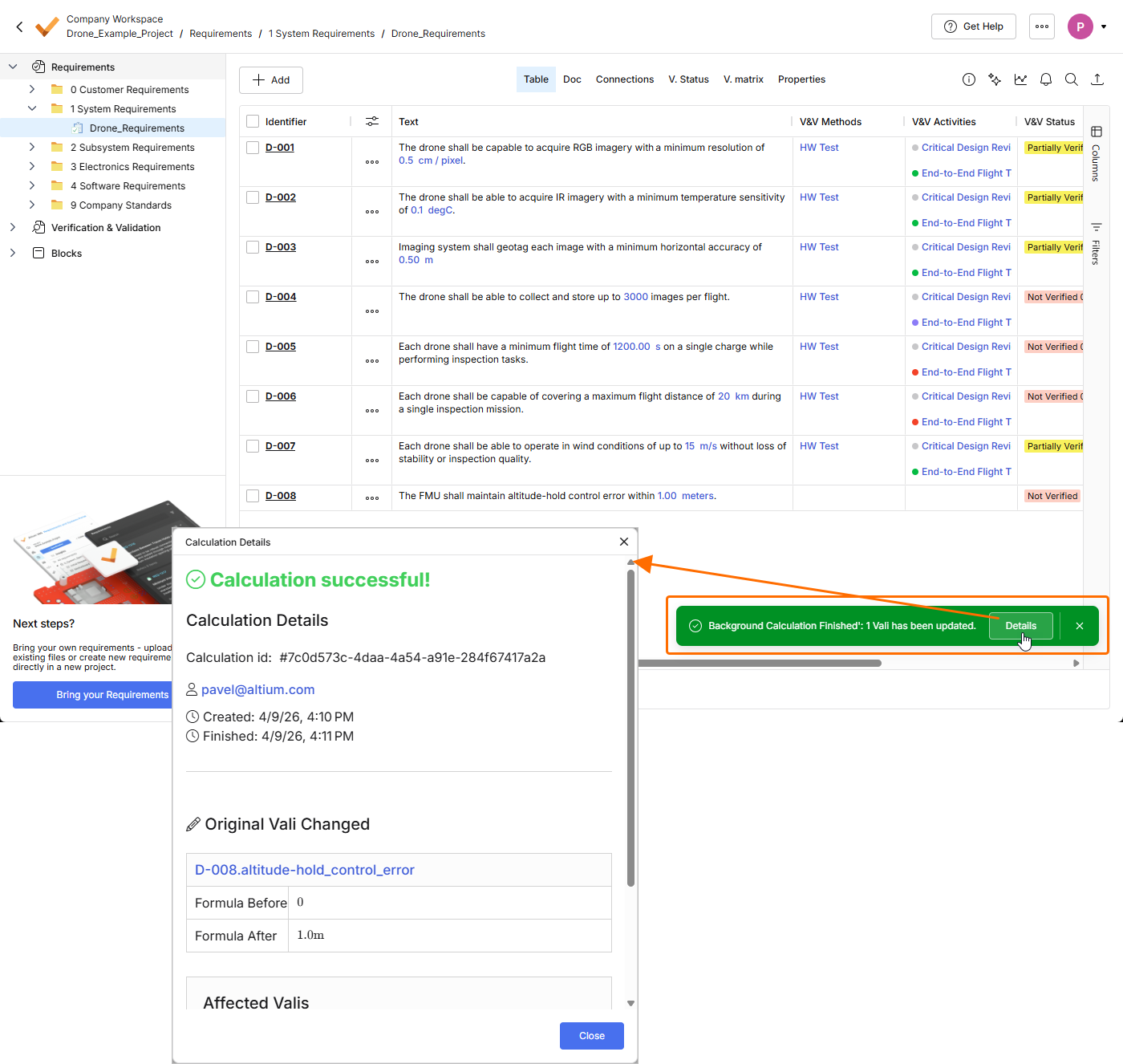
Lorsque vous créez manuellement une exigence et choisissez de la vérifier pour détecter d’éventuels valis (en activant l’option Parametrize values dans la fenêtre Create Requirement), le processus de validation de l’exigence est désormais effectué en arrière-plan. Après avoir cliqué sur le bouton
 dans la fenêtre Create Requirement, l’exigence est maintenant créée immédiatement, sans afficher d’autres fenêtres liées au processus de validation. Une fois l’exigence validée, vous pouvez cliquer sur le bouton
  dans la fenêtre contextuelle qui apparaît en bas à droite de la page pour obtenir des détails sur le processus de validation.
Pour plus d’informations sur la création d’exigences, consultez la page Creating Requirements.
Other Improvements
-
Dans la fenêtre Select Requirements utilisée pour attribuer des exigences à un bloc (accessible en cliquant sur le bouton
 dans la vue Requirements d’un bloc du module Blocks), vous pouvez désormais sélectionner les colonnes à afficher dans la fenêtre (Columns) et filtrer le contenu de la fenêtre selon les Identifier, Text et Specification des exigences.

Pour plus d’informations sur le module Blocks, consultez la page Blocks Module.
-
Afin d’assurer la cohérence avec les entités liées à Verification & Validation, le champ Methods a été renommé en V&V Methods à tous les endroits de Requirements Portal. Quelques exemples de ces emplacements sont présentés ci-dessous.
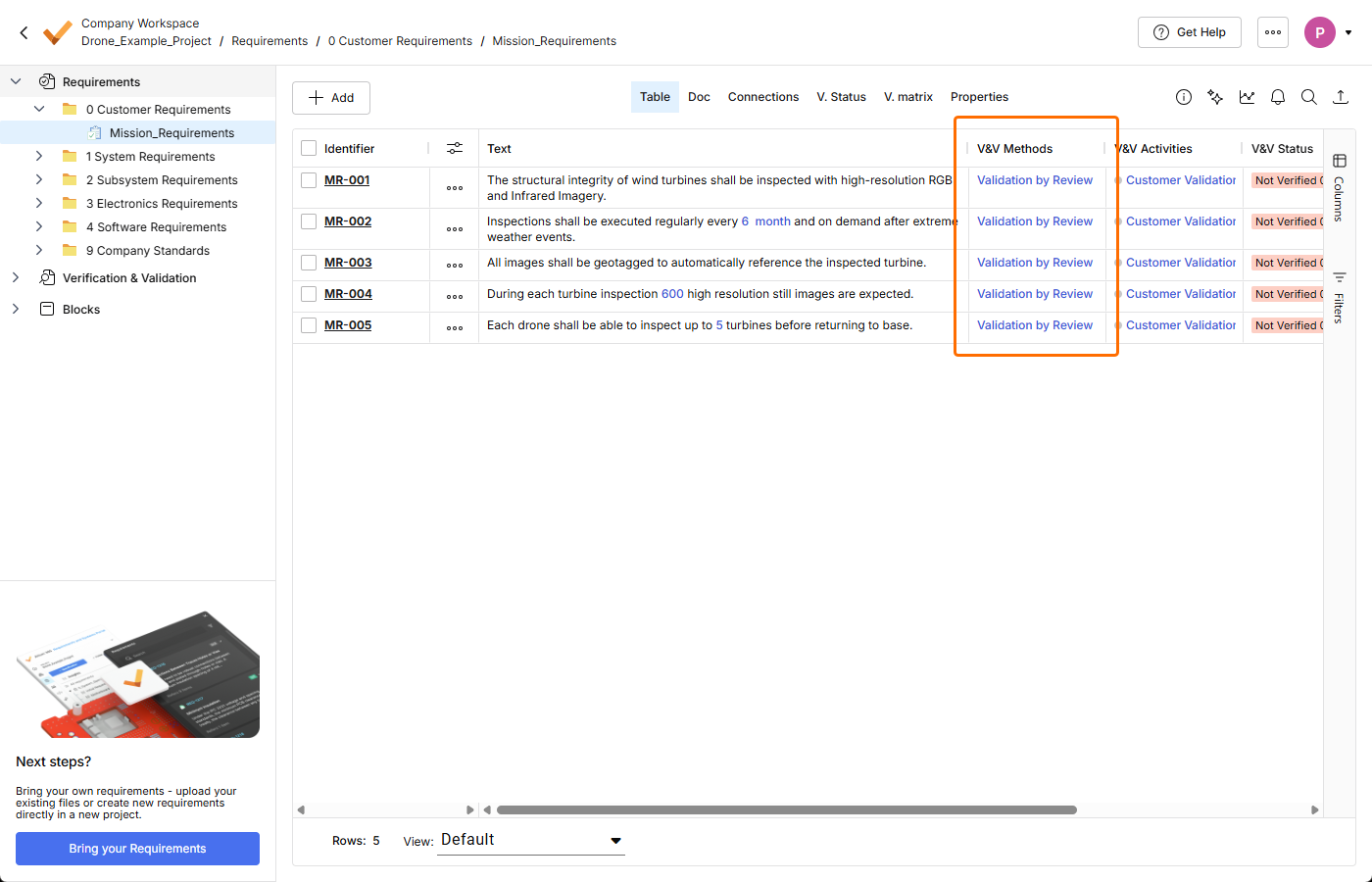
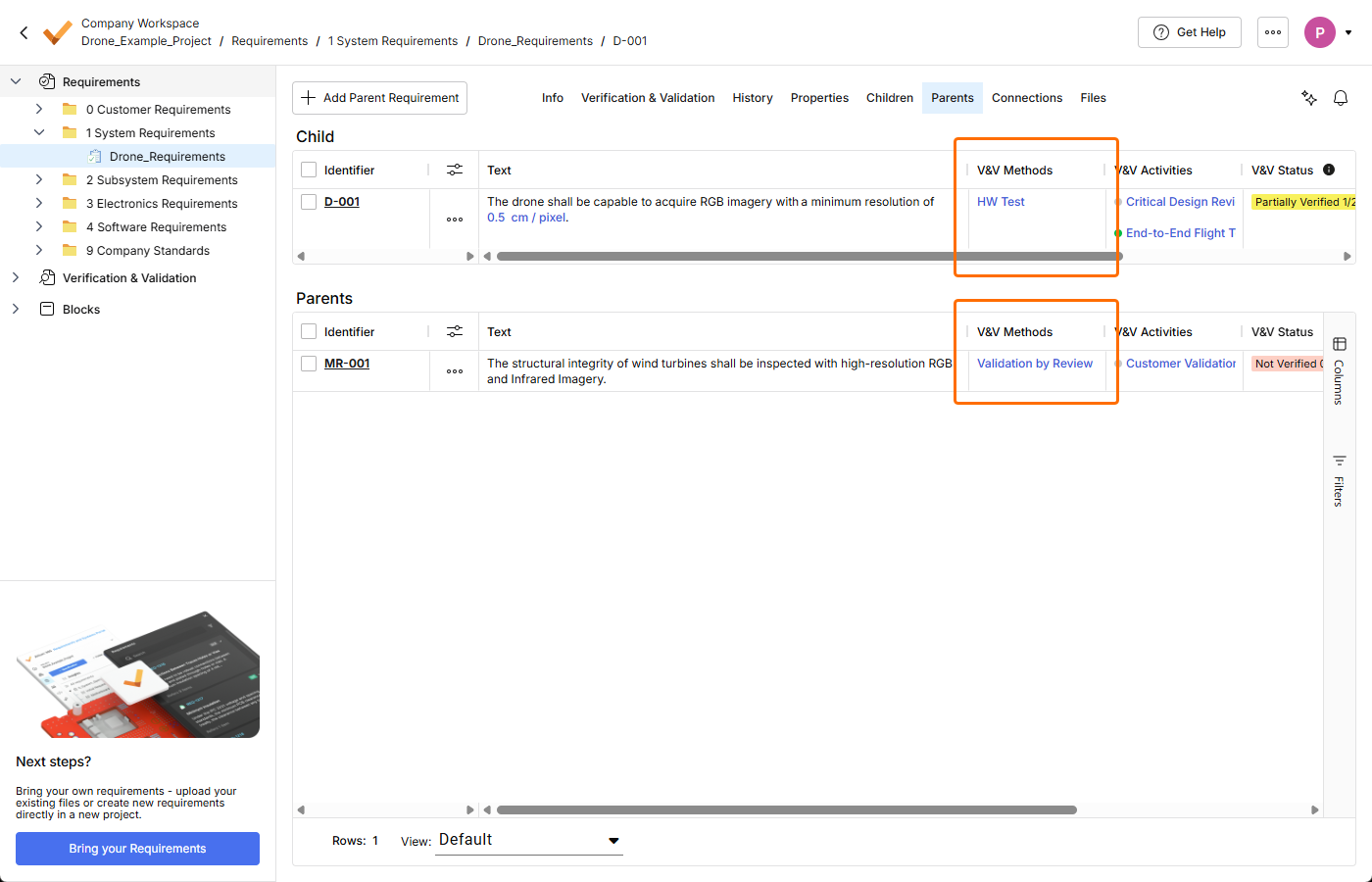
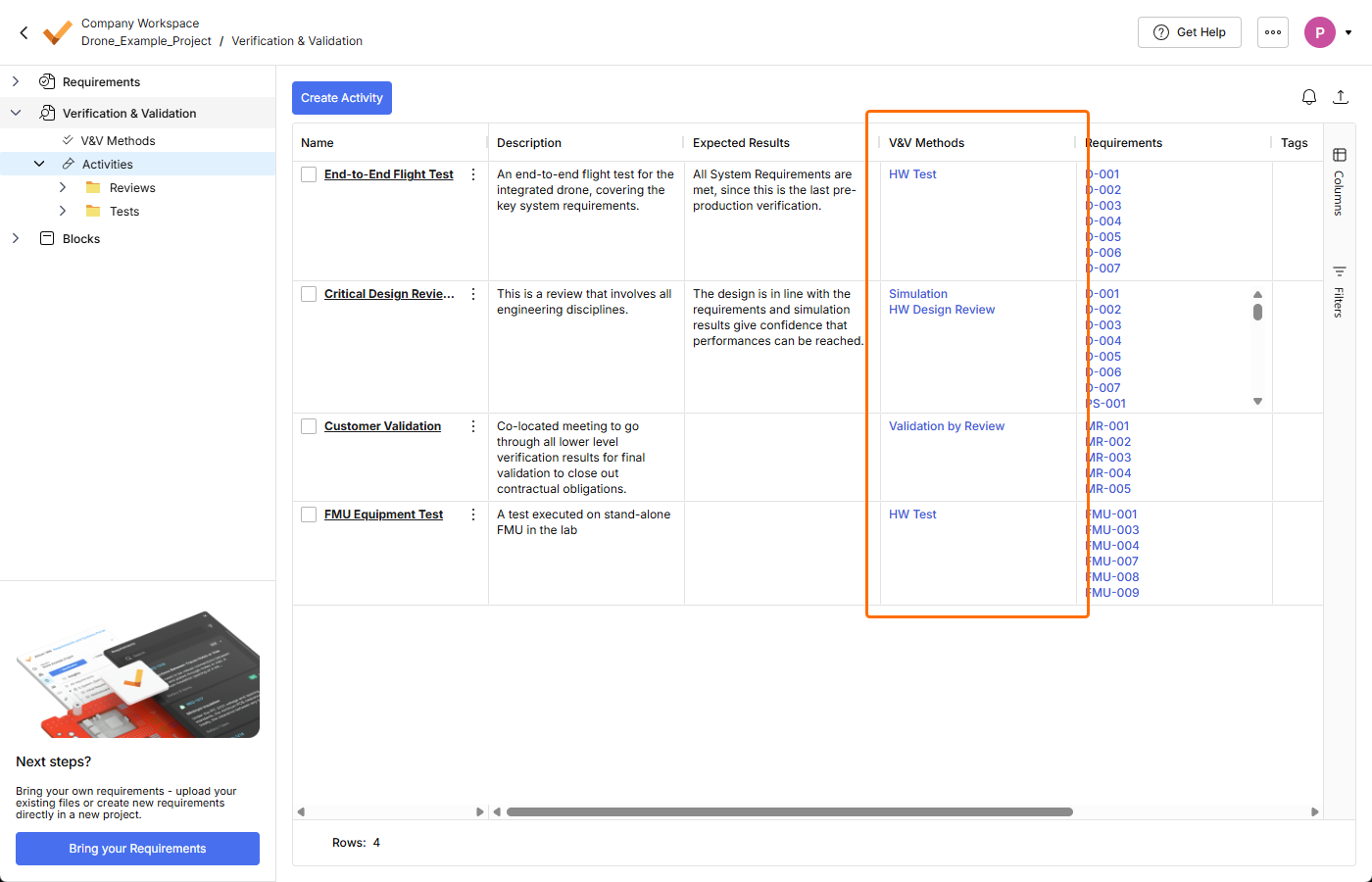
Pour plus d’informations sur le module Verification & Validation, consultez la page Verification & Validation Module.
Mise à jour - 31 mars 2026
Key Highlights
Cette version comprend des corrections de bugs visant à améliorer la fonctionnalité globale et l’expérience utilisateur.
Mise à jour - 23 mars 2026
Key Highlights
-
Une nouvelle page Home a été introduite dans Requirements Portal dans cette version. La page fournit un accès aux projets existants, dédiés à la gestion des exigences, et permet également de créer un nouveau projet.
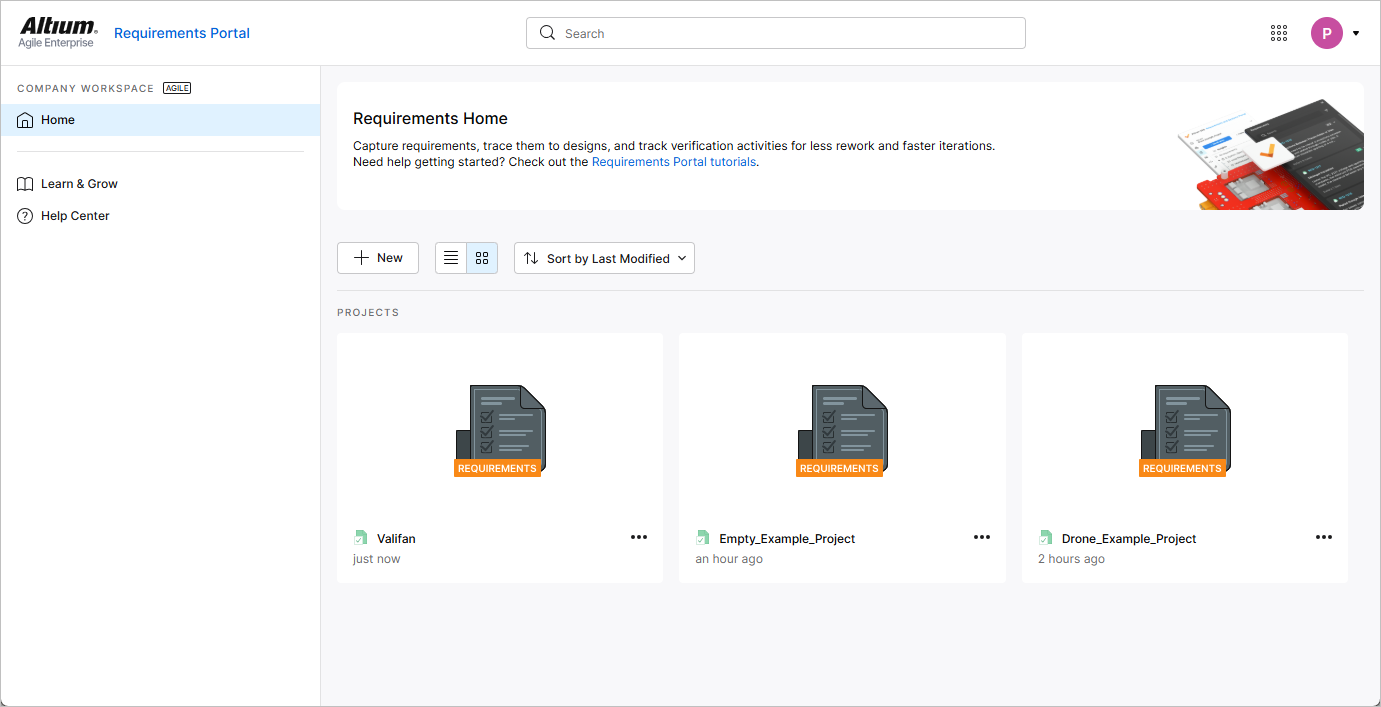
La page Home s’ouvre lorsque vous accédez à Requirements Portal à l’aide du menu à neuf points en haut à droite de l’interface Workspace basée sur le navigateur.
Pour plus d’informations, consultez la page Project Module.
-
Lors de la création d’une nouvelle exigence alors que l’entrée Requirements est sélectionnée dans l’arborescence du projet (c’est-à-dire qu’aucune spécification spécifique n’est actuellement sélectionnée), une spécification par défaut (la première spécification par ordre alphabétique) est désormais sélectionnée dans le champ Specification de la fenêtre Create new requirement.
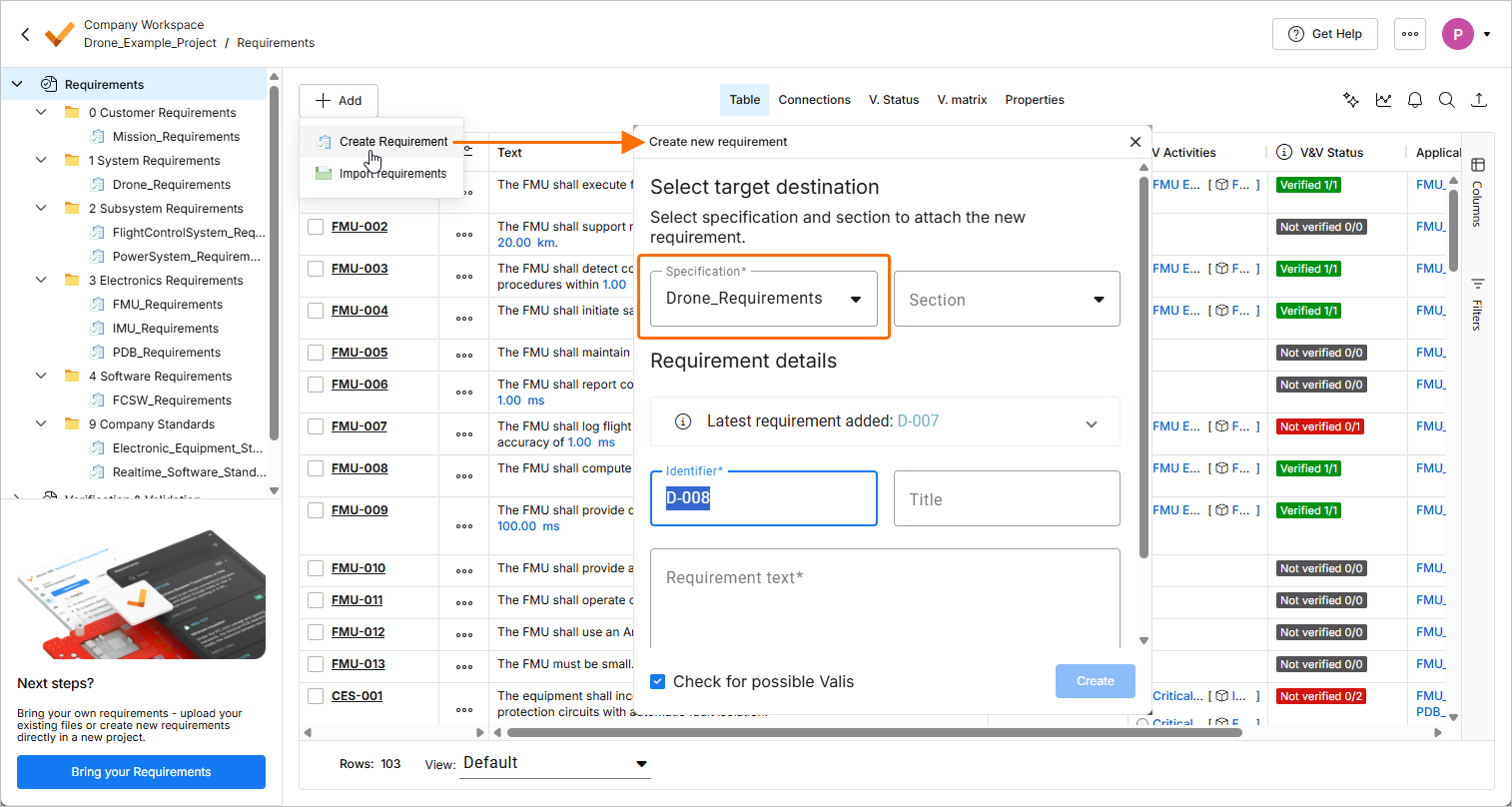
Si le projet ne comporte qu’une seule spécification, elle sera sélectionnée.
Si le projet ne comporte aucune spécification, une tentative de création d’une exigence ouvrira la fenêtre Create Specification, qui vous permettra d’abord de créer une spécification.
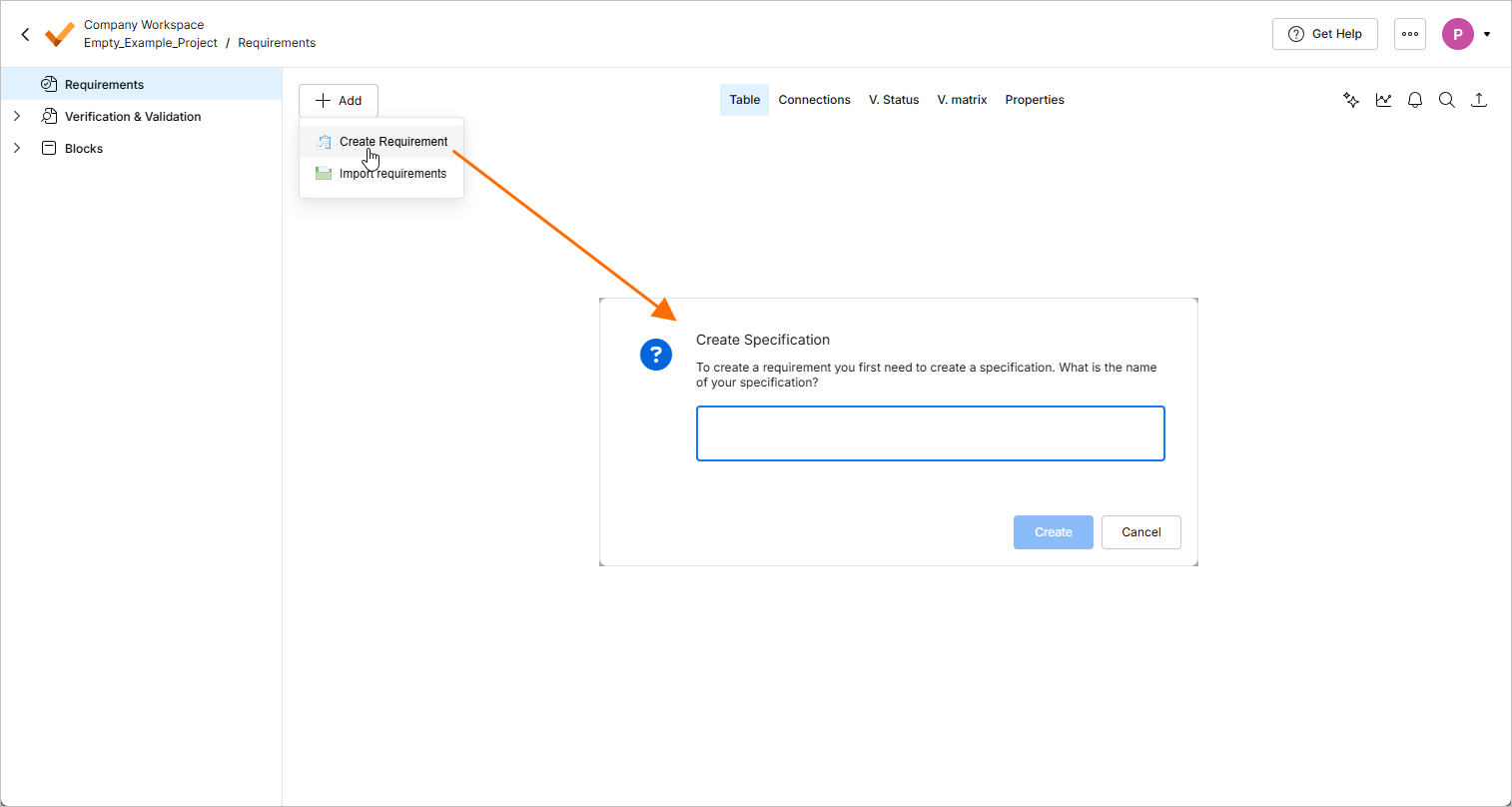
Pour plus d’informations sur la création d’exigences, consultez la page Creating Requirements.
-
Il est désormais possible d’exporter un tableau dans les vues Statuses et Procedures d’une exécution dans le module Verification & Validation. Utilisez le sous-menu Export du menu contextuel de la vue pour exporter le tableau vers un fichier au format
*.csv,*.xlsxou*.xml.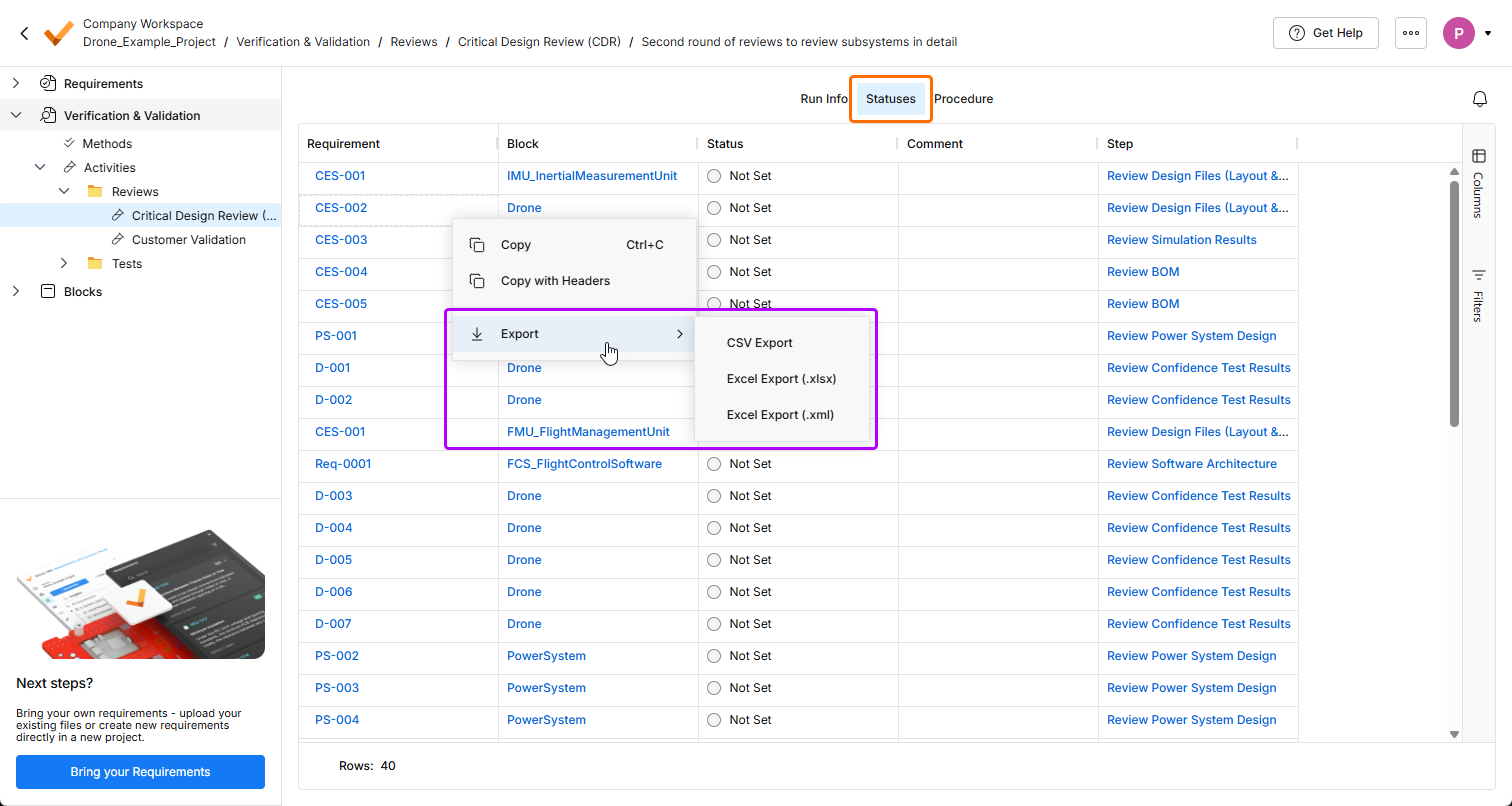
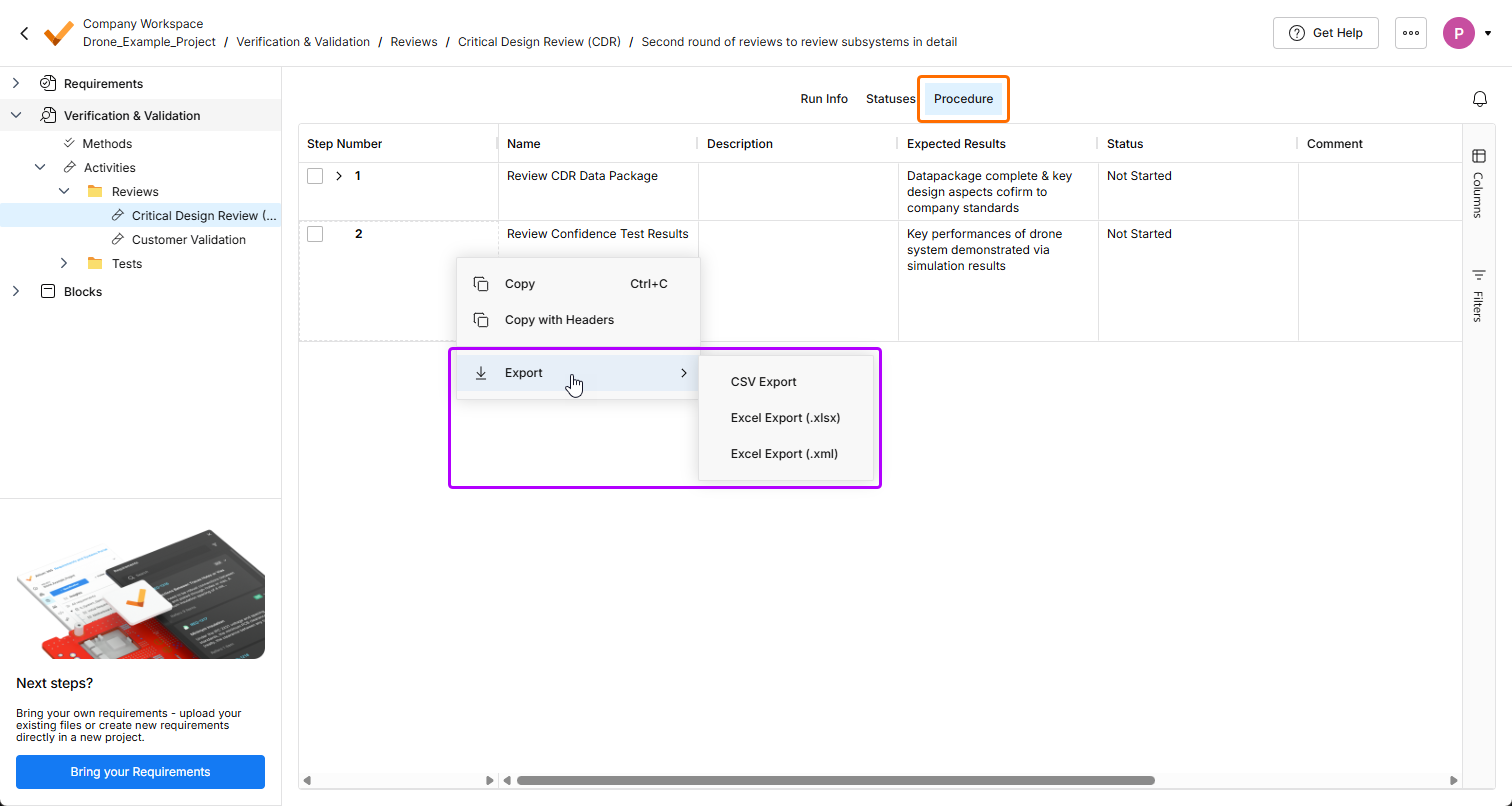
Pour plus d’informations sur le module Verification & Validation, consultez la page Verification & Validation Module.
-
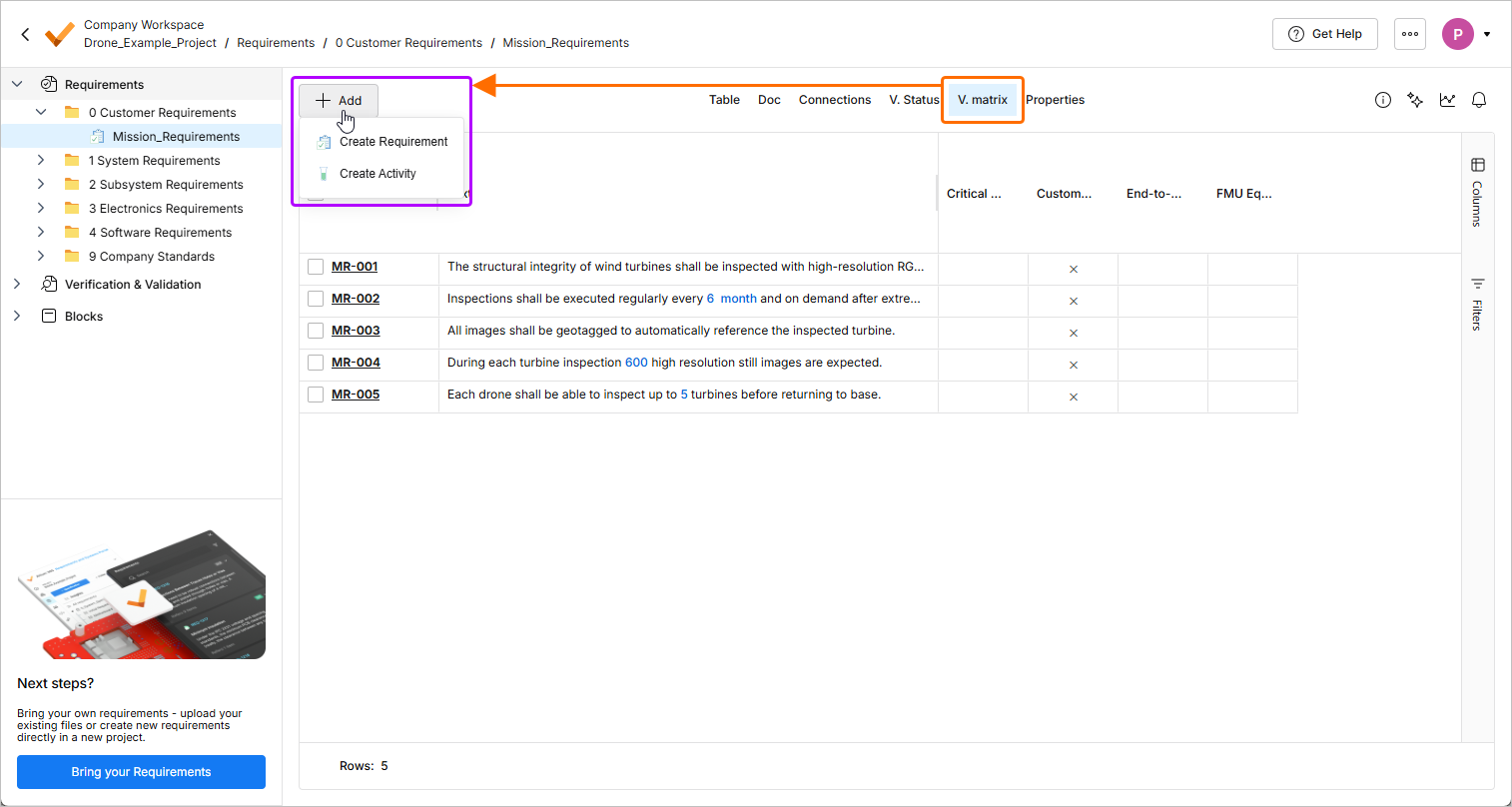
Dans la vue V. matrix des exigences, l’action de création d’activité est désormais disponible dans le menu du bouton
 . L’action d’importation des exigences a été retirée du menu.
-
Si Requirements Portal n’est pas encore activé pour un Workspace, il est désormais possible de lancer le processus d’activation depuis le volet Requirements lors de l’affichage d’un projet de conception dans le Web Viewer.
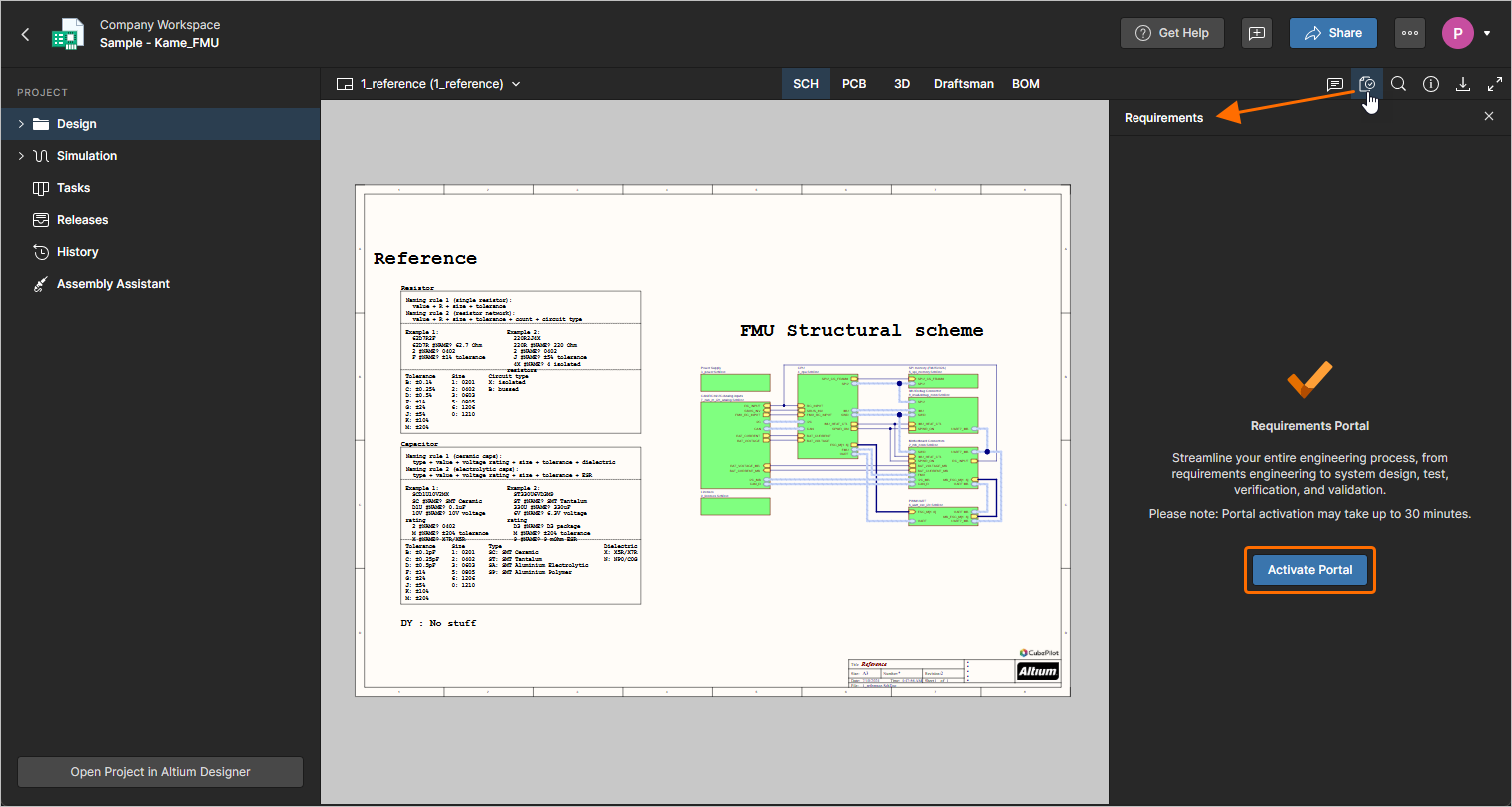
Pour plus d’informations sur l’utilisation des exigences dans le contexte d’un projet de conception, consultez la page Working with Requirements.
-
Les performances de l’importateur IA ont été améliorées pour les documents longs (plus de trois pages) grâce à la parallélisation de l’extraction des sections.
Pour plus d’informations sur l’importateur IA, consultez la page Import Requirements.
-
Correction d’un problème où le texte formaté (utilisant des puces, de l’italique, etc.) dans les colonnes personnalisées s’affichait incorrectement dans les documents exportés.
Pour plus d’informations, consultez la page Document Export Custom Templates.
Mise à jour - 3 mars 2026
Key Highlights
-
Afin d’harmoniser l’interface utilisateur de Requirements Portal avec les autres éléments d’Altium Platform, un certain nombre de modifications de l’interface ont été mises en œuvre dans cette version :
-
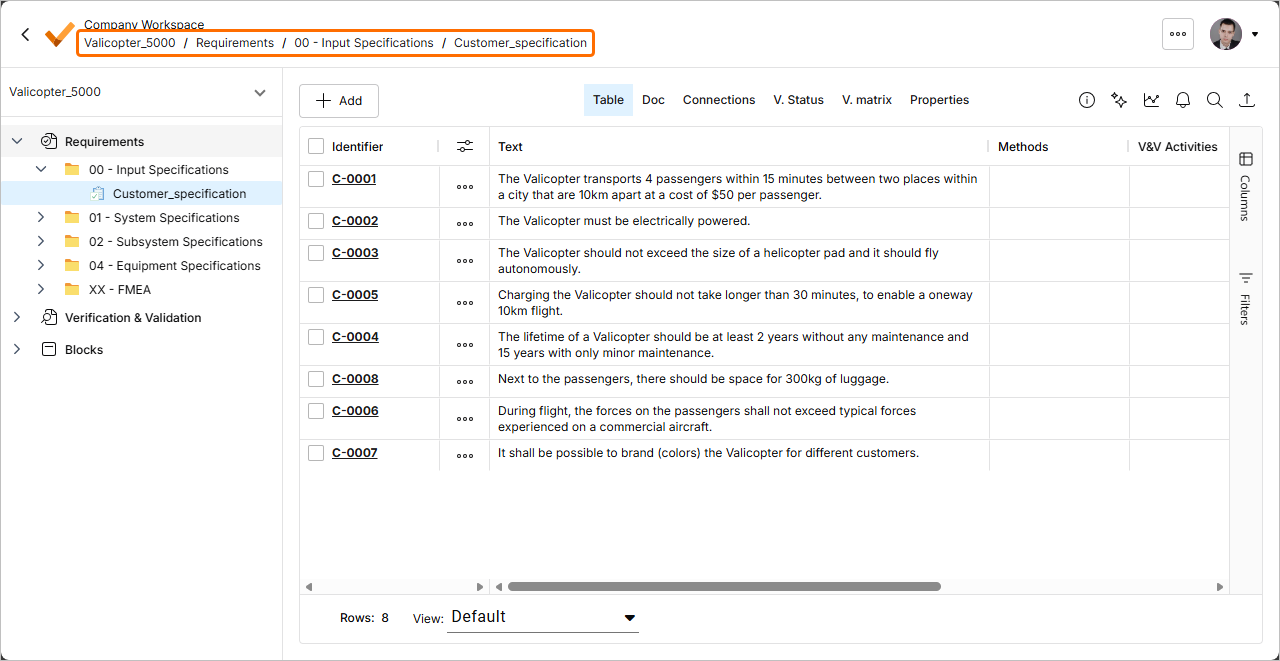
Un fil d’Ariane est désormais disponible en haut à gauche de la page, sous le nom du Workspace.
-
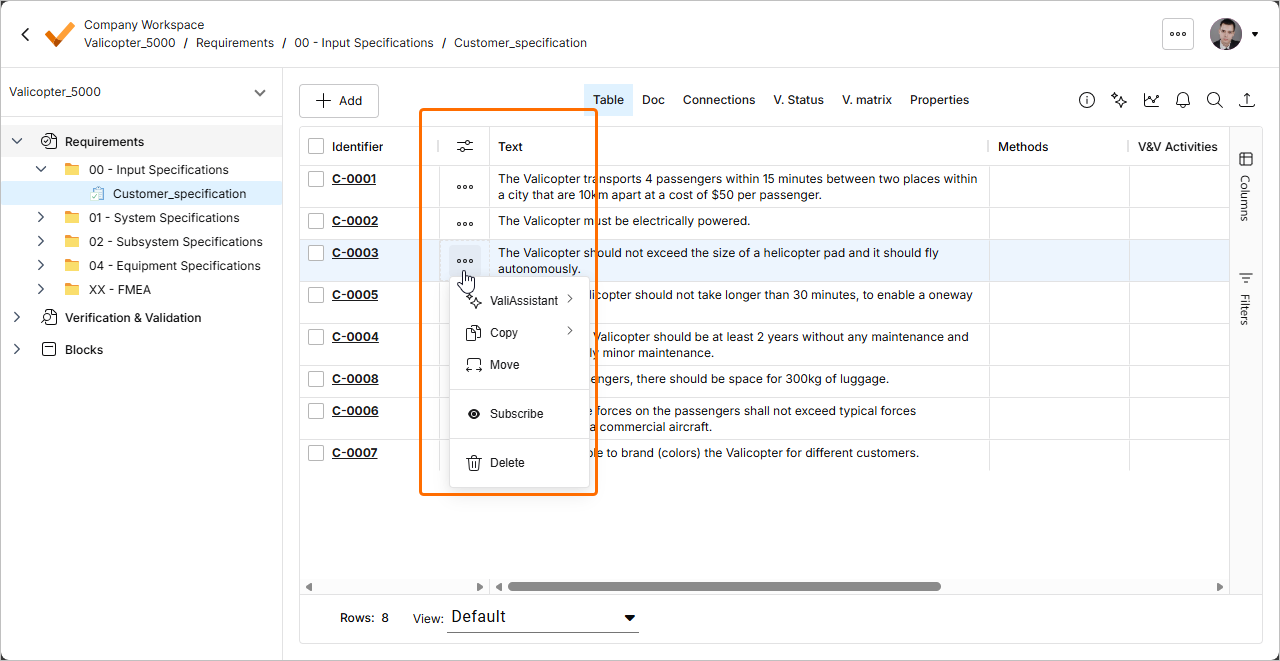
Dans la vue Table des exigences, le menu des actions relatives aux exigences est désormais accessible en cliquant sur le bouton
 dans une colonne dédiée (
 ).
).
-
Un nouveau volet Info a été mis en place pour les sections de spécification. Ce volet remplace une vue Section info distincte et permet donc d’afficher et de modifier les détails des sections de spécification sans quitter la vue actuellement sélectionnée (telle que Table ou Doc). Lorsqu’une section de spécification est sélectionnée dans le Requirements Module, cliquez sur le bouton
 en haut à droite de la page pour accéder au volet.
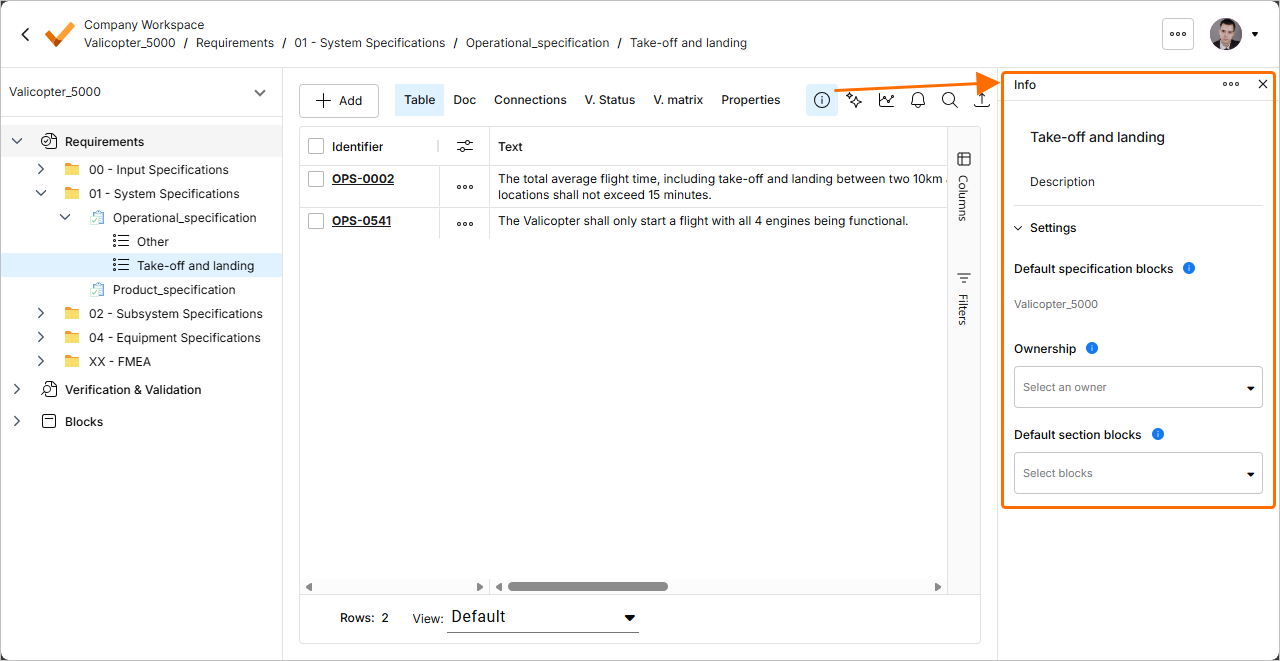
-
-
L’importateur IA a été amélioré dans cette version.
-
L’importateur reconnaît désormais le contenu situé entre le titre du document et le premier en-tête comme une exigence.
-
Le propriétaire des exigences importées est désormais attribué non seulement en fonction du prénom et du nom de famille de l’utilisateur, mais aussi de son adresse e-mail.
Pour plus d’informations sur l’importateur IA, consultez la page Import Requirements.
-
Mise à jour - 18 février 2026
Key Highlights
-
Un nouveau volet Info a été mis en place pour les spécifications. Ce volet remplace une vue Spec. info distincte et permet donc d’afficher et de modifier les détails des spécifications sans quitter la vue actuellement sélectionnée (telle que Table ou Doc). Lorsqu’une spécification est sélectionnée dans le Requirements Module, cliquez sur le bouton
en haut à droite de la page pour accéder au volet.
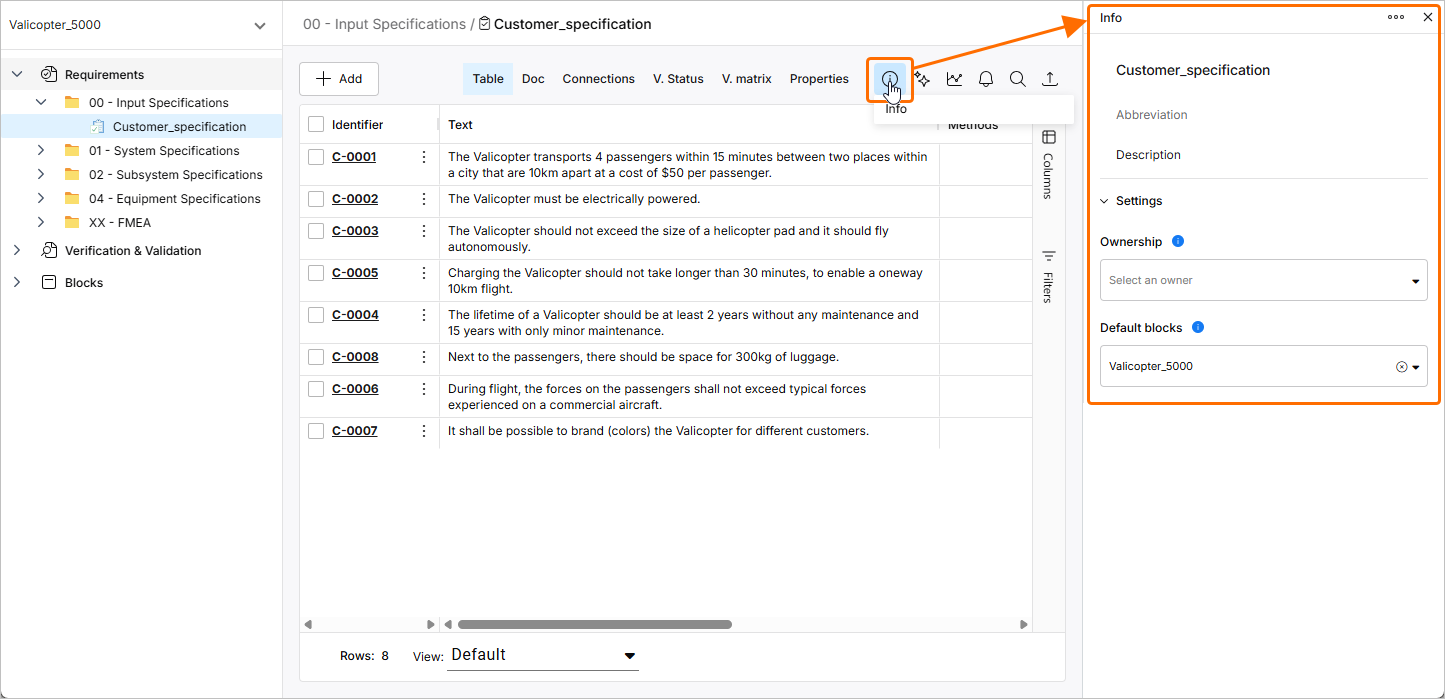
Pour plus d’informations sur les spécifications, consultez la page Create Specifications.
-
L’importateur IA a été amélioré dans cette version :
-
L’extracteur IA a été amélioré afin de mieux gérer les puces et les sauts de ligne.
-
Le titre du fichier en cours d’importation n’apparaît plus dans une section ou une sous-section de la structure hiérarchique des exigences.
Pour plus d’informations sur l’importateur IA, consultez la page Import Requirements.
-
Mise à jour - 2 février 2026
Key Highlights
Dans cette version, le processus de création et d’importation des exigences a été mis à jour. Pour effectuer l’une ou l’autre de ces actions, accédez au Requirements Module, cliquez sur le bouton  , puis sélectionnez soit Create Requirement, soit Import Requirements dans le menu qui s’affiche.
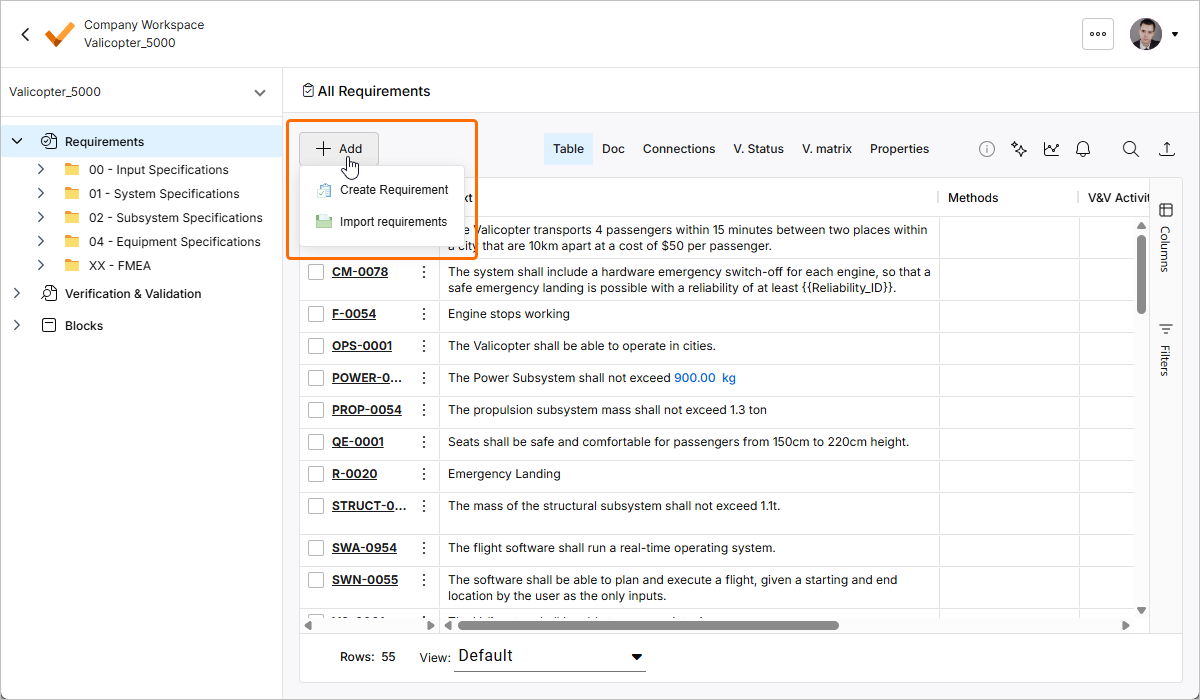
Pour plus d’informations, consultez les pages Creating Requirements et Import Requirements.
Mise à jour - 22 janvier 2026
Key Highlights
Cette version inclut des corrections de bugs afin d’améliorer les fonctionnalités globales et l’expérience utilisateur.
Mise à jour - 7 janvier 2026
Key Highlights
L’ingénierie des exigences commence souvent par la rédaction des exigences des parties prenantes dans des documents tels que des PDF et des feuilles de calcul Excel, où les données sont peu structurées. L’extraction manuelle des données d’exigences à partir de ces documents non structurés peut être laborieuse et source d’erreurs et, afin d’accélérer le processus de capture des exigences dans Requirements Portal, vous pouvez tirer parti des capacités de l’IA pour importer des exigences à partir de fichiers PDF, Excel, Word et CSV non structurés à l’aide d’un nouveau AI-assisted Importer.
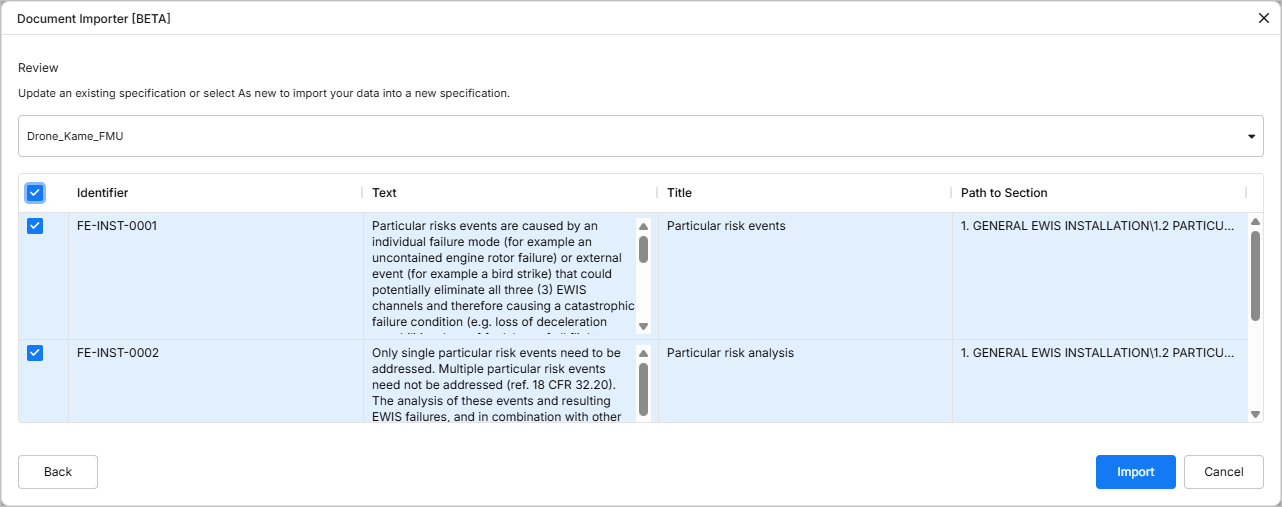
Pour plus d’informations, consultez la page Import Requirements.
Mise à jour - 17 décembre 2025
Key Highlights
Cette version inclut des corrections de bugs afin d’améliorer les fonctionnalités globales et l’expérience utilisateur.
Mise à jour - 24 novembre 2025
Key Highlights
Cette version inclut des corrections de bugs afin d’améliorer les fonctionnalités globales et l’expérience utilisateur.
Mise à jour - 12 novembre 2025
Key Highlights
Afin d’aligner l’interface utilisateur de Requirements Portal sur les autres parties de l’interface navigateur du Workspace, les modifications suivantes ont été mises en œuvre :
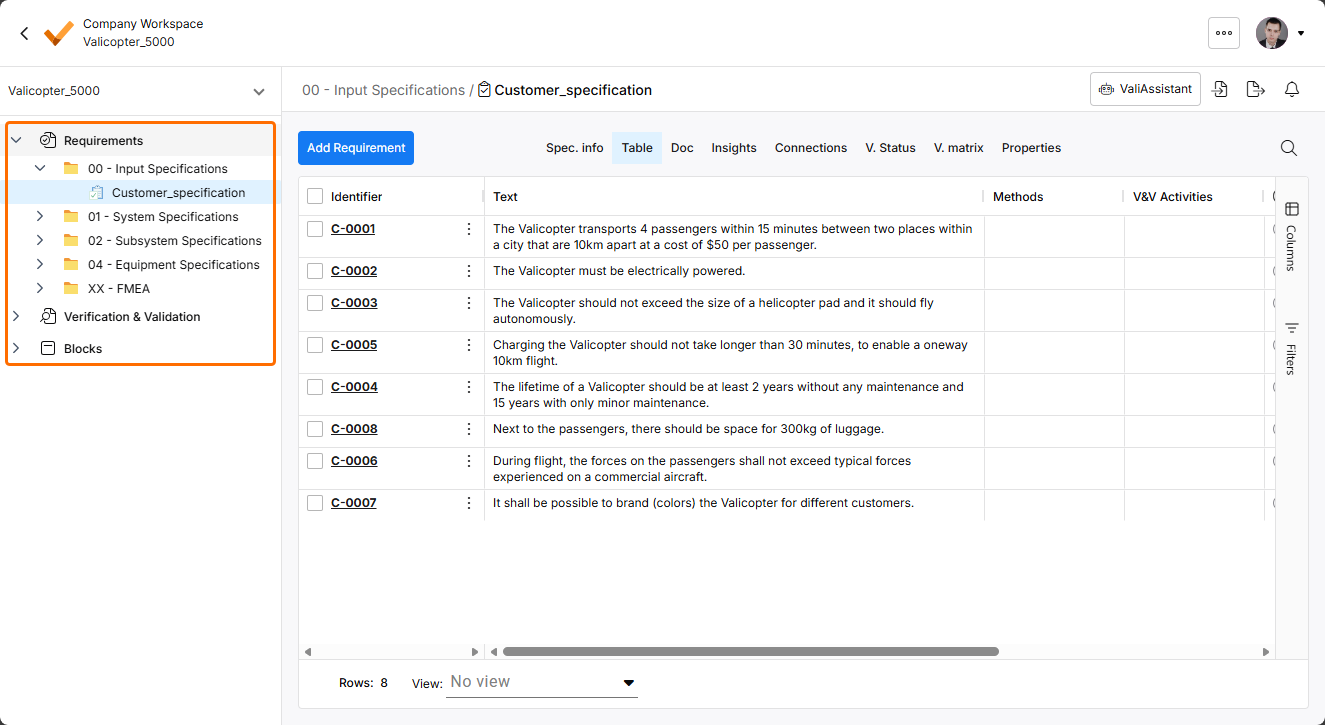
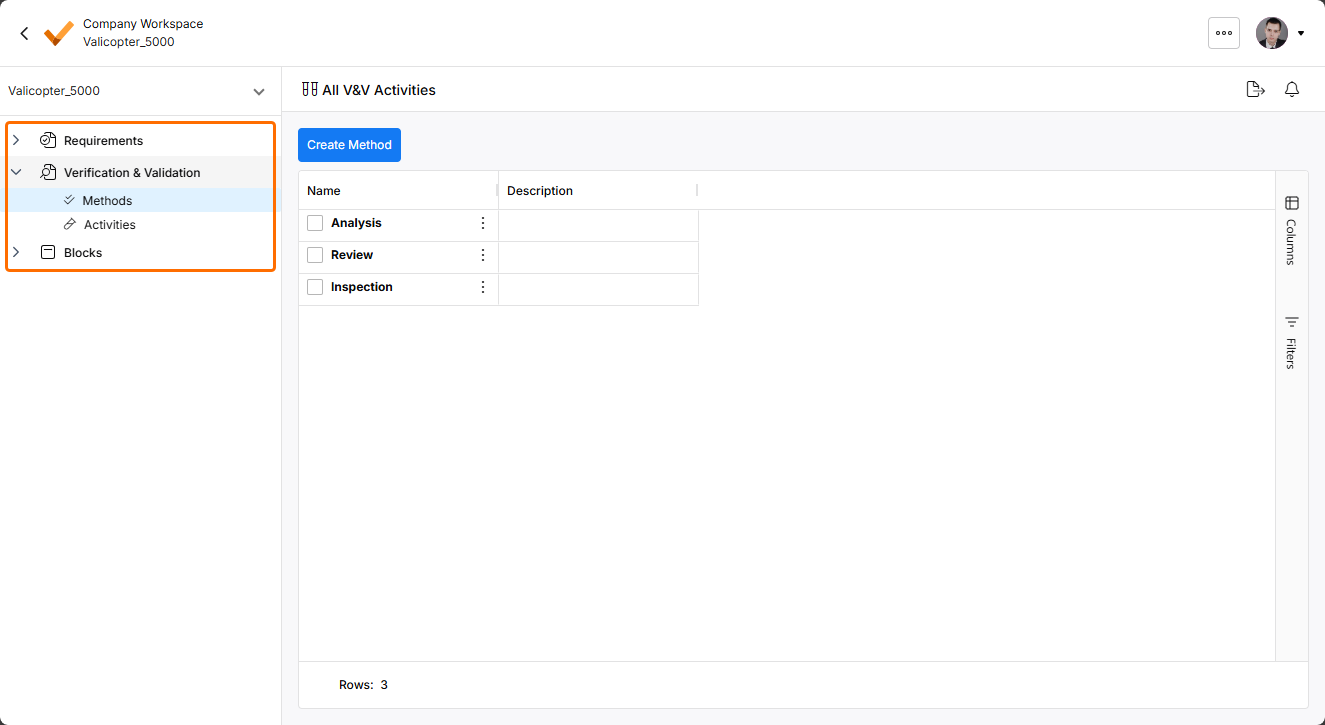
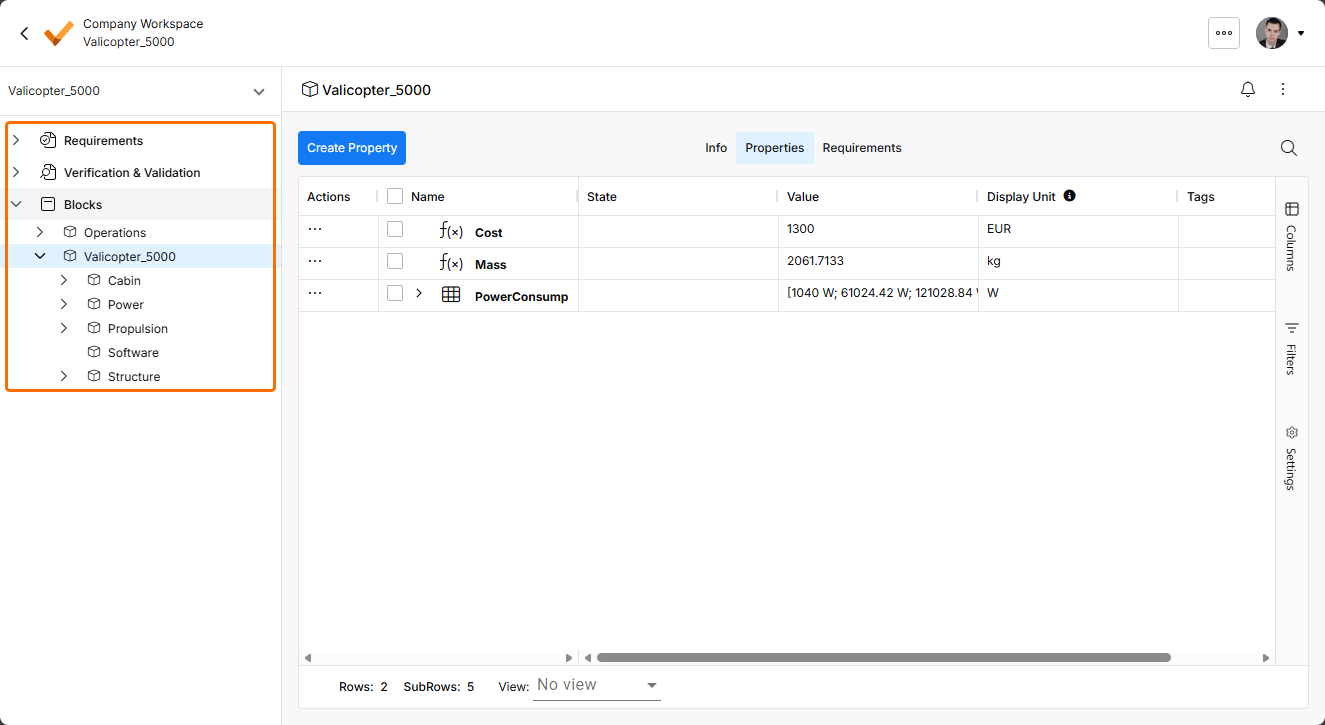
-
Un nouveau volet gauche a été introduit. Ce volet permet d’accéder aux différents modules de Requirements Portal ainsi qu’aux éléments correspondants (spécifications, activités V&V, blocs, etc.) du projet actuellement sélectionné.
-
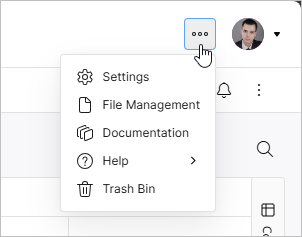
Une nouvelle barre supérieure a été introduite. Depuis le menu de l’icône
 de la barre supérieure, vous pouvez accéder au Settings de Requirements Portal, à la vue File Management, aux ressources Documentation, Help et au Trash Bin.
-
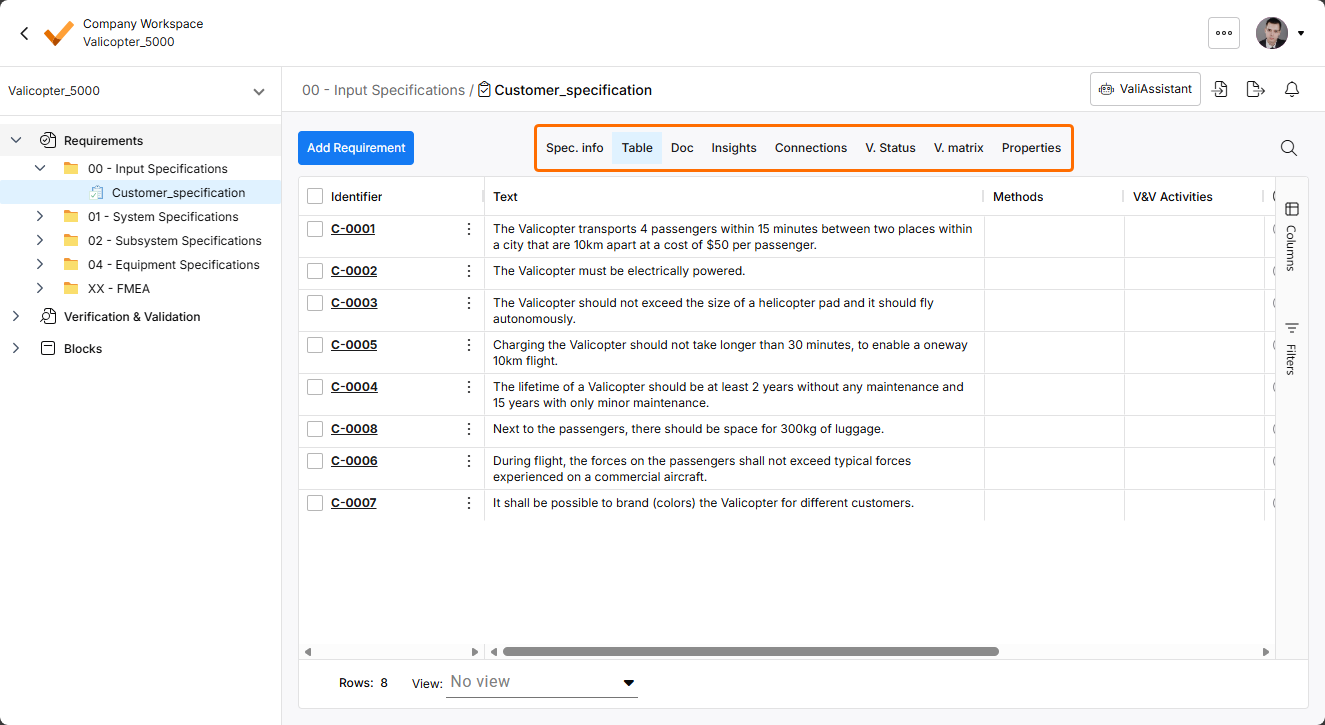
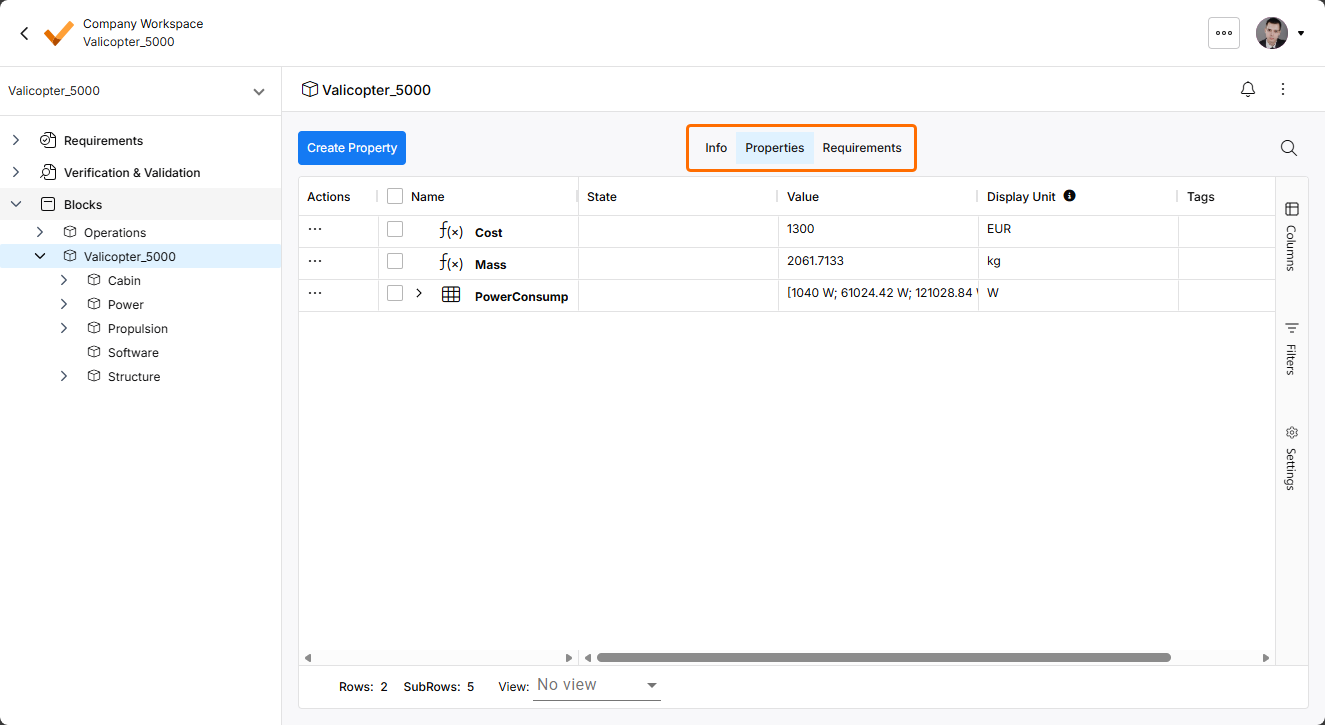
L’affichage des commandes utilisées pour basculer entre les différentes vues dans les modules a été mis à jour.
Mise à jour - 14 octobre 2025
Key Highlights
Cette version inclut des corrections de bugs afin d’améliorer les fonctionnalités globales et l’expérience utilisateur.
Mise à jour - 30 septembre 2025
Key Highlights
Lors de la création d’un nouveau dossier pour les spécifications dans le Requirements Module, le dossier apparaît désormais dans l’arborescence à gauche immédiatement après sa création, sans qu’il soit nécessaire d’actualiser la page.
Pour plus d’informations sur les dossiers, consultez la page Grouping Requirements.
 Localisé par IA