
KB: SiliconExpert Parameter Columns Remain Empty in BOM Portal
 A365
A365
Solution Details
Visible SiliconExpert Columns Remain Empty
After enabling SiliconExpert parameter columns in a BOM, some parameter columns may remain empty. Users may expect the parameter values to populate automatically once the columns are visible, but this is not the case for most SiliconExpert parameters.
Default Parameters and Data Retrieval Behavior
Enabling SiliconExpert parameter columns only controls the visibility of those columns within the BOM and does not trigger retrieval of SiliconExpert parameter data.
The following SiliconExpert parameters are available by default and are automatically displayed when available:
- RoHS Status
- Lifecycle
- YTEOL (Years to End of Life)
All other SiliconExpert parameters require manual retrieval using the Get SiliconExpert Part Data action. Each retrieval consumes part query details for the selected component, and query usage is counted per part retrieved.
Retrieve Additional SiliconExpert Parameters
- Review whether the required information is already available in the default SiliconExpert parameters.
- Select the BOM entry that requires additional SiliconExpert parameter data.
- Use the Get SiliconExpert Part Data action from the Part data panel.
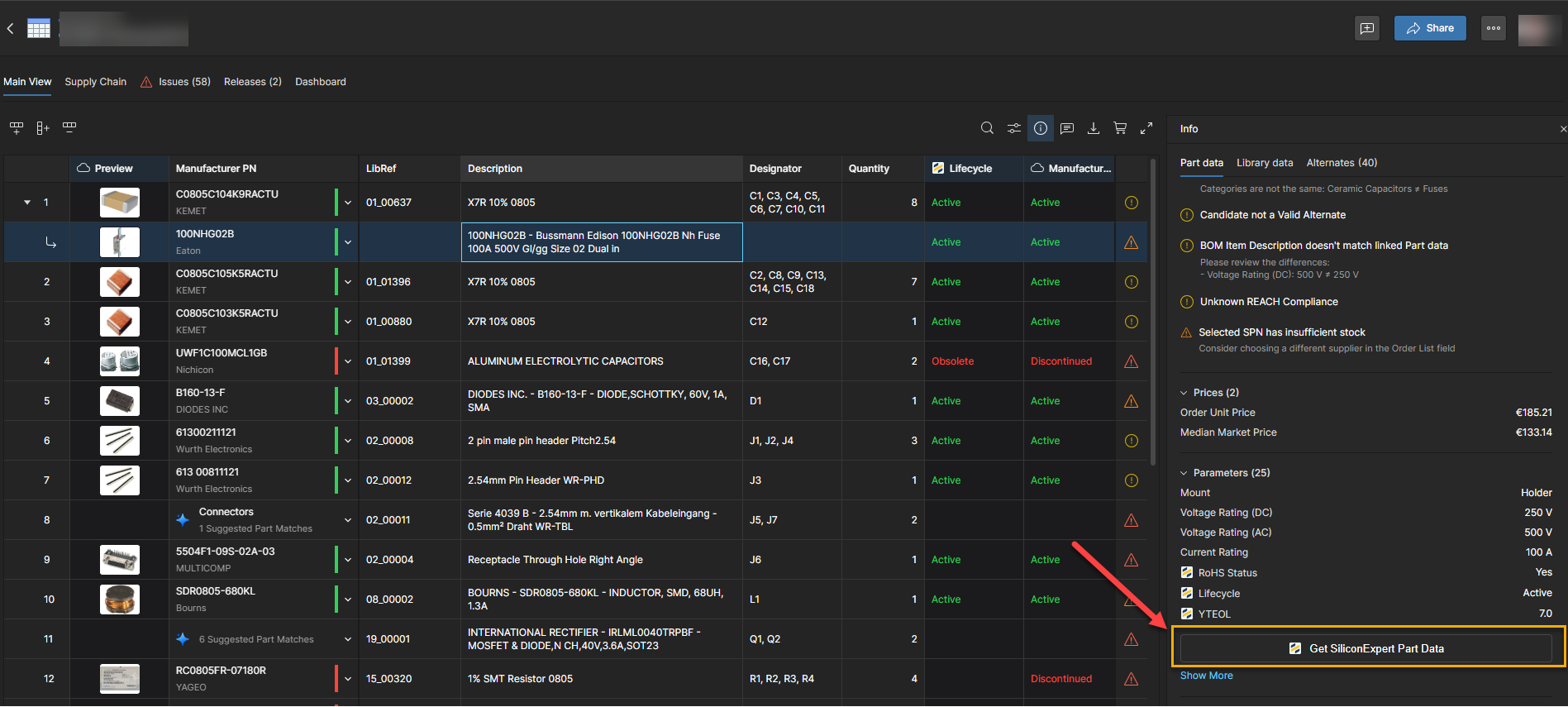
- Repeat these steps for each additional BOM entry that requires SiliconExpert parameter data. Once retrieved, the SiliconExpert parameters will be available for the selected BOM entry.
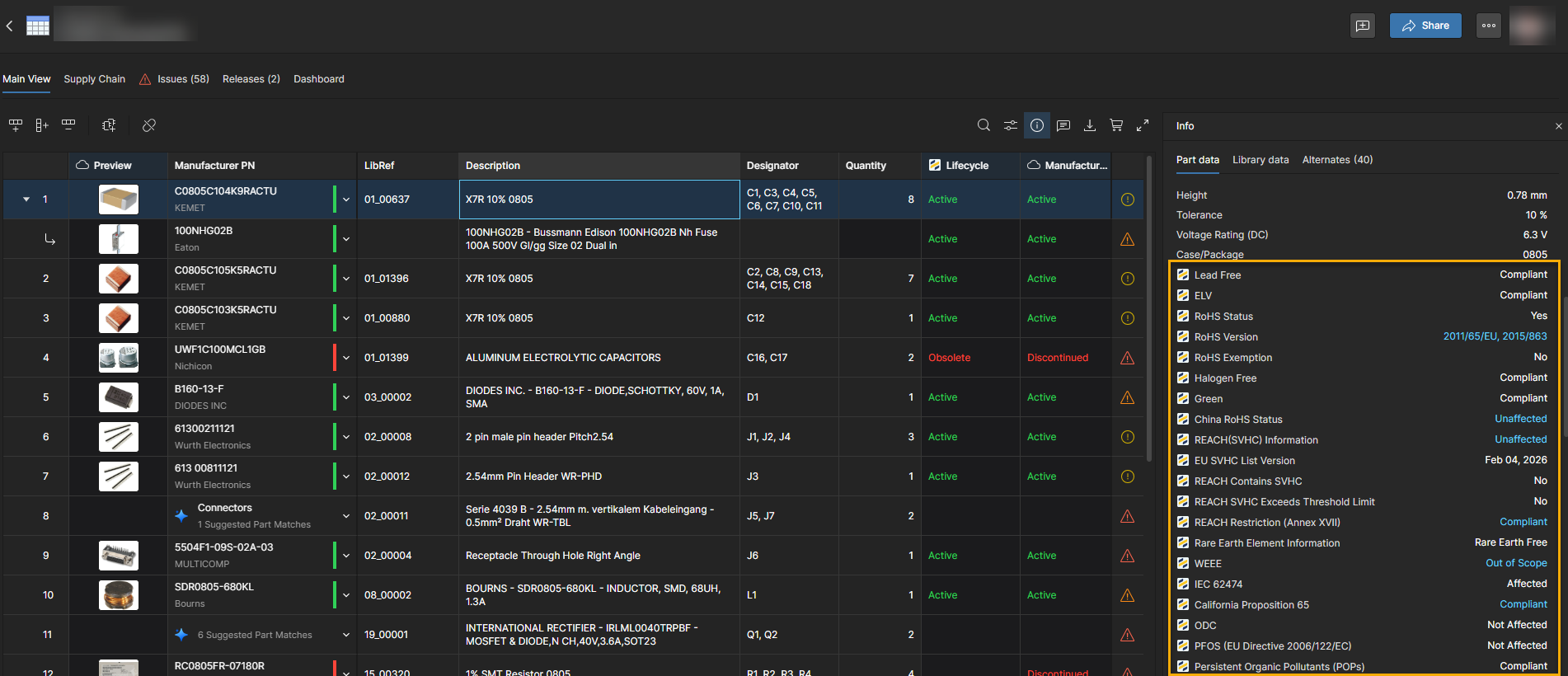
Steps to Retrieve SiliconExpert Data
- Open the required BOM in BOM Portal.
- Select the BOM entry for which additional SiliconExpert parameter data is required.
- If the Part data panel is not visible, click the Info (i) button to display it.
- Open the Part data section.
- Click Get SiliconExpert Part Data.
- Wait for the SiliconExpert parameter information to be retrieved and displayed.
- Repeat these steps for each additional BOM entry that requires SiliconExpert parameter data.
Additional Notes
- Enabling SiliconExpert parameter columns does not retrieve SiliconExpert data.
- RoHS Status, Lifecycle, and YTEOL are available by default.
- The Get SiliconExpert Part Data action retrieves data only for the currently selected BOM entry.
- Other BOM entries are not automatically processed.
- Users must select and retrieve SiliconExpert data for each required BOM entry individually.