TRANSLATE: KB: 埋め込みボードアレイプリント上のボードアウトライン
Updated: 1月 22, 2025
 Altium Designer
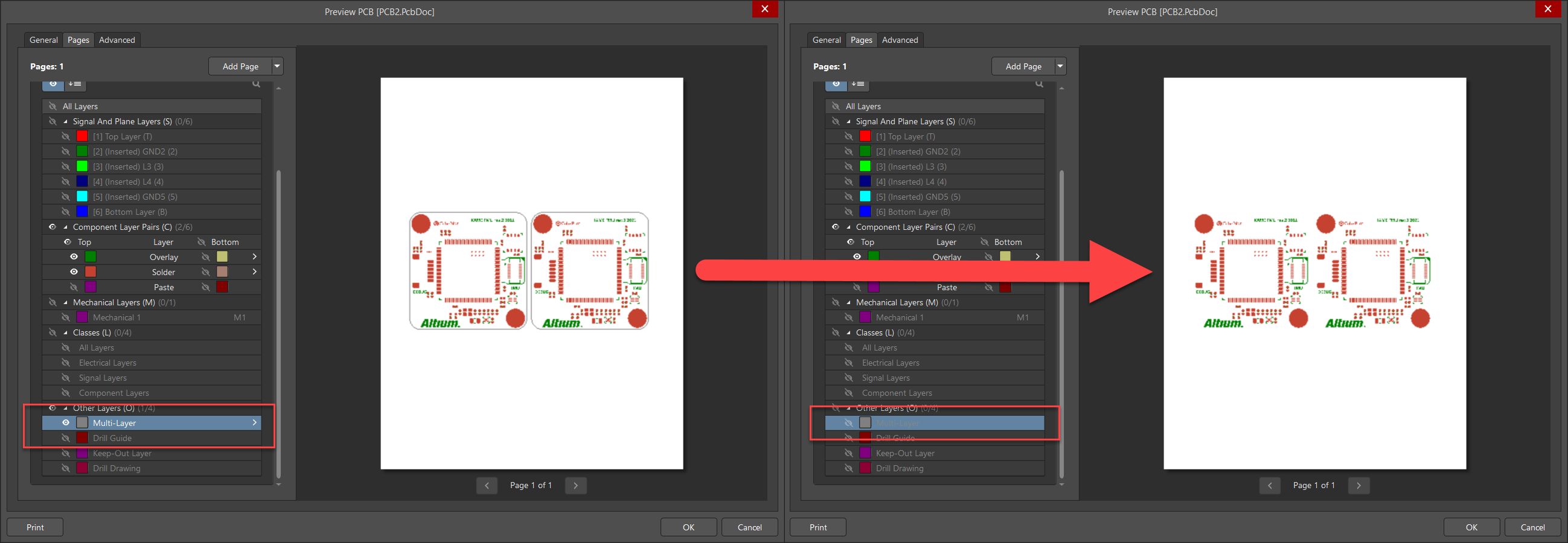
エンベデッドボードアレイのボードアウトラインをオフにするには、出力設定でマルチレイヤーの表示をオフにします。
Solution Details
When printing an Embedded Board Array, a board outline is added on the layer "Multi-Layer." If you want to hide the board outline, you would need to turn off the multi-layer in the printout options of the Embedded Board Array. Doing this however, will cause other Multi-Layer objects to not be visible either.