KB: SOLIDWORKSでシルクスクリーンを表示する
Updated: 1月 23, 2025
 Altium Designer
Starting in version: 20.1
Up to Current
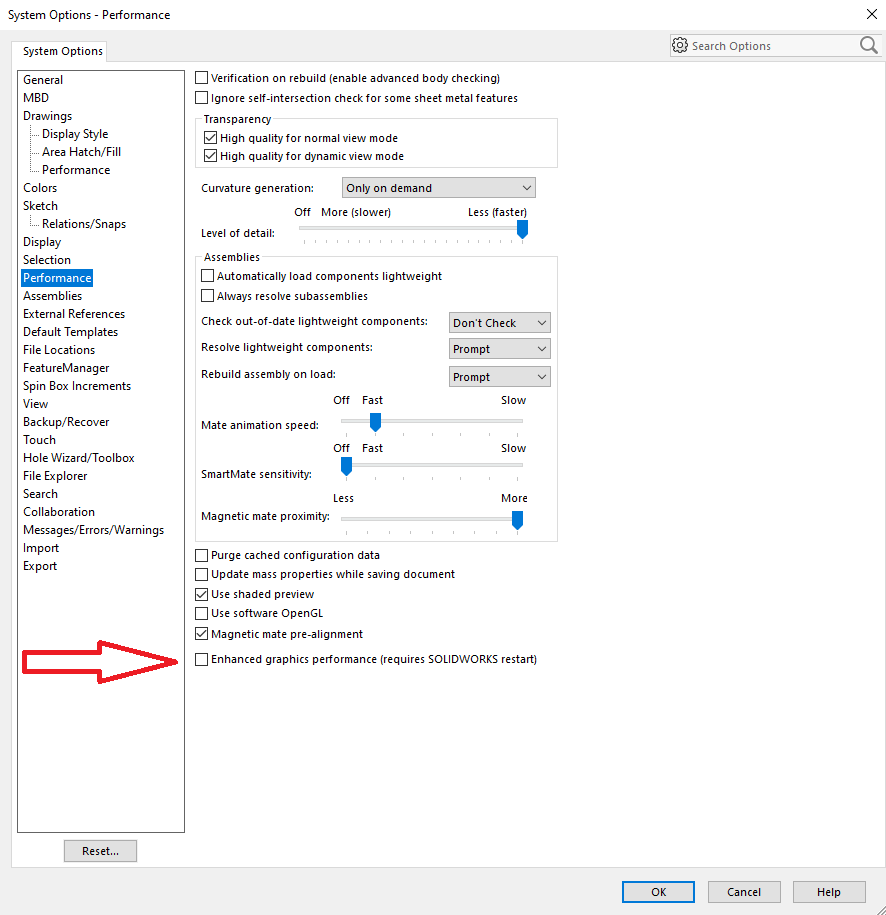
ECAD / MCAD CoDesigner の転送が SOLIDWORKS でシルクスクリーンを表示していません。時々、銅、シルクスクリーン、はんだマスクを表すデカールが SW 2019+ で表示されないのは、一部のビデオカードのレンダリングに問題があるためです。この問題の解決策は、SOLIDWORKS の設定でこのフラグを変更することです。
Solution Details
In SOLIDWORKS, click the Gear icon to access the preferences.
Click Performance and enable the option: “Performance » Enhanced graphics performance”