
KB: AES 8.x Upgrade Issues Caused by Missing .NET 8 and .NET 10 Runtime Dependencies
Updated: 10月 16, 2026
 Altium On-Prem Enterprise Server
After upgrading Altium Enterprise Server to version 8.x, users may encounter project viewing issues in the web interface or experience complete web frontend unavailability following changes to installed .NET runtimes. AES 8.x requires both .NET 8 and .NET 10 runtimes to be installed side-by-side. While some AES services have been migrated to .NET 10, most services continue to depend on .NET 8. If the .NET 8 or .NET 10 runtimes are removed during server maintenance or security updates, AES web services may fail, resulting in project access errors and HTTP 500 service availability errors. Restoring the required .NET 8 runtime or reinstalling AES resolves the issue.
Solution Details
Symptoms After Upgrading to AES 8.x
Following an upgrade to AES v8.x, users reported the following symptoms:
- Projects and server access worked correctly from Altium Designer 25.
- Components remained accessible through the web interface.
- Project viewing through the AES web interface failed.
- Retrying after waiting did not resolve the issue.
The web interface displayed the following message when attempting to view projects:

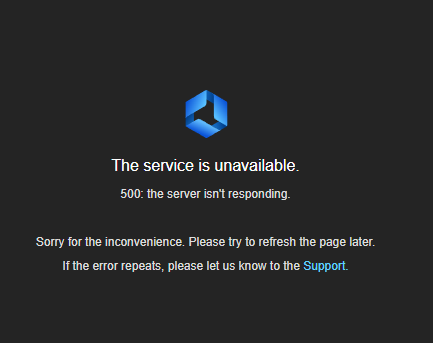
Users may also encounter "The service is unavailable. 500: the server isn't responding." when attempting to access the AES web frontend.
Runtime Dependency Changes Introduced in AES 8.x
Beginning with AES 8.x, the AES server requires both .NET 8 and .NET 10 runtimes to be installed on the server simultaneously.
Starting AES v8.x:
- Only a subset of AES services have been migrated to .NET 10.
- The majority of AES services continue to depend on .NET 8.
- Removing or not installing either the .NET 8 or the .NET10 can cause service startup failures and web frontend issues.
This dependency model is expected behavior starting AES v8.x and is planned to change in future AES releases as additional services are migrated.
Recommended Recovery Options
- Install the latest .NET 8 runtime alongside .NET 10 and verify server functionality.
- If issues persist, reinstall AES to restore all required runtime dependencies automatically.
- Create a full backup of the existing AES installation before performing a reinstallation.
Steps to Restore AES Functionality
- Verify the .NET runtimes currently installed on the AES server machine.
- Confirm that both .NET 8 and .NET 10 are installed side-by-side.
- If either the .NET 8 or the .NET 10 is missing, install the latest supported .NET runtime.
- Restart the affected AES services if required.
- Test access to the AES web frontend.
- Verify that projects can be opened and viewed from the web interface.
- If the issue persists, create a backup of the AES installation.
- Reinstall AES v8.1.3.17 using the standard installation procedure.
- Allow the installer to install all required dependencies.
- Restore data from backup if necessary.
- Validate that the web frontend and project viewing functions operate normally.
Additional Notes
- AES 8.x requires both .NET 8 and .NET 10 runtimes to remain installed on the server. Updating or removing runtimes without verifying AES requirements may result in service failures, project access issues, or web frontend unavailability.
- If AES becomes inaccessible after Windows or .NET updates, review this Knowledge Base article for additional guidance on runtime-related access issues and version compatibility considerations. This article primarily applies to unsupported AES versions affected by Windows and .NET updates. However, it may be useful when investigating similar symptoms related to runtime changes or web service availability.