
KB: Enterprise Server access issues after Windows .NET updates on unsupported versions
 Altium On-Prem Enterprise Server
Solution Details
Symptoms and scope of outage
After Windows updates are installed, customers may experience issues accessing their on‑prem Enterprise Server. Common symptoms include:
- Inability to log in to the server (Web or Active Directory authentication)
- Server connection check failures
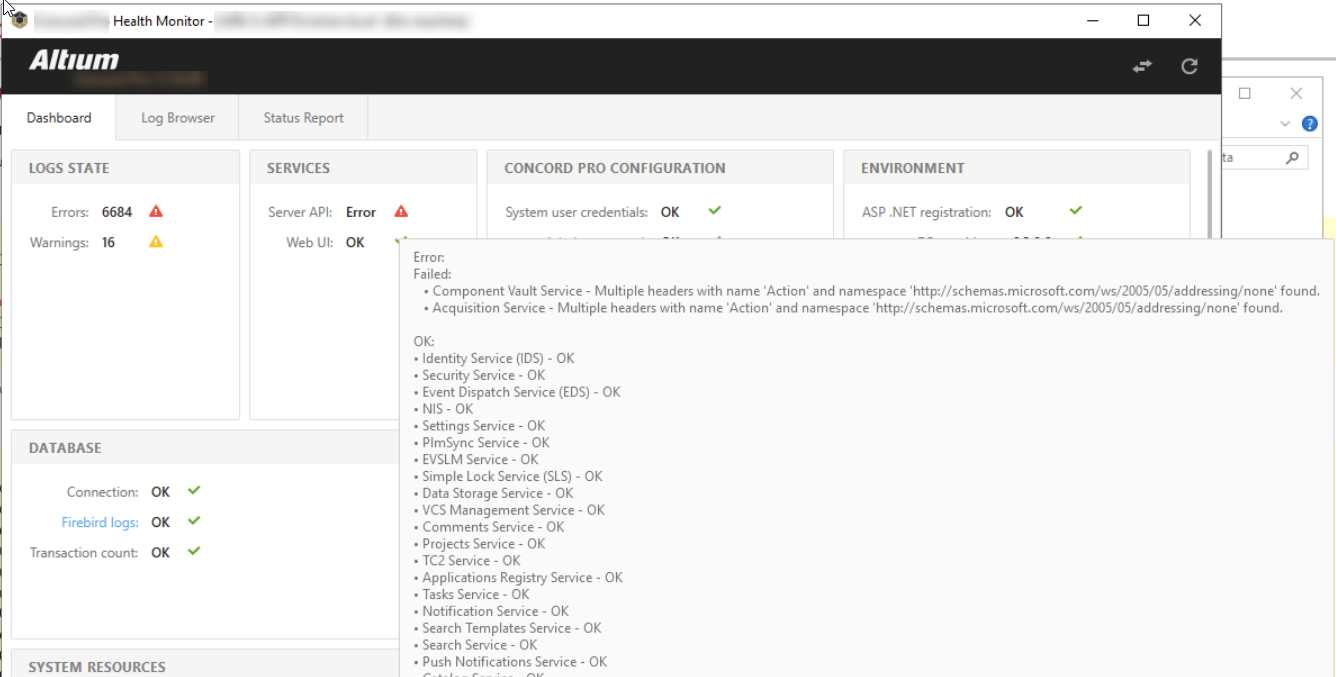
- Health Monitor reporting repeated API errors
- Various server or API communication errors
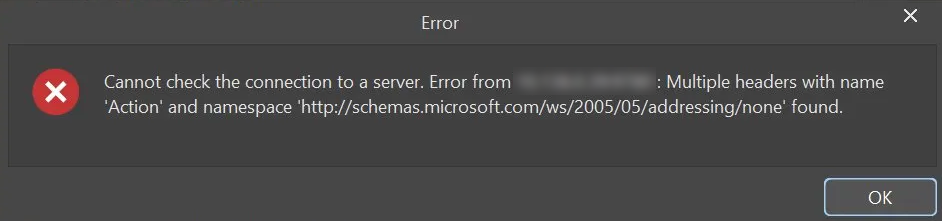
A commonly reported error message is:
“Cannot check the connection to a server… Multiple headers with name ‘Action’ and namespace ‘http://schemas.microsoft.com/ws/2005/05/addressing/none’ found.”
No IIS or Enterprise Server configuration changes are required for this issue to occur.
See the screenshots below for examples of commonly reported error messages.
What changed in Windows .NET behavior
Windows Server .NET security updates released on April 17 and later introduce stricter behavior in .NET and WCF message handling. These changes are incompatible with Enterprise Server versions running on older .NET frameworks. As a result, API communication may fail. This affects all on‑prem Enterprise Server versions not running on .NET 6, including all releases prior to AES 7.
Supported resolution versus temporary workaround
- Supported, permanent solution: Upgrade to a supported Enterprise Server version that runs on .NET 6 (AES 7 or AES 8).
- Temporary workaround (not recommended long-term): Roll back (uninstall) Windows .NET updates installed on or after April 17 to restore access.
Step-by-step recovers and upgrade path
- Identify your currently installed Enterprise Server version and verify whether it runs on .NET 6.
- If you are running an unsupported version, you may temporarily roll back Windows .NET updates installed on or after April 17 to restore access.
- Review the system requirements for supported Enterprise Server versions.
- Plan and perform an upgrade to AES 7 or AES 8 using the official upgrade documentation.
- After upgrading, reapply Windows updates and verify server access and health status.
Additional Notes
- This issue affects all on‑prem Enterprise Server customers not on .NET 6.
- Known problematic updates include recent Windows Server .NET security updates (for example, KB5078752 and KB5082414).
- Rolling back Windows updates restores functionality but leaves the system without important security fixes.
- Blocking or permanently disabling Windows updates is not recommended.
- No patch is available for older, unsupported Enterprise Server versions.
- Upgrading to a supported version prevents recurrence with future Windows updates.
FAQ
Q: Which Enterprise Server versions are affected?
A: All on‑prem Enterprise Server versions that do not run on .NET 6, including all releases prior to AES 7.
Q: Which Windows updates are involved?
A: Recent Windows Server .NET Framework security updates, including KB5082414 (released April 14, 2026 for Windows Server 2019), have been observed to cause this issue on unsupported Enterprise Server versions.
Q: Is this caused by IIS or server configuration changes?
A: No. The issue occurs even when no configuration changes are made.
Q: Can uninstalling the Windows updates fix the problem?
A: Yes, uninstalling the affected .NET updates can restore functionality temporarily, but this is not a supported long‑term solution.
Q: Is there a hotfix available?
A: No. The supported resolution is to upgrade to a current Enterprise Server version.
Q: What is the recommended permanent solution?
A: Upgrade to AES 7 or AES 8, which are compatible with current and future Windows .NET updates.
References & Helpful Resources
Microsoft Windows Server .NET Security Updates
- Microsoft Update Catalog (Windows Server 2019 – Security Updates):
https://www.catalog.update.microsoft.com/Search.aspx?q=Windows%20Server%202019%20Security%20Updates
Enterprise Server Requirements
- Altium Enterprise Server system requirements (latest versions): System Requirements
Helpful Upgrade & Troubleshooting Articles