
KB: Unexpected Project Access after Upgrade due to Folder Permission Inheritance
 Altium On-Prem Enterprise Server
Solution Details
Unexpected access appears after upgrade
After upgrading an Altium On‑Premise Server (AES) from a pre‑8 version (for example, 7.2.5.13) to version 8.0.1 or later, users were observed to have access to a specific project despite not being explicitly assigned to it or to any related groups. The affected users were not listed as project members, and the relevant groups were not added to the project. This behavior was identified during testing in a non‑production environment while evaluating the Has Access filtering option. Removing users at the project level did not revoke access because permissions were inherited from a parent folder. This can affect both internal and external workspace members, depending on existing folder‑level sharing configurations.
Folder inheritance enforced consistently in v8+
When upgrading from a pre‑8 version to version 8.0.1 or later, the updated inheritance‑controlled permission system becomes active and enforces existing folder‑level sharing rules more strictly than in earlier versions. If a parent project folder is shared with the Anyone role (for example, with Edit permissions), access can propagate to contained projects even when users are not explicitly added at the project level. In pre‑8 versions, such configurations could exist without clearly exposing all inherited access. With version 8, inheritance is applied consistently and becomes visible.
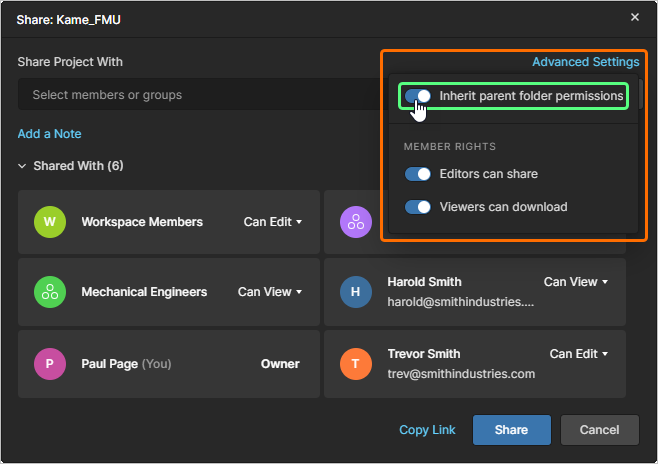
Correct permissions and prevent recurrence
- Remove the Anyone role from parent folders that contain projects if broad access is not intended.
- Use the Has Access filter option to identify how access is inherited.
- Verify that project‑level permissions include only intended users or groups.
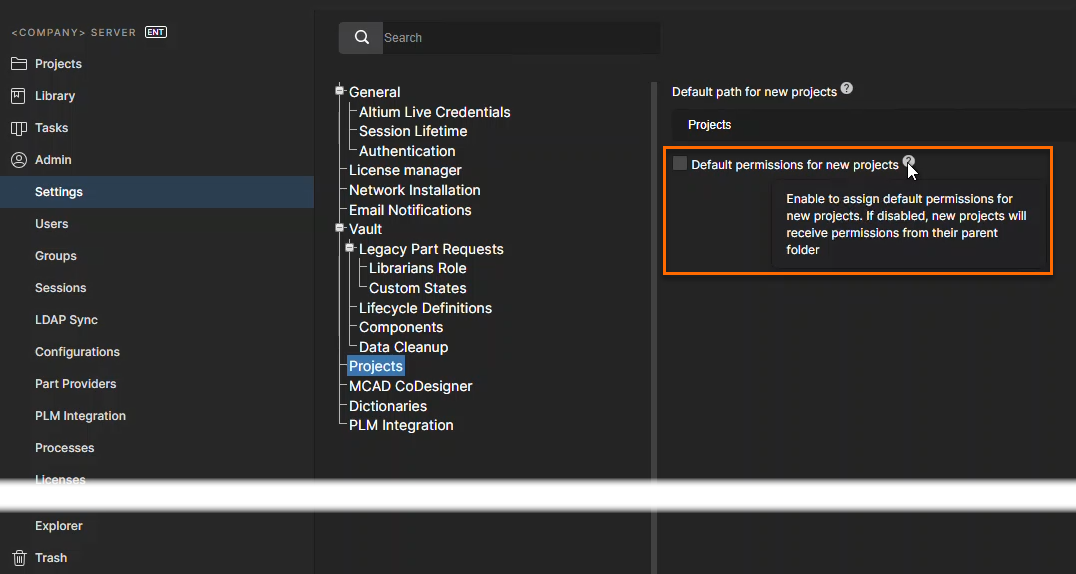
- Review default project creation permissions to check if access is granted automatically.
Review folders, validate access, adjust defaults
- Navigate to the parent folder of the affected project in the web interface.
- Review the folder’s sharing settings and remove the Anyone role if broad access is not intended.
- Confirm that only intended users or groups have access to the folder.
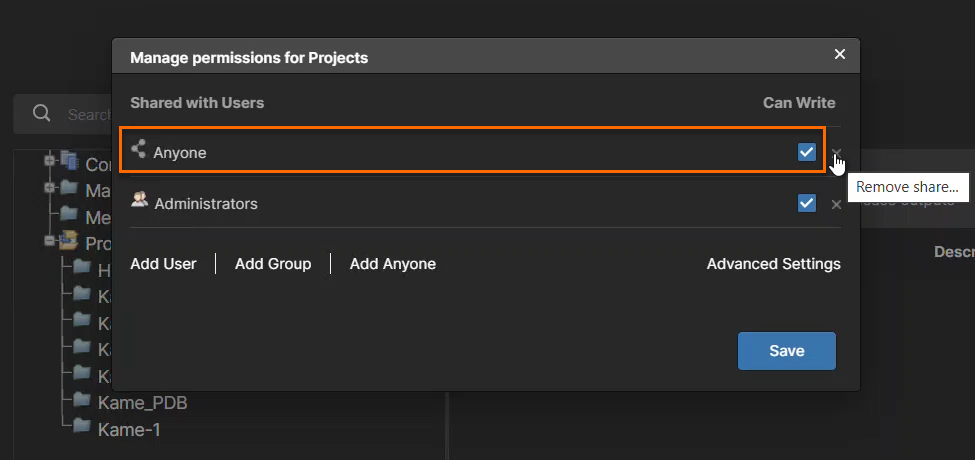
- Open the affected project and use the Has Access filter option to trace inherited permissions.
- Verify that users who should not have access no longer appear after correcting the folder permissions.
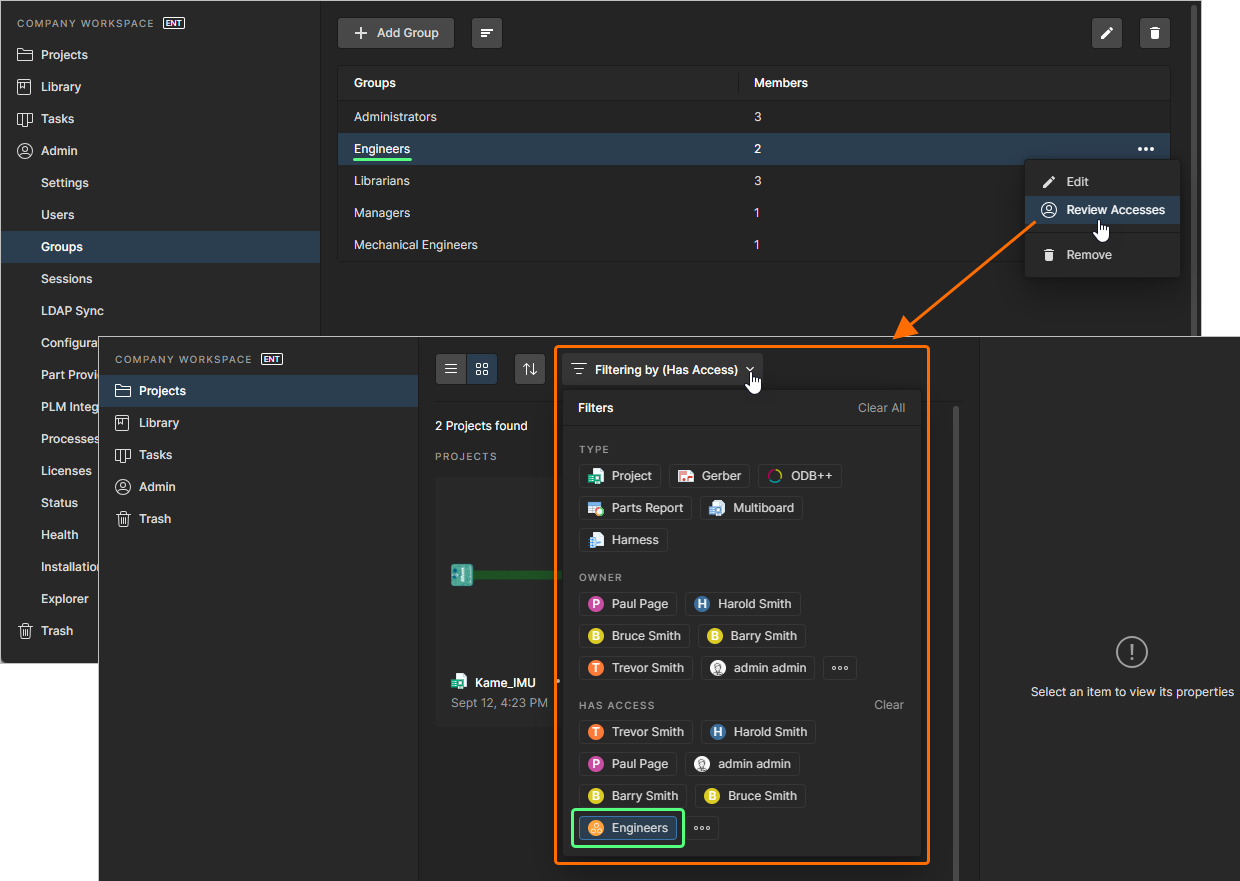
- Review project‑level permissions and confirm alignment with the corrected folder inheritance.
- Navigate to the default project creation permission settings and ensure they are defined as intended.
Additional Notes
As a best practice, perform a one‑time audit of top‑level folder permissions immediately after upgrading from pre‑8 versions. This helps identify and correct existing sharing configurations that may become effective under the updated permission inheritance model.