릴리스 1.55.15 (2022년 4월 26일)

  • New warning to highlight requirements with the same identifier in the project

The users are now notified with a warning message when they create/import a requirement with an identifier that is already used in the same project.


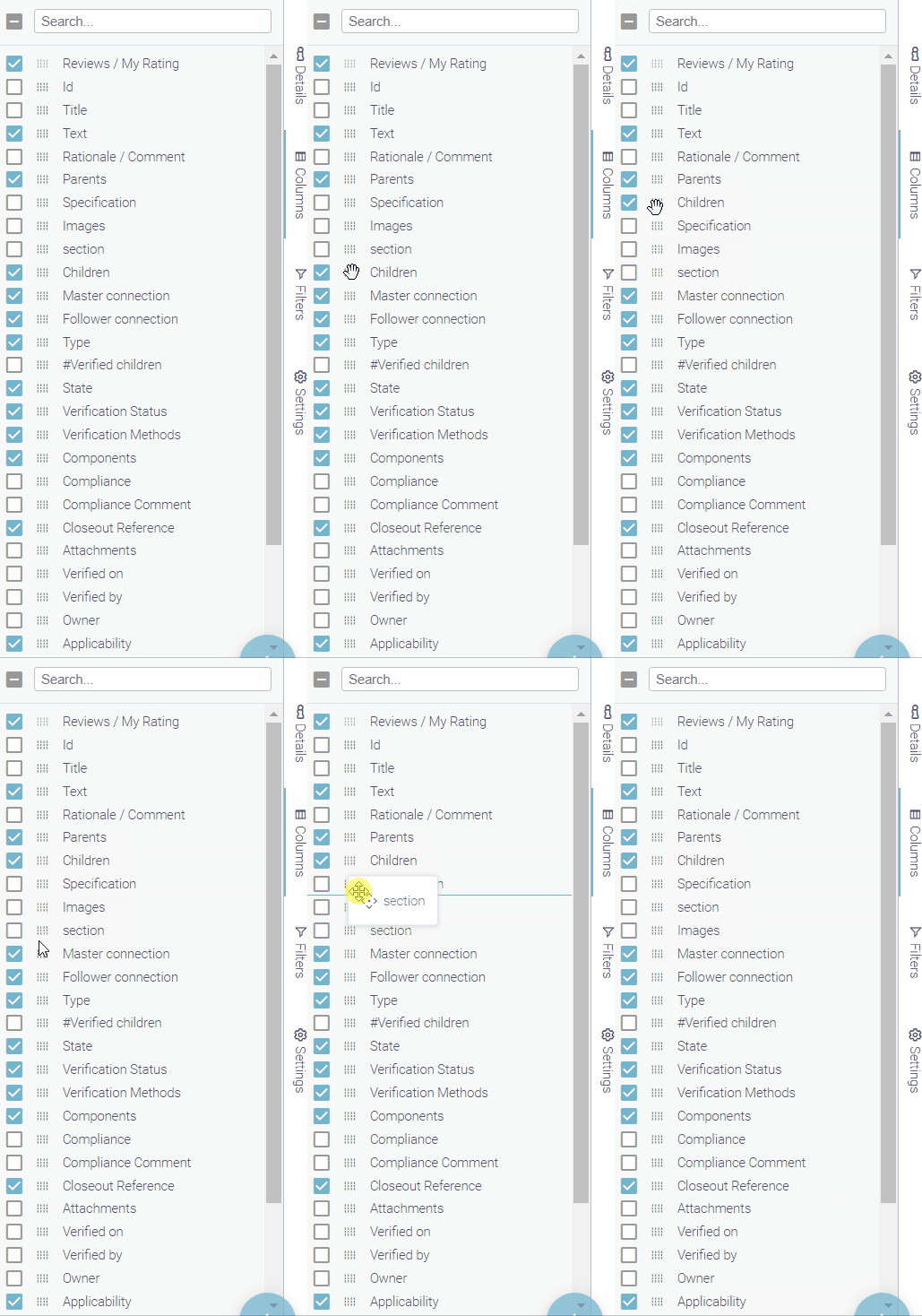
  • Reorder the columns sidebar based on your use

Looking for a requirement attribute by scrolling every time? No need to do so anymore! Now, you can drag and move the requirement attributes to arrange them the way you want (except for Reviews / My Rating). You can click and hold on the small icon near the attribute’s name, drag it and therefore order all attributes as you need.

  • New comparison between Specifications/Requirements

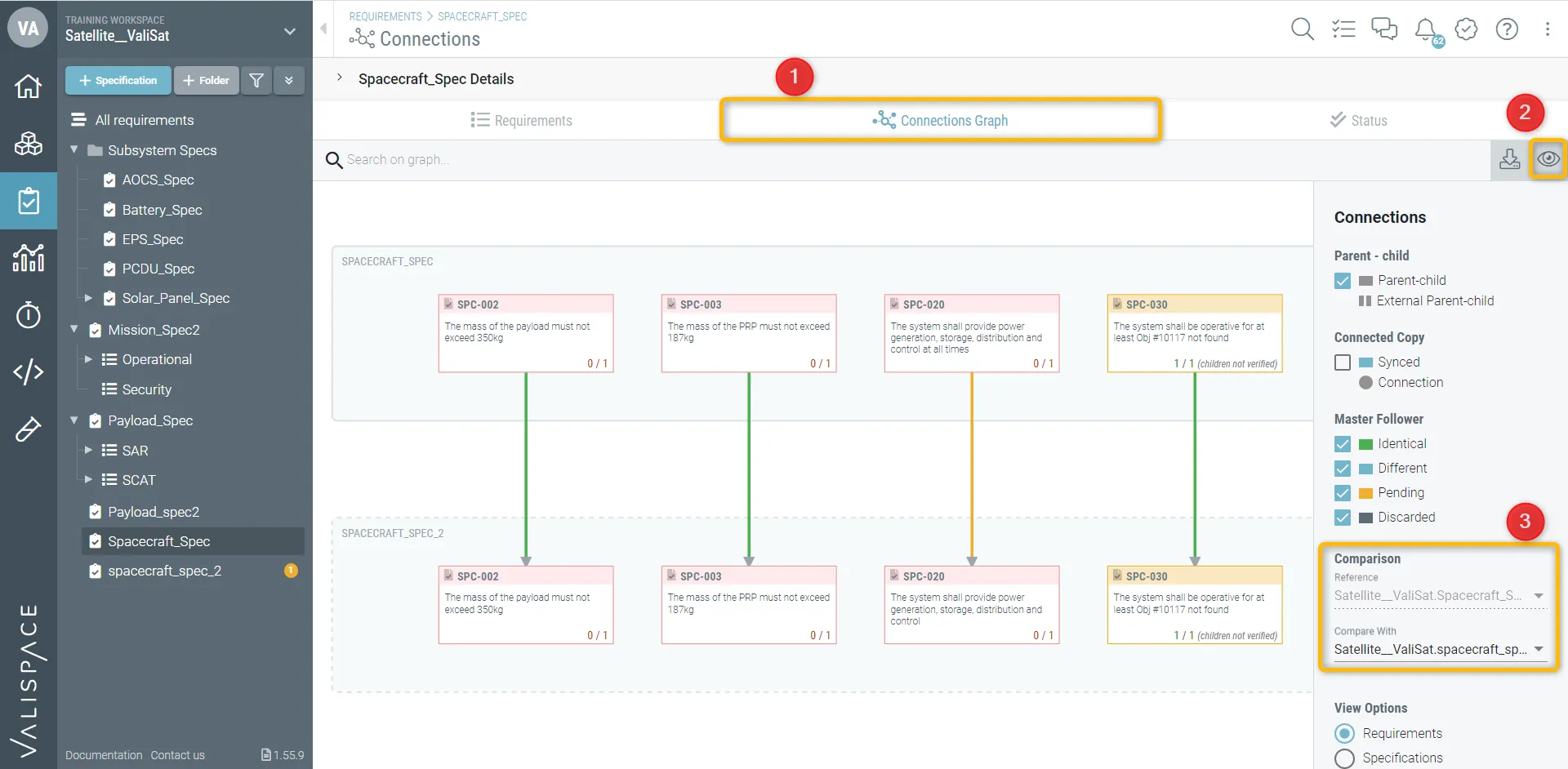
The requirement pool owner can now compare two sets of specifications to see if they are the same or if changes have been propagated. This new feature comes in handy when the user deals with the Master-Follower feature. You can check this feature in the connections graph (1) and click on the “eye” icon (2). Then, you can compare the two different sets of specifications (3).

In the image, we compared two spacecraft specs where one is the master and the other one is the follower.

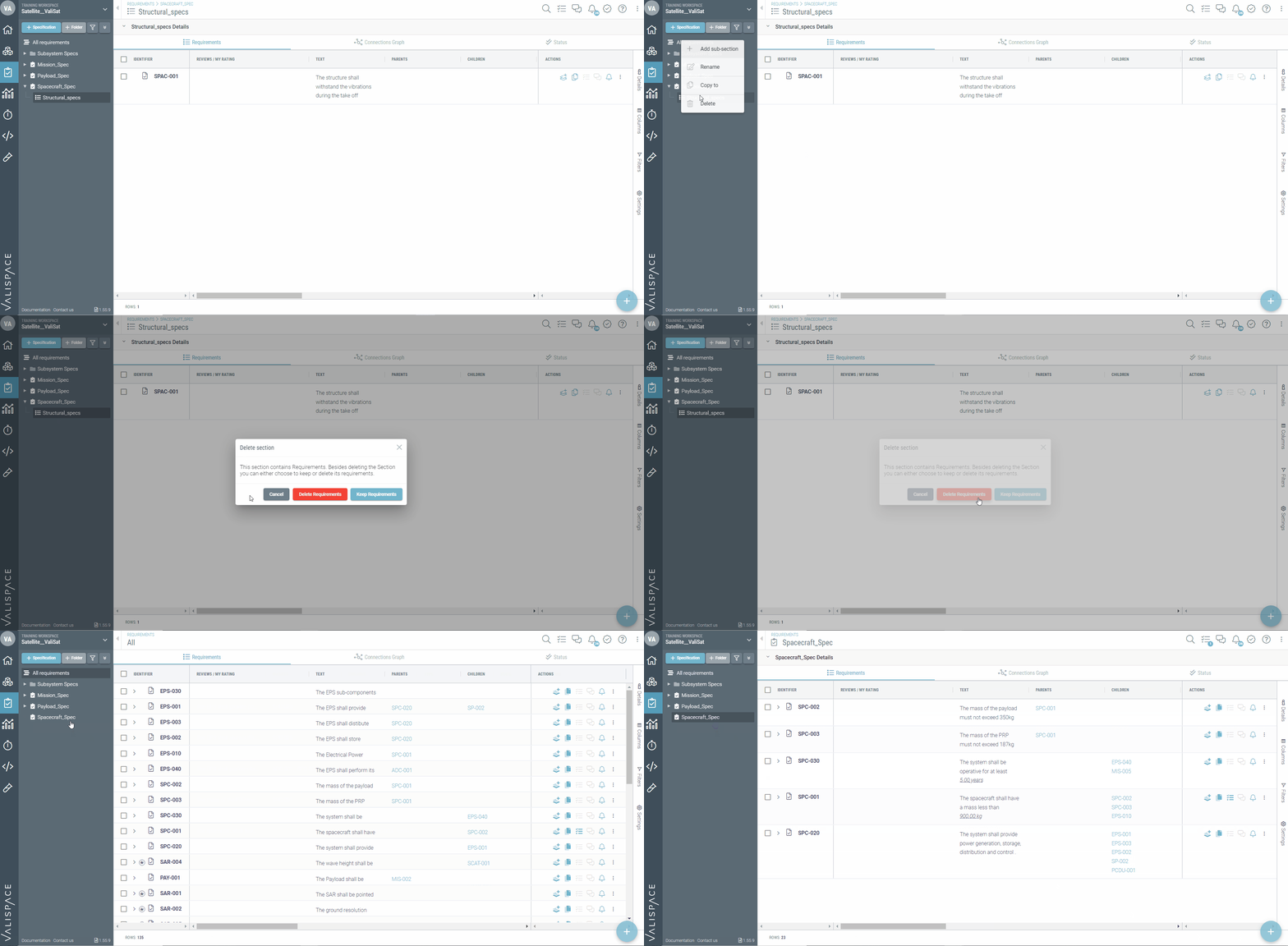
  • New pop-up while deleting a section of the specification

In previous versions, when deleting a section, the requirements of the section would automatically move to the specification. Therefore, the user had to delete the requirement first and then delete the section. This is not needed anymore as with the new version we implemented a new pop-up asking the user if they want to keep/discard the requirements while deleting the sections.


AI-LocalizedAI-localized
If you find an issue, select the text/image and pressCtrl + Enterto send us your feedback.
기능 제공 여부

사용 가능한 기능은 보유하고 계시는 Altium 솔루션에 따라 달라집니다. 해당 솔루션은 Altium Develop, Altium Agile의 에디션(Agile Teams 또는 Agile Enterprise), 또는 활성기간 내의 Altium Designer 중 하나입니다.

안내된 기능이 고객님의 소프트웨어에서 보이지 않는 경우, 보다 자세한 내용을 위해 Altium 영업팀 에 문의해 주세요.

콘텐츠