Tutorial - A Complete Design Walkthrough with Requirements Portal

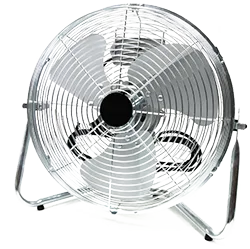
The goal of this tutorial is to cover the most basic functionalities of Requirements Portal. In this tutorial, we will design a table fan with a set of requirements and blocks and then perform a mass budget analysis and dynamic analyses for user interaction. We will also develop a quality testing procedure.

Valifan
Valifan

The Valifan has some requirements that should be considered throughout the design phase. The fan assembly also has subparts.

Requirements:

  • The mass of the fan shall not exceed 300 g.

  • The mass of the propeller shall not exceed 50 g.

Blocks – the fan is the higher assembly. Inside that parent block, we will have the following:

  • Motor

  • Propeller

  • Speed Controller

  • Structure

A number of common terms used in Requirements Portal is listed below. Use the provided links to learn more. 

  • Vali – parameters of blocks or analyses that can be used in calculations and documentation. A vali has a numerical value and also contains additional information such as type, unit, formula, description, and min/max requirements.

  • Valitype – a type of a vali which is used to perform automatic calculations such as "sum of children". A type can be, for example, mass, power, or flight time.

  • Blocks – models of physical parts of your product that are represented with hierarchical relationships in a block tree.

  • Requirements – a way of managing a project’s requirements easily and efficiently.

The first step is to specify the product.

만약 문제가 있으시다면, 텍스트/이미지를 선택하신 상태에서 Ctrl + Enter를 누르셔서 저희에게 피드백을 보내주세요.
기능 제공 여부

사용 가능한 기능은 보유하고 계시는 Altium 솔루션에 따라 달라집니다. 해당 솔루션은 Altium Develop, Altium Agile의 에디션(Agile Teams 또는 Agile Enterprise), 또는 활성기간 내의 Altium Designer 중 하나입니다.

안내된 기능이 고객님의 소프트웨어에서 보이지 않는 경우, 보다 자세한 내용을 위해 Altium 영업팀 에 문의해 주세요.