
KB: eDuplicateRecordName 충돌로 인해 DXF를 내보낼 수 없음
Created: November 11, 2024 | Updated: July 04, 2025
 Altium Designer
동일한 이름을 가진 레이어가 하나 이상 있을 때 DXF 출력을 생성할 때 "eDuplicateRecordName"이라는 팝업 오류 대화 상자와 함께 충돌이 발생할 수 있습니다.
Solution Details
A crash with a popup error dialog of "eDuplicateRecordName" can occur when generating DXF output with more than one layer with the same name.
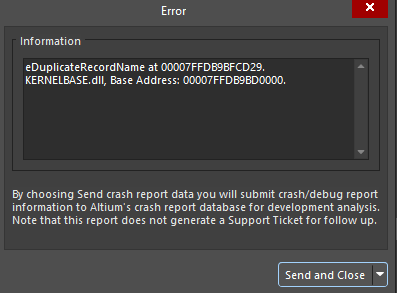
To resolve the error, layers with the same name need to be renamed in *.pcbdoc:
- Signal/Plane layers: Design » Layer Stack Manager..., and locate the duplicate layer along Name column, and double-click on the corresponding cell to rename
- Mechanical layers: View » Panels » View Configuration to open the panel, locate the layers with the same name, right-click and select Edit Layer to rename