
KB: 속성 패널에서 매개변수 탭 아래에서 항상 더 보기를 표시하도록 구성합니다
Created: January 22, 2025 | Updated: July 16, 2025
 Altium Designer
구성 요소의 매개변수를 볼 때 항상 "더 보기"를 표시하려면 고급 환경 설정 Schematic.UI.ShowMoreOrLessParameters에 대한 값 체크박스를 비활성화하세요.
Solution Details
By Default, while viewing a component's parameters in the schematic, Altium will hide parameters and display a "Show More" button.
Disabling the "Show more" functionality will cause parameters to always show the full list instead of prompting the user to show more.
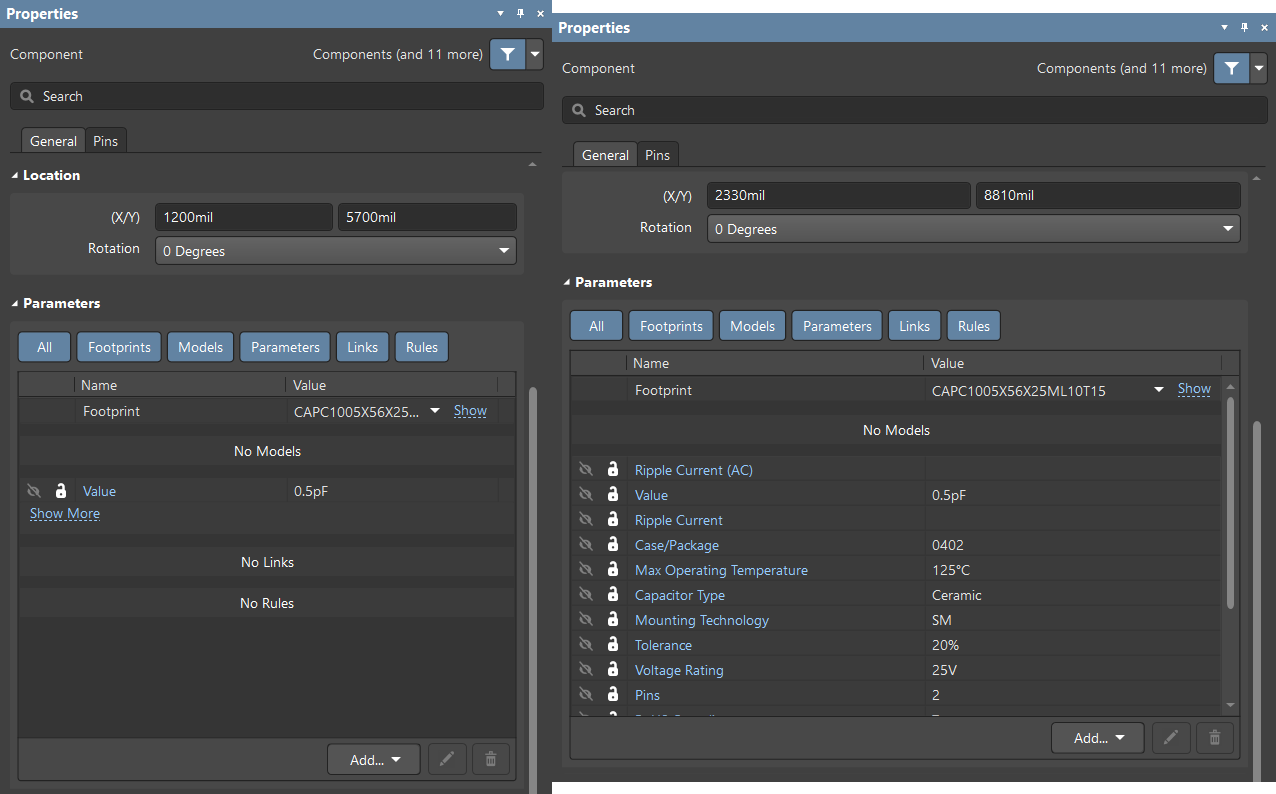
To disable the show more functionality navigate to your Preferences >> General >> Advanced >> Search for "Schematic.UI.ShowMoreOrLessParameters."
You would need to disable the "Value" checkbox for the parameter Schematic.UI.ShowMoreOrLessParameters.
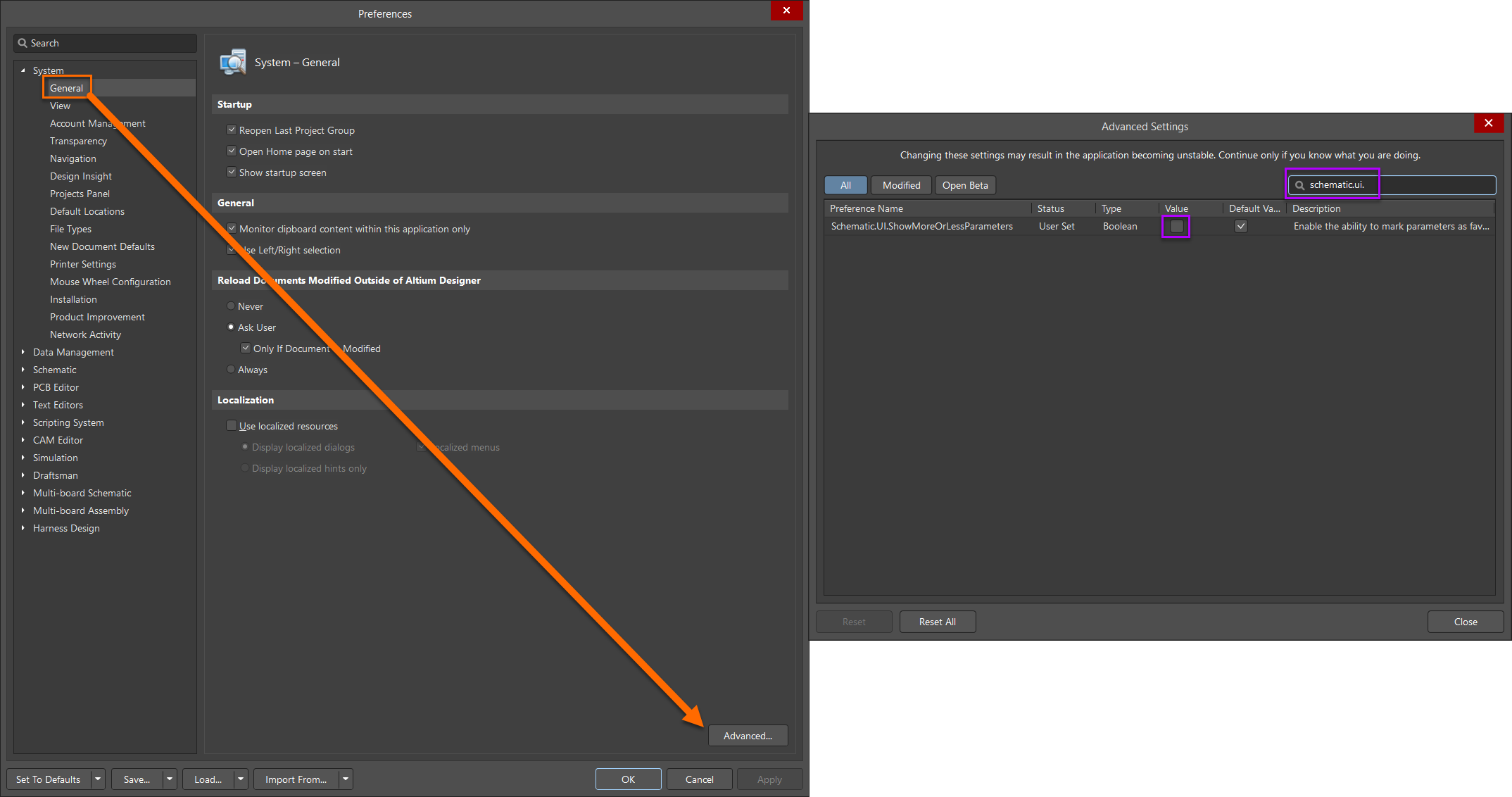
Once you remove disable the "Value" checkbox, you will need to restart Altium to apply the changes.
Additional Control