
KB: Filter Database 'value' Parameter in Components Panel
Created: November 11, 2024 | Updated: June 05, 2025
 Altium Designer
Using a Database Library with Microsoft Excel, formatting in the Excel file can cause the filter to not work correctly when read by Altium Designer. For example, setting the filter to "greater than or equal to #" does not filter correctly. We will look at how to format the column in the Excel database so it can be processed correctly.
Solution Details
Although Excel can be used, it is recommended to use a true database such as Access for a Database Library. With Excel, multi-user connections can be problematic, and there may be some unintended issues caused by formatting, such as this:
The Components Panel below is showing results from a DbLib configured to use an Excel XLS database. Notice the voltage values
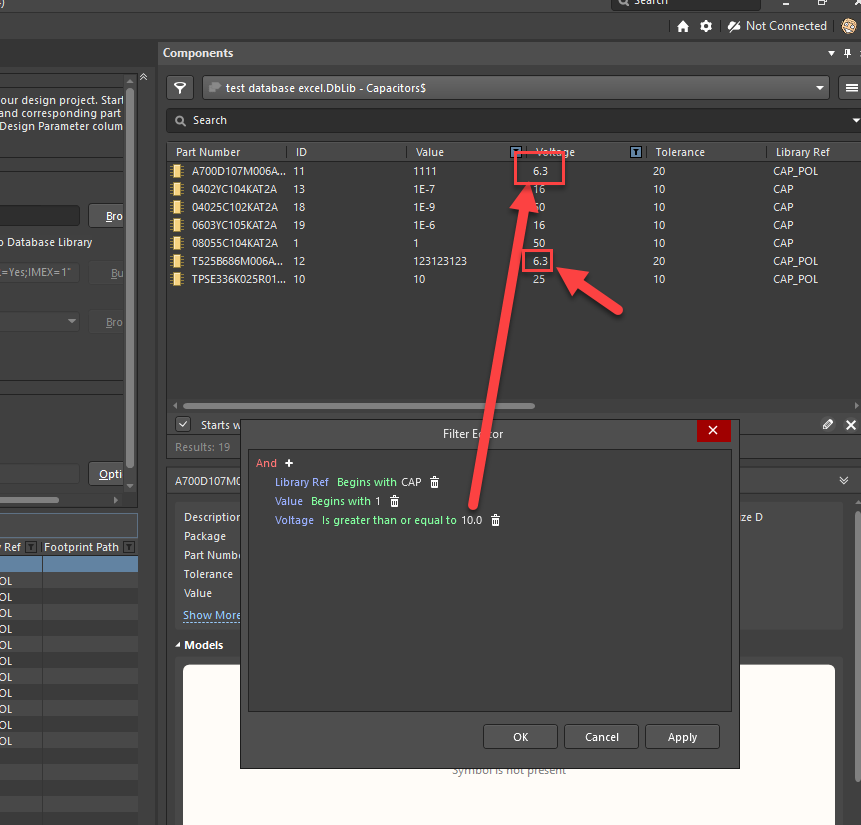
The solution would be to open the excel / access database and check for the format of the cells. If they are formatted as General, then need to be in defined as Number:

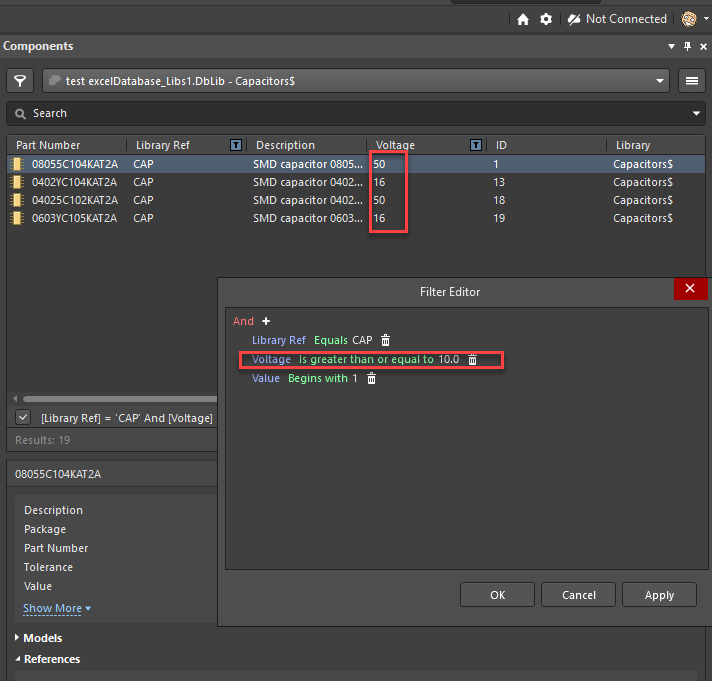
After that save the file and recreate your data base library. Now the filter should work fine.
Here's documentation that may be of interest:
Database Libraries