KB: Getting a Validation Error on Project Schematics
 Altium Designer
Solution Details
Where can I find a comprehensive list of compile errors?
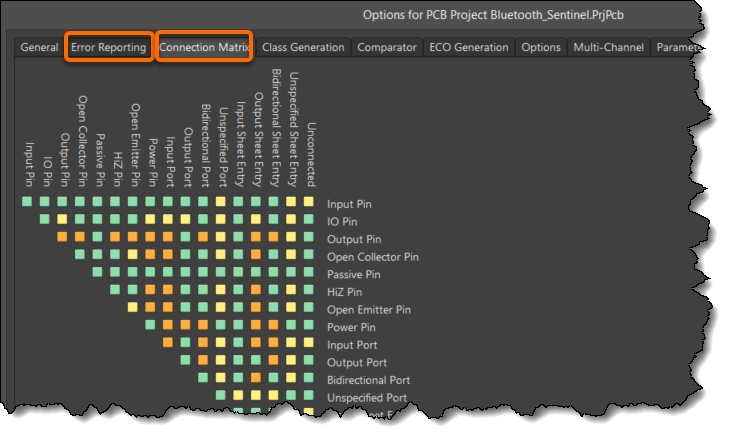
When validating a project, an Electric Rule Check, ERC, is performed. This check will report violations based on the project options specified in the 'Project » Project Options' under the Error Reporting and the Connection Matrix tabs. A detailed reference, Project Compiler Error Reference, describes all the compiler errors and details on resolving issues.
Note:
In versions of the software before Altium Designer 20.0, the project had to be manually compiled to build the Unified Data Model. Since then, the design data model has been incrementally updated after each user operation through dynamic compilation, creating what is referred to as the Dynamic Data Model (DDM). There is no manual compilation of the project involved; it is all done automatically.
Validating is integral to producing a valid netlist for a project. Connectivity awareness in your schematic diagram can be verified during compilation according to rules defined in the design project options on the Error Reporting and Connection Matrix tabs, respectively.