
KB: Layer Stack Table missing some layers or column
Created: March 25, 2021 | Updated: June 06, 2025
 Altium Designer
Starting in version: 20
Up to Current
You may come across some issue when placing, say, Layer Stack Table, in your *.PcbDoc for your documentation purpose, as it may not support all newly added elements, such as Surface Finish layer. Altium considers the legacy method to be somewhat obsolete and instead would like to direct you to Draftsman for this purpose.
Solution Details
Going forward, use of Draftsman is our recommendation for all of your consolidated output drawing needs. As overwhelming or intimidating Draftsman may seem initially, it can be made simple as adding a stack layer on a Draftsman page and configuring it as a part of an outjob.
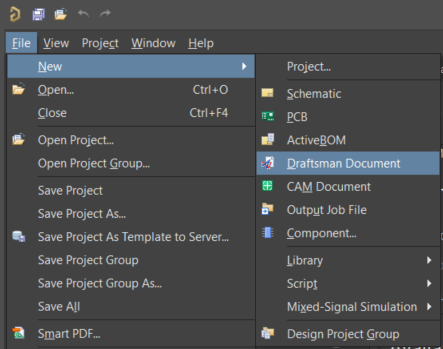
Here are example steps you can follow:
1 add a new Draftsman document in your project and make it active in your workspace
2 from the menu, Place » Layer Stack Legend, and place the layer stack on a page
3 save Draftsman documentin your Outjob,
4 in Documentation Outputs, add Draftsman you've just created, and link it with PDF object in Output Containers