
KB: Prevent unintended delete of schematic objects when trying to delete PCB objects
 Altium Designer
Solution Details
Unintended delete of schematic objects, e.g. wires, can happen when Cross Select Mode is turned on and the Focus document containing selection if visible option is enabled on the System - Navigation page of the Preferences dialog.
- Focus document containing selection if visible - enable to transfer focus to the schematic or PCB document that is visible when objects in them are cross-selected.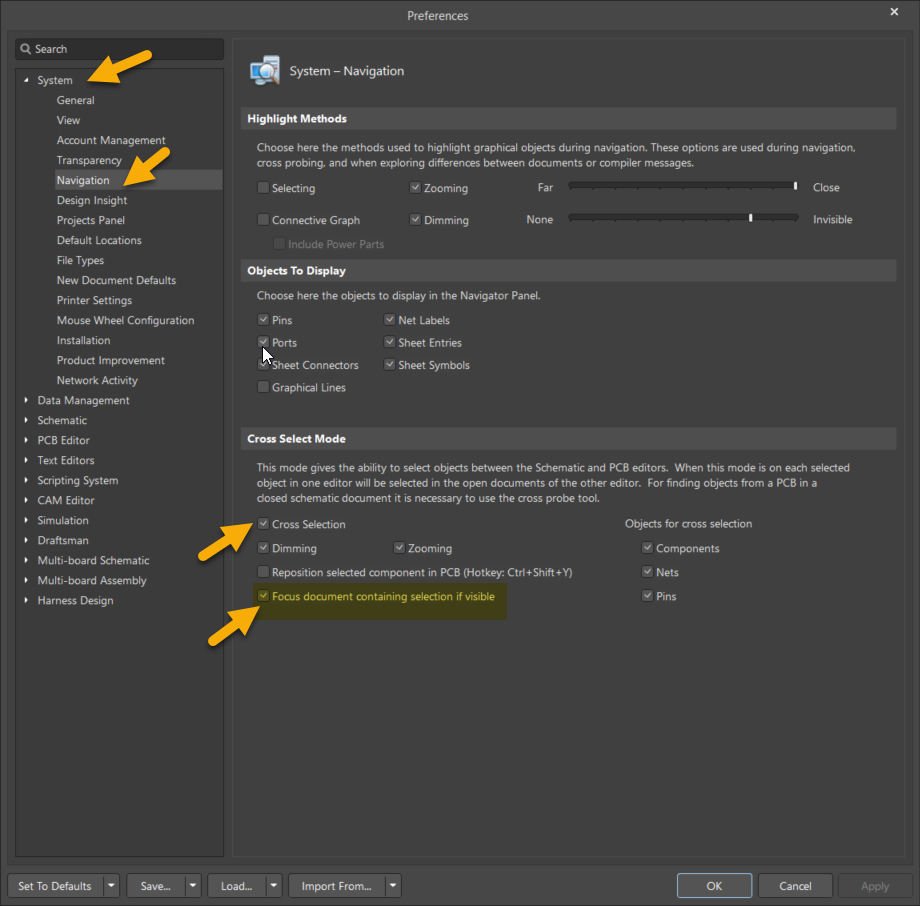
If the PCB and schematic documents are open in separate Altium Designer windows or a split window, the focus is transferred to the schematic when you select an object in the PCB or vice versa with this setting. Caution should be taken regarding which document is active when pressing delete. The cross-selected objects might be deleted instead of those intended to be deleted.
When the focus is on the Schematic document, which means the active document is the Schematic, the schematic objects get deleted.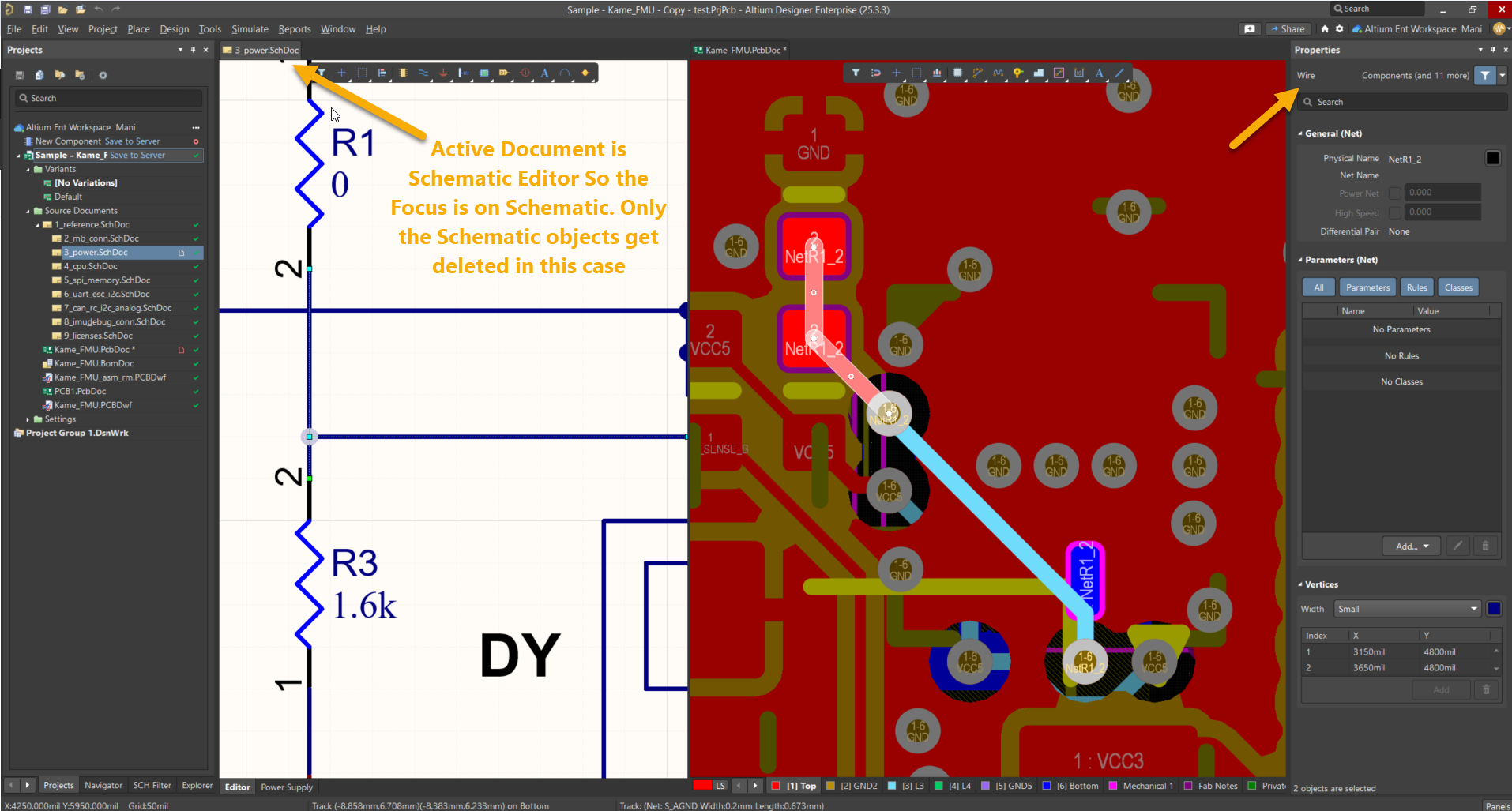
When the focus is on the PCB document, which means the active document is PCB, then the PCB objects get deleted.