
KB: Resolve missing sheet bookmarks when creating a PDF from a schematic
Created: July 03, 2025 | Updated: July 03, 2025
 Altium Designer
Starting in version: 18
Up to Current
If a schematic page is printed into a PDF export but not all the sheets are listed in the bookmarks, check the sheet numbering in the schematic.
Solution Details
This issue can occur if the schematic sheets and/or documents are improperly numbered or if the numbers for the sheets/documents are duplicated.
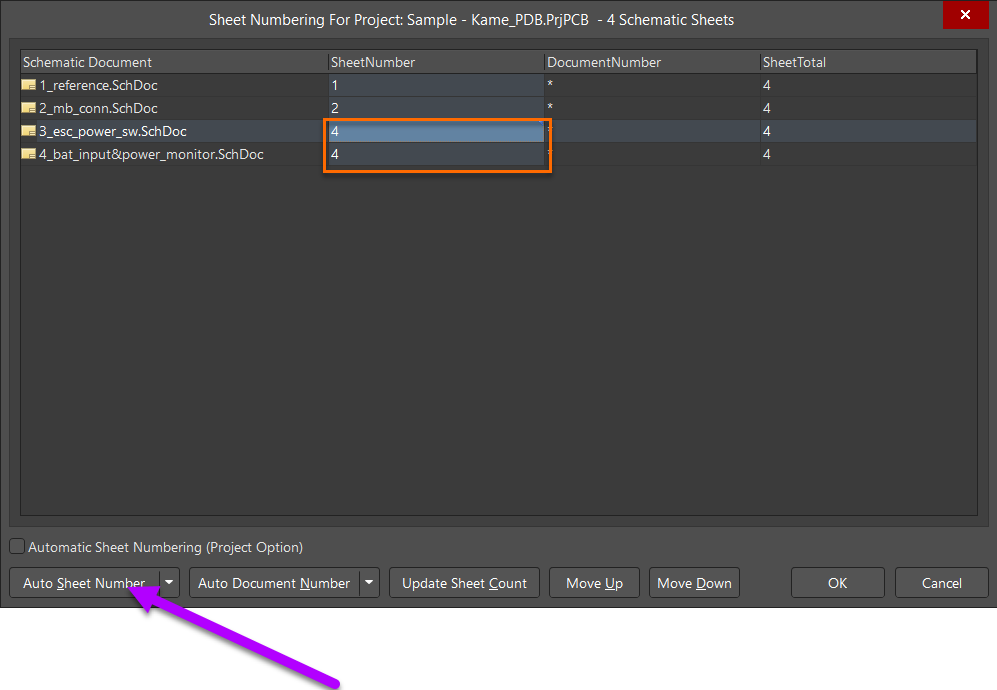 Re-numbering the sheet numbers in Tools » Annotation » Number Schematic Sheets will resolve the issue.