
KB: Resolving the "semicolon expected at Line" error
Created: July 10, 2025 | Updated: July 10, 2025
 Altium Designer
While opening the PCB or while working in the PCB or sometimes when saving the constraint manager, we are facing an error pop up "; Expected at line ..." How to resolve this error ?
Solution Details
Users may encounter the error message “; expected at Line: ...” while opening a PCB file, working within the PCB editor, or saving the Constraint Manager in Altium Designer. This error typically indicates a syntax issue in a custom query within the Design Rules or Constraint Manager.
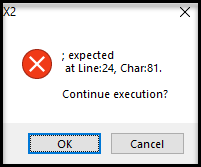
The error is caused by a malformed custom query in one of the design rules. Since these rules are evaluated during PCB operations, any syntax error in a query can trigger this popup.
Resolution Steps
For Design Rule Editor
- Navigate to Design » Rules.
- Click on Design Rules (top-left) to load all rules.
- Identify rules that use custom queries.
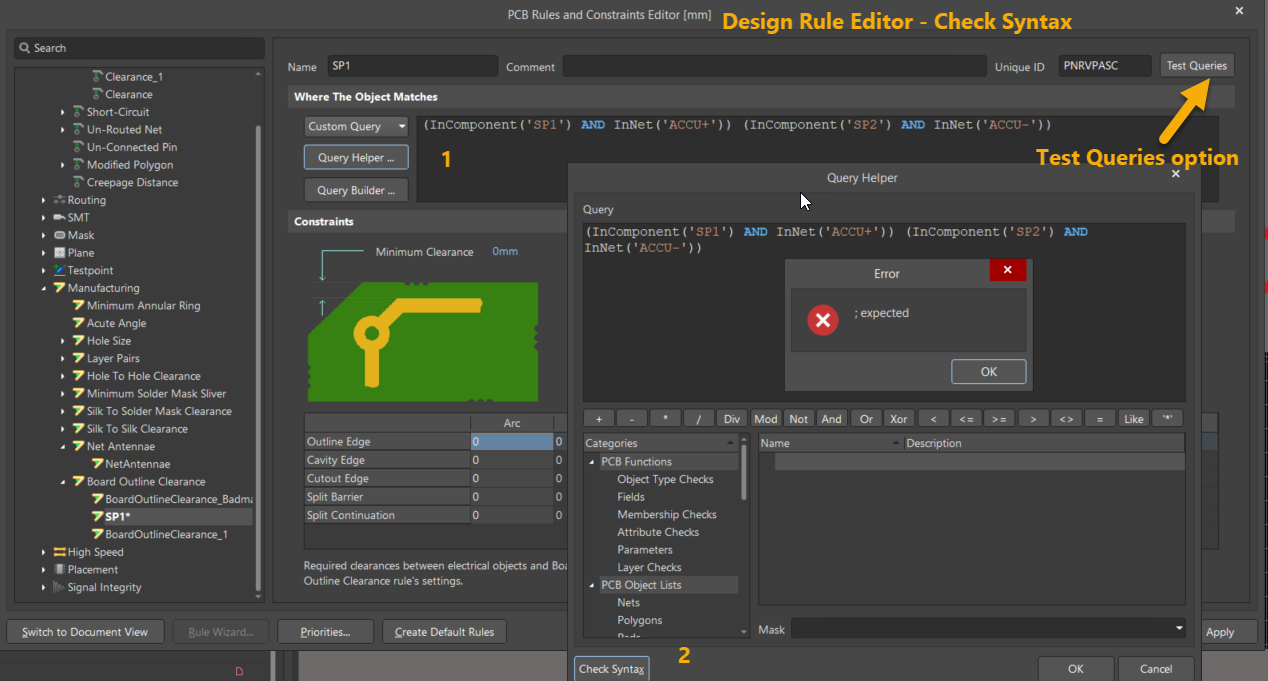
- Open the rule and click Test Queries to identify the faulty rule.
- Use the Query Helper:
- Click Query Helper.
- Click Check Syntax to validate the query.
For Constraint Manager
- Go to Design » Constraint Manager.
- Click All Rules to load all constraints.
- Locate rules with custom queries.
- Open the rule and click the three-dot menu next to the query.
- Select Open Query Helper.
- Click Check Syntax to verify the query.
