
KB: Rule's specified scope does not exist error during ECO when using Constraint Manager
 Altium Designer
Solution Details
If you get the error message Rule's specified scope does not exist during Update Schematics after changing the rules for buses in the Constraint Manager on the PCB side, the root cause of this error could be that the Generate Net Classes for Buses option is enabled on the Class Generation tab of the Project Options dialog.

Update Schematics - ECO Dialog
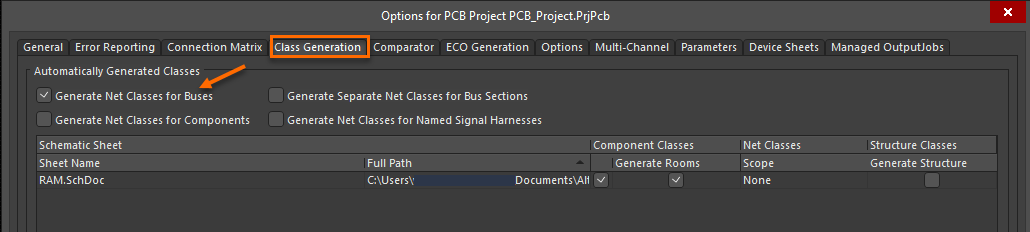
Project Options
With this setting, Net Classes for buses are automatically created for the PCB during the ECO but not for the schematics.
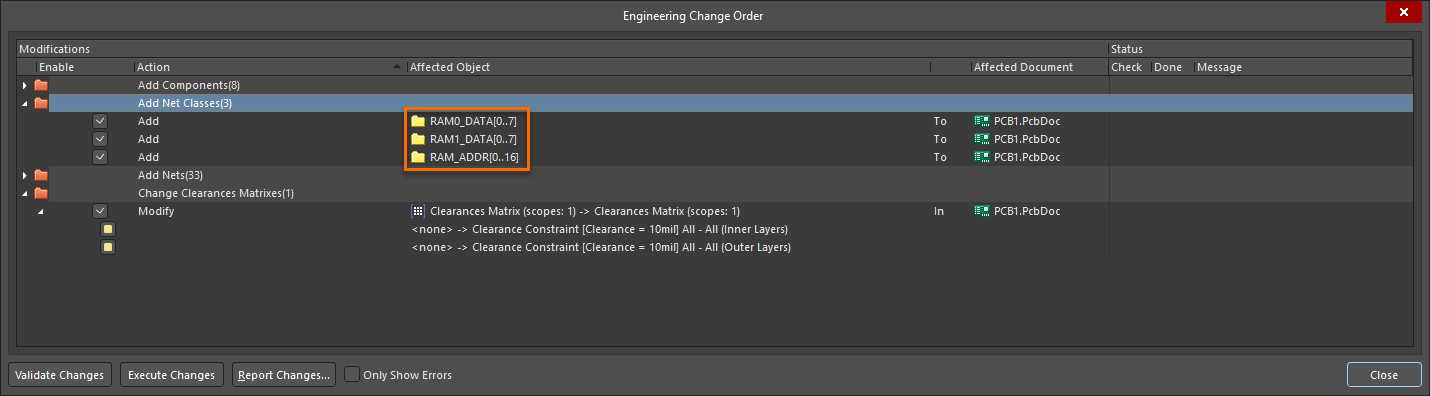
Update PCB Document - ECO Dialog
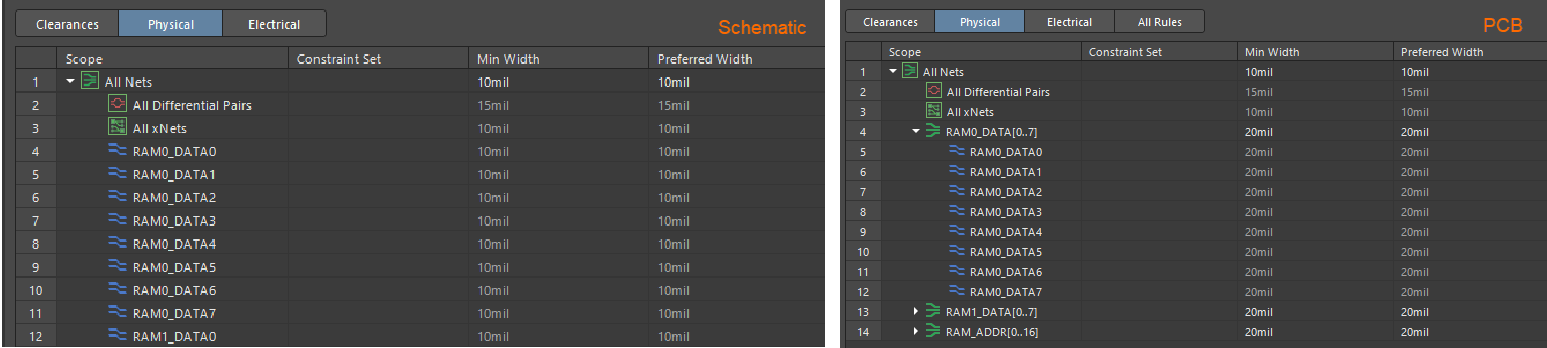
Net Classes - Schematic and PC
If we change the rules for those net classes on the PCB side, updating the schematics will report the error as the net classes do not exist on the schematic side and will not be created with the ECO.
As the Constraint Manage does not support automatically created classes, you need to disable the option in the Project Options and Define Classes in the Constraint Manager directly or define the classes with Schematic Directives and Import Directives from Schematics into the Constraint Manager.
For further details about transferring constraints between Schematic and PCB please see: Transferring Constraints between Schematic and PCB