
KB: Unable to edit or change component footprint from Schematic editor properties panel
 Altium Designer
Solution Details
Managed Libraries
Components that are managed by a workspace cannot be edited directly in the Schematic Editor. This is because a workspace or server is managing the part.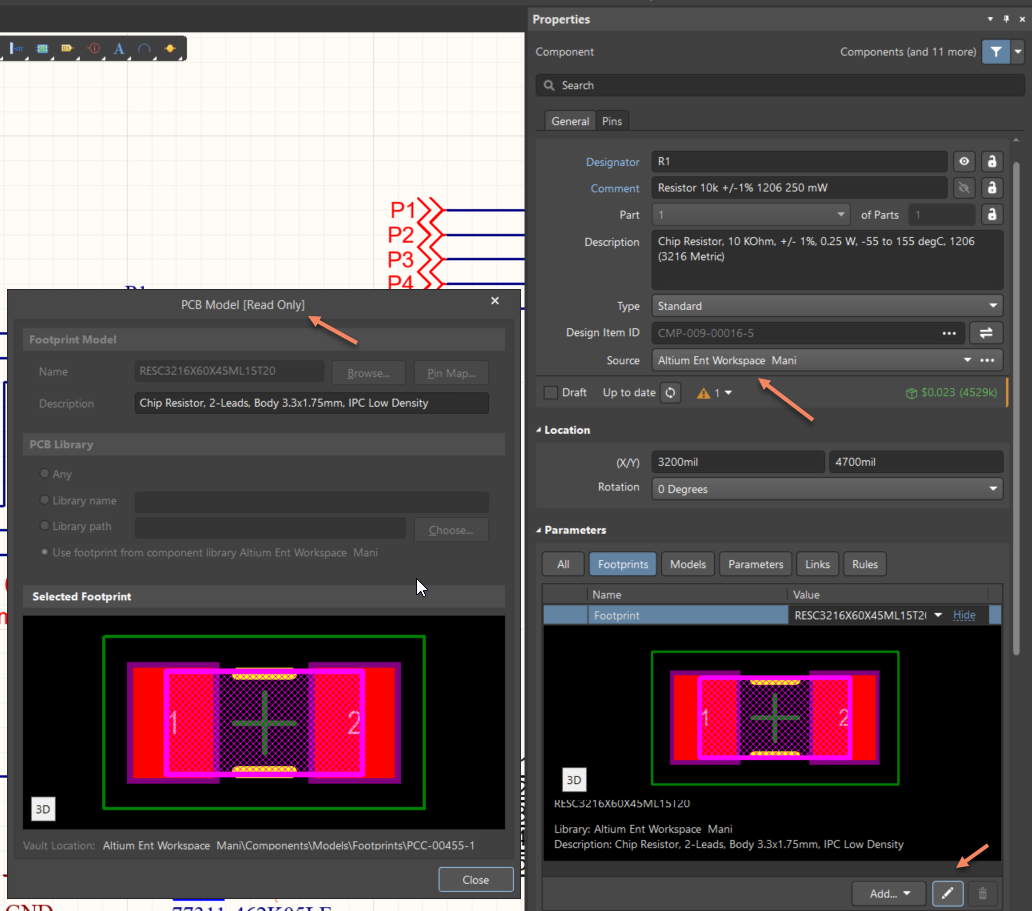
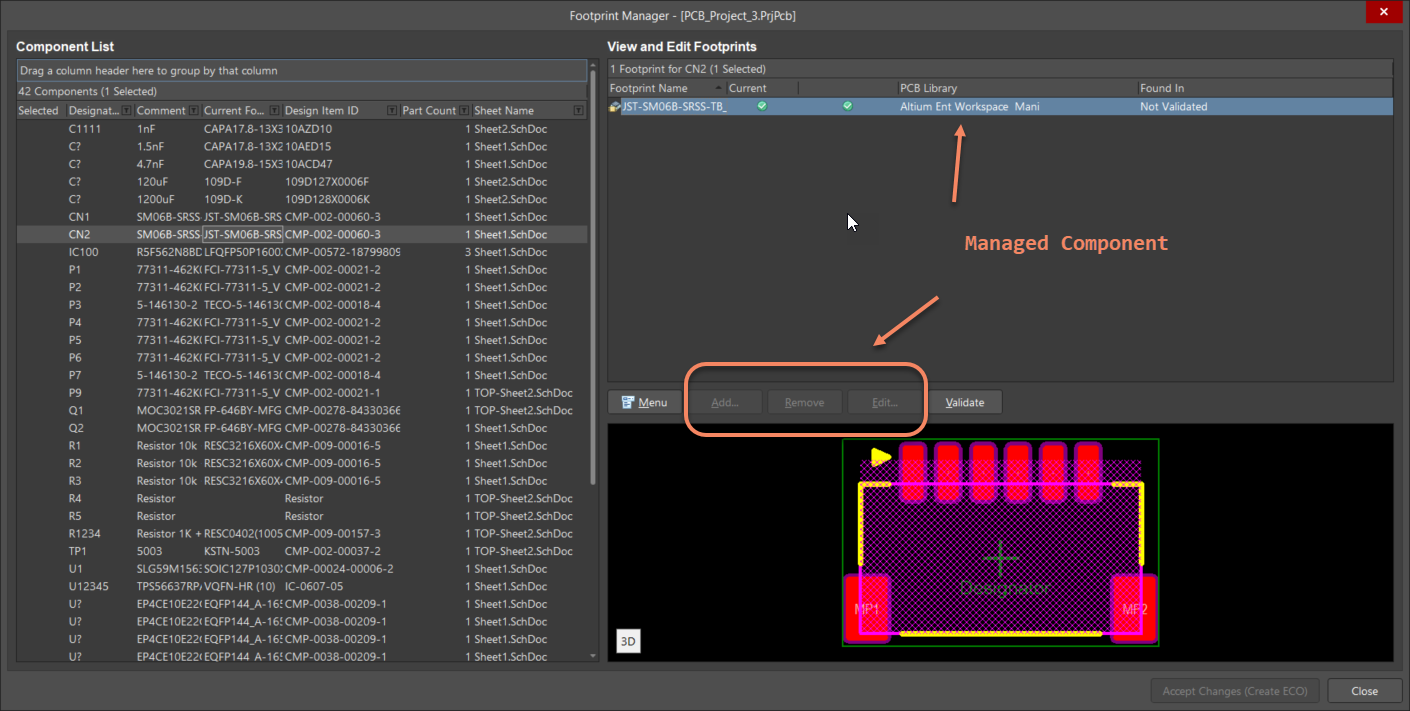
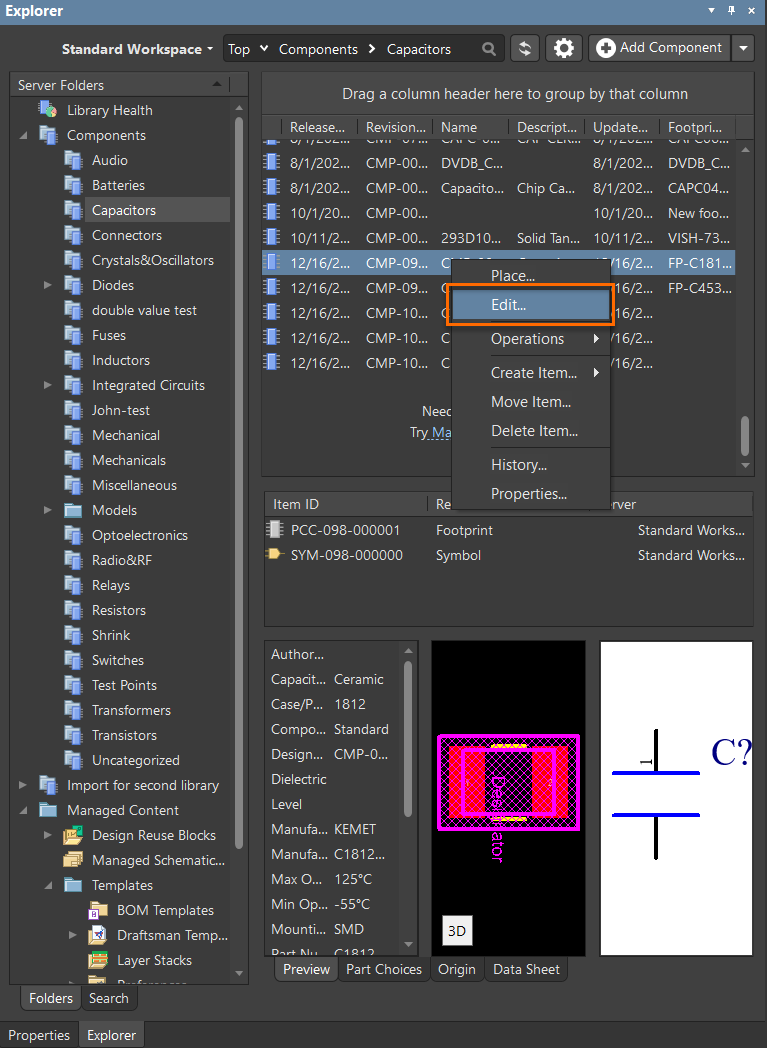
To edit you need to view the component in the server and edit there. This can be done by right clicking on the component » Part Actions » Show in Server.
![Altium Designer schematic context menu showing Part Actions expanded; Show CMP-001-00066-7 [Capacitor 1nF +/-20% 50V 0402] in Server is selected.](http://files.doc.altium.com/sites/default/files/wiki_attachments/324188/eb3aef475b2813f44fc660ea18ac69bd.jpeg?VersionId=_ci4EU2tAqFXO03OszBFw5eHDTfAOaOY)
Alternatively, you can find the component directly by browsing the Explorer Panel.
File Based Libraries
File based libraries still allow editing from the Schematic Editor. If you are using a File Based Library and you cannot edit the footprint, ensure the library source referenced in the properties panel is correct. If that's correct, check the Component Links (From the PCB, Project » Component Links) to ensure the components are properly linked together.
Manufacturer's Part Search and Altium Content Vault
The behavior is same for the Components which are downloaded from Altium Content Vault or Manufacturer Part Search panel. Since components from these locations are managed by those servers and users don't have access to edit within these servers, you won't be able to edit the components at all from these sources. If you would like to manage a component that still has links to Altium Content Vault or Manufacturer Part Search panel, follow this guide:
KB: Unlink a managed component to copy to local library