
KB: Unable to Share Altium Project Despite Admin Rights Due to Version Control Settings
 Altium Designer
Solution Details
Editing Rights Cannot Be Assigned
Users may be unable to grant editing permissions to other workspace members, including workspace administrators. The project may display a warning indicating that version control must be enabled before additional editors can be added. Users other than the project owner may also see a local edits only status in the Projects panel.
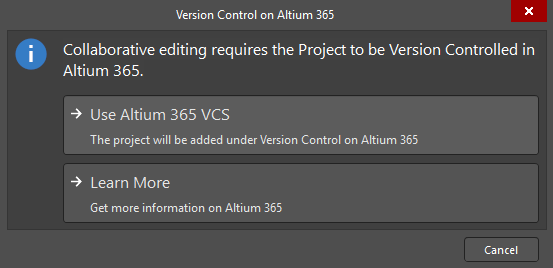
Simple Sync Projects Are Owner-Only
This behavior occurs when a project is uploaded using the Simple Sync method and is not placed under version control. In this configuration, only the project owner who uploaded or made the project available to the workspace can modify project data. Other users, including workspace administrators, are limited to viewing and commenting on the project. This behavior is expected by design.
Projects stored in Altium 365 Versioned Storage are not subject to this limitation and support collaborative editing through workspace-managed version control.
Convert the Project for Collaborative Editing
- Enable version control on the project to allow multiple users to edit the design.
- Store the project in Altium 365 version-controlled storage.
- Have the project owner perform the conversion, as non-editors cannot enable version control.
Enable Version Control on the Project
- Open the project in Altium Designer.
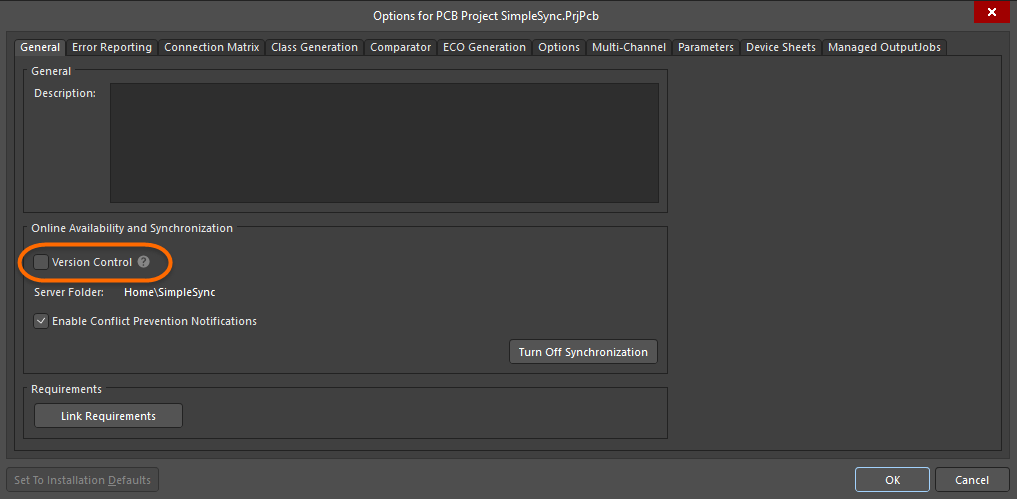
- Navigate to Project » Project Options » General.
- Enable the Version Control checkbox.
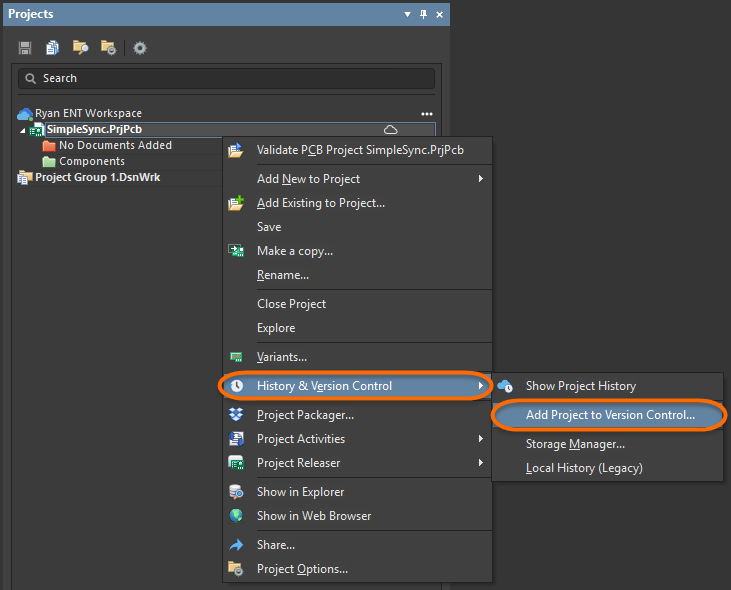
- Alternatively, right-click the project in the Projects panel and select History and Version Control » Add Project to Version Control.
- After version control is enabled, share the project and assign editing permissions as required.
Additional Notes
- For local design projects that are not under external version control, only the project owner can modify project content.
- Only users with edit permissions can enable version control. In affected scenarios, the project owner is the only user who can perform this action.
- Workspace administrators can open the project in Altium Designer, but the project remains view-only until version control is enabled.
- The local edits only status indicates that collaborative editing is not currently available for the project.