
KB: BOM Outputs Added to Project and Opened Despite Disabled Options
Updated: декабря 10, 2025
 Altium Designer
When generating BOM outputs in Altium, exported BOM files may still be added to the project and opened even though the BOM report configuration options Add to Project and Open Exported are disabled. This occurs because similar settings exist under the Output Container configuration in the Output Job file, which apply globally to all outputs. To prevent BOM files from being added or opened automatically, you must verify and adjust both the BOM report configuration and the Output Container settings.
Solution Details
Problem Description
During BOM output generation in Altium, exported BOM files are automatically added to the project and opened for preview, even when the BOM report configuration options Add to Project and Open Exported are disabled. This can cause delays during output generation and confusion about configuration settings.
Root Cause Analysis
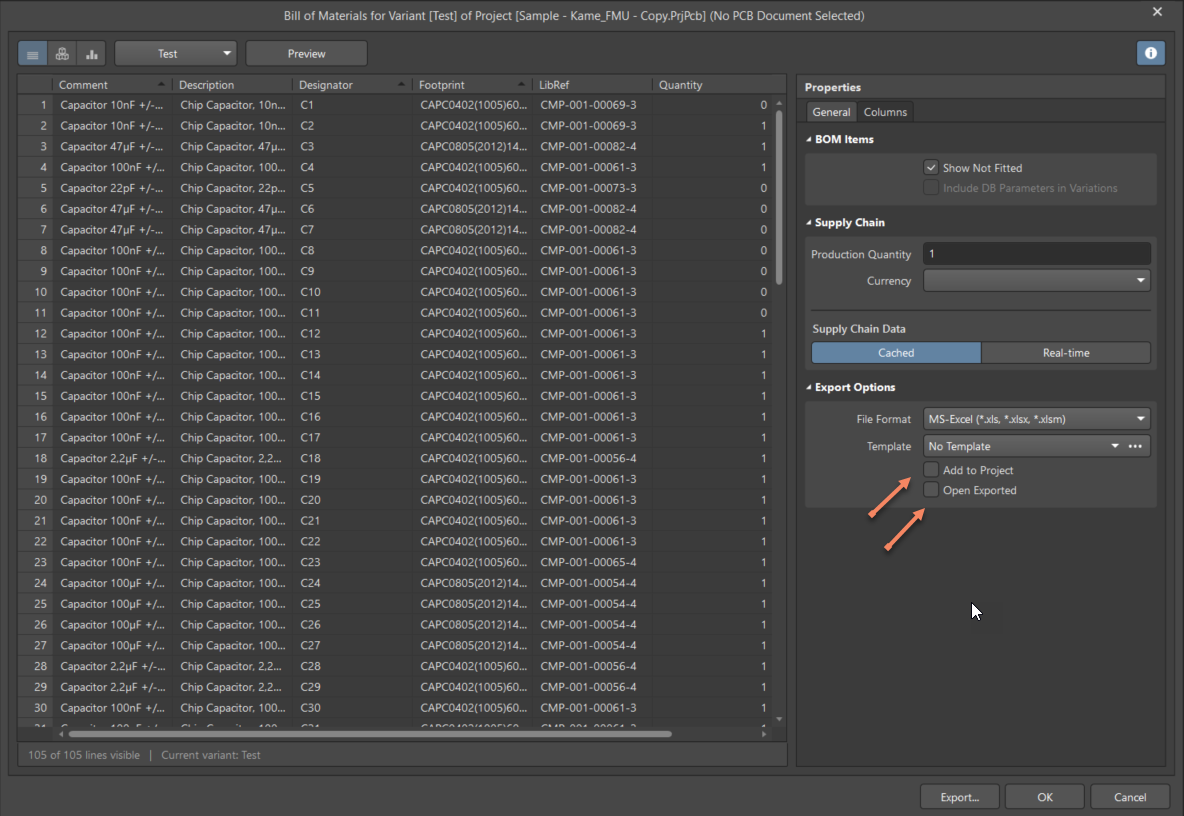
- BOM-specific options under the BOM Report Manager control adding outputs to the project and opening exported files are disabled.
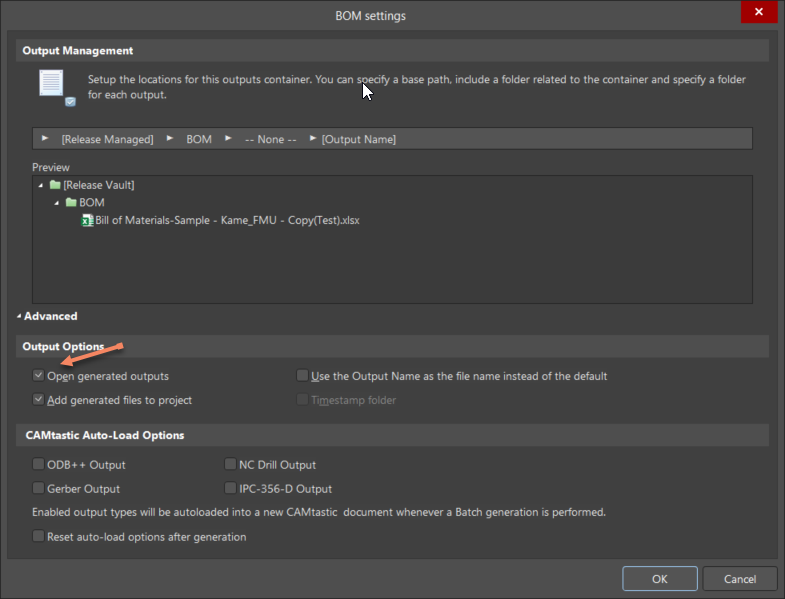
- However, similar options exist under the Output Container configuration in the Output Job file, which apply globally to all outputs.
- If these container-level options are enabled, they override BOM-specific settings, causing files to open and be added to the project.
Recommended Actions
To resolve the issue:
- Verify BOM report export options are disabled:
- Add to Project
- Open Exported
- Check Output Container settings in the Output Job file:
- Open the generated outputs
- Add generated files to the project
- Disable these options if you do not want BOM files to open or be added automatically.
Step-by-Step Instructions
- Open the Bill of Materials and confirm that Add to Project and Open Exported are disabled.
- Open the Output Job file and locate the Output Container for the specific output.
- Uncheck Open the generated outputs and Add generated files to the project.
- Save the Output Job file and regenerate outputs to confirm the behavior.
Additional Notes
- The Output Container settings apply to all outputs, not just BOM reports.
- Disabling these options can improve output generation speed by preventing unnecessary file previews.