KB: Display silkscreen in SOLIDWORKS
Updated: января 23, 2025
 Altium Designer
Starting in version: 20.1
Up to Current
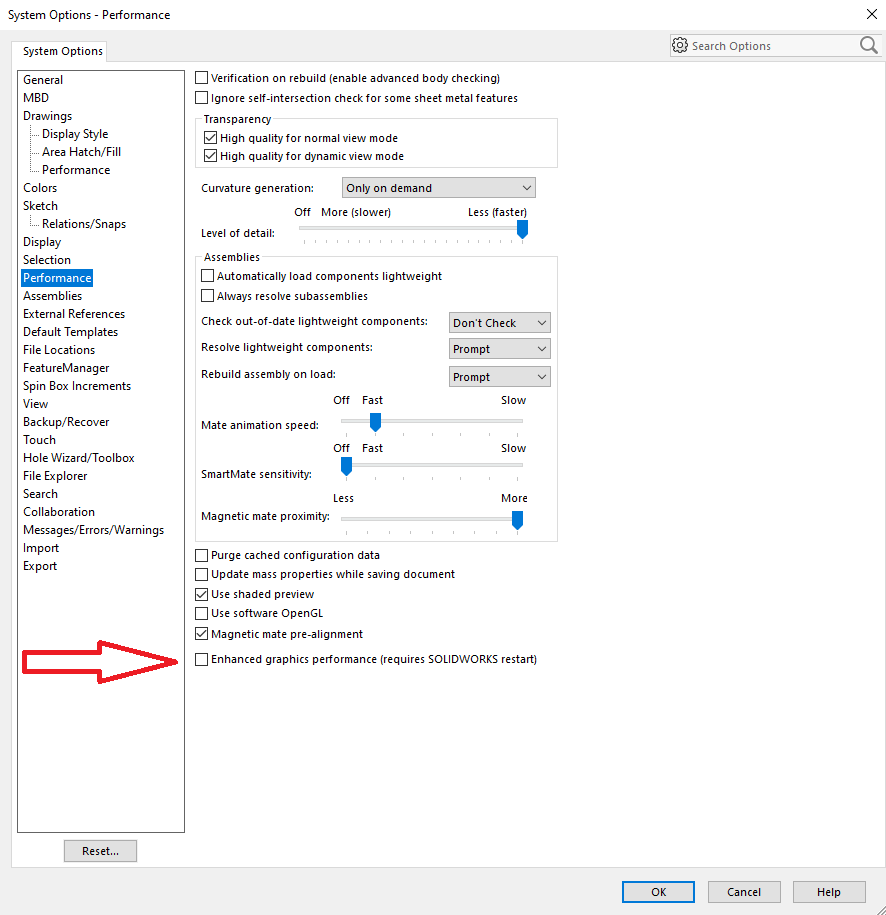
ECAD / MCAD CoDesigner transfer is not showing silkscreen in SOLIDWORKS. Sometimes the decals that represent copper and silkscreen and solder mask are not shown in SW 2019+ because of problems with the rendering on some video cards. The solution can be to change this flag in SOLIDWORKS preferences.
Solution Details
In SOLIDWORKS, click the Gear icon to access the preferences.
Click Performance and enable the option: “Performance » Enhanced graphics performance”