KB: Draw dashed or dotted line as silkscreen
 Altium Designer
Solution Details
As there is no line style attribute or line/arc primitives to draw dashed line as silkscreen for reference such as of component outline on the other side of board. Paste Special command can be used to paste the array of same primitives or alternatively represent with a text string of a series of punctuation characters such as hyphen '-', underscore '_', period '.', and bullet '·'.
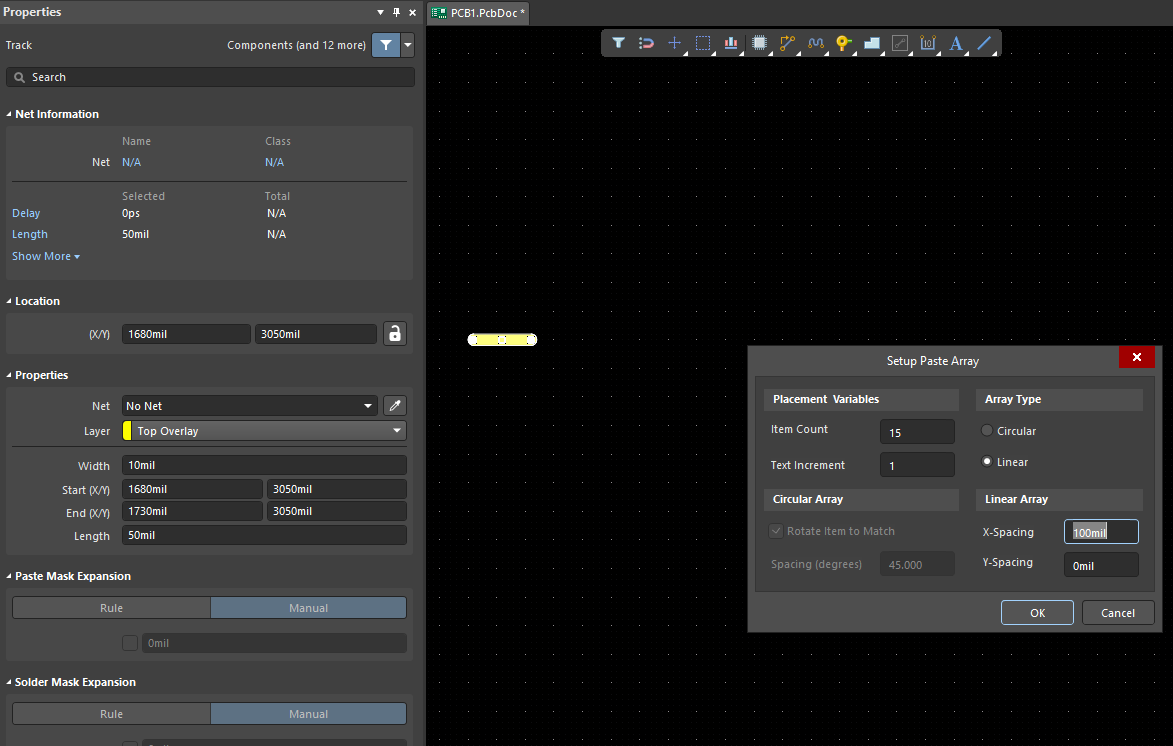
• With the target layer active, draw a small line segment (a dash) on overlay layer, select, Edit » Copy, click a reference point, Edit » Paste Special..., Paste Array... button to specify Item Count and Spacing.
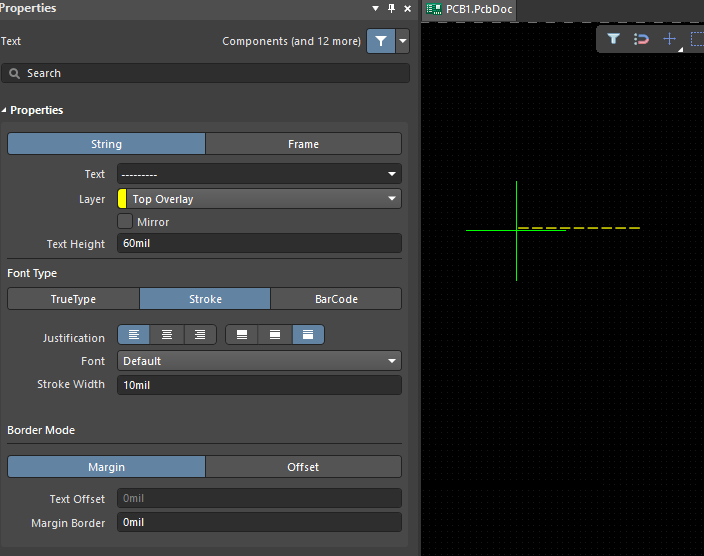
• Place » String, hit tab to open Properties panel, enter '------' in Text field.
Paste Special to paste an array of the same objects:
With the target layer active, draw a small line segment (a dash) on overlay layer, select, Edit » Copy, click a reference point, Edit » Paste Special..., Paste Array... button to specify Item Count and Spacing.
Place a text string of Hyphen characters:
Place » String, hit tab to open Properties panel, enter '------' in Text field.